Original Industrial Spare Part
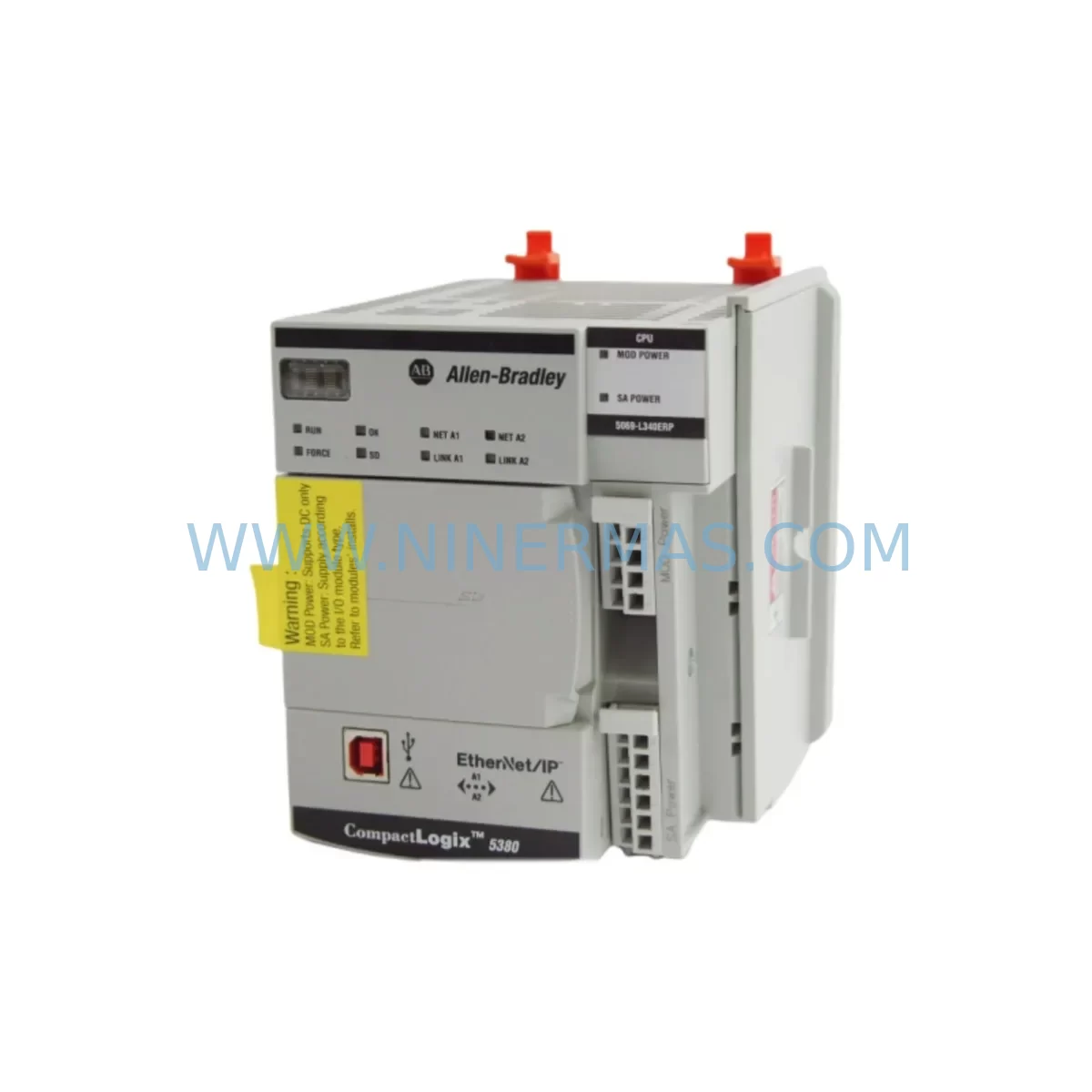
Allen-Bradley 5069-L340ERP Service-Ready Spare Part for Industrial Maintenance
Verify the part, confirm the platform family, and move straight into quotation with the right commercial details.
RFQ Ready
- SKU5069-L340ERP
- CategoryPLC & Industrial Automation Modules
- BrandAllen-Bradley
- SupportAvailability, lead time, condition, and shipping coordination
How Buyers Usually Use This Page
- Confirm the exact part number and platform family before sending the quote request.
- Use direct email when quantity, condition, and destination are already defined internally.
- Switch to the broader brand or category archive when you need alternates nearby.
Series Navigation
Move through the most common platform families behind this part.
Product RFQ
Send this part directly for quotation.
Include quantity, required condition, destination country, and target delivery timing. Current reference: Allen-Bradley 5069-L340ERP Service-Ready Spare Part for Industrial Maintenance with SKU 5069-L340ERP.
Allen-Bradley 5069-L340ERP Service-Ready Spare Part for Industrial Maintenance
The Allen-Bradley 5069-L340ERP is a CompactLogix 5380 series programmable logic controller designed for high-performance discrete and process control applications in industrial automation environments. As a service-ready spare part, the 5069-L340ERP is an essential component for maintenance engineers managing aging or active Rockwell Automation control architectures. Whether you are responding to an unplanned shutdown, executing a scheduled annual overhaul, or building a strategic spare parts inventory, having a verified replacement unit on hand is critical to minimizing production downtime and protecting operational continuity.
The 5069-L340ERP features an embedded EtherNet/IP port, onboard USB programming interface, and supports up to 3 MB of user memory with a 40 ns task execution rate. It is compatible with the Studio 5000 Logix Designer programming environment and integrates seamlessly into existing CompactLogix 5380 chassis configurations. This controller is widely deployed in food and beverage, oil and gas, water treatment, automotive assembly, and discrete manufacturing facilities where system reliability and fast fault recovery are non-negotiable.
Spare Maintenance Table
| Parameter | Specification |
|---|---|
| Part Number / SKU | 5069-L340ERP |
| Brand | Allen-Bradley (Rockwell Automation) |
| Series | CompactLogix 5380 |
| Product Type | PLC Controller Module |
| User Memory | 3 MB |
| Task Execution Rate | 40 ns |
| Communication | EtherNet/IP (embedded), USB |
| Programming Software | Studio 5000 Logix Designer v31+ |
| Power Supply Compatibility | 5069-PA4, 5069-PB4 series |
| Operating Temperature | 0°C to 60°C |
| Mounting | CompactLogix 5380 local chassis (5069-Axx) |
| Certifications | UL, CE, RCM |
| Origin | United States |
| Compatibility | Drop-in replacement for 5069-L340ERP in CompactLogix 5380 systems |
| Maintenance Recommendation | Inspect firmware version, battery backup, and EtherNet/IP node configuration upon installation |
| Warranty | 12 Months — Covers manufacturing defects; pre-shipment functional test included |
Maintenance Planning for Continuous Operation
When replacing the 5069-L340ERP in a CompactLogix 5380 system, a thorough site assessment is essential to avoid secondary failures and ensure a clean restoration. Maintenance engineers should treat this replacement as an opportunity to audit the entire control cabinet and associated electrical circuit.
Begin by verifying the 5069-PA4 or 5069-PB4 power supply module — confirm output voltage stability and check for capacitor aging or thermal discoloration. A degraded power supply is a common root cause of controller faults and should be replaced proactively if the unit has been in service for more than five years. Alongside the power supply, inspect the 5069-IB16 digital input module and 5069-OB16 digital output module for contact wear, blown fuses, or wiring terminal corrosion, particularly in high-cycle applications.
For systems with analog process signals, the 5069-IF8 analog input module and 5069-OF8 analog output module should be calibrated and verified against known reference signals. Signal drift in aging I/O modules can cause false process alarms and mask the true source of a controller fault. If the system includes safety functions, the 5069-IB8S safety input module must be re-validated after any controller swap to confirm SIL compliance.
EtherNet/IP network integrity is critical for the 5069-L340ERP. Inspect the managed Ethernet switch (such as a Stratix 5700 or equivalent) for port errors, duplex mismatches, and firmware currency. Verify that the replacement controller’s IP address, subnet mask, and gateway settings match the original configuration before going live. If the system uses a 1756-EN2T or 1756-EN3TR EtherNet/IP bridge module in a ControlLogix backplane for inter-chassis communication, confirm that the routing table and connection parameters are intact.
For facilities using DeviceNet or ControlNet legacy segments connected through scanner modules, verify that the 5069-L340ERP firmware supports the required scanner add-on profiles. Additionally, inspect terminal blocks and DIN rail wiring — Phoenix Contact or Weidmüller style terminal strips should be checked for loose conductors, especially in high-vibration environments. Replace any discolored or brittle ferrules before recommissioning.
If the control panel includes a PanelView Plus 7 HMI or similar operator interface, verify that the FactoryTalk View ME application is compatible with the replacement controller’s firmware version. Mismatched firmware between the HMI and PLC can cause tag communication failures that delay restart. Finally, confirm that any signal isolators or loop-powered transmitters connected to the analog I/O channels are functioning within specification — these are frequently overlooked during emergency replacements and can introduce measurement errors post-restart.
Site Replacement Workflow
The 5069-L340ERP is designed as a direct drop-in replacement for existing CompactLogix 5380 installations. The following workflow is recommended to minimize downtime and ensure a controlled, verified restoration:
Step 1 — Pre-Replacement Backup: Export the current controller program using Studio 5000 Logix Designer. Save the ACD project file, including all tag databases, motion configurations, and Add-On Instructions (AOIs), to a secure network location. Document the current firmware revision.
Step 2 — Power Down and Isolation: Follow site LOTO (Lockout/Tagout) procedures. Isolate the 5069-PA4/PB4 power supply and confirm zero-energy state with a calibrated voltage tester before removing the controller.
Step 3 — Module Removal and Inspection: Remove the 5069-L340ERP from the chassis slot. Inspect the backplane connector for bent pins or contamination. Clean the chassis slot with compressed air if necessary.
Step 4 — Firmware Flash and Program Restore: Install the replacement 5069-L340ERP. Connect via USB and use Studio 5000 to flash the controller to the required firmware version. Download the saved ACD project and verify all I/O module connections are recognized.
Step 5 — Network Recommissioning: Assign the correct IP address via BOOTP/DHCP or the controller’s built-in web server. Verify EtherNet/IP connections to all remote I/O adapters, drives, and HMI devices. Confirm no faulted connections remain in the I/O tree.
Step 6 — Functional Test and Handover: Run a controlled startup sequence. Verify all digital and analog I/O channels respond correctly. Confirm safety functions are validated. Document the replacement in the site maintenance log and update the spare parts register.
Spare Parts Support FAQ
Q1: Is the 5069-L340ERP a direct replacement for an existing CompactLogix 5380 controller?
Yes. The 5069-L340ERP is a direct slot-compatible replacement within the CompactLogix 5380 chassis family. No hardware modifications are required. Firmware must be matched to the original revision using Studio 5000 Logix Designer before downloading the application program.
Q2: How is the unit tested before shipment?
Every 5069-L340ERP unit undergoes a pre-shipment functional test covering power-on self-test (POST), EtherNet/IP port communication verification, and firmware integrity check. A test report is available upon request. Units are shipped in anti-static packaging with protective covers on all connectors.
Q3: Can you support long-term or blanket spare parts orders for the 5069-L340ERP?
Yes. NINERMAS supports long-term supply agreements for critical spare parts including the 5069-L340ERP. We can hold allocated stock against a purchase order to ensure availability for planned maintenance windows, annual shutdowns, or multi-site spare parts programs. Contact our team to discuss lead times and volume pricing.
Q4: What does the 12-month warranty cover?
The 12-month warranty covers manufacturing defects and functional failures under normal operating conditions. It does not cover damage caused by incorrect installation, overvoltage events, or unauthorized modification. In the event of a warranty claim, NINERMAS will arrange advance replacement or repair at no additional cost to minimize your downtime exposure.
| Product Series | CompactLogix |
|---|---|
| Country of Origin | US |
Catalog Continuation
More Allen-Bradley modules in the catalog.
Use the brand lane to compare nearby part numbers, platform-adjacent modules, and other inquiry-ready listings before sending your final RFQ.
Catalog Continuation
Alternative parts within PLC & Industrial Automation Modules.
Stay inside the same system family when you need substitutes, adjacent modules, or a broader shortlist for procurement review.
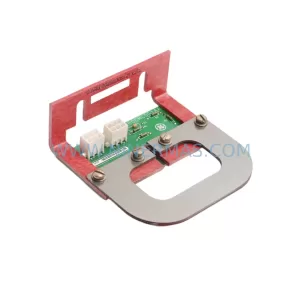
SKU: IS200EMCSG1AA
GE IS200EMCSG1AA Retrofit-Compatible Conduction Sensor Card
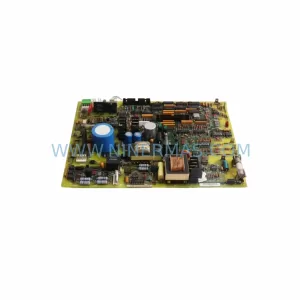
SKU: DS200IMCPG1BBA
GE DS200IMCPG1BBA Retrofit-Compatible IGBT Power Supply Board
SKU: 6ES7322-1FL00-0AA0
Siemens 6ES7322-1FL00-0AA0 Service-Ready Spare Part for Industrial Maintenance