
Original Industrial Spare Part
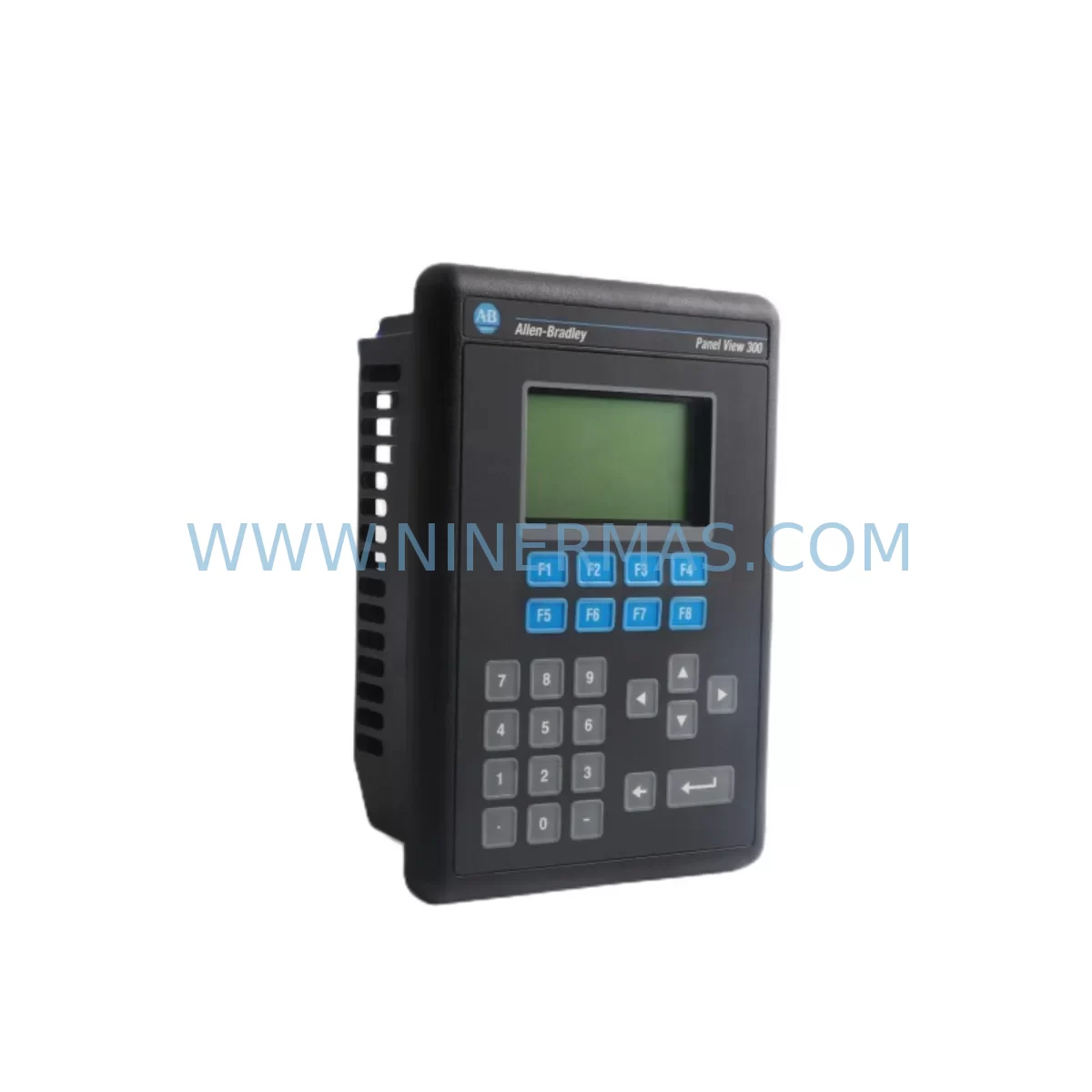
Allen-Bradley 2711-K3A5L1 Service-Ready Spare Part
Verify the part, confirm the platform family, and move straight into quotation with the right commercial details.
RFQ Ready
- SKU2711-K3A5L1
- CategoryPLC & Industrial Automation Modules
- BrandAllen-Bradley
- SupportAvailability, lead time, condition, and shipping coordination
How Buyers Usually Use This Page
- Confirm the exact part number and platform family before sending the quote request.
- Use direct email when quantity, condition, and destination are already defined internally.
- Switch to the broader brand or category archive when you need alternates nearby.
Series Navigation
Move through the most common platform families behind this part.
Product RFQ
Send this part directly for quotation.
Include quantity, required condition, destination country, and target delivery timing. Current reference: Allen-Bradley 2711-K3A5L1 Service-Ready Spare Part with SKU 2711-K3A5L1.
Allen-Bradley 2711-K3A5L1 Service-Ready Spare Part: Minimizing Downtime with Reliable HMI Keypad Replacement
The Allen-Bradley 2711-K3A5L1 is a ruggedized HMI keypad module designed for the PanelView 550 series, engineered to withstand demanding industrial environments including exposure to vibration, dust, and wide temperature ranges. For maintenance engineers managing aging control systems on production lines, conveyor systems, or process automation cells, the 2711-K3A5L1 represents a critical interface component whose failure can bring an entire operation to a halt. Sourcing a verified, service-ready replacement from a reliable supplier is not just a procurement decision — it is a risk management strategy.
At NINERMAS, we stock the 2711-K3A5L1 as part of our industrial HMI spare parts inventory, pre-tested and ready for immediate dispatch. Whether you are responding to an unplanned keypad failure, building a preventive maintenance buffer, or executing a scheduled annual overhaul, this module ships with full documentation and a 12-month warranty covering manufacturing defects and functional performance.
The PanelView 550 platform, while a mature product line, remains deeply embedded in legacy automation architectures across food and beverage, automotive, oil and gas, and discrete manufacturing sectors. Operators and maintenance teams rely on the tactile feedback and rugged construction of the 2711-K3A5L1 keypad for daily machine interaction. When a keypad begins to show signs of wear — unresponsive keys, intermittent input registration, or physical damage to the membrane — prompt replacement is essential to avoid operator errors and unplanned stoppages.
Spare Maintenance Table
| Parameter | Specification |
|---|---|
| Part Number | 2711-K3A5L1 |
| Brand | Allen-Bradley (Rockwell Automation) |
| Series | PanelView 550 |
| Module Type | Ruggedized HMI Keypad Module |
| Display Size | 5.5-inch keypad interface |
| Communication | DH-485 / RS-232 (series dependent) |
| Power Supply | 24V DC nominal |
| Operating Temperature | 0°C to 55°C (32°F to 131°F) |
| Storage Temperature | -40°C to 85°C |
| Enclosure Rating | NEMA 4/4X, 12, 13 (panel-mounted) |
| Compatibility | PanelView 550 series; Allen-Bradley PLC-5, SLC 500, MicroLogix via DH-485 |
| Installation | Panel cutout mount; standard PanelView 550 footprint |
| Condition | New / Refurbished-to-spec (tested) |
| Warranty | 12 Months — functional and manufacturing defect coverage |
| Origin | United States |
| Shipping | Worldwide; ESD-safe packaging; tested before dispatch |
Maintenance Planning for Continuous Operation
Replacing the 2711-K3A5L1 keypad module is rarely an isolated task. Experienced maintenance engineers know that when an HMI interface component fails, it is prudent to inspect the surrounding electrical and communication infrastructure to prevent repeat failures and ensure system stability after restoration.
Begin by verifying the 24V DC power supply feeding the PanelView 550 terminal. A degraded or undersized power supply — such as an aging 1606-XLP or equivalent industrial DIN-rail power supply — can cause erratic HMI behavior that mimics keypad faults. Confirm voltage stability under load before commissioning the replacement module.
Next, inspect the DH-485 communication cable and termination resistors connecting the PanelView 550 to the host controller. Damaged shielding, loose terminal connections, or missing termination on the network segment can cause communication timeouts that appear as HMI unresponsiveness. If the system uses an AIC+ Advanced Interface Converter (1761-NET-AIC) for protocol bridging, verify its status and connection integrity as part of the same maintenance window.
For installations where the PanelView 550 communicates with an SLC 500 series controller — such as the SLC 5/03 or SLC 5/04 — check the processor’s communication port settings and confirm the node address configuration matches the replacement HMI module. Similarly, if the system is integrated with a MicroLogix 1100 or 1400, validate the RS-232 or DH-485 port parameters after module swap.
Inspect the control cabinet terminal blocks (such as Allen-Bradley 1492-series or equivalent Phoenix Contact terminal strips) for signs of corrosion, loose wiring, or thermal discoloration near the HMI power and signal terminals. This is also an appropriate time to check any 24V DC fuse holders or circuit breakers protecting the HMI circuit, replacing any that show signs of aging or intermittent continuity.
If the PanelView 550 is part of a larger control panel that includes Allen-Bradley 1746 I/O modules (SLC 500 I/O rack) or 1771 I/O modules (PLC-5 rack), perform a visual inspection of the backplane connectors and module seating. Loose I/O modules can generate spurious faults that are incorrectly attributed to the HMI. For systems using signal isolators on analog input channels, verify isolation integrity and output signal accuracy as part of the broader maintenance sweep.
Finally, document the replacement event in your CMMS (Computerized Maintenance Management System), update the spare parts register, and confirm that at least one additional 2711-K3A5L1 unit is held in your on-site buffer stock. For high-criticality lines, a minimum of two units is recommended given the lead times associated with legacy HMI components.
Site Replacement Workflow
Step 1 — Isolation and Lockout/Tagout: De-energize the control panel following your site LOTO procedure. Confirm zero energy state at the PanelView 550 power terminals before proceeding.
Step 2 — Documentation: Photograph the existing wiring, communication cable routing, and panel cutout label before removal. Record the current firmware revision displayed on the HMI if accessible.
Step 3 — Module Removal: Disconnect the power connector and DH-485/RS-232 communication cable from the rear of the existing 2711-K3A5L1. Release the panel mounting clamps and carefully extract the module from the panel cutout.
Step 4 — Inspection: Inspect the panel cutout gasket for damage or compression set. Replace the gasket if the NEMA sealing integrity is compromised. Check the rear connector pins on the panel wiring harness for corrosion or deformation.
Step 5 — Installation: Insert the replacement 2711-K3A5L1 into the panel cutout, engage the mounting clamps evenly to ensure proper NEMA sealing, and reconnect the power and communication cables in the correct orientation.
Step 6 — Power-Up and Verification: Re-energize the panel and observe the HMI startup sequence. Confirm communication link establishment with the host PLC (SLC 500, MicroLogix, or PLC-5). Test all keypad functions against the application screen set to verify correct input registration.
Step 7 — Return to Service: Log the replacement in your maintenance records, update the spare parts inventory, and notify the operations team that the line is cleared for production restart.
This workflow is designed to minimize total downtime from fault identification to production restoration, typically achievable within 1–2 hours for a prepared maintenance team with the replacement module on hand.
Spare Parts Support FAQ
Q1: Is the 2711-K3A5L1 compatible with all PanelView 550 variants?
The 2711-K3A5L1 is specifically designed for the PanelView 550 keypad-only terminal series. It is compatible with DH-485 and RS-232 communication configurations used across the PanelView 550 product family. Before ordering, confirm your existing unit’s catalog suffix to ensure the keypad layout and communication interface match your application requirements. Our technical team can assist with compatibility verification prior to purchase.
Q2: What testing is performed before shipment?
Every 2711-K3A5L1 unit dispatched from NINERMAS undergoes functional verification including power-up testing, keypad input response checking, and communication port continuity verification. Units are packed in ESD-safe anti-static bags with foam cushioning to prevent transit damage. A test report is available upon request for quality-critical procurement processes.
Q3: What does the 12-month warranty cover?
The 12-month warranty covers manufacturing defects and functional failures under normal operating conditions consistent with the module’s rated specifications. It does not cover damage resulting from incorrect installation, overvoltage events, physical impact, or operation outside the specified environmental range. Warranty claims are processed with priority turnaround to minimize your operational disruption.
Q4: Can NINERMAS support long-term or blanket purchase orders for legacy HMI spare parts?
Yes. NINERMAS specializes in long-term supply agreements for legacy and end-of-life industrial automation components including the PanelView 550 series. We maintain buffer stock of high-demand SKUs and can structure scheduled delivery programs to align with your annual maintenance budget cycles. Contact our sales team to discuss volume pricing, consignment stock arrangements, and multi-site supply coordination.
| Product Series | 2711 |
|---|---|
| Country of Origin | US |
Catalog Continuation
More Allen-Bradley modules in the catalog.
Use the brand lane to compare nearby part numbers, platform-adjacent modules, and other inquiry-ready listings before sending your final RFQ.




Catalog Continuation
Alternative parts within PLC & Industrial Automation Modules.
Stay inside the same system family when you need substitutes, adjacent modules, or a broader shortlist for procurement review.



SKU: HDD02.2-W040N-HS12-01-FW FWA-DIAX04-ELS-05VRS-MS
Rexroth HDD02.2-W040N-HS12-01-FW Service-Ready Spare Part

SKU: I5DAE375F10010000S
Lenze I5DAE375F10010000S Service-Ready Spare Part for Industrial Maintenance



