
Original Industrial Spare Part
Makino UP-MF12-B Service-Ready Spare Part for Industrial Maintenance
Verify the part, confirm the platform family, and move straight into quotation with the right commercial details.
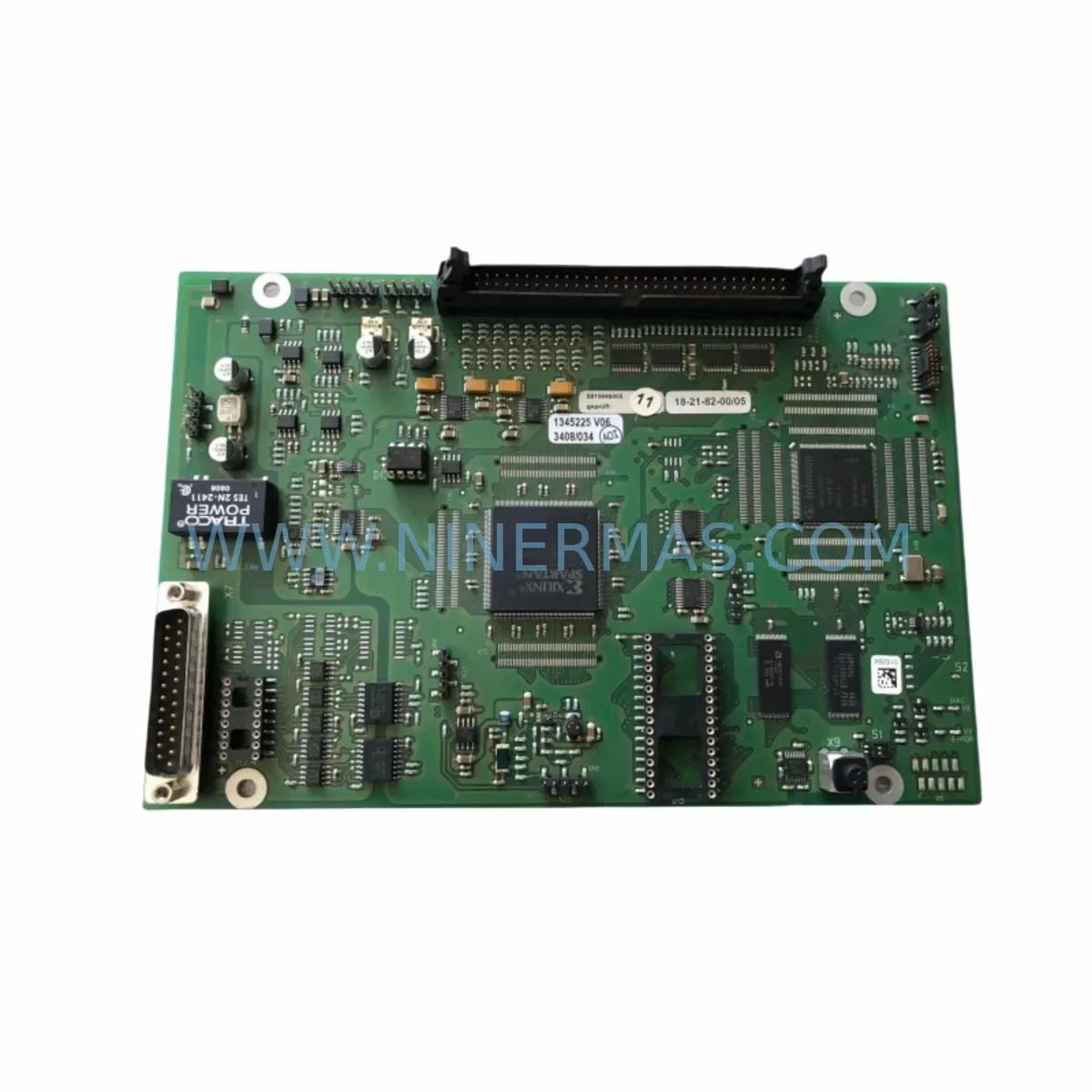
RFQ Ready
- SKUUP-MF12-B
- CategoryPLC & Industrial Automation Modules
- BrandMAKINO
- SupportAvailability, lead time, condition, and shipping coordination
How Buyers Usually Use This Page
- Confirm the exact part number and platform family before sending the quote request.
- Use direct email when quantity, condition, and destination are already defined internally.
- Switch to the broader brand or category archive when you need alternates nearby.
Series Navigation
Move through the most common platform families behind this part.
Product RFQ
Send this part directly for quotation.
Include quantity, required condition, destination country, and target delivery timing. Current reference: Makino UP-MF12-B Service-Ready Spare Part for Industrial Maintenance with SKU UP-MF12-B.
Makino UP-MF12-B Service-Ready Spare Part for Industrial Maintenance
The Makino UP-MF12-B is a critical control panel module designed for the Makino UP Series wire EDM and precision machining systems. When this component fails or degrades, the entire CNC control loop is compromised — leading to unplanned downtime, production loss, and costly emergency procurement. Sourcing a verified, pre-tested UP-MF12-B replacement from a reliable spare parts supplier is the fastest path to restoring full machine operation and protecting your production schedule.
At NINERMAS, every UP-MF12-B unit is subject to pre-shipment functional testing and ships with a 12-month warranty. Our inventory is maintained specifically for maintenance engineers and procurement teams managing legacy Makino UP Series installations — including systems that have been in continuous operation for 10 to 20+ years. We understand that long-lead OEM channels are not always viable for urgent downtime recovery, and we exist to bridge that gap with reliable, traceable spare parts supply.
Spare Maintenance Table
| Parameter | Specification / Detail |
|---|---|
| Part Number | UP-MF12-B |
| Brand | Makino |
| Series | UP Series (Wire EDM / CNC Machining Center) |
| Module Type | CNC Control Panel Function Module |
| Compatibility | Makino UP3, UP4, UP5, UP6, UP32J, UP43 and related UP Series platforms |
| Origin | Japan |
| Application Environment | Industrial CNC control cabinet, machine tool operator panel |
| Installation | Panel-mount, direct replacement for original UP-MF12-B position |
| Maintenance Interval | Inspect annually; replace on fault code or unresponsive panel input |
| Pre-Shipment Testing | Yes — functional verification before dispatch |
| Warranty | 12 Months from date of shipment |
| Condition | Original / Refurbished-to-OEM-spec (confirmed at order) |
| Lead Time | Confirm at inquiry; express dispatch available for urgent downtime |
Maintenance Planning for Continuous Operation
Replacing the UP-MF12-B in a Makino UP Series machine is rarely an isolated event. Maintenance engineers performing a thorough control cabinet inspection should treat this replacement as an opportunity to audit the full electrical and control architecture. The UP-MF12-B interfaces with the machine’s operator panel bus, and any degradation in adjacent components can cause recurring faults even after the module is replaced.
During the same maintenance window, it is strongly recommended to inspect the Makino UP Series power supply unit — voltage instability is a leading cause of premature control module failure. Check the DC bus capacitors and 24VDC regulated power rails feeding the control panel. If the machine uses a Fanuc Series 0 or 16i CNC controller (common in UP Series integrations), verify the Fanuc A20B main board and A16B I/O interface board for corrosion or loose connectors.
The operator panel membrane keypad assembly and panel PCB backplane should be visually inspected for burn marks, cracked solder joints, or contamination from coolant ingress — a frequent issue in wire EDM environments. Relay modules within the control cabinet, particularly Omron MY2 or G2R series intermediate relays, should be tested for contact resistance if the machine has logged intermittent axis or spindle faults.
For machines with RS-232 or RS-422 serial communication to a DNC system or CAM workstation, inspect the serial communication interface board and cable shielding. Signal degradation at the communication layer can mimic control panel faults and lead to misdiagnosis. If the installation includes a Makino Hyper-i or Professional 3 HMI, verify the HMI display cable and touchscreen controller board independently.
Terminal blocks and Phoenix Contact or Weidmüller screw terminal strips in the I/O section should be re-torqued and inspected for oxidation. Signal isolators on analog feedback lines (position encoders, spindle load) should be tested if the machine has shown erratic axis behavior. Finally, check the main circuit breaker and EMC filter at the cabinet entry point — these are often overlooked during panel-level repairs but are critical for long-term reliability.
Building a structured spare parts kit around the UP-MF12-B — including a backup power supply module, a set of relay modules, and a spare I/O interface board — is a proven strategy for reducing mean time to repair (MTTR) on aging Makino UP Series assets.
Site Replacement Workflow
Step 1 — Fault Confirmation: Before ordering, confirm the UP-MF12-B as the root cause using the machine’s diagnostic menu. Document the fault code and any associated alarm history. This prevents unnecessary replacement of a functional module.
Step 2 — Power Isolation: Follow LOTO (Lockout/Tagout) procedures. Isolate the main cabinet power and allow capacitors to discharge fully before opening the control panel enclosure.
Step 3 — Module Extraction: Photograph the existing wiring and connector positions before disconnecting. The UP-MF12-B typically uses a keyed multi-pin connector — note orientation and locking tab position. Remove the module by releasing the panel retention clips or screws per the Makino UP Series maintenance manual.
Step 4 — Compatibility Verification: Compare the part number label on the extracted module with the replacement unit. Confirm firmware revision compatibility if the machine’s CNC controller has been updated since original installation.
Step 5 — Installation and Power-On Test: Seat the replacement UP-MF12-B, reconnect all cables, and restore power in sequence. Run the machine’s self-diagnostic routine and verify all panel functions — axis jog, feed override, spindle control, and E-stop — before returning the machine to production.
Step 6 — Documentation: Record the replacement in the machine maintenance log with the new part serial number, installation date, and technician name. This supports warranty claims and future fault tracing.
This workflow minimizes downtime exposure and ensures the replacement is performed safely and verifiably — reducing the risk of repeat failures caused by installation error.
Spare Parts Support FAQ
Q1: Is the UP-MF12-B you supply an original Makino part or a compatible replacement?
We supply original Makino UP-MF12-B units sourced from verified industrial channels, as well as refurbished-to-OEM-specification units where original new-old-stock is unavailable. The condition is confirmed at the time of order. All units undergo pre-shipment functional testing regardless of condition grade.
Q2: What is the warranty coverage and what does it include?
Every UP-MF12-B ships with a 12-month warranty from the date of shipment. The warranty covers functional failure under normal operating conditions. It does not cover damage caused by incorrect installation, voltage surges, or physical impact. Warranty claims are supported by our technical team with replacement or repair at no additional cost.
Q3: Can you supply the UP-MF12-B on an ongoing basis for our spare parts inventory program?
Yes. NINERMAS supports long-term supply agreements for maintenance teams managing multiple Makino UP Series machines. We recommend holding at least one UP-MF12-B in your on-site spare parts kit given the module’s role in machine operability. Contact us to discuss volume pricing, reserved stock arrangements, and lead time commitments.
Q4: How do I confirm compatibility before purchasing?
Provide your machine model (e.g., Makino UP4, UP32J), the CNC controller version, and the part number from the existing module. Our technical team will verify compatibility and advise on any firmware or connector revision differences before shipment. We do not ship without compatibility confirmation for first-time orders on a given machine configuration.
| Product Series | Other series |
|---|
Catalog Continuation
More MAKINO modules in the catalog.
Use the brand lane to compare nearby part numbers, platform-adjacent modules, and other inquiry-ready listings before sending your final RFQ.
Catalog Continuation
Alternative parts within PLC & Industrial Automation Modules.
Stay inside the same system family when you need substitutes, adjacent modules, or a broader shortlist for procurement review.
SKU: DS200SLCCG3ACC DS215DENQG3QZZ01A
GE DS200SLCCG3ACC Mark V Service-Ready Spare Part
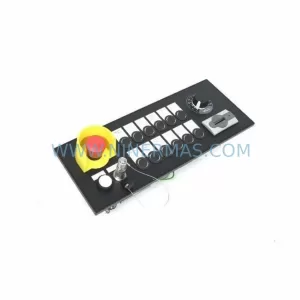
SKU: MPP1500D 6FC5303-1AF30-0AA0
Siemens MPP1500D 6FC5303-1AF30-0AA0 Retrofit Operator Panel
SKU: 6SL3224-0BE31-5UA0
Siemens 6SL3224-0BE31-5UA0 Service-Ready Spare Part



