
Original Industrial Spare Part
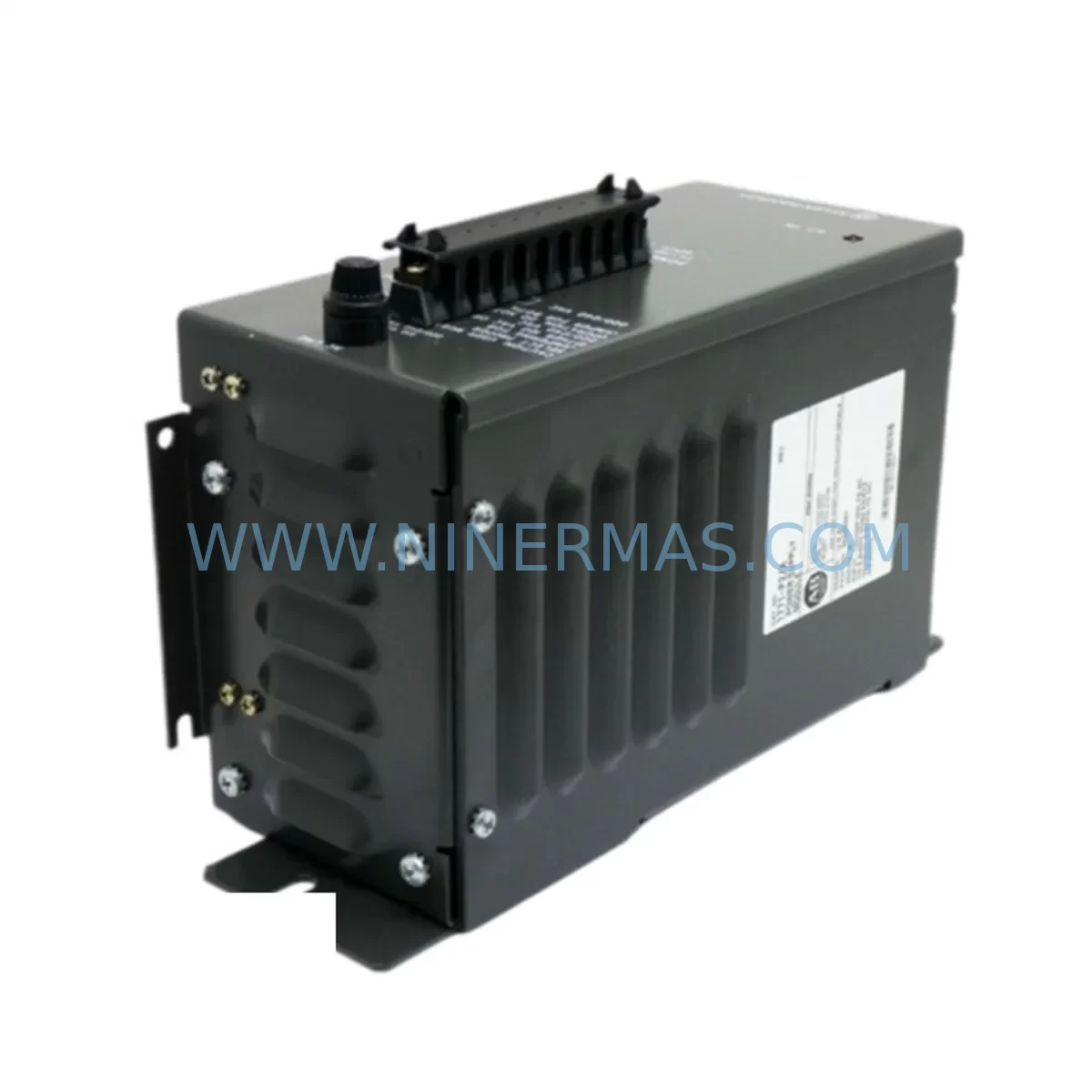
Allen-Bradley 1771-P2 Retrofit-Compatible Auxiliary Power Supply
Verify the part, confirm the platform family, and move straight into quotation with the right commercial details.
RFQ Ready
- SKU1771-P2
- CategoryPLC & Industrial Automation Modules
- BrandAllen-Bradley
- SupportAvailability, lead time, condition, and shipping coordination
How Buyers Usually Use This Page
- Confirm the exact part number and platform family before sending the quote request.
- Use direct email when quantity, condition, and destination are already defined internally.
- Switch to the broader brand or category archive when you need alternates nearby.
Series Navigation
Move through the most common platform families behind this part.
Product RFQ
Send this part directly for quotation.
Include quantity, required condition, destination country, and target delivery timing. Current reference: Allen-Bradley 1771-P2 Retrofit-Compatible Auxiliary Power Supply with SKU 1771-P2.
Allen-Bradley 1771-P2 Retrofit-Compatible Auxiliary Power Supply for Legacy PLC-5 Systems
The Allen-Bradley 1771-P2 Ruggedized Auxiliary Power Supply Module is a critical component for facilities undertaking PLC-5 platform modernization, legacy control cabinet upgrades, and discontinued spare parts replacement programs. Designed to deliver supplemental DC power within the 1771 I/O chassis, the 1771-P2 extends the operational life of existing automation infrastructure without requiring a full system overhaul. For maintenance engineers and system integrators managing aging production lines, this module represents a cost-effective, low-risk path to sustaining control system reliability while planning a phased migration to newer platforms such as the ControlLogix or CompactLogix families.
When retrofitting a 1771-based control system, the power budget of the existing chassis is one of the first parameters to verify. The 1771-P2 provides auxiliary power to supplement the primary chassis power supply — typically a 1771-P4S or 1771-P7 — and is essential when the I/O chassis is populated with high-draw modules such as analog input cards, thermocouple input modules, or specialty communication adapters. Before installation, engineers must confirm the total module load against the combined output capacity of the primary and auxiliary supplies to avoid undervoltage faults that can cause unpredictable I/O behavior or processor faults on the PLC-5 controller.
Terminal wiring compatibility is another key consideration during retrofit planning. The 1771-P2 connects to the chassis backplane and does not require field wiring in the traditional sense, but the chassis slot assignment and keying must be verified against the existing rack layout. In a 1771 I/O chassis, the power supply occupies a dedicated slot at the left end of the rack, and the auxiliary supply must be positioned correctly relative to the primary supply. Installers should cross-reference the existing rack wiring diagram and confirm that the backplane connector pins align with the replacement module before powering up the system.
Upgrade Compatibility Table
| Parameter | 1771-P2 (This Unit) | Notes / Retrofit Guidance |
|---|---|---|
| Platform Compatibility | Allen-Bradley PLC-5 / 1771 I/O | Compatible with all 1771 chassis variants including 1771-A1B, 1771-A2B, 1771-A3B, 1771-A4B |
| Function | Ruggedized Auxiliary Power Supply | Supplements primary supply; required when chassis load exceeds primary supply rating |
| Installation Slot | Dedicated power supply slot (left end of chassis) | Verify slot position against existing rack layout before installation |
| Backplane Interface | 1771 standard backplane connector | Confirm backplane connector condition; replace chassis if backplane shows corrosion or damage |
| Communication Compatibility | N/A (power module) | Does not affect DH+, RIO, or ControlNet communication links |
| Replacement Recommendation | Direct drop-in for 1771-P2 in all 1771 chassis | Also evaluate 1771-P4S or 1771-P7 if primary supply upgrade is planned simultaneously |
| Commissioning Notes | Verify total chassis load after installation | Use RSLogix 5 or PLC-5 programming terminal to monitor power supply status bits |
| Warranty | 12 Months | Covers manufacturing defects; includes pre-shipment functional test report |
Retrofit Planning for Existing Automation Systems
A successful 1771-P2 retrofit begins well before the module arrives on site. The engineering team should audit the full contents of the affected 1771 chassis, documenting every installed module by slot number, module type, and current draw. Common modules found alongside the 1771-P2 in legacy PLC-5 systems include the 1771-OBD DC output module, 1771-IB DC input module, 1771-ASB remote I/O adapter, and 1771-IXHR thermocouple input module. Each of these modules contributes to the total chassis power budget, and the auxiliary supply must be sized accordingly.
For facilities that have already begun migrating portions of their control architecture to newer platforms, the 1771-P2 often serves as a bridge component — keeping the legacy 1771 chassis operational while the ControlLogix 1756 backplane and associated 1756-L series processor are being commissioned in parallel. During this transition period, the 1771-ASB remote I/O adapter plays a critical role in maintaining communication between the legacy PLC-5 processor and the 1771 I/O chassis, and any power instability caused by an undersized or failing auxiliary supply can disrupt the entire RIO communication link.
Communication protocol migration is another area where the 1771-P2 retrofit intersects with broader system modernization goals. Many facilities running PLC-5 systems are simultaneously planning a migration from Data Highway Plus (DH+) to EtherNet/IP. During this transition, the 1756-DHRIO communication module in the new ControlLogix chassis bridges the DH+ network, allowing the legacy PLC-5 program to remain active while the new control logic is developed and tested. Maintaining stable power to the 1771 chassis throughout this period is essential, and the 1771-P2 provides the additional power headroom needed to support the 1771-DHRIO or 1771-KF2 communication modules that remain in service during the migration.
I/O expansion requirements during a retrofit can also increase chassis power demand. When additional 1771-IFE analog input modules or 1771-OFE analog output modules are added to support new instrumentation or process control loops, the existing primary power supply may no longer be sufficient. Installing the 1771-P2 as an auxiliary supply resolves this constraint without requiring a chassis replacement, preserving the existing module addressing scheme and avoiding the need to re-download the PLC-5 program or reconfigure the HMI screens on the PanelView 550 or PanelView 900 operator terminals that are typically paired with PLC-5 systems.
HMI screen compatibility is a frequently overlooked aspect of power supply retrofits. When the 1771 chassis loses power momentarily during a module swap, the PanelView terminal may lose its communication link and display a fault screen. To minimize this risk, the 1771-P2 should be installed during a planned maintenance window, with the HMI placed in a safe state and the PLC-5 program checkpointed to battery-backed memory. After installation, the HMI communication link should be verified by cycling through all active screens and confirming that all data tags are updating correctly.
Downtime Control During System Migration
Minimizing unplanned downtime is the primary concern for any maintenance team undertaking a 1771-P2 replacement or auxiliary power supply retrofit. The recommended approach is to schedule the installation during a planned production shutdown, with a target installation window of two to four hours. Before beginning work, the existing PLC-5 program should be uploaded and saved to an offline backup using RSLogix 5, and the current I/O configuration should be documented in full. This ensures that if any unexpected issues arise during the installation — such as a backplane fault or a module addressing conflict — the system can be restored to its previous state without loss of program logic.
To protect the original program logic during the power supply swap, the PLC-5 processor should be placed in Program mode before the chassis is de-energized. This prevents any output modules from driving field devices during the installation and reduces the risk of process upsets. After the 1771-P2 is installed and the chassis is re-energized, the processor should be returned to Run mode only after all I/O status indicators have been verified and the power supply status bits in the processor status file have been confirmed as healthy.
For facilities where continuous production is required and a full shutdown is not possible, a hot-swap strategy may be considered. However, the 1771 chassis does not natively support hot-swapping of power supply modules, and this approach carries significant risk. In these cases, the preferred strategy is to pre-stage a complete spare chassis — populated with a 1771-P2 and all required I/O modules — and perform a rapid chassis swap during the shortest available production break. This approach limits exposure time and ensures that the replacement chassis has been fully tested and verified before it is placed in service.
Pre-shipment testing is a standard part of the supply process for all 1771-P2 units shipped by NINERMAS. Each module is powered up and load-tested before dispatch, and a functional test report is included with the shipment. This eliminates the risk of receiving a non-functional unit and reduces the time required for incoming inspection at the customer’s facility. Combined with the 12-month warranty, this testing protocol gives maintenance teams confidence that the replacement module will perform as expected from the moment it is installed.
Retrofit Support FAQ
Q1: Is the 1771-P2 a direct replacement for all auxiliary power supply variants in the 1771 chassis family?
The 1771-P2 is the ruggedized auxiliary power supply variant designed for use in 1771 I/O chassis operating in harsh industrial environments. It is compatible with all standard 1771 chassis variants. If your existing installation uses a different auxiliary supply model, please provide the full part number so our technical team can confirm compatibility before shipment.
Q2: What commissioning steps are required after installing the 1771-P2?
After installation, verify that all chassis power supply status indicators are green and that the PLC-5 processor status file shows no power supply fault bits. Confirm that all I/O modules are communicating correctly and that the HMI terminal is displaying live data. If any modules show a fault condition, check the slot addressing and confirm that the module keying bands are correctly installed. A full I/O force test is recommended before returning the system to automatic operation.
Q3: Can the 1771-P2 be used in a chassis that is being migrated to ControlLogix?
Yes. During a phased migration where the 1771 chassis remains in service alongside a new ControlLogix system, the 1771-P2 continues to provide auxiliary power to the legacy I/O chassis. This is particularly important when the chassis is supporting communication modules such as the 1771-DHRIO or 1771-KF2 that bridge the legacy DH+ network to the new ControlLogix platform. The 1771-P2 can remain in service until the legacy chassis is fully decommissioned.
Q4: What is the warranty coverage and what does the pre-shipment test include?
All 1771-P2 units supplied by NINERMAS carry a 12-month warranty covering manufacturing defects and functional failures under normal operating conditions. Pre-shipment testing includes power-up verification, load testing at rated output, and visual inspection of the backplane connector and module housing. A test report is included with each shipment. In-stock units are typically available for same-day or next-day dispatch, and expedited shipping options are available for urgent retrofit requirements.
| Product Series | PLC-5 |
|---|---|
| Country of Origin | US |
Catalog Continuation
More Allen-Bradley modules in the catalog.
Use the brand lane to compare nearby part numbers, platform-adjacent modules, and other inquiry-ready listings before sending your final RFQ.




Catalog Continuation
Alternative parts within PLC & Industrial Automation Modules.
Stay inside the same system family when you need substitutes, adjacent modules, or a broader shortlist for procurement review.



SKU: HDD02.2-W040N-HS12-01-FW FWA-DIAX04-ELS-05VRS-MS
Rexroth HDD02.2-W040N-HS12-01-FW Service-Ready Spare Part

SKU: I5DAE375F10010000S
Lenze I5DAE375F10010000S Service-Ready Spare Part for Industrial Maintenance



