
Original Industrial Spare Part
KOLLMORGAN SERVOSTAR 443M-P S403AM-PB Retrofit Drive
Verify the part, confirm the platform family, and move straight into quotation with the right commercial details.
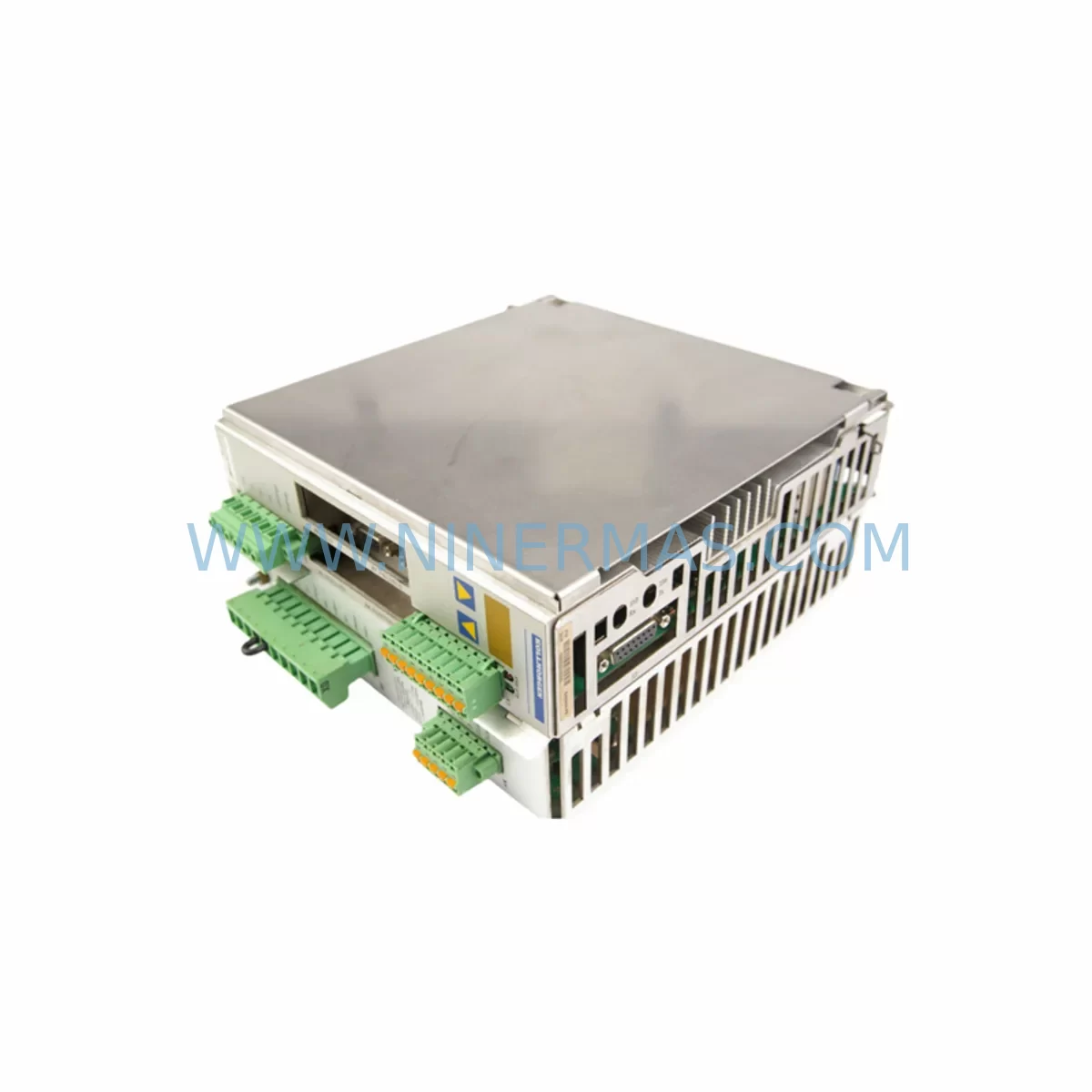
RFQ Ready
- SKUSERVOSTAR 443M-P S403AM-PB
- CategoryPLC & Industrial Automation Modules
- BrandKOLLMORGAN
- SupportAvailability, lead time, condition, and shipping coordination
How Buyers Usually Use This Page
- Confirm the exact part number and platform family before sending the quote request.
- Use direct email when quantity, condition, and destination are already defined internally.
- Switch to the broader brand or category archive when you need alternates nearby.
Series Navigation
Move through the most common platform families behind this part.
Product RFQ
Send this part directly for quotation.
Include quantity, required condition, destination country, and target delivery timing. Current reference: KOLLMORGAN SERVOSTAR 443M-P S403AM-PB Retrofit Drive with SKU SERVOSTAR 443M-P S403AM-PB.
KOLLMORGAN SERVOSTAR 443M-P S403AM-PB Retrofit-Compatible Servo Drive for Legacy Systems
The KOLLMORGAN SERVOSTAR 443M-P S403AM-PB is a high-performance servo drive engineered for demanding industrial motion control applications. As a retrofit-compatible replacement within the SERVOSTAR series, this unit addresses the growing need for reliable spare parts and drop-in upgrades in aging automation lines where the original drive has been discontinued or is no longer supported under active production. Whether you are managing a legacy CNC machining center, a packaging line, a press brake, or a multi-axis robotic cell, the SERVOSTAR 443M-P S403AM-PB provides a proven migration path that minimizes engineering rework and reduces total downtime during changeover.
NINERMAS maintains verified stock of the SERVOSTAR 443M-P S403AM-PB to support procurement teams, maintenance engineers, and system integrators who require fast delivery and documented compatibility. Every unit ships with a 12-month warranty and passes pre-shipment functional testing to confirm drive readiness before it reaches your facility.
Upgrade Compatibility Table
| Parameter | Detail |
|---|---|
| Model | SERVOSTAR 443M-P S403AM-PB |
| Brand / Series | KOLLMORGAN / SERVOSTAR |
| Drive Type | Digital AC Servo Drive |
| Typical Replacement For | SERVOSTAR 400 series legacy drives (S400, S401, S402, S403 variants) |
| Communication Interface | CANopen / SERCOS / RS-232 (model-dependent; verify firmware revision) |
| Feedback Compatibility | Resolver, Encoder (incremental / absolute), SFD (Smart Feedback Device) |
| Power Supply Input | 3-phase AC; verify bus voltage and DC bus capacitance with existing cabinet design |
| Mounting / Form Factor | Panel-mount; confirm DIN rail or direct-mount footprint against existing cutout |
| Connector / Terminal Pinout | Verify X1–X9 connector assignments against original wiring diagram before installation |
| Programming Tool | KOLLMORGAN WorkBench (DriveGUI) via RS-232 or USB-to-serial adapter |
| Firmware Compatibility | Confirm firmware version matches motion controller command set (e.g., AKD, S700 host) |
| Warranty | 12 Months — NINERMAS Company Limited |
| Pre-Shipment Test | Yes — functional verification before dispatch |
| In-Stock Availability | Contact sale@ninermas.com for lead time confirmation |
Retrofit Planning for Existing Automation Systems
Replacing a SERVOSTAR 443M-P S403AM-PB in an existing control cabinet requires a structured approach that accounts for both electrical and software interdependencies. Before removing the failed or end-of-life drive, the maintenance team should document the full wiring layout across all terminal blocks, paying particular attention to the enable signal chain, fault relay outputs, and analog command inputs. In many legacy installations, the drive receives a ±10 V velocity or torque reference from a KOLLMORGAN or third-party motion controller, and this signal path must be preserved exactly during the swap.
On the power side, confirm that the existing 24 VDC logic supply — often sourced from a PULS, PHOENIX CONTACT, or SIEMENS SITOP power supply module — can sustain the inrush demand of the replacement drive during initialization. If the cabinet also houses a SERVOSTAR 600 or SERVOSTAR S700 drive on the same DC bus, verify that the shared bus capacitance and regenerative braking resistor ratings remain within specification after the retrofit.
Feedback wiring is a common source of commissioning delays. The SERVOSTAR 443M-P S403AM-PB supports resolver and incremental encoder feedback, as well as KOLLMORGAN’s proprietary SFD (Smart Feedback Device) interface. If the existing motor uses a Hiperface or EnDat absolute encoder, confirm that the replacement drive’s firmware revision supports the required feedback protocol before ordering. In some cases, a feedback signal converter or a new motor cable assembly may be required to bridge the interface gap.
For systems running under a CANopen network, the drive node address and baud rate must be configured to match the original settings stored in the PLC or motion controller — typically a BECKHOFF TwinCAT, B&R Automation Studio, or SIEMENS S7 environment. If the host controller communicates via SERCOS fiber ring, verify that the SERCOS interface card and ring topology remain intact and that the new drive’s SERCOS address is correctly assigned before enabling the ring. A KOLLMORGAN WorkBench session via RS-232 or a USB-to-serial adapter is required to load the saved drive parameter file (.ddf or .prm format) and verify axis tuning before the first motion test.
In multi-axis gantry or coordinated motion systems, it is advisable to disable all axes and place the PLC in manual mode before beginning the drive swap. After physical installation and wiring verification, re-enable axes one at a time, starting with the axis connected to the replaced drive. Run a low-speed jog test to confirm encoder direction, following error limits, and current loop response before returning the machine to automatic cycle. If the system uses a KOLLMORGAN AKD or AKD2G as the master drive in a virtual master / electronic gearing configuration, ensure that the gearing ratio and phase offset parameters are restored from the backup parameter file.
For cabinet installations where space is constrained, confirm the physical envelope of the SERVOSTAR 443M-P S403AM-PB against the existing cutout dimensions. The SERVOSTAR 400 series uses a consistent form factor across most power ratings, but thermal management requirements — including minimum clearance above and below the drive for airflow — must be respected, particularly if the cabinet also houses a REXROTH IndraDrive or YASKAWA Sigma series drive on an adjacent DIN rail section.
Downtime Control During System Migration
Minimizing production downtime during a servo drive replacement begins with preparation, not with the physical swap itself. Before scheduling the maintenance window, ensure that the replacement SERVOSTAR 443M-P S403AM-PB has been received, inspected, and bench-tested using KOLLMORGAN WorkBench. Load the saved parameter file from the failed drive — or reconstruct it from the machine builder’s commissioning documentation — and verify that all axis parameters, including current limits, velocity limits, position loop gains, and fault response settings, are correctly entered and saved to the drive’s non-volatile memory.
During the maintenance window, follow a structured sequence: isolate the cabinet from mains power, discharge the DC bus capacitors (allow a minimum of 5 minutes after power-off), photograph all wiring before disconnection, label every connector and terminal, and remove the failed drive. Install the replacement unit, reconnect all wiring in reverse order, and perform a continuity check on the feedback cable shield before powering up. Restore 24 VDC logic power first, confirm that the drive powers up without fault codes, then apply mains power and verify DC bus voltage. Enable the drive in torque-off mode and confirm that the feedback device is recognized and the position reading is stable before enabling motion.
For facilities operating continuous production lines where even a brief stop carries significant cost, NINERMAS recommends maintaining at least one spare SERVOSTAR 443M-P S403AM-PB on-site as part of a critical spare parts program. Combined with a pre-loaded parameter file and a documented wiring diagram, a trained technician can complete the full swap and return the axis to automatic mode within a single shift. NINERMAS supports long-term spare parts procurement planning with committed stock allocation and 12-month warranty coverage on every unit supplied.
Retrofit Support FAQ
Q1: Is the SERVOSTAR 443M-P S403AM-PB a direct drop-in replacement for other SERVOSTAR 400 series drives?
In most cases, yes — the SERVOSTAR 400 series shares a common mechanical form factor and terminal layout across the product family. However, you must verify the power rating, feedback interface type, and communication option (CANopen vs. SERCOS vs. analog) of the original drive before ordering. NINERMAS can assist with cross-reference verification based on your existing drive nameplate data.
Q2: What commissioning tools and software are required for installation?
KOLLMORGAN WorkBench (formerly DriveGUI) is the standard configuration and commissioning tool for the SERVOSTAR series. It connects via RS-232 (or USB-to-serial adapter) and allows full parameter upload/download, oscilloscope-style tuning, and fault log review. Ensure you have the correct firmware version installed on the PC before connecting to the replacement drive.
Q3: Can NINERMAS supply a pre-tested unit with parameters pre-loaded?
Yes. If you provide your existing drive parameter file (.ddf or .prm) and wiring documentation, NINERMAS can arrange pre-shipment parameter loading and functional verification as part of the order. This reduces on-site commissioning time and lowers the risk of configuration errors during the maintenance window.
Q4: What warranty and after-sales support does NINERMAS provide?
Every SERVOSTAR 443M-P S403AM-PB supplied by NINERMAS carries a 12-month warranty covering manufacturing defects and functional failures under normal operating conditions. Pre-shipment functional testing is performed on all units before dispatch. For ongoing spare parts planning, NINERMAS offers committed stock allocation agreements to ensure supply continuity for critical automation assets.
—
| Product Series | Other series |
|---|
Catalog Continuation
More KOLLMORGAN modules in the catalog.
Use the brand lane to compare nearby part numbers, platform-adjacent modules, and other inquiry-ready listings before sending your final RFQ.
SKU: 64WKS-M240/50-RLG
KOLLMORGAN 64WKS-M240/50-RLG Retrofit Servo Control Module
Catalog Continuation
Alternative parts within PLC & Industrial Automation Modules.
Stay inside the same system family when you need substitutes, adjacent modules, or a broader shortlist for procurement review.

SKU: ZINT-541 3AUA00000658960
ABB ZINT-541 3AUA00000658960 Retrofit-Compatible Inverter Power Module
SKU: DSQC633 3HAC022286-001
ABB DSQC633 3HAC022286-001 Service-Ready Spare Part

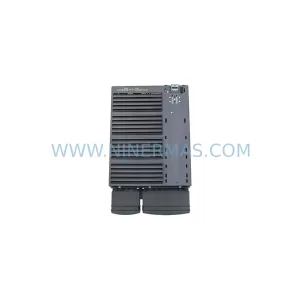
SKU: 6SL3224-0BE33-7UA0
Siemens 6SL3224-0BE33-7UA0 Service-Ready Spare Part



