Original Industrial Spare Part
Allen-Bradley 2711P-RDT7C Service-Ready Spare Part for Industrial Maintenance
Verify the part, confirm the platform family, and move straight into quotation with the right commercial details.
RFQ Ready
- SKU2711P-RDT7C
- CategoryPLC & Industrial Automation Modules
- BrandAllen-Bradley
- SupportAvailability, lead time, condition, and shipping coordination
How Buyers Usually Use This Page
- Confirm the exact part number and platform family before sending the quote request.
- Use direct email when quantity, condition, and destination are already defined internally.
- Switch to the broader brand or category archive when you need alternates nearby.
Series Navigation
Move through the most common platform families behind this part.
Product RFQ
Send this part directly for quotation.
Include quantity, required condition, destination country, and target delivery timing. Current reference: Allen-Bradley 2711P-RDT7C Service-Ready Spare Part for Industrial Maintenance with SKU 2711P-RDT7C.
Allen-Bradley 2711P-RDT7C Service-Ready Spare Part for Industrial Maintenance
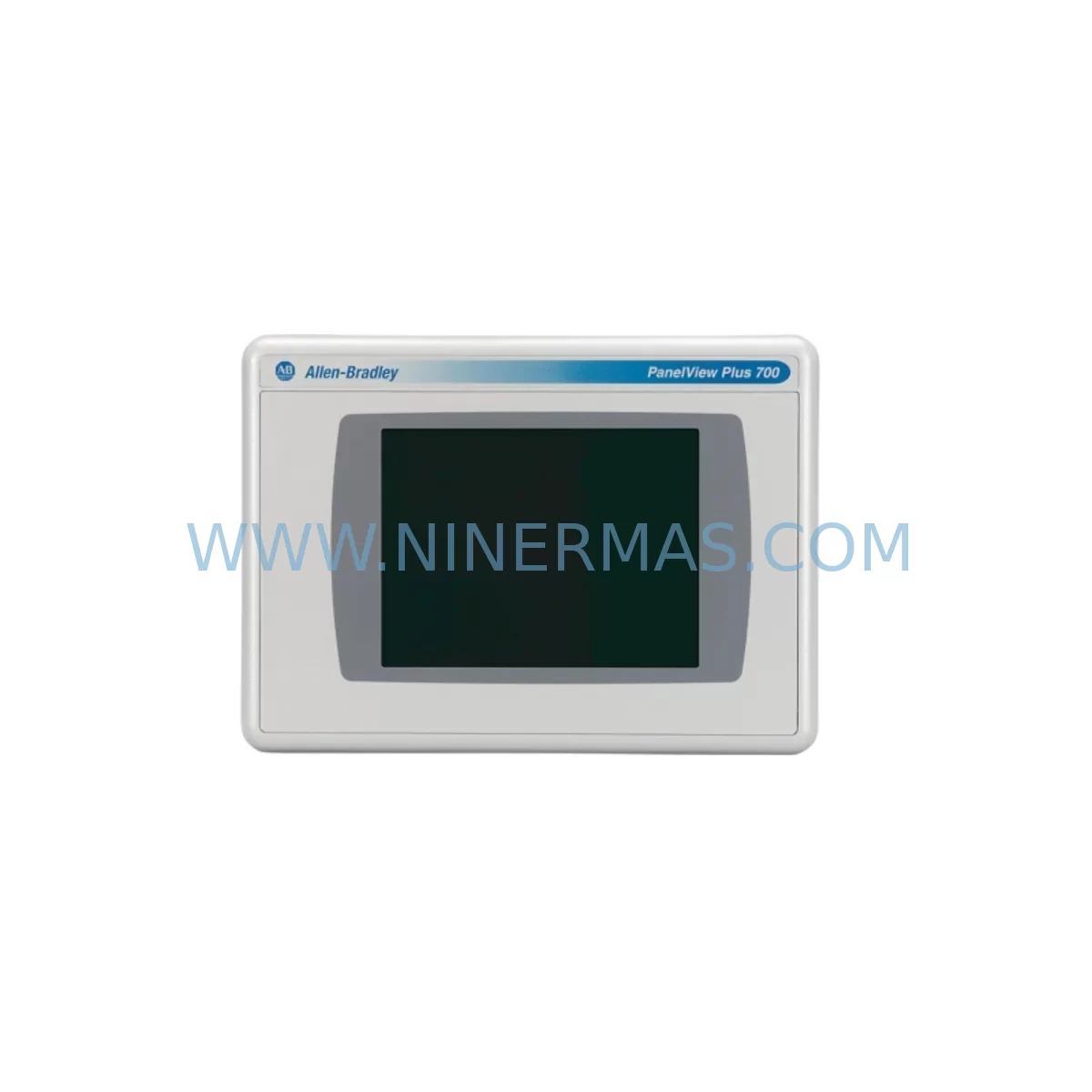
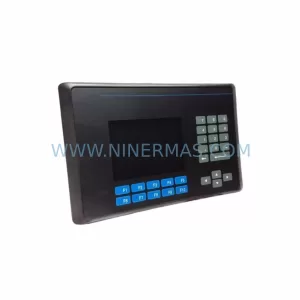
The Allen-Bradley 2711P-RDT7C is a 7-inch TFT color touch display terminal belonging to the PanelView Plus 700 series — one of Rockwell Automation’s most widely deployed HMI platforms across discrete manufacturing, process control, and utility automation environments. When this display module fails or degrades, the consequences extend far beyond a blank screen: operators lose real-time process visibility, alarm acknowledgment capability, and manual override access, turning a component-level fault into a full production stoppage. Maintaining a verified, service-ready 2711P-RDT7C spare in your critical spares inventory is the single most effective measure to contain downtime risk for any facility running PanelView Plus 700 terminals.
At NINERMAS, every 2711P-RDT7C unit is sourced from authorized supply channels, inspected against original Allen-Bradley specifications, and function-tested prior to shipment. Each unit ships with a 12-month warranty covering manufacturing defects and operational failures under normal industrial use conditions, giving maintenance engineers and procurement teams the confidence to stock this part without reservation.
Spare Maintenance Table
| Part Number | 2711P-RDT7C |
| Brand | Allen-Bradley (Rockwell Automation) |
| Series | PanelView Plus 700 |
| Product Type | HMI Color Touch Display Terminal |
| Display Size | 7-inch TFT Color LCD |
| Touch Technology | Resistive Touch Screen |
| Input Voltage | 24V DC (nominal) |
| Communication Ports | Ethernet (10/100 Mbps), RS-232, USB |
| Operating Temperature | 0°C to 55°C (32°F to 131°F) |
| Protection Rating | NEMA 4/4X, 12, 13; IP65 (front panel) |
| Compatibility | FactoryTalk View ME, RSView ME; compatible with 2711P series backplanes and mounting cutouts |
| Mounting | Panel mount; standard 2711P series cutout dimensions |
| Origin | United States |
| Condition | Original Spare — Inspected & Tested |
| Warranty | 12 Months from shipment date |
| Pre-Shipment Test | Power-on, display, touch calibration, and communication port verification |
Maintenance Planning for Continuous Operation
The 2711P-RDT7C does not operate in isolation. It is the operator interface layer of a broader control architecture, and its reliable function depends on the health of every upstream and downstream component in the same control cabinet. When scheduling a 2711P-RDT7C replacement — whether as a corrective action after failure or as a proactive swap during planned maintenance — experienced maintenance engineers treat the event as an opportunity to inspect and validate the surrounding system.
The display terminal receives its 24V DC supply through a dedicated power rail. A failing or undersized 24V DC power supply module — such as units in the Allen-Bradley 1606-XLP or 1606-XLS series — can cause intermittent display resets, backlight flicker, or communication dropouts that are frequently misdiagnosed as display faults. Verifying supply voltage stability and ripple at the terminal’s power input connector should be the first step in any 2711P-RDT7C fault investigation.
Communication integrity is equally critical. The 2711P-RDT7C connects to the control system via Ethernet or serial links. If the terminal is networked through a managed Ethernet switch or connected directly to a ControlLogix or CompactLogix PLC (such as the 1756-L71 or 1769-L33ER), the network cable, RJ45 connector, and switch port should be inspected for corrosion, loose termination, or excessive packet loss. A degraded Ethernet link can cause FactoryTalk View ME application crashes that appear as display hardware failures.
For installations where the 2711P-RDT7C shares a control cabinet with 1756-IB16 or 1769-IQ16 digital input modules, 1756-OB16 or 1769-OW8 output modules, and 1756-EN2T or 1756-EN3TR communication modules, the annual inspection cycle should include thermal imaging of the backplane connectors and module seating verification. Loose backplane connections on a 1756 ControlLogix chassis or 1769 CompactLogix base can introduce ground noise that affects HMI display stability.
Signal isolation is another area that warrants attention in older installations. Where analog signals from field transmitters pass through signal isolators or signal conditioners before reaching the PLC’s analog input modules (such as the 1756-IF16 or 1769-IF4), degraded isolator performance can introduce noise that triggers nuisance alarms displayed on the 2711P-RDT7C, leading operators to incorrectly attribute the issue to the display itself. Replacing aging signal isolators as part of the same maintenance window reduces diagnostic ambiguity.
Terminal blocks and wiring within the control cabinet — particularly Phoenix Contact or Weidmüller terminal strips used for I/O marshalling — should be inspected for loose screws, oxidized contacts, and insulation degradation. A single loose 24V common terminal can cause erratic HMI behavior across multiple display terminals in a multi-panel installation.
Finally, if the facility operates Allen-Bradley 1734 POINT I/O or 1794 FLEX I/O distributed I/O systems communicating over DeviceNet or EtherNet/IP, the adapter modules and network trunk cables should be verified during the same maintenance window. Communication faults in distributed I/O systems frequently surface as alarm floods on the HMI, accelerating display wear and increasing the frequency of touch screen recalibration requirements.
Site Replacement Workflow
Step 1 — Pre-replacement verification: Confirm the replacement 2711P-RDT7C carries the same catalog suffix (RDT7C) and firmware compatibility level as the unit being replaced. Verify the FactoryTalk View ME application version stored on the existing terminal’s CompactFlash or internal memory, and prepare a backup copy before removal.
Step 2 — Safe isolation: Place the associated PLC in Program mode or coordinate with the control room to inhibit automatic sequences. De-energize the 24V DC supply to the display terminal at the cabinet’s dedicated circuit breaker or fuse holder. Do not rely solely on the HMI’s software shutdown.
Step 3 — Physical removal: Disconnect the Ethernet cable, USB peripherals, and 24V DC power connector. Release the panel-mount clamps from the rear of the cutout. Retain all hardware for reinstallation or documentation.
Step 4 — Installation of replacement unit: Insert the 2711P-RDT7C into the existing panel cutout — no modification required for same-series replacement. Reconnect power and communication cables. Restore the FactoryTalk View ME application from backup using a USB drive or network transfer.
Step 5 — Commissioning and validation: Re-energize the 24V DC supply. Verify display startup, touch calibration, and communication link establishment with the host PLC. Confirm all alarm pages, trend displays, and operator control faceplates load correctly before returning the system to automatic operation.
This direct swap procedure eliminates the need for PLC program changes, I/O reconfiguration, or network re-addressing, making the 2711P-RDT7C one of the most field-serviceable components in the PanelView Plus 700 platform. Facilities that maintain one spare unit on-site consistently achieve sub-two-hour recovery times from display failure events.
Spare Parts Support FAQ
Q1: Is the 2711P-RDT7C compatible with existing PanelView Plus 700 panel cutouts and backplanes?
Yes. The 2711P-RDT7C is a direct form-fit-function replacement for all PanelView Plus 700 display terminals sharing the same 7-inch form factor and 2711P series mounting standard. No panel modification, backplane replacement, or wiring change is required for a same-series swap. Compatibility with FactoryTalk View ME versions 5.0 through 10.0 has been verified across multiple firmware revisions.
Q2: What pre-shipment testing does NINERMAS perform on the 2711P-RDT7C?
Every unit undergoes a structured pre-shipment test protocol including: 24V DC power-on verification, full display panel illumination and color uniformity check, resistive touch screen calibration and response test, Ethernet port link establishment test, and RS-232 communication port continuity check. Units that do not pass all test criteria are quarantined and not shipped. Test records are retained for traceability.
Q3: What is the recommended inventory strategy for facilities operating multiple PanelView Plus 700 terminals?
For facilities with three or more PanelView Plus 700 terminals, NINERMAS recommends maintaining a minimum of one 2711P-RDT7C spare per five installed units, with a floor of one spare regardless of installation size. Given that the PanelView Plus 700 series is a mature product line with extended lead times for new production units, early procurement is strongly advised. Pairing the display spare with a spare 24V DC power supply module and a spare CompactFlash card pre-loaded with the current FactoryTalk View ME application image provides a complete HMI recovery kit capable of restoring operator visibility within one maintenance shift.
Q4: What warranty and long-term supply commitment does NINERMAS provide?
All 2711P-RDT7C units supplied by NINERMAS carry a 12-month warranty from the shipment date, covering manufacturing defects and operational failures under normal industrial operating conditions. NINERMAS maintains ongoing sourcing relationships to support long-term supply continuity for end-of-life and mature Rockwell Automation product lines. Customers with annual maintenance contracts or multi-unit procurement requirements are encouraged to contact our technical sales team to discuss reserved inventory arrangements and volume pricing.
| Product Series | 2711 |
|---|---|
| Country of Origin | US |
Catalog Continuation
More Allen-Bradley modules in the catalog.
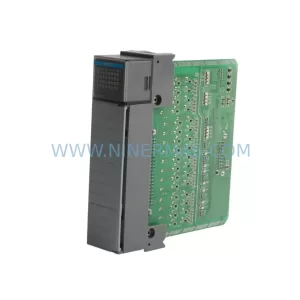
Use the brand lane to compare nearby part numbers, platform-adjacent modules, and other inquiry-ready listings before sending your final RFQ.
Catalog Continuation
Alternative parts within PLC & Industrial Automation Modules.
Stay inside the same system family when you need substitutes, adjacent modules, or a broader shortlist for procurement review.
SKU: IS200EMCSG1AA
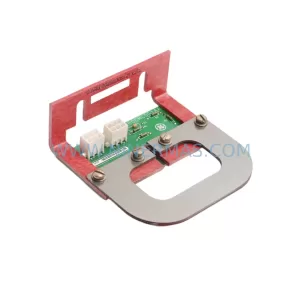
GE IS200EMCSG1AA Retrofit-Compatible Conduction Sensor Card
SKU: DS200IMCPG1BBA
GE DS200IMCPG1BBA Retrofit-Compatible IGBT Power Supply Board
SKU: 6ES7322-1FL00-0AA0
Siemens 6ES7322-1FL00-0AA0 Service-Ready Spare Part for Industrial Maintenance