
Original Industrial Spare Part
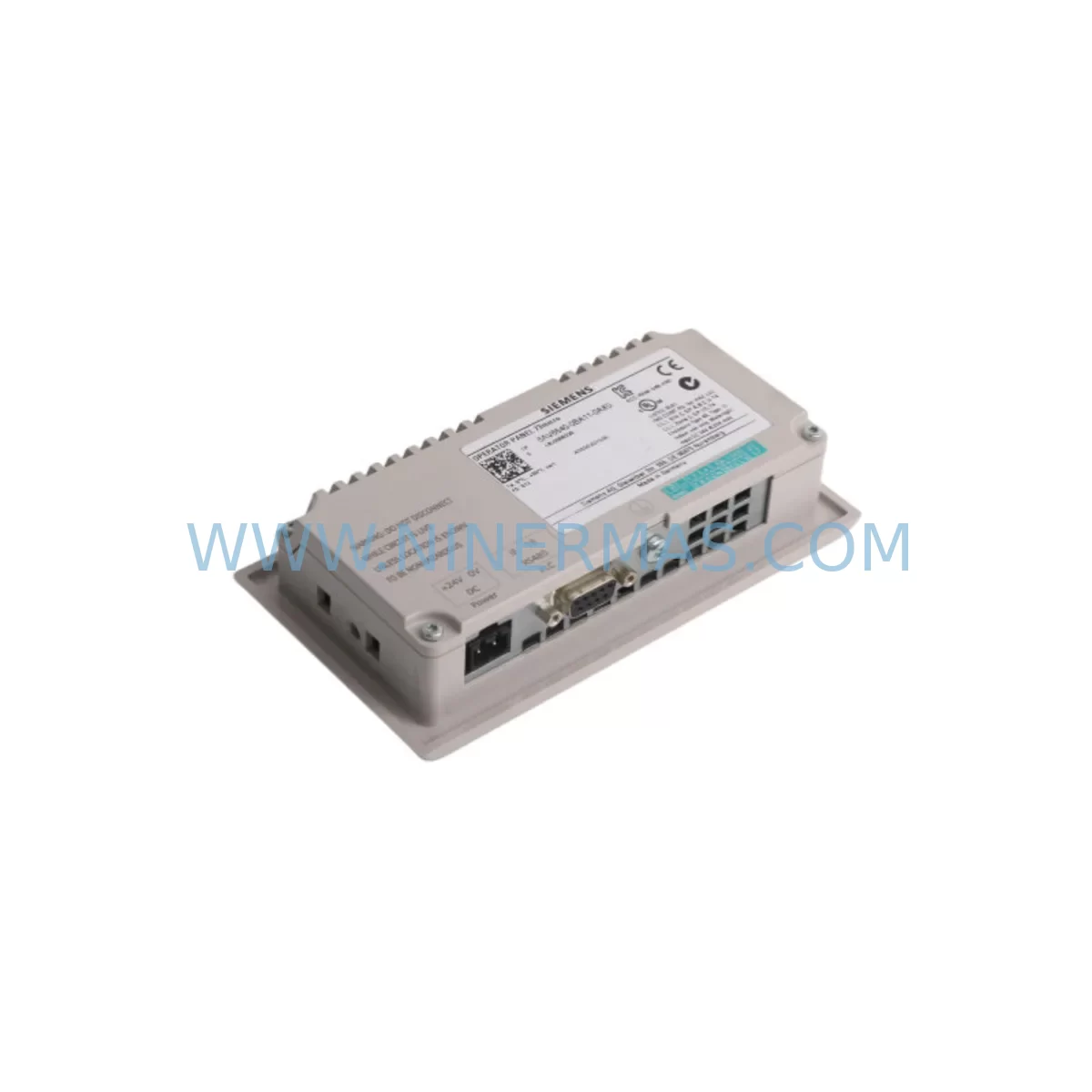
Siemens 6AV6640-0BA11-0AX0 Retrofit HMI for Legacy Systems
Verify the part, confirm the platform family, and move straight into quotation with the right commercial details.
RFQ Ready
- SKU6AV6640-0BA11-0AX0
- CategoryPLC & Industrial Automation Modules
- BrandSiemens
- SupportAvailability, lead time, condition, and shipping coordination
How Buyers Usually Use This Page
- Confirm the exact part number and platform family before sending the quote request.
- Use direct email when quantity, condition, and destination are already defined internally.
- Switch to the broader brand or category archive when you need alternates nearby.
Series Navigation
Move through the most common platform families behind this part.
Product RFQ
Send this part directly for quotation.
Include quantity, required condition, destination country, and target delivery timing. Current reference: Siemens 6AV6640-0BA11-0AX0 Retrofit HMI for Legacy Systems with SKU 6AV6640-0BA11-0AX0.
Siemens 6AV6640-0BA11-0AX0 Retrofit HMI for Legacy Systems
The Siemens 6AV6640-0BA11-0AX0 is a SIMATIC HMI OP 77B operator panel designed for direct integration into legacy S7-300 and S7-400 control architectures. As production lines age and original HMI panels reach end-of-life, the 6AV6640-0BA11-0AX0 provides a proven retrofit path that preserves existing wiring infrastructure, MPI/PROFIBUS communication links, and operator screen logic without requiring a full control system overhaul. For maintenance engineers managing discontinued panel replacements, this unit delivers compatibility-first performance with a 12-month warranty and verified pre-shipment testing.
Facilities running legacy SIMATIC S7 platforms frequently encounter situations where the original OP 77B display fails, spare parts are no longer available through standard distribution channels, or the panel firmware is incompatible with updated CPU firmware versions. The 6AV6640-0BA11-0AX0 addresses each of these scenarios by offering a drop-in replacement that retains the original panel footprint, terminal block layout, and communication protocol stack. Before installation, engineers should confirm power supply capacity — the OP 77B draws 24 VDC at up to 0.35 A — and verify that the existing PS 307 power supply module, such as the 6ES7307-1EA01-0AA0, can sustain the additional load alongside connected I/O modules.
Terminal wiring compatibility is a critical checkpoint during retrofit planning. The 6AV6640-0BA11-0AX0 uses a standard 9-pin Sub-D connector for MPI communication, which aligns directly with the MPI port on S7-300 CPUs such as the 6ES7315-2AH14-0AB0. If the existing installation uses a dedicated MPI programming cable — for example the 6ES7972-0BB12-0XA0 — that cable remains fully usable for both panel configuration and CPU program uploads during the commissioning phase. No rewiring of the MPI segment is required provided the bus termination resistors are correctly positioned at both ends of the network.
Upgrade Compatibility Table
| Parameter | Legacy OP 77B (Original) | 6AV6640-0BA11-0AX0 (Retrofit Unit) |
|---|---|---|
| Display Type | STN Monochrome LCD | STN Monochrome LCD (identical) |
| Communication Interface | MPI / PROFIBUS DP | MPI / PROFIBUS DP (fully compatible) |
| Supply Voltage | 24 VDC | 24 VDC (no power circuit change required) |
| Panel Cutout Dimensions | Standard OP 77B cutout | Identical — no cabinet modification needed |
| Configuration Software | WinCC flexible 2008 / STEP 7 | WinCC flexible 2008 / STEP 7 (same project files) |
| Replacement Recommendation | — | Direct 1:1 replacement; retain existing project |
| Commissioning Focus | — | MPI address assignment, project download, screen validation |
| Warranty | — | 12 months from shipment date |
Retrofit Planning for Existing Automation Systems
A successful retrofit of the 6AV6640-0BA11-0AX0 into an existing control cabinet begins with a systematic audit of the surrounding hardware. The S7-300 rack — typically mounted on a 6ES7390-1AE80-0AA0 DIN rail section — should be inspected for available backplane slots if any I/O expansion is planned alongside the HMI replacement. Digital input modules such as the 6ES7321-1BL00-0AA0 and digital output modules such as the 6ES7322-1BL00-0AA0 are commonly found in the same rack and must remain undisturbed during panel swap-out to avoid unintended process interruptions.
Communication architecture review is equally important. If the plant network includes a CP 343-1 Ethernet communication processor — for example the 6GK7343-1EX30-0XE0 — the MPI segment carrying the OP 77B connection operates independently of the Industrial Ethernet backbone. This separation means the HMI replacement can proceed without affecting SCADA data exchange or remote monitoring functions. Industrial Ethernet cabling such as 6XV1840-2AH10 connecting the CP module to the plant network does not require any modification.
For sites where the original OP 77B is being replaced alongside a CPU upgrade from an older S7-300 variant to the 6ES7315-2AH14-0AB0, the HMI project file stored in WinCC flexible must be re-downloaded to the new panel after the CPU firmware update is complete. The 6AV6640-0BA11-0AX0 supports the same tag communication structure as the predecessor panel, so existing variable tables, alarm configurations, and trend displays transfer without modification. Engineers should also verify that the TP 177B — model 6AV6642-0BA01-1AX1 — used at adjacent operator stations shares the same MPI network segment and that its node address does not conflict with the replacement OP 77B address assignment. The 6AV6641-0BA11-0AX1 variant, used in some installations as a higher-memory OP 77B configuration, follows the same wiring and addressing conventions and can coexist on the same MPI bus without protocol conflicts.
Installation space confirmation is a practical prerequisite that is often overlooked. The 6AV6640-0BA11-0AX0 shares the same panel depth as the original OP 77B, so cabinet door clearance and cable bend radius behind the panel remain unchanged. Confirm that the 24 VDC supply cable, MPI communication cable, and any USB configuration port access are routed with sufficient slack to allow panel removal during future maintenance cycles without disconnecting adjacent terminal blocks.
Downtime Control During System Migration
Minimizing production downtime during an HMI panel replacement requires preparation that begins before the maintenance window opens. The existing WinCC flexible project file should be backed up from the original OP 77B using the project upload function via the MPI programming cable prior to any hardware removal. This backup preserves all operator screen layouts, alarm text, recipe data, and communication variable bindings, ensuring that the replacement panel can be commissioned to an identical operational state within the maintenance window.
During the physical swap, the MPI bus should remain powered and the CPU should be placed in STOP mode rather than powered down entirely. This approach keeps the S7-300 program in memory and allows the new 6AV6640-0BA11-0AX0 to be connected, addressed, and project-loaded while the CPU retains its current data block values. Once the project download is confirmed and all HMI screens display correctly, the CPU can be returned to RUN mode and normal process control resumes. The total panel replacement and recommissioning sequence typically requires 30 to 90 minutes depending on project complexity and the number of screens requiring validation.
For critical processes where even a brief STOP mode is unacceptable, a parallel commissioning approach can be used: configure the replacement panel offline using a laptop with WinCC flexible, assign the correct MPI node address using the panel’s startup menu, and connect the panel to the MPI bus only after the project is fully loaded and validated in offline simulation. This method reduces live system exposure to under 10 minutes for the final connection and screen verification steps. Signal isolation modules and proper grounding of the panel enclosure further protect the control system from transient disturbances during the changeover.
Retrofit Support FAQ
Q1: Is the 6AV6640-0BA11-0AX0 a direct replacement for all OP 77B variants?
The 6AV6640-0BA11-0AX0 is the standard OP 77B configuration supporting MPI and PROFIBUS DP communication. It is a direct replacement for units with the same order number. Variants with different memory configurations or communication options — such as the 6AV6641-0BA11-0AX1 — share the same physical form factor and wiring but may require a project file adjustment if the original was configured for extended tag counts. Confirm the original order number before ordering to ensure full compatibility.
Q2: What commissioning steps are required after installation?
After mounting and wiring, assign the MPI node address via the panel’s Transfer menu, then download the WinCC flexible project file from a connected laptop using the MPI programming cable. Validate all operator screens, alarm displays, and recipe functions against the original panel behavior. Confirm communication with the S7-300 CPU by checking the connection status indicator on the HMI startup screen. The full commissioning sequence is typically completed within one hour for standard installations.
Q3: Are pre-shipment testing and stock availability guaranteed?
Each 6AV6640-0BA11-0AX0 unit undergoes functional testing prior to shipment, including power-on verification, display check, and communication port validation. Units are shipped from in-stock inventory to support urgent maintenance requirements. Lead time for standard orders is confirmed at the time of inquiry. A 12-month warranty covering manufacturing defects and functional failures is included with every unit from the shipment date.
Q4: Can the existing wiring and terminal connections be reused without modification?
Yes. The 6AV6640-0BA11-0AX0 uses the same 24 VDC power connector and 9-pin Sub-D MPI/PROFIBUS interface as the original OP 77B. No rewiring of the control cabinet is required for a standard replacement. If the installation includes a USB port for configuration access, verify that the replacement unit’s USB port location matches the cabinet cutout. In most cases, the existing cable routing and terminal block assignments are fully reusable, reducing installation time and eliminating the risk of wiring errors during the maintenance window.
| Product Series | SIMATIC |
|---|---|
| Country of Origin | DE |
Catalog Continuation
More Siemens modules in the catalog.
Use the brand lane to compare nearby part numbers, platform-adjacent modules, and other inquiry-ready listings before sending your final RFQ.
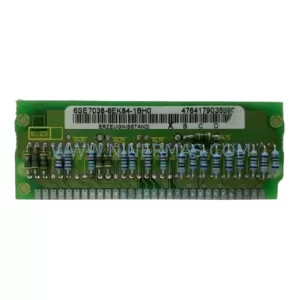
SKU: 6SE7038-6EK84-1BH0
Siemens 6SE7038-6EK84-1BH0 Retrofit Drive Control Module
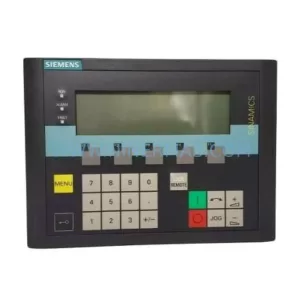
SKU: 6SL3055-0AA00-4CA5
Siemens 6SL3055-0AA00-4CA5 Retrofit-Compatible Operator Panel for Legacy Systems
Catalog Continuation
Alternative parts within PLC & Industrial Automation Modules.
Stay inside the same system family when you need substitutes, adjacent modules, or a broader shortlist for procurement review.

SKU: OZDPROFI12MG12
Hirschmann OZDPROFI12MG12 Spare Part for Industrial Maintenance



SKU: 07025-0000-70-1-04
KONTRON 07025-0000-70-1-04 Service-Ready Spare Part



