Original Industrial Spare Part
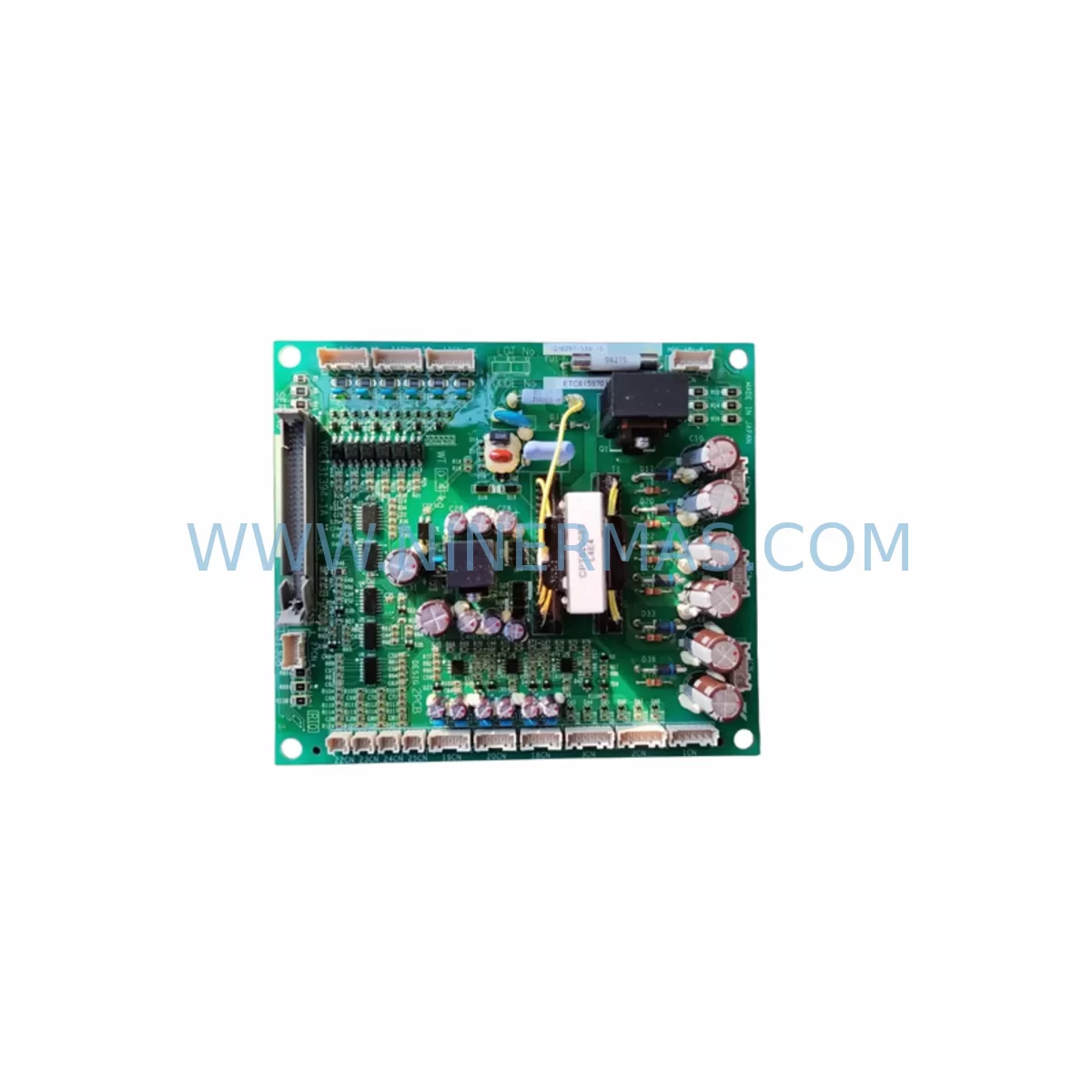
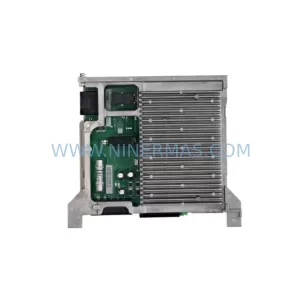
YASKAWA YPCT31394-1A YPZT31308 Retrofit-Compatible Control Card for Legacy Systems
Verify the part, confirm the platform family, and move straight into quotation with the right commercial details.
RFQ Ready
- SKUYPCT31394-1A YPZT31308
- CategoryPLC & Industrial Automation Modules
- BrandYASKAWA
- SupportAvailability, lead time, condition, and shipping coordination
How Buyers Usually Use This Page
- Confirm the exact part number and platform family before sending the quote request.
- Use direct email when quantity, condition, and destination are already defined internally.
- Switch to the broader brand or category archive when you need alternates nearby.
Series Navigation
Move through the most common platform families behind this part.
Product RFQ
Send this part directly for quotation.
Include quantity, required condition, destination country, and target delivery timing. Current reference: YASKAWA YPCT31394-1A YPZT31308 Retrofit-Compatible Control Card for Legacy Systems with SKU YPCT31394-1A YPZT31308.
YASKAWA YPCT31394-1A YPZT31308 Retrofit-Compatible Control Card for Legacy Systems
The YASKAWA YPCT31394-1A paired with the YPZT31308 gate driver interface board represents one of the most critical control assemblies within the YASKAWA MV1000 medium voltage variable frequency drive platform. As aging MV1000 installations approach end-of-support milestones, procurement engineers and maintenance teams across petrochemical, power generation, water treatment, and heavy manufacturing sectors are actively sourcing verified replacement assemblies to extend operational life without committing to full drive replacement. NINERMAS maintains ready stock of this control card assembly, pre-shipment tested, with a 12-month warranty and documented compatibility verification for MV1000 retrofit and upgrade projects.
The YPCT31394-1A is the main control PCB responsible for PWM signal generation, protection logic, fault diagnostics, and communication interfacing within the MV1000 drive cabinet. The YPZT31308 functions as the gate driver and signal isolation interface board, translating low-voltage control signals into the high-voltage gate pulses required by the IGBT or GCT power modules in the drive’s power stack. Together, these two boards form the core of the MV1000’s control and firing circuit, and their condition directly determines drive reliability, output waveform quality, and fault response accuracy.
When either board fails or degrades, symptoms typically include nuisance overcurrent trips, erratic speed reference tracking, gate fault alarms, communication dropouts on MECHATROLINK-II or DeviceNet links, and in severe cases, uncontrolled drive shutdown during production. Replacing the YPCT31394-1A and YPZT31308 as a matched assembly — rather than individually — is strongly recommended to eliminate cross-board compatibility variables and reduce commissioning time during planned or emergency maintenance windows.
Upgrade Compatibility Table
| Parameter | Detail |
|---|---|
| Compatible Drive Platform | YASKAWA MV1000 Medium Voltage Drive Series |
| Board Function (YPCT31394-1A) | Main Control PCB — PWM generation, protection logic, fault diagnostics |
| Board Function (YPZT31308) | Gate Driver / Signal Isolation Interface Board |
| Communication Interfaces | MECHATROLINK-II, DeviceNet, Modbus RTU (drive-dependent) |
| Backplane / Rack Compatibility | MV1000 control rack; verify slot assignment against drive nameplate revision |
| Installation Requirement | Power-down required; ESD precautions mandatory; torque spec per MV1000 service manual |
| Parameter Transfer | Back up all drive parameters via DriveWizard Industrial before board swap |
| Commissioning Check | Gate pulse verification, offset calibration, fault log clear, test run at reduced load |
| Replacement Recommendation | Replace YPCT31394-1A and YPZT31308 as matched assembly for best results |
| Pre-Shipment Testing | Functional bench test performed on all units prior to dispatch |
| Warranty | 12-Month Warranty — covers manufacturing defects and functional failure |
| Lead Time | In-stock units ship within 3–5 business days; long-term supply programs available |
Retrofit Planning for Existing Automation Systems
A successful MV1000 control board retrofit begins well before the maintenance window opens. The first step is a thorough audit of the existing drive configuration: retrieve the full parameter list using DriveWizard Industrial software connected via the drive’s USB or RS-232 port, and archive the file with a date-stamped backup. This parameter file will be essential for restoring speed references, acceleration/deceleration ramps, PID tuning values, protection thresholds, and communication node addresses after the new YPCT31394-1A is installed.
Next, verify the power supply rails feeding the control section. The MV1000 control rack typically draws from an internal SMPS unit — often a YASKAWA YPSP-series control power supply board — and any instability in the 5 VDC, 15 VDC, or 24 VDC rails can cause premature failure of replacement control boards. Measure and document all rail voltages before and after board replacement. If the control power supply shows signs of aging (capacitor bulge, output ripple above spec), replace it concurrently with the YPCT31394-1A and YPZT31308 to avoid repeat failures.
Terminal wiring on the MV1000 control section includes analog input/output terminals for speed reference and feedback signals, digital I/O terminals for run/stop, fault reset, and multi-function inputs, and communication terminals for the fieldbus interface. Photograph and document all wiring before disconnection. Pay particular attention to shielding connections on analog signal cables — improper shield grounding after reassembly is a common source of noise-induced faults in medium voltage drive environments. If the site uses a YASKAWA SI-N3 or SI-ET3 option card for PROFINET or EtherNet/IP connectivity, verify that the option card firmware version is compatible with the replacement YPCT31394-1A board revision. Option card seating and connector integrity should be confirmed during reassembly.
Similarly, if a YASKAWA PG-X3 or PG-B3 encoder feedback card is installed for closed-loop vector control, recalibrate the encoder offset after board replacement to restore speed regulation accuracy. For sites where the MV1000 drives a critical pump, compressor, or fan in a continuous process, coordinate the retrofit with the process control team to arrange a controlled bypass or reduced-load test period. If a bypass contactor or manual bypass panel is available in the MCC lineup, use it to maintain process flow during the drive maintenance window.
Confirm with the DCS or SCADA operator that the drive’s Modbus or MECHATROLINK-II node will be temporarily offline, and suppress any associated alarms to prevent false process trips during commissioning. Where the MV1000 is integrated into a larger control architecture — for example, alongside a YASKAWA MP3300 machine controller or a Siemens S7-300 PLC managing coordinated axis motion — verify that the drive’s communication node address and baud rate settings are correctly restored after parameter reload. A mismatch in node address or communication timeout settings is one of the most common causes of post-retrofit communication faults that delay return-to-service.
For installations where the MV1000 operates alongside other YASKAWA drives such as the A1000 or F7 series in a shared MCC section, ensure that the control power distribution and grounding scheme is reviewed as part of the retrofit plan. Signal isolators between the drive’s analog I/O and the DCS marshalling cabinet should also be inspected — aged YOKOGAWA or Phoenix Contact signal isolators in the loop can introduce offset errors that are mistakenly attributed to the new control board after replacement.
Downtime Control During System Migration
Minimizing unplanned downtime during a medium voltage drive control board replacement requires a structured approach to pre-staging, execution, and verification. Begin by pre-staging the replacement YPCT31394-1A and YPZT31308 assembly in the maintenance area at least 24 hours before the scheduled window. Confirm that all required tools are available: torque screwdriver, ESD wrist strap and mat, multimeter, laptop with DriveWizard Industrial installed, and the archived parameter backup file.
During the maintenance window, follow a strict sequence: isolate and lock out the MV1000 input circuit breaker, verify absence of voltage at the drive input terminals, wait for the DC bus discharge indicator to confirm safe energy levels — MV1000 DC bus discharge can take several minutes after input isolation — then proceed with control section access. Remove the YPZT31308 gate driver board first, then the YPCT31394-1A control board. Install the replacement boards in reverse order, ensuring all connectors are fully seated and all mounting screws are torqued to specification.
After reassembly, restore power and perform a no-load power-up test before reconnecting the motor. Verify that the drive’s keypad or HMI panel displays the correct drive model and firmware version. Reload the parameter backup using DriveWizard Industrial and confirm that all critical parameters — particularly motor nameplate data, protection settings, and communication configuration — are correctly restored. Clear the fault log and perform a jog test at low speed before returning the drive to full process control.
For sites with a YASKAWA DriveWizard-connected HMI or a third-party SCADA system displaying drive status, confirm that all monitored parameters — output frequency, output current, DC bus voltage, and fault status — are correctly updating after the board replacement. A brief functional test under partial load, with process engineers monitoring upstream and downstream process variables, is the final confirmation that the retrofit is complete and the system is ready for full production restart.
NINERMAS provides pre-shipment test reports for all YPCT31394-1A and YPZT31308 units, documenting functional verification results. This documentation supports your site’s maintenance records and quality assurance requirements. Our 12-month warranty covers functional failure under normal operating conditions, and our technical team is available to support commissioning queries.
Retrofit Support FAQ
Q1: Is the YPCT31394-1A a direct drop-in replacement for all MV1000 drive revisions?
The YPCT31394-1A is designed for the YASKAWA MV1000 medium voltage drive platform. However, MV1000 drives were produced across multiple hardware revisions. Before ordering, confirm your drive’s nameplate model number and control board revision code (visible on the existing board’s label) to ensure full compatibility. NINERMAS technical staff can assist with cross-reference verification prior to shipment.
Q2: Do I need to recalibrate or reprogram the drive after replacing the YPCT31394-1A and YPZT31308?
Yes. After board replacement, you must reload the drive parameter backup using DriveWizard Industrial. Additionally, perform gate pulse offset calibration as specified in the MV1000 service manual, clear the fault log, and conduct a no-load and partial-load test run before returning the drive to full production. Parameter reload typically takes 15–30 minutes; full commissioning including test runs should be planned for 2–4 hours depending on site conditions.
Q3: What is included with the YPCT31394-1A YPZT31308 assembly from NINERMAS?
Each unit is supplied with a pre-shipment functional test report, anti-static packaging, and a 12-month warranty certificate. Units are dispatched from in-stock inventory within 3–5 business days. Long-term supply agreements and reserved stock programs are available for customers with ongoing MV1000 fleet maintenance requirements.
Q4: Can NINERMAS support emergency or expedited orders for the YPCT31394-1A YPZT31308?
Yes. For unplanned drive failures requiring urgent replacement, contact NINERMAS directly at sale@ninermas.com or +0086 187 5021 5667 to confirm real-time stock availability and arrange priority dispatch. We maintain buffer stock of critical MV1000 control assemblies specifically to support emergency maintenance scenarios with minimal process downtime.
| Product Series | Legacy |
|---|---|
| Country of Origin | JP |
Catalog Continuation
More YASKAWA modules in the catalog.
Use the brand lane to compare nearby part numbers, platform-adjacent modules, and other inquiry-ready listings before sending your final RFQ.
SKU: HW0388706-A HW0388708-A HW0388710-A
Yaskawa HW0388706-A Retrofit Servo Board for Legacy Systems
SKU: DX100 SRDA-EAXA01A
Yaskawa SRDA-EAXA01A Retrofit Servo Drive for Legacy Systems
SKU: SGMRV-13ANA-YR1D
Yaskawa SGMRV-13ANA-YR1D Retrofit AC Servo for Legacy Systems
SKU: YRC1000 JANCD-ASF01-E GWA 180/210/240 00109363 SRDA-MH6 , SRDA-C0A12A01A-E
Yaskawa JANCD-ASF01-E Retrofit Servo Board for Legacy Systems
Catalog Continuation
Alternative parts within PLC & Industrial Automation Modules.
Stay inside the same system family when you need substitutes, adjacent modules, or a broader shortlist for procurement review.



SKU: HDD02.2-W040N-HS12-01-FW FWA-DIAX04-ELS-05VRS-MS
Rexroth HDD02.2-W040N-HS12-01-FW Service-Ready Spare Part

SKU: I5DAE375F10010000S
Lenze I5DAE375F10010000S Service-Ready Spare Part for Industrial Maintenance