Original Industrial Spare Part
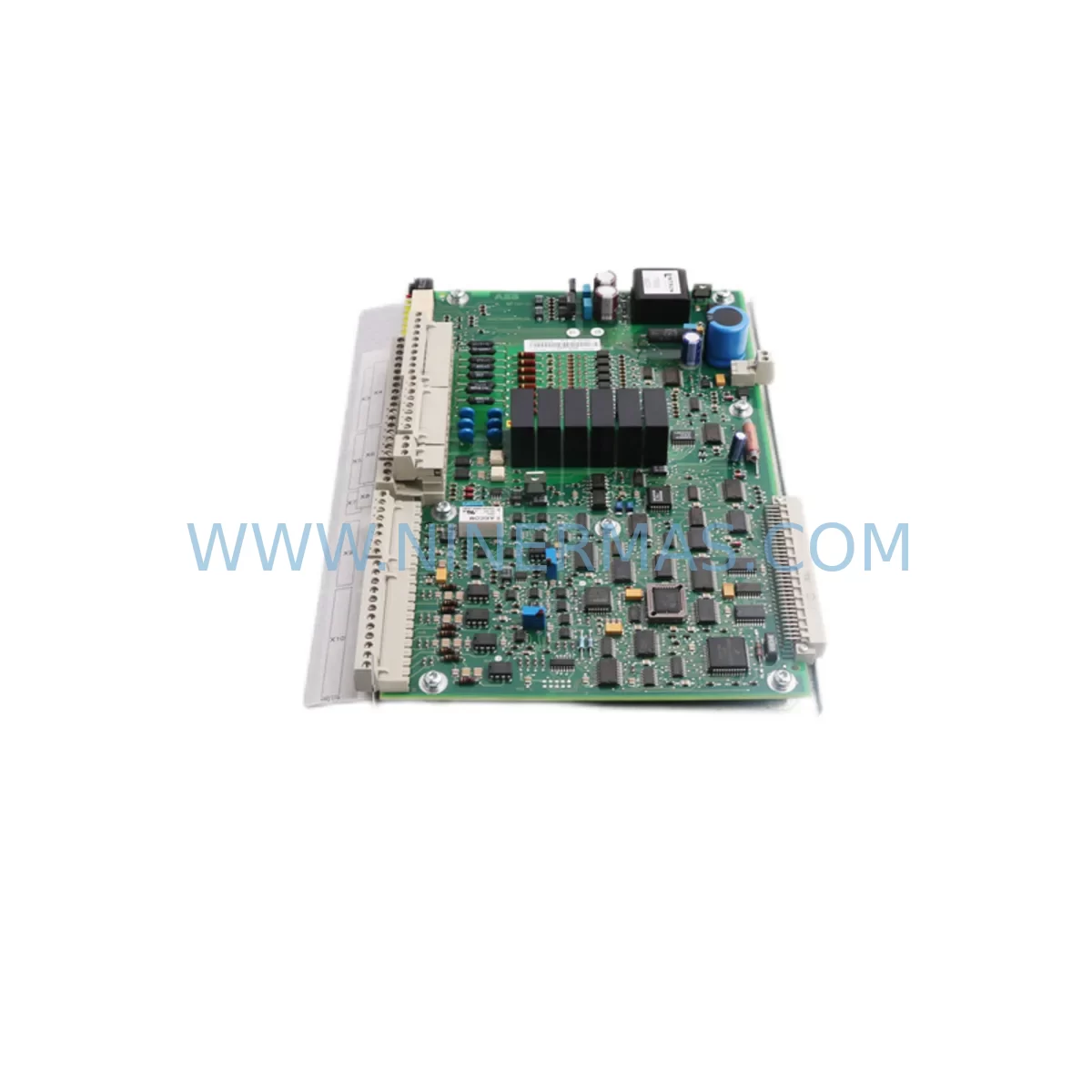
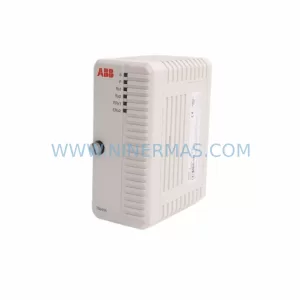
ABB YPQ110A 3ASD573001A5 Retrofit-Compatible Safety I/O
Verify the part, confirm the platform family, and move straight into quotation with the right commercial details.
RFQ Ready
- SKUYPQ110A 3ASD573001A5
- CategorySIS Safety & Redundancy Systems
- BrandABB
- SupportAvailability, lead time, condition, and shipping coordination
How Buyers Usually Use This Page
- Confirm the exact part number and platform family before sending the quote request.
- Use direct email when quantity, condition, and destination are already defined internally.
- Switch to the broader brand or category archive when you need alternates nearby.
Series Navigation
Move through the most common platform families behind this part.
Product RFQ
Send this part directly for quotation.
Include quantity, required condition, destination country, and target delivery timing. Current reference: ABB YPQ110A 3ASD573001A5 Retrofit-Compatible Safety I/O with SKU YPQ110A 3ASD573001A5.
ABB YPQ110A 3ASD573001A5 Retrofit-Compatible Safety I/O Module for Legacy Systems
The ABB YPQ110A (part number 3ASD573001A5) is a ruggedized ULMA-series safety I/O module engineered for demanding industrial control environments. As legacy AC500-S safety platforms approach end-of-life and original spare parts become increasingly scarce, the YPQ110A has emerged as a critical component in retrofit projects, discontinued-model replacements, and control cabinet upgrades across process automation, power generation, and heavy manufacturing sectors. NINERMAS maintains verified stock of this module with full functional testing and a 12-month warranty, supporting customers who need to extend the operational life of existing safety-rated control architectures without committing to a full platform migration.
Upgrade Compatibility Table
| Parameter | Details |
|---|---|
| SKU / Part Number | YPQ110A / 3ASD573001A5 |
| Brand / Series | ABB / ULMA (AC500-S Safety Platform) |
| Module Function | Ruggedized Safety I/O — Digital Input/Output with SIL-rated signal processing |
| Backplane Interface | ULMA local bus; compatible with AC500-S CPU modules (e.g. PM573, PM583 series) |
| Installation Requirement | DIN-rail or rack-mount within AC500-S modular cabinet; verify slot spacing and backplane connector alignment before installation |
| Communication Compatibility | Integrated via ULMA local bus; supports PROFIBUS DP and PROFINET configurations when paired with compatible communication modules (e.g. CM572-DP, CM579-PNIO) |
| Replacement Recommendation | Direct replacement for failed or end-of-life YPQ110A units in existing AC500-S racks; verify firmware revision compatibility with host CPU |
| Commissioning Focus | Module address assignment, safety function re-validation, I/O channel mapping confirmation, and SIL loop test |
| Power Supply Requirement | Supplied via backplane; confirm rack power budget with PS501 or PS560 power supply modules before adding modules |
| Warranty | 12 Months — covers manufacturing defects and functional failure under normal operating conditions |
Retrofit Planning for Existing Automation Systems
Replacing a safety I/O module in a live or recently decommissioned control system requires careful pre-engineering to avoid introducing new failure modes. When integrating the YPQ110A 3ASD573001A5 into an existing AC500-S rack, engineers should begin by auditing the current rack configuration — confirming the positions of adjacent modules such as the DI581-S digital safety input module, the DO581-S digital safety output module, and any AI581-S analog input modules sharing the same backplane segment. Each module occupies a defined slot address, and the YPQ110A must be assigned the same logical address as the unit it replaces to ensure the safety CPU (typically a PM573-ETH or PM583-ETH) recognizes it without requiring a full program reload.
Terminal wiring is a frequent source of commissioning delays. Before disconnecting the legacy module, photograph or document all field wiring connections at the terminal block. The YPQ110A uses a standard ULMA-series terminal layout, but wire gauge, ferrule type, and torque specifications must be verified against the original engineering drawings. In older installations, field cables may have been labeled inconsistently, making channel-by-channel continuity testing essential before powering the new module.
Power budget validation is equally critical. The AC500-S rack relies on a shared backplane power rail supplied by modules such as the PS501 or PS560 power supply. Adding or replacing I/O modules changes the total current draw on this rail. Engineers should calculate the updated power budget before installation, particularly in cabinets where the rack is already near capacity. If the budget is exceeded, an additional power supply module must be inserted before the retrofit proceeds.
For systems communicating over PROFIBUS DP, the replacement module must be re-integrated into the network segment. This involves confirming the DP slave address, updating the GSD file in the engineering tool (typically ABB Automation Builder or the legacy Control Builder F), and verifying that the master controller — which may be a separate AC500 CPU or a third-party PROFIBUS master — correctly polls the new module. In PROFINET environments, the PNIO device name and IP address assignment must be re-confirmed after module swap, especially if the CM579-PNIO communication module is involved.
HMI screens connected to the safety system via OPC DA/UA or direct Ethernet links should be reviewed to confirm that all I/O tags mapped to the replaced module remain valid. In systems using ABB’s Panel Builder or third-party SCADA platforms, tag database exports should be compared before and after the retrofit to identify any broken references. Signal isolators installed between the field devices and the YPQ110A — particularly in high-noise environments or where intrinsic safety barriers are required — should also be inspected and re-calibrated as part of the retrofit scope.
Programming cable access is required if the safety program needs to be re-downloaded or if a firmware update is necessary on the new module. The TK503 USB programming cable or equivalent is typically used for direct CPU access, while remote access via the Ethernet port on the PM573-ETH or PM583-ETH allows program verification without opening the cabinet. All program changes must be documented and version-controlled before the system is returned to service.
Downtime Control During System Migration
Minimizing unplanned downtime during a safety I/O module replacement is a primary concern for plant engineers and maintenance teams. The most effective approach is to pre-stage the replacement YPQ110A 3ASD573001A5 with all configuration parameters loaded and verified offline before the maintenance window begins. This includes confirming the module firmware version matches the existing rack, pre-assigning the correct slot address, and preparing a printed wiring diagram for the field technician.
Where the process allows, a hot-standby or redundant I/O strategy can be used to maintain partial control continuity during the swap. In non-redundant systems, the safety CPU should be placed in a controlled stop state — not an emergency stop — to preserve the current program state in memory. Most AC500-S CPUs retain the program in non-volatile memory, so a controlled power cycle after module replacement will reload the program automatically without requiring a re-download, provided the module address and type match the original configuration exactly.
Field technicians should have the following items ready before beginning the swap: the replacement YPQ110A module, the wiring documentation, a torque screwdriver set to the correct terminal specification, a continuity tester, and access to the engineering workstation running ABB Automation Builder. After the module is seated and wired, the safety function must be re-validated according to the site’s functional safety management plan before the system is returned to automatic mode. This typically involves a channel-by-channel I/O test, a safety function trip test, and a sign-off by the responsible safety engineer. Total downtime for a well-prepared single-module replacement is typically 2 to 4 hours, depending on the complexity of the field wiring and the number of safety functions involved.
NINERMAS ships all YPQ110A 3ASD573001A5 units with a pre-shipment functional test report, reducing the risk of receiving a non-functional module and eliminating one source of unplanned downtime extension. Units are dispatched with protective packaging suitable for international air freight, and expedited shipping options are available for urgent breakdown situations.
Retrofit Support FAQ
Q1: Is the YPQ110A 3ASD573001A5 a direct drop-in replacement for the original ABB ULMA safety I/O module?
A: Yes, the YPQ110A 3ASD573001A5 is designed as a direct replacement for the same part number in existing AC500-S racks. However, customers should verify the firmware revision of the replacement module against the host CPU’s compatibility matrix in ABB’s release notes. In most cases, the module is plug-compatible, but a firmware update may be required if the host CPU is running a significantly newer or older firmware version.
Q2: What commissioning steps are required after installing the replacement module?
A: After physical installation and terminal wiring, the module address must be confirmed in the engineering tool. The safety program should be verified (not necessarily re-downloaded) and a full safety function validation test must be performed, including I/O channel tests and safety loop trip tests. The system should not be returned to automatic operation until all safety functions have been validated and documented.
Q3: Does NINERMAS provide wiring and installation support for the YPQ110A retrofit?
A: NINERMAS provides pre-shipment functional test documentation and can supply original ABB technical datasheets and wiring diagrams upon request. For on-site commissioning support, customers should engage a qualified ABB system integrator or their own certified safety engineer. Contact sale@ninermas.com for documentation requests or technical pre-sales consultation.
Q4: What warranty and stock availability does NINERMAS offer for the YPQ110A 3ASD573001A5?
A: All units supplied by NINERMAS carry a 12-month warranty covering manufacturing defects and functional failure under normal operating conditions. Stock levels are maintained to support both planned retrofit projects and emergency breakdown replacements. Customers with ongoing maintenance contracts or multi-unit retrofit projects are encouraged to contact NINERMAS directly to discuss reserved stock arrangements and lead time commitments.
| Product Series | AC500 |
|---|---|
| Country of Origin | SE |
Catalog Continuation
More ABB modules in the catalog.
Use the brand lane to compare nearby part numbers, platform-adjacent modules, and other inquiry-ready listings before sending your final RFQ.
SKU: IO DSQC1032 3HAC058665-001
ABB DSQC1032 3HAC058665-001 Safety-Reliable Analog I/O Module
SKU: DSAO110 57120001-AT/2
ABB DSAO110 57120001-AT/2 Retrofit-Compatible Analog Output for Legacy Systems
SKU: TB840A 3BSE037760R1
ABB TB840A 3BSE037760R1 Retrofit-Compatible Battery for AC800M
Catalog Continuation
Alternative parts within SIS Safety & Redundancy Systems.
Stay inside the same system family when you need substitutes, adjacent modules, or a broader shortlist for procurement review.