Original Industrial Spare Part
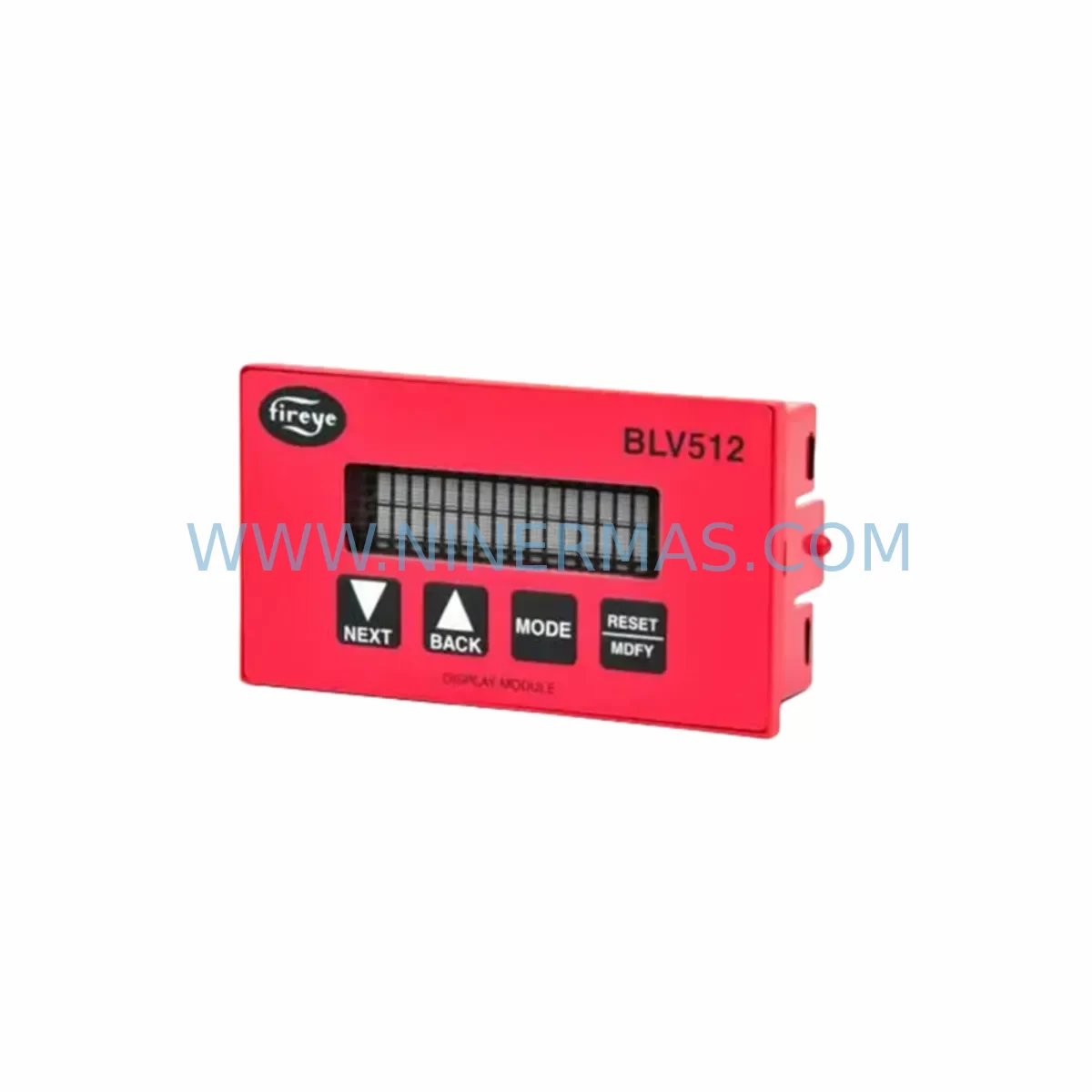
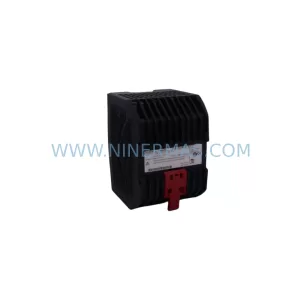
FIREYE BLV512 Retrofit-Compatible Display Module
Verify the part, confirm the platform family, and move straight into quotation with the right commercial details.
RFQ Ready
- SKUBLV512
- CategoryPLC & Industrial Automation Modules
- BrandFIREYE
- SupportAvailability, lead time, condition, and shipping coordination
How Buyers Usually Use This Page
- Confirm the exact part number and platform family before sending the quote request.
- Use direct email when quantity, condition, and destination are already defined internally.
- Switch to the broader brand or category archive when you need alternates nearby.
Series Navigation
Move through the most common platform families behind this part.
Product RFQ
Send this part directly for quotation.
Include quantity, required condition, destination country, and target delivery timing. Current reference: FIREYE BLV512 Retrofit-Compatible Display Module with SKU BLV512.
FIREYE BLV512 Retrofit-Compatible Display Module: Legacy System Compatibility & Smooth Upgrade Path
The FIREYE BLV512 is a ruggedized display module engineered for integration within FIREYE flame safeguard and burner management control systems. As legacy combustion control platforms age beyond their published end-of-life dates, plant engineers and maintenance teams face mounting pressure to source reliable replacement components that preserve existing wiring infrastructure, panel layouts, and control logic without triggering a full system overhaul. The BLV512 addresses this challenge directly — offering a retrofit-compatible solution that slots into existing FIREYE control cabinets with minimal modification, protecting capital investment while extending operational life by years.
NINERMAS maintains verified in-stock inventory of the BLV512 to support urgent spare-parts procurement, planned maintenance shutdowns, and long-term lifecycle programs. Every unit ships with a 12-month warranty and undergoes pre-shipment functional testing to confirm display integrity, communication handshake, and module addressing before leaving our facility.
Upgrade Compatibility Table
| Parameter | Details |
|---|---|
| Model | FIREYE BLV512 |
| Function | Operator display module for FIREYE flame safeguard / burner management systems |
| Compatible Series | FIREYE BurnerLogix, 45UV5, 48PT2, 72D Series, E110 / E120 / E130 controllers |
| Mounting Interface | Direct panel-mount; compatible with standard FIREYE control cabinet cutouts |
| Communication | Proprietary FIREYE serial bus; verify firmware revision compatibility with host controller |
| Power Requirement | Supplied via backplane connector from host controller; confirm rail voltage before installation |
| Replacement Scope | Drop-in replacement for failed or end-of-life BLV-series display modules |
| Wiring Adaptation | Existing terminal block wiring retained; no re-termination required in most installations |
| Commissioning Note | Module address configuration required via host controller menu after installation |
| Warranty | 12 months from shipment date — NINERMAS standard spare-parts warranty |
Retrofit Planning for Existing Automation Systems
Replacing a display module within an active burner management or flame safeguard system requires careful pre-work to avoid unplanned downtime and configuration loss. Before removing the legacy BLV-series module, engineers should document the existing module address settings, confirm the host controller firmware version, and photograph all terminal connections. In FIREYE BurnerLogix installations, the display module communicates with the primary controller over a dedicated serial bus; any mismatch in baud rate or module address will prevent the new BLV512 from registering correctly after installation.
Power supply capacity is a critical checkpoint. The BLV512 draws its operating voltage from the host controller’s backplane rail. If the existing FIREYE E110 or E120 controller power supply is already operating near rated capacity — particularly in cabinets that have been expanded with additional 45UV5 ultraviolet flame detectors or supplementary 48PT2 self-check scanners — a power budget review is mandatory before adding or swapping modules. Overloaded rails are a common root cause of intermittent display faults that are misdiagnosed as module failures.
For sites running older 72D Series flame safeguard panels, the retrofit path may involve a parallel upgrade of the host controller alongside the BLV512 display module. In these cases, NINERMAS recommends sourcing the FIREYE E130 controller as the upgrade target, as it maintains backward compatibility with existing field wiring while supporting the BLV512’s communication protocol. Terminal block layouts between the 72D and E130 platforms are similar enough that most field wiring can be reused with only minor jumper changes — a significant advantage when minimizing shutdown duration is a priority.
Cabinet space confirmation is another step that is frequently overlooked during retrofit planning. The BLV512 occupies a defined panel cutout; if the existing display bezel has been modified or a non-standard replacement was previously installed, a physical measurement of the available opening should be completed before ordering. NINERMAS technical support can provide dimensional drawings upon request to assist with pre-installation verification.
Where the control system also incorporates FIREYE programming cables (such as the PC-compatible interface used for BurnerLogix configuration), engineers should confirm that the laptop or configuration terminal used for commissioning has the correct FIREYE software version installed. Uploading a configuration file from an incompatible software revision can overwrite module address tables and require a full recommissioning cycle — adding hours to what should be a straightforward swap. Similarly, if the plant HMI displays burner status data sourced from the FIREYE controller, the HMI screen tags should be verified against the new module’s data map to ensure alarm and status signals continue to populate correctly after the BLV512 is brought online.
In multi-burner installations where several FIREYE 45UV5 scanners and associated display modules are networked to a central supervisory system, replacing a single BLV512 should be treated as a node-level event. The network should be placed in manual hold or the affected burner taken offline before the module swap to prevent spurious flame-loss alarms from propagating to the supervisory layer and triggering unnecessary safety shutdowns across adjacent burners.
Downtime Control During System Migration
Minimizing shutdown duration during a BLV512 replacement begins with preparation completed well before the maintenance window opens. A pre-staged replacement module — confirmed in stock, pre-tested, and address-configured on the bench — can reduce the in-cabinet swap time to under 30 minutes in most standard FIREYE panel installations. NINERMAS pre-shipment testing verifies display function, communication handshake, and module addressing so that field teams are not troubleshooting hardware faults during a live shutdown.
Protecting the original program logic is equally important. Before any hardware change, the existing controller configuration should be backed up using the FIREYE programming interface and stored on a secure local drive. This backup serves as the recovery baseline if the new module triggers an unexpected configuration reset or if a firmware incompatibility is discovered during commissioning. With a verified backup in hand, the control team can restore the original logic within minutes rather than reconstructing it from memory or paper records.
Field control continuity during the swap window should be maintained through coordination with the operations team. Where process conditions allow, the affected burner should be placed in a safe, stable state — fuel valves closed, ignition disabled — before the display module is removed. This eliminates the risk of a mid-swap flame-loss event triggering a safety interlock response while the control circuit is open. Once the BLV512 is installed and the module address confirmed, a controlled restart sequence should be followed per the FIREYE commissioning checklist, with the first flame-on cycle observed by both the maintenance technician and the operations supervisor to confirm normal display behavior and alarm response.
For sites with tight maintenance windows, NINERMAS offers priority dispatch on in-stock BLV512 units to support same-week or next-day delivery requirements. Contact our technical sales team to confirm lead time and arrange expedited shipment.
Retrofit Support FAQ
Q1: Is the FIREYE BLV512 a direct drop-in replacement for older BLV-series display modules?
In most FIREYE BurnerLogix and E-series controller installations, the BLV512 is a direct physical and electrical replacement for earlier BLV-series modules. Module address configuration via the host controller menu is required after installation. NINERMAS recommends confirming the host controller firmware revision before ordering to ensure full communication compatibility.
Q2: What wiring changes are needed when installing the BLV512 in a legacy 72D Series panel?
In most 72D Series installations, existing field wiring can be reused without re-termination. Minor jumper changes at the terminal block may be required depending on the specific panel revision. NINERMAS technical support can review your panel drawings and advise on any adaptation requirements prior to shipment.
Q3: Does NINERMAS perform pre-shipment testing on the BLV512?
Yes. Every BLV512 unit shipped by NINERMAS undergoes functional testing covering display operation, communication handshake, and module addressing before dispatch. A test report is available upon request. All units are covered by a 12-month warranty from the shipment date.
Q4: What is the typical lead time and do you maintain stock for urgent requirements?
NINERMAS maintains verified in-stock inventory of the FIREYE BLV512 to support both planned maintenance programs and urgent breakdown requirements. Standard lead time for in-stock units is 3–5 business days internationally. Priority dispatch for same-week delivery is available — contact our team directly to confirm availability and arrange expedited shipment.
| Product Series | Other series |
|---|
Catalog Continuation
More FIREYE modules in the catalog.
Use the brand lane to compare nearby part numbers, platform-adjacent modules, and other inquiry-ready listings before sending your final RFQ.
Catalog Continuation
Alternative parts within PLC & Industrial Automation Modules.
Stay inside the same system family when you need substitutes, adjacent modules, or a broader shortlist for procurement review.