Original Industrial Spare Part
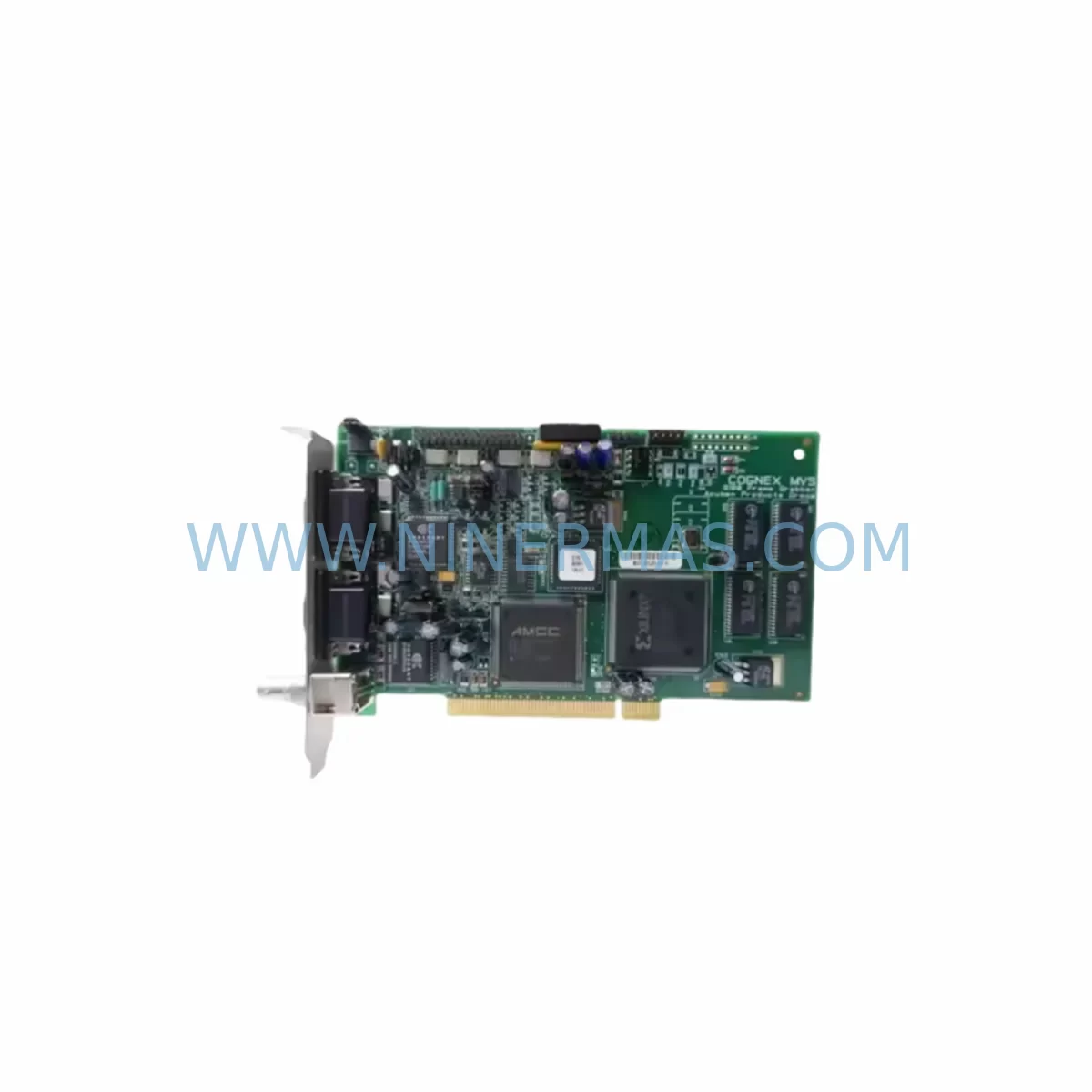
COGNEX VPM-8100X-001-P Retrofit-Compatible Image Capture Card
Verify the part, confirm the platform family, and move straight into quotation with the right commercial details.
RFQ Ready
- SKUVPM-8100X-001-P
- CategoryPLC & Industrial Automation Modules
- BrandCOGNEX
- SupportAvailability, lead time, condition, and shipping coordination
How Buyers Usually Use This Page
- Confirm the exact part number and platform family before sending the quote request.
- Use direct email when quantity, condition, and destination are already defined internally.
- Switch to the broader brand or category archive when you need alternates nearby.
Series Navigation
Move through the most common platform families behind this part.
Product RFQ
Send this part directly for quotation.
Include quantity, required condition, destination country, and target delivery timing. Current reference: COGNEX VPM-8100X-001-P Retrofit-Compatible Image Capture Card with SKU VPM-8100X-001-P.
COGNEX VPM-8100X-001-P Retrofit-Compatible Image Capture Card for Legacy Vision System Modernization
The COGNEX VPM-8100X-001-P is a high-performance image capture card engineered for industrial machine vision applications. As production lines age and original COGNEX vision platform components reach end-of-life, the VPM-8100X-001-P serves as a proven retrofit solution for facilities seeking to extend the operational life of existing inspection systems without a full platform overhaul. NINERMAS maintains verified in-stock inventory of this module, backed by a 12-month warranty, to support planned maintenance windows, emergency replacements, and long-term spare parts programs.
Whether you are maintaining a legacy COGNEX Acuity CiMatrix or an older In-Sight vision controller rack, the VPM-8100X-001-P integrates into existing backplane architectures with minimal re-engineering. Engineers responsible for retrofit planning should verify the host system’s PCI or proprietary bus interface, available slot clearance, and power rail compatibility before installation. The card’s image acquisition pipeline is compatible with standard GigE Vision and Camera Link camera interfaces commonly found in legacy inspection cells, reducing the need to replace upstream camera hardware during the upgrade cycle.
Upgrade Compatibility Table
| Parameter | Details |
|---|---|
| SKU / Part Number | VPM-8100X-001-P |
| Brand / Series | COGNEX / VPM-8100X Series |
| Product Type | Industrial Image Capture Card |
| Interface Compatibility | Camera Link / GigE Vision (verify host bus type before installation) |
| Installation Requirement | Available expansion slot in host vision controller or PC chassis; confirm slot pitch and bracket height |
| Communication Compatibility | Compatible with COGNEX VisionPro and legacy PatMax runtime environments |
| Replacement Recommendation | Direct replacement for discontinued VPM-8100X variants; confirm firmware revision with system integrator |
| Commissioning Notes | Re-map camera trigger I/O lines; validate acquisition timing against existing PLC ladder logic |
| Warranty | 12 Months — NINERMAS Company Limited |
Retrofit Planning for Existing Automation Systems
Successful integration of the COGNEX VPM-8100X-001-P into a running production environment requires a structured pre-installation audit. Begin by documenting the existing vision controller’s backplane layout, noting occupied slots and any co-installed modules such as a COGNEX I/O expansion board or a dedicated lighting controller card. If the host system also carries a COGNEX FrameGrabber FGX series module, confirm that IRQ and DMA channel assignments will not conflict after the VPM-8100X-001-P is seated.
Power budget verification is critical. The host chassis power supply — often a 24 VDC industrial DIN-rail unit or an embedded ATX-format supply — must have sufficient headroom on the 12 V and 5 V rails to support the additional capture card load. In control cabinet environments where a COGNEX vision controller shares a rail with a Siemens SITOP PSU or a Phoenix Contact QUINT power supply, measure actual rail voltage under load before committing to the retrofit schedule.
Terminal wiring for camera trigger signals, strobe outputs, and digital I/O lines should be re-verified against the original wiring diagram. If the legacy system used a COGNEX AQC-10 acquisition cable or a custom breakout harness, confirm pin-out compatibility with the VPM-8100X-001-P’s connector standard. In systems where a Keyence CV-X series controller previously handled inspection tasks and is being replaced by a COGNEX platform, I/O signal levels and handshake timing with the upstream Mitsubishi MELSEC Q-series PLC or Allen-Bradley ControlLogix controller must be re-validated.
For facilities running PROFIBUS DP or EtherNet/IP communication between the vision system and the main PLC, ensure the COGNEX VisionPro runtime’s network adapter settings are preserved during the card swap. If the host PC also carries a Moxa NPort serial device server for legacy RS-232 camera communication, retain those COM port assignments to avoid re-configuration of HMI screens built in Wonderware InTouch or Siemens WinCC. Backplane address jumpers on the VPM-8100X-001-P should be set to match the slot address expected by the existing VisionPro job files before powering up the system.
Where the retrofit involves migrating from an older COGNEX DVT Legend series smart camera to a PC-based capture card architecture, plan for HMI screen updates to reflect the new inspection result data format. Coordinate with the controls team to update any structured text or function block code in the PLC that parses vision pass/fail outputs. A COGNEX DataMan barcode reader sharing the same Ethernet switch should be isolated on a separate VLAN during commissioning to prevent broadcast traffic from interfering with image transfer latency.
Downtime Control During System Migration
Minimizing unplanned downtime is the primary concern when replacing a vision capture card in a live production environment. NINERMAS recommends a staged replacement strategy: pre-configure the VPM-8100X-001-P in a bench environment using a mirrored copy of the production VisionPro job file before the scheduled maintenance window. This allows engineers to validate acquisition parameters, exposure settings, and trigger timing offline, reducing on-line commissioning time to a final verification run rather than a full setup cycle.
Back up the existing COGNEX VisionPro job database and any associated PatMax model files to a network share before removing the legacy card. If the host system runs a Windows Embedded Standard OS, create a full disk image using the existing backup infrastructure. This ensures that a rollback path exists if unexpected compatibility issues arise during the card swap.
During the physical swap, label all camera cables, I/O harnesses, and power connectors before disconnection. Use a torque-controlled screwdriver for bracket fasteners to avoid PCB stress. After seating the VPM-8100X-001-P, power up the system in diagnostic mode and confirm that the COGNEX runtime detects the card at the expected device address before reconnecting cameras. Run a short production sample — typically 50 to 100 parts — to validate inspection accuracy against the golden sample library before releasing the line to full production speed.
For multi-shift facilities where a full maintenance window is not available, consider a parallel-run approach: install the VPM-8100X-001-P in a secondary chassis running a shadow VisionPro instance alongside the primary system. Compare inspection results in real time over a 4-hour window before cutting over. This approach eliminates the risk of a blind cutover and keeps the original control logic intact until the new card is fully validated.
Retrofit Support FAQ
Q1: Is the COGNEX VPM-8100X-001-P a direct drop-in replacement for my existing capture card?
The VPM-8100X-001-P is designed as a retrofit-compatible replacement for legacy VPM-8100X series variants. However, you should confirm the host system’s bus interface type, slot form factor, and firmware revision before installation. NINERMAS technical support can assist with compatibility verification prior to shipment.
Q2: What pre-shipment testing does NINERMAS perform on this module?
Every COGNEX VPM-8100X-001-P unit shipped by NINERMAS undergoes functional power-on testing and visual inspection before dispatch. Units are packaged in anti-static ESD bags with foam cushioning to prevent transit damage. A test report is available upon request for critical spare parts orders.
Q3: How do I handle wiring and I/O re-mapping during the retrofit?
Refer to the original COGNEX VPM-8100X hardware reference manual for connector pin-out details. Map existing trigger, strobe, and digital I/O signals to the corresponding terminals on the replacement card. If your system uses a custom breakout harness, verify continuity with a multimeter before powering up. NINERMAS can provide wiring guidance based on your system’s documented configuration.
Q4: What does the 12-month warranty cover, and how do I make a claim?
The NINERMAS 12-month warranty covers manufacturing defects and functional failures under normal operating conditions. It does not cover damage caused by incorrect installation, overvoltage, or physical impact. To initiate a warranty claim, contact NINERMAS at sale@ninermas.com or +0086 187 5021 5667 with your order reference and a description of the fault. Replacement or repair will be arranged within the warranty period at no additional cost.
| Product Series | Other series |
|---|---|
| Country of Origin | US |
Catalog Continuation
More COGNEX modules in the catalog.
Use the brand lane to compare nearby part numbers, platform-adjacent modules, and other inquiry-ready listings before sending your final RFQ.
SKU: ISV2-01P-X 825-10567-1R 821-10005-1R
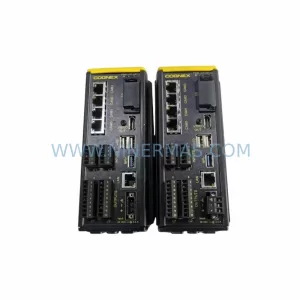
COGNEX ISV2-01P-X Retrofit-Compatible Vision Controller for Legacy Systems
Catalog Continuation
Alternative parts within PLC & Industrial Automation Modules.
Stay inside the same system family when you need substitutes, adjacent modules, or a broader shortlist for procurement review.