Original Industrial Spare Part
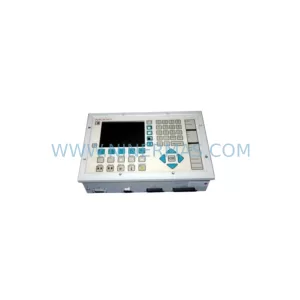
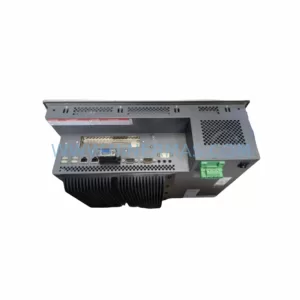
Pro-face PFXPP161EA25P00G00 Service-Ready Industrial Spare Part
Verify the part, confirm the platform family, and move straight into quotation with the right commercial details.
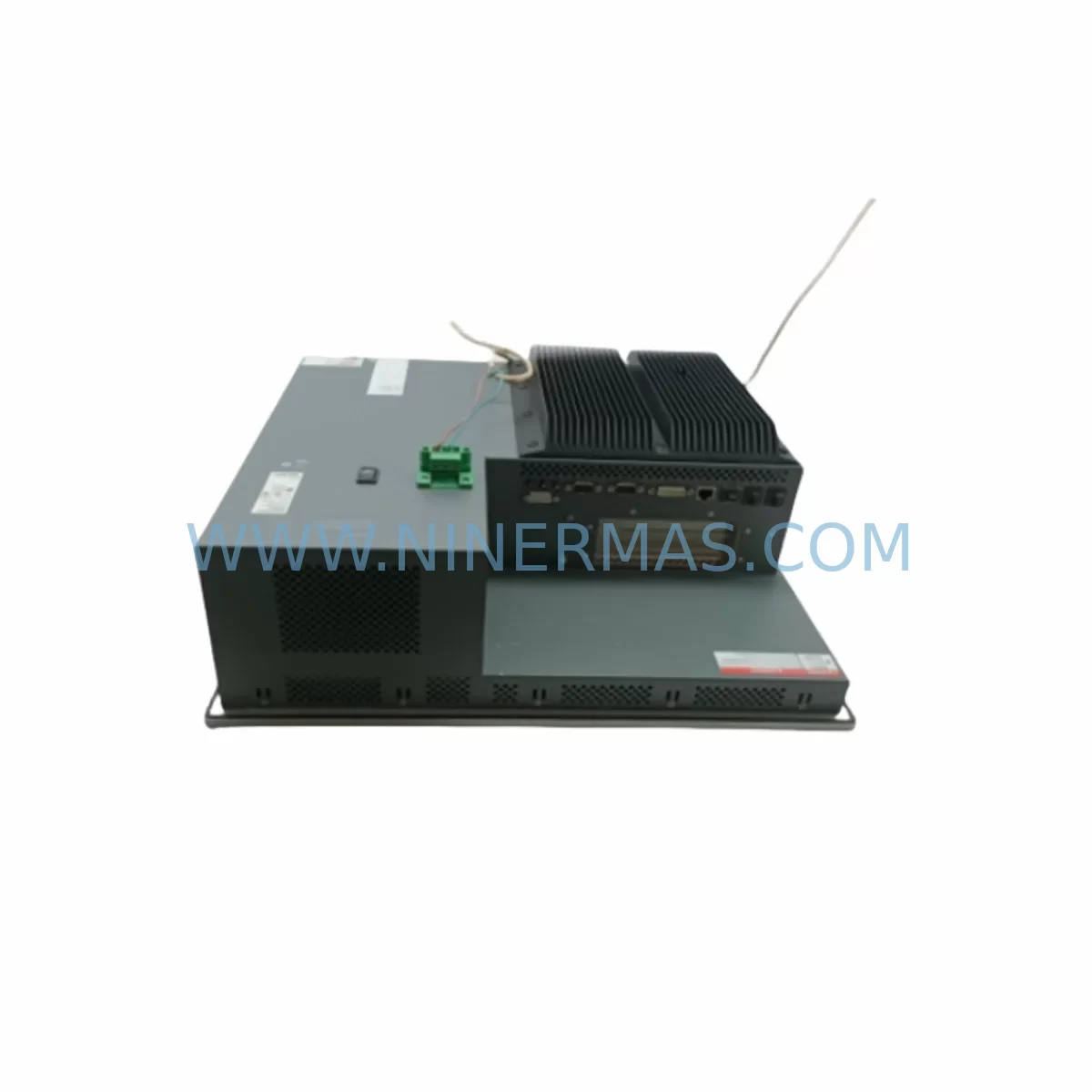
RFQ Ready
- SKUPFXPP161EA25P00G00
- CategoryPLC & Industrial Automation Modules
- BrandPro-face
- SupportAvailability, lead time, condition, and shipping coordination
How Buyers Usually Use This Page
- Confirm the exact part number and platform family before sending the quote request.
- Use direct email when quantity, condition, and destination are already defined internally.
- Switch to the broader brand or category archive when you need alternates nearby.
Series Navigation
Move through the most common platform families behind this part.
Product RFQ
Send this part directly for quotation.
Include quantity, required condition, destination country, and target delivery timing. Current reference: Pro-face PFXPP161EA25P00G00 Service-Ready Industrial Spare Part with SKU PFXPP161EA25P00G00.
Pro-face PFXPP161EA25P00G00 Service-Ready Industrial Spare Part
Unplanned HMI downtime on a production line is one of the most costly events a maintenance team can face. When a Pro-face PFXPP161EA25P00G00 fails — whether from display degradation, touchscreen unresponsiveness, backlight failure, or communication loss — every minute without a verified replacement translates directly into lost output and escalating recovery costs. NINERMAS maintains service-ready stock of the PFXPP161EA25P00G00 to support immediate swap-out, minimising mean time to repair (MTTR) and restoring operator visibility to the process as quickly as possible.
The PFXPP161EA25P00G00 is a ruggedised HMI touch module from Pro-face’s SP5000 series, designed for demanding industrial environments including automotive assembly, food and beverage processing, pharmaceutical manufacturing, and discrete parts production. Its compact form factor, wide operating temperature tolerance, and compatibility with Pro-face’s GP-Pro EX programming environment make it a long-standing choice for system integrators and OEM machine builders. As the SP5000 platform ages and Pro-face transitions its portfolio, sourcing verified original spare units becomes increasingly critical for sites committed to long-term system continuity.
Spare Maintenance Table
| Parameter | Specification / Detail |
|---|---|
| Part Number (SKU) | PFXPP161EA25P00G00 |
| Brand | Pro-face (Schneider Electric) |
| Series | SP5000 Series HMI |
| Product Type | Ruggedised HMI Touch Panel Module |
| Display | TFT LCD Colour Touchscreen |
| Operating Voltage | 24 VDC (nominal) |
| Communication Interfaces | RS-232C, RS-422/485, Ethernet (model-dependent) |
| Programming Software | GP-Pro EX (Pro-face) |
| Operating Temperature | 0°C to +50°C |
| Storage Temperature | -20°C to +60°C |
| Protection Rating | IP65 (front panel) |
| Origin | Japan |
| Compatibility | SP5000 series backplates, Pro-face GP-Pro EX projects, standard 24 VDC panel power rails |
| Condition | Original, pre-shipment tested |
| Warranty | 12 Months (NINERMAS) |
| Lead Time | In-stock — typically ships within 1–3 business days |
| Application | Industrial automation, machine control, process visualisation, SCADA front-end |
Maintenance Planning for Continuous Operation
Replacing the PFXPP161EA25P00G00 in the field is rarely an isolated task. A thorough site replacement should be treated as an opportunity to audit the surrounding electrical and communication infrastructure to prevent secondary failures from undermining the repair. Maintenance engineers and procurement teams should consider the following components as part of a coordinated spare parts strategy.
The SP5000 series HMI draws power from the panel’s 24 VDC rail. Before installing a replacement PFXPP161EA25P00G00, verify the output voltage and ripple of the panel power supply — units such as the Pro-face PS-4600 DC power module or equivalent DIN-rail 24 VDC supplies should be load-tested to confirm they can sustain the HMI’s inrush and steady-state current without voltage sag. A marginal power supply is a common root cause of repeated HMI failures that goes undetected until the replacement unit also fails.
Communication integrity is equally important. The PFXPP161EA25P00G00 typically connects to PLCs or DCS controllers via RS-232C or RS-422/485 serial links, or Ethernet depending on configuration. Inspect the CA3-CBL232 communication cable and any CA3-CBLSYS system cables for insulation damage, connector corrosion, or bent pins — degraded cables are a frequent cause of intermittent communication faults that are misdiagnosed as HMI hardware failures. Where Ethernet is used, check patch cables, managed switches, and any signal isolation modules in the communication loop.
The backplate and mounting assembly also warrant inspection. The PFXSP5B10 SP5000 CPU/backplate module interfaces directly with the touch panel; if the original HMI failure was caused by a backplate fault rather than the panel itself, installing a new PFXPP161EA25P00G00 onto a defective backplate will result in immediate re-failure. Similarly, review the condition of the FP5-BKTA backplate assembly and all associated terminal blocks and I/O connectors for signs of overheating, loose terminations, or moisture ingress.
For sites running mixed Pro-face fleets, it is advisable to maintain cross-compatible spares. The PFXPP170BA23P00G00 (larger display variant) and the PFXGM4301TAD compact HMI serve adjacent machine positions and share the GP-Pro EX programming environment, reducing the engineering overhead of maintaining multiple project files. Legacy machines still running the AGP3600-T1-D24 or PFXGP4501TAD panels should be flagged for planned migration to SP5000-series hardware during the next scheduled shutdown, as original spare availability for those platforms continues to decline.
Fuse protection on the 24 VDC feed to the HMI should be verified and replaced as a matter of course during any panel intervention. Inline fuse holders and miniature circuit breakers protecting the HMI power branch are low-cost insurance against future overcurrent events. Finally, if the PFXPP161EA25P00G00 is installed in a cabinet alongside a Pro-face PS4600 power supply and relay output modules, confirm that relay coil suppression diodes are intact — inductive switching transients are a known stressor for HMI power circuits in relay-heavy panels.
Site Replacement Workflow
Step 1 — Pre-replacement verification. Confirm the replacement PFXPP161EA25P00G00 SKU matches the installed unit exactly. Check the GP-Pro EX project file version and confirm it is compatible with the firmware on the replacement panel. Back up the existing project from the installed HMI if it is still partially functional.
Step 2 — Safe isolation. Isolate the panel’s 24 VDC supply using the appropriate lockout/tagout procedure. Discharge any residual voltage on the power rail before disconnecting communication cables and the backplate connector.
Step 3 — Physical swap. Remove the failed PFXPP161EA25P00G00 from the backplate. Inspect the backplate connector for damage before seating the replacement unit. Reconnect all communication cables and verify connector locking mechanisms are fully engaged.
Step 4 — Power-up and commissioning. Restore 24 VDC supply and observe the HMI boot sequence. Download the GP-Pro EX project to the replacement panel and verify all screen pages, tag communications, and alarm functions operate correctly before returning the machine to production.
Step 5 — Documentation. Record the replacement date, new unit serial number, and any observations about the failed unit’s condition. Update the site’s spare parts register to trigger a replenishment order for the consumed PFXPP161EA25P00G00 unit, maintaining buffer stock for future events.
This structured approach reduces total downtime, eliminates re-work caused by overlooked secondary faults, and ensures the replacement is fully commissioned before the machine is handed back to production operators.
Spare Parts Support FAQ
Q1: Is the PFXPP161EA25P00G00 still available as an original spare, and how long can I expect supply continuity?
Yes. NINERMAS maintains dedicated stock of the PFXPP161EA25P00G00 as part of our end-of-life and service-ready spare parts programme. We source original units through authorised and verified supply channels and hold reserved inventory specifically for customers with long-term maintenance agreements. We recommend customers with critical installations consider reserving a minimum of one unit per site to eliminate lead-time risk during emergency breakdowns.
Q2: How is the unit tested before shipment?
Every PFXPP161EA25P00G00 unit shipped by NINERMAS undergoes pre-shipment functional testing, including power-on verification, touchscreen calibration check, display uniformity inspection, and communication port continuity testing. Units that do not pass all test criteria are quarantined and not offered for sale. A test record is available upon request for customers requiring traceability documentation.
Q3: What does the 12-month warranty cover, and what is the claims process?
NINERMAS provides a 12-month warranty from the date of shipment covering manufacturing defects and functional failures under normal operating conditions. The warranty does not cover damage caused by incorrect installation, overvoltage events, physical impact, or environmental exposure beyond the unit’s rated specifications. To initiate a warranty claim, contact sale@ninermas.com with the order reference, unit serial number, and a description of the fault. NINERMAS will arrange return logistics and provide a replacement or repair within an agreed timeframe.
Q4: Can the PFXPP161EA25P00G00 replace older Pro-face HMI models such as the AGP3600 or GP4000 series?
The PFXPP161EA25P00G00 is a SP5000 series module and is not a direct drop-in replacement for GP4000 or AGP3600 series panels due to differences in backplate form factor and connector pinout. However, GP-Pro EX supports project migration from older GP-Pro series software, which significantly reduces the engineering effort required to adapt an existing project to the SP5000 platform. NINERMAS can advise on compatibility and migration pathways — contact our technical team before committing to a cross-series substitution.
| Product Series | Other series |
|---|
Catalog Continuation
More Pro-face modules in the catalog.
Use the brand lane to compare nearby part numbers, platform-adjacent modules, and other inquiry-ready listings before sending your final RFQ.
SKU: PL6700-T11-W901F
Pro-face PL6700-T11-W901F Safety-Reliable HMI for Critical Sites
SKU: GP2301-SC41-24V
Pro-face GP2301-SC41-24V Safety-Reliable HMI for Critical Control
SKU: PFXPF160DA33P00N00
Pro-face PFXPF160DA33P00N00 Safety-Reliable HMI for Critical Control
Catalog Continuation
Alternative parts within PLC & Industrial Automation Modules.
Stay inside the same system family when you need substitutes, adjacent modules, or a broader shortlist for procurement review.