Original Industrial Spare Part
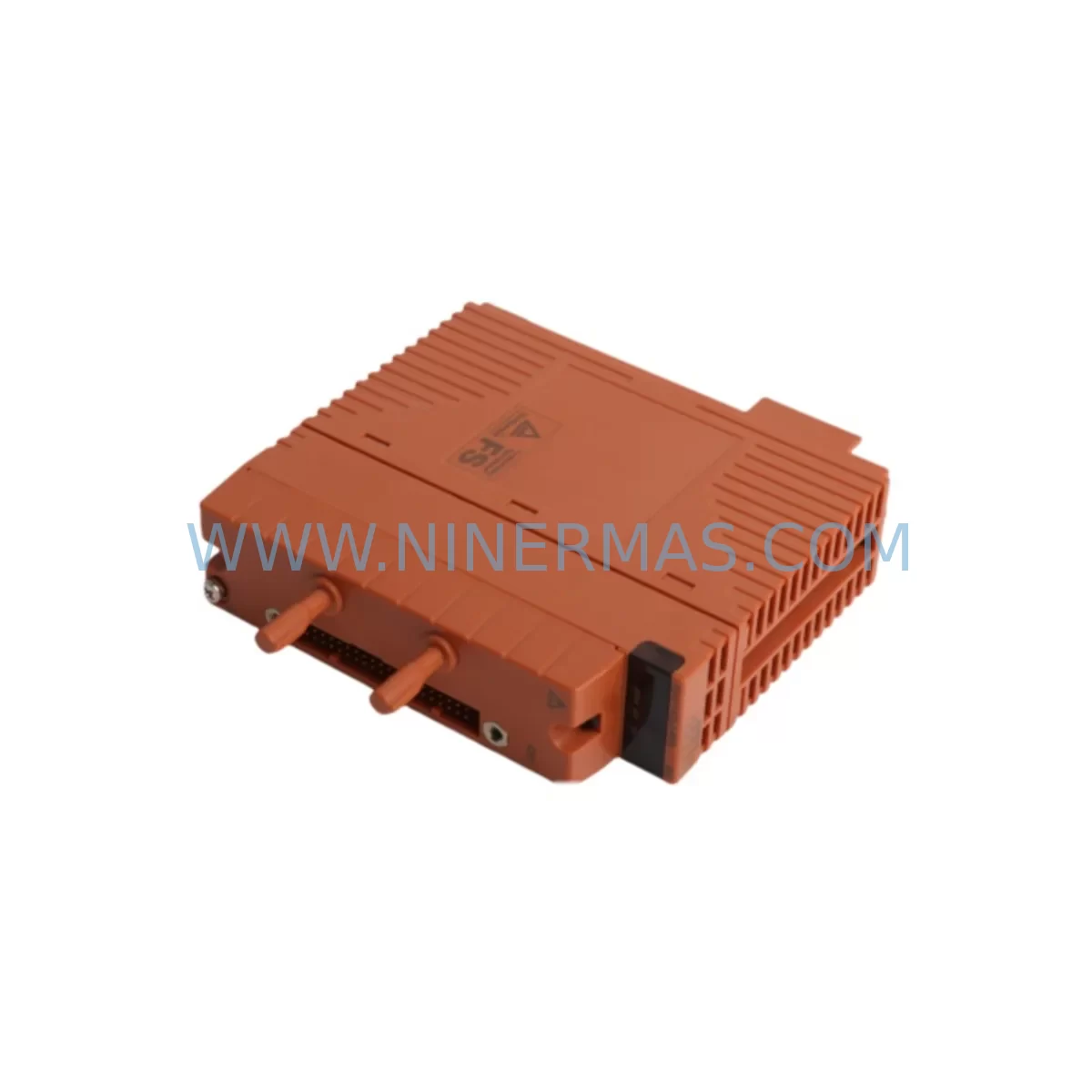
Yokogawa SAI143-H63 S3 Service-Ready Spare Part
Verify the part, confirm the platform family, and move straight into quotation with the right commercial details.
RFQ Ready
- SKUSAI143-H63 S3
- CategoryDCS Distributed Control Systems
- BrandYokogawa
- SupportAvailability, lead time, condition, and shipping coordination
How Buyers Usually Use This Page
- Confirm the exact part number and platform family before sending the quote request.
- Use direct email when quantity, condition, and destination are already defined internally.
- Switch to the broader brand or category archive when you need alternates nearby.
Series Navigation
Move through the most common platform families behind this part.
Product RFQ
Send this part directly for quotation.
Include quantity, required condition, destination country, and target delivery timing. Current reference: Yokogawa SAI143-H63 S3 Service-Ready Spare Part with SKU SAI143-H63 S3.
Yokogawa SAI143-H63 S3 Service-Ready Spare Part for Industrial Maintenance
The Yokogawa SAI143-H63 S3 is an original analog input module designed for deployment within Yokogawa’s CENTUM VP distributed control system (DCS) and STARDOM network-based control system. As a field-proven I/O component, the SAI143-H63 S3 handles critical analog signal acquisition tasks — converting 4–20 mA or 1–5 V process signals from field transmitters into digital values processed by the controller. For maintenance engineers managing aging DCS infrastructure, securing a verified, service-ready replacement unit of the SAI143-H63 S3 is a direct strategy for minimizing unplanned downtime and protecting production continuity.
NINERMAS supplies this module as a tested, original spare part backed by a 12-month warranty, with pre-shipment functional verification and full traceability documentation. Whether you are building a preventive maintenance stock, responding to an emergency module failure, or executing a scheduled annual overhaul, the SAI143-H63 S3 available through NINERMAS is ready for immediate deployment.
Spare Maintenance Table
| Parameter | Specification |
|---|---|
| Part Number | SAI143-H63 S3 |
| Manufacturer | Yokogawa Electric Corporation |
| Module Type | Analog Input Module |
| Compatible Systems | CENTUM VP, CENTUM CS 3000, STARDOM FCN/FCJ |
| Signal Input Type | 4–20 mA / 1–5 V DC (field transmitter signals) |
| Channel Count | 16 channels (per standard SAI143 series configuration) |
| Communication Interface | Internal V-net / ESB bus (system-dependent) |
| Power Supply | Supplied via I/O backplane (no external power required) |
| Operating Temperature | 0°C to 60°C (standard industrial environment) |
| Mounting | Yokogawa I/O nest / backplane slot (hot-swap capable in supported configurations) |
| Origin | Japan |
| Condition | Original, tested, service-ready |
| Warranty | 12 Months — NINERMAS Quality Guarantee |
| Pre-Shipment Test | Functional verification performed before dispatch |
| Delivery | Express international shipping available |
Maintenance Planning for Continuous Operation
When a maintenance or procurement engineer identifies the SAI143-H63 S3 as a replacement requirement, the scope of inspection should extend beyond the module itself. A failed or degraded analog input module rarely operates in isolation — the surrounding electrical environment, signal conditioning chain, and control system infrastructure all contribute to module health and longevity.
During a planned replacement of the SAI143-H63 S3, engineers should simultaneously inspect the Yokogawa PW481 or PW482 power supply modules that feed the I/O nest, as voltage instability is a common root cause of premature analog module failure. The I/O backplane or nest unit (such as the ANB10D or ANB14D) should be checked for oxidized connector pins or mechanical damage that could cause intermittent signal loss even after a new module is installed.
Field wiring connected to the SAI143-H63 S3 input terminals should be inspected for insulation degradation, loose terminations, and ground loop conditions — issues that frequently damage analog input circuits over time. If the process loop includes signal isolators or barriers (such as Yokogawa-compatible MTL or P+F units), these should be tested for drift or failure, as a faulty isolator can damage a replacement module within weeks of installation.
The Yokogawa KFCS2 or PFCS field control station that hosts the SAI143-H63 S3 should be reviewed for firmware version compatibility, particularly if the replacement module carries a newer hardware revision. In CENTUM VP environments, the HIS (Human Interface Station) engineering console should be used to verify that the module address, tag assignments, and alarm limits are correctly restored after replacement.
For sites running legacy CENTUM CS 3000 infrastructure, it is advisable to also stock companion modules such as the SAI143-S50 or SAI533 analog input variants, as well as SDV144 or SDV541 digital output modules that share the same I/O nest and are subject to similar aging patterns. Procurement engineers building a comprehensive spare parts list for a CENTUM VP cabinet should also consider including communication modules such as the ACM12 and relay output modules such as the SOR461 to cover the full range of failure-prone components in a single annual procurement cycle.
Fuse holders and terminal blocks within the marshalling cabinet connected to the SAI143-H63 S3 field loops should be inspected and replaced on a scheduled basis. Corroded or loose terminal connections are a leading cause of analog signal errors that are misdiagnosed as module failures, resulting in unnecessary module replacements and extended troubleshooting time.
Site Replacement Workflow
Replacing the SAI143-H63 S3 on-site follows a structured procedure designed to minimize control system disruption and ensure signal integrity is restored immediately upon module insertion.
Step 1 — Pre-Replacement Verification: Confirm the replacement module part number matches the installed unit exactly, including the hardware suffix (S3). Verify compatibility with the current CENTUM VP or STARDOM system version using Yokogawa’s hardware compatibility matrix. Inspect the replacement unit for physical damage and confirm the pre-shipment test certificate is included.
Step 2 — System Preparation: In the HIS engineering console, place the affected I/O module in maintenance mode or suppress associated alarms to prevent nuisance trips during the swap. Document all current tag assignments, scaling parameters, and alarm setpoints for the channels served by the SAI143-H63 S3.
Step 3 — Module Extraction: If the system supports hot-swap (online replacement), proceed without shutting down the field control station. If not, coordinate a controlled shutdown window. Remove the failed module by releasing the front locking mechanism and sliding it out of the I/O nest slot.
Step 4 — Module Installation: Insert the SAI143-H63 S3 replacement unit into the correct slot. Ensure the module is fully seated and the locking mechanism is engaged. The system should automatically recognize the module and begin initialization.
Step 5 — Signal Verification: Using the HIS or a portable calibrator, verify that all 16 input channels are reading correctly against known process values or injected test signals. Confirm that scaling, engineering units, and alarm limits match the pre-replacement documentation.
Step 6 — Documentation and Closure: Update the maintenance management system (CMMS) with the replacement date, module serial number, and test results. Return the failed module to the supplier or dispose of it per site procedures. Replenish the spare parts stock to maintain minimum inventory levels.
This workflow is applicable to both emergency replacements following unplanned failures and scheduled replacements during annual shutdowns. NINERMAS recommends maintaining at least one SAI143-H63 S3 unit in on-site stock for facilities where this module is installed in critical process loops.
Spare Parts Support FAQ
Q1: Is the SAI143-H63 S3 supplied by NINERMAS an original Yokogawa module?
Yes. NINERMAS supplies only original Yokogawa components. Each SAI143-H63 S3 unit undergoes pre-shipment functional testing and is shipped with traceability documentation. We do not supply counterfeit, refurbished-without-disclosure, or third-party compatible substitutes.
Q2: What warranty coverage applies to this module?
All SAI143-H63 S3 units supplied by NINERMAS are covered by a 12-month warranty from the date of shipment. Warranty coverage includes functional failure under normal operating conditions. Damage caused by incorrect installation, overvoltage, or environmental conditions outside the specified range is excluded. Our technical team provides post-sale support throughout the warranty period.
Q3: Can NINERMAS guarantee long-term supply of the SAI143-H63 S3 for multi-year maintenance contracts?
Yes. NINERMAS maintains sourcing relationships that support long-term supply commitments for critical DCS spare parts including the SAI143-H63 S3. For procurement engineers managing multi-year maintenance budgets, we recommend contacting our sales team to discuss volume pricing, reserved stock arrangements, and scheduled delivery programs that align with your annual shutdown calendar.
Q4: How do I confirm compatibility before placing an order?
Compatibility verification for the SAI143-H63 S3 should be based on your installed CENTUM VP or STARDOM system version, the I/O nest model, and the hardware revision of the existing module. Please provide your system model, existing module part number including suffix, and firmware version when contacting NINERMAS. Our technical team will confirm compatibility and advise on any configuration considerations before shipment.
| Product Series | CENTUM VP |
|---|---|
| Country of Origin | JP |
Catalog Continuation
More Yokogawa modules in the catalog.
Use the brand lane to compare nearby part numbers, platform-adjacent modules, and other inquiry-ready listings before sending your final RFQ.

Catalog Continuation
Alternative parts within DCS Distributed Control Systems.
Stay inside the same system family when you need substitutes, adjacent modules, or a broader shortlist for procurement review.
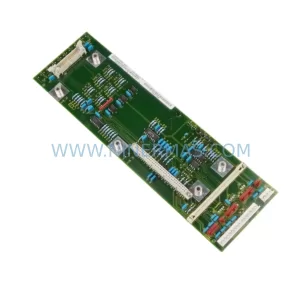
SKU: 6SE7031-2HG84-1BH0
Siemens 6SE7031-2HG84-1BH0 Service-Ready Spare Part
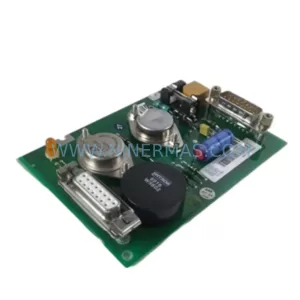
SKU: DSTC190 57520001-ER
ABB DSTC190 57520001-ER Service-Ready Spare Part for Industrial Maintenance