
Original Industrial Spare Part
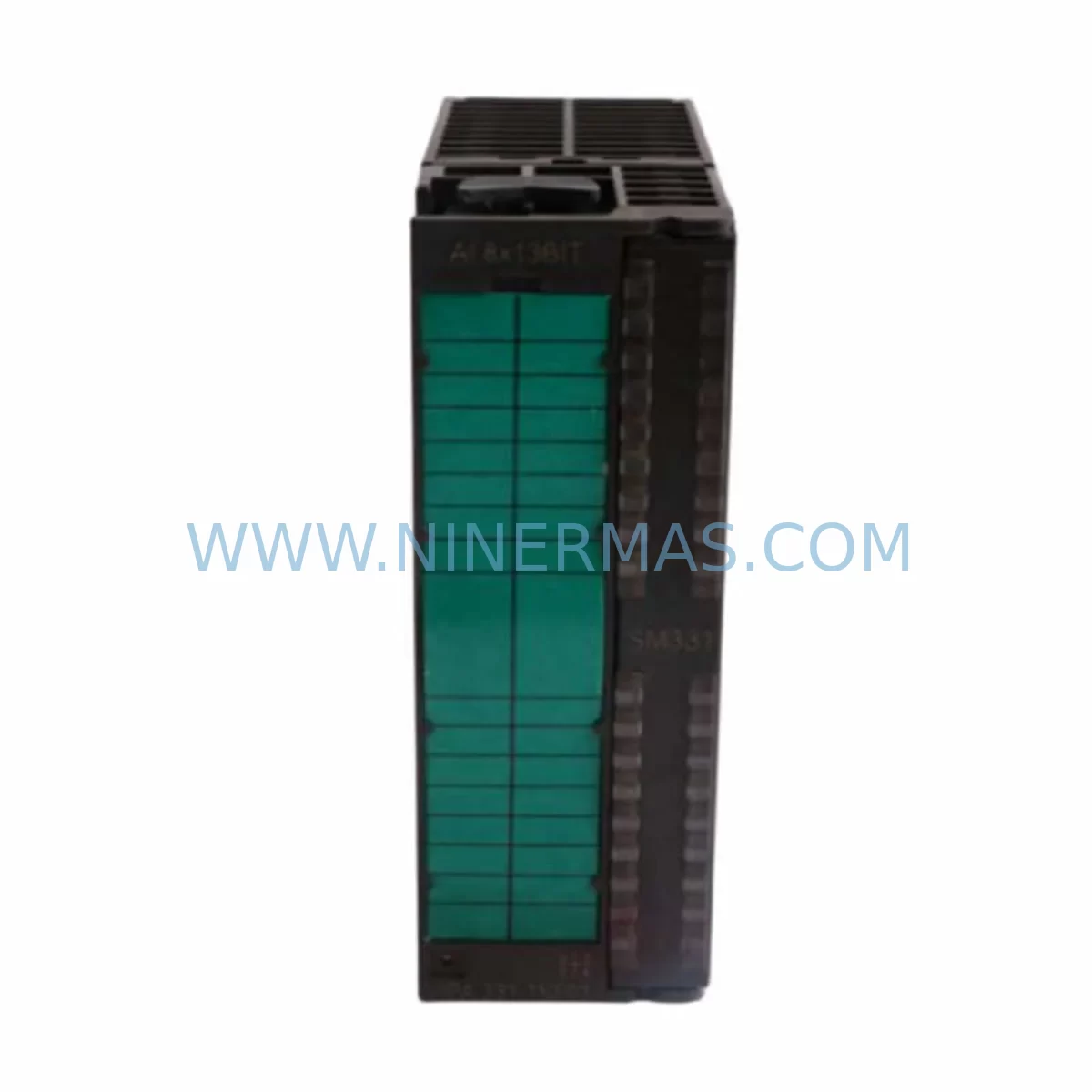
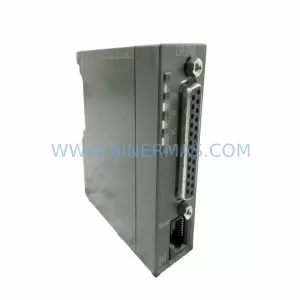
VIPA SSN-BG89A Retrofit-Compatible Ethernet Card
Verify the part, confirm the platform family, and move straight into quotation with the right commercial details.
RFQ Ready
- SKUSSN-BG89A
- CategoryPLC & Industrial Automation Modules
- BrandVIPA
- SupportAvailability, lead time, condition, and shipping coordination
How Buyers Usually Use This Page
- Confirm the exact part number and platform family before sending the quote request.
- Use direct email when quantity, condition, and destination are already defined internally.
- Switch to the broader brand or category archive when you need alternates nearby.
Series Navigation
Move through the most common platform families behind this part.
Product RFQ
Send this part directly for quotation.
Include quantity, required condition, destination country, and target delivery timing. Current reference: VIPA SSN-BG89A Retrofit-Compatible Ethernet Card with SKU SSN-BG89A.
VIPA SSN-BG89A Retrofit-Compatible Ethernet Card: Legacy System Modernization & Smooth Upgrade
The VIPA SSN-BG89A is an industrial-grade Ethernet communication card engineered for seamless integration into legacy VIPA SPEED7 and System 300S control architectures. As automation engineers face increasing pressure to extend the operational life of existing control cabinets while migrating toward modern Ethernet-based communication protocols, the SSN-BG89A provides a reliable, drop-in compatible solution that eliminates the need for full PLC replacement. Whether you are upgrading a discontinued PROFIBUS-based network, expanding I/O capacity across a distributed rack, or restoring communication links in a production-critical system, the SSN-BG89A delivers the connectivity and compatibility required for controlled, low-risk modernization.
Designed to fit standard DIN-rail mounted control cabinets and VIPA backplane racks, the SSN-BG89A supports direct backplane communication with VIPA CPU modules including the CPU 315SN/NET and CPU 317SN/NET families. Engineers replacing end-of-life Siemens S7-300 compatible communication modules will find the SSN-BG89A a technically sound alternative, maintaining compatibility with existing program logic, HMI screen layouts, and field device addressing without requiring a full system re-engineering effort.
Upgrade Compatibility Table
| Parameter | Detail |
|---|---|
| SKU / Part Number | SSN-BG89A |
| Brand / Manufacturer | VIPA (Yaskawa Europe GmbH) |
| Product Series | VIPA System 300S / SPEED7 |
| Communication Interface | Industrial Ethernet (10/100 Mbit/s) |
| Backplane Interface | VIPA System 300S standard backplane bus |
| Installation Format | DIN-rail, standard S7-300 form factor |
| Compatible CPUs | VIPA CPU 315SN/NET, CPU 317SN/NET, CPU 318-2AJ00 |
| Protocol Support | PROFINET IO, TCP/IP, ISO-on-TCP |
| Replacement Compatibility | Drop-in for legacy VIPA SSN-series Ethernet modules |
| Power Supply Requirement | Via backplane (no external 24 VDC required) |
| Commissioning Tool | VIPA SPEED7 Studio / STEP 7 V5.x compatible |
| Firmware Update | Supported via Ethernet port |
| Warranty | 12 Months — All units pre-shipment tested |
| Stock Status | Available — Ships within 3–5 business days |
Retrofit Planning for Existing Automation Systems
Successful integration of the VIPA SSN-BG89A into an existing control system begins with a thorough pre-retrofit audit. Engineers should first verify the available backplane slot positions within the existing VIPA UR rack or IM 360/361 expansion rack, confirming that the module address assignment does not conflict with currently installed I/O modules such as the VIPA SM 321 digital input module or VIPA SM 322 digital output module. Slot-based addressing in VIPA System 300S follows the same logical structure as Siemens S7-300, so existing hardware configuration files in STEP 7 or VIPA SPEED7 Studio can typically be adapted with minimal modification.
Power budget verification is a critical step often overlooked during retrofit planning. The SSN-BG89A draws its operating power from the backplane bus, so engineers must confirm that the installed VIPA PS 307 power supply module or equivalent 24 VDC rail-mount power supply has sufficient residual capacity after accounting for all installed CPU, I/O, and communication modules. In high-density racks where VIPA FM 353 positioning modules or VIPA CP 343-1 compatible communication processors are already installed, a power margin review is mandatory before adding the SSN-BG89A.
Terminal wiring and Ethernet cabling should be planned in advance. The SSN-BG89A uses a standard RJ45 port for network connection, compatible with Cat5e or Cat6 shielded industrial Ethernet cable. In environments where the existing network infrastructure uses fiber optic links, an industrial media converter should be provisioned as part of the retrofit bill of materials. If the legacy system relied on PROFIBUS DP for field device communication — for example, connecting VIPA ET 200 distributed I/O stations or third-party PROFIBUS slaves — the migration plan should include a protocol gateway or a phased transition strategy to avoid disrupting active field devices during the cutover window.
HMI screen compatibility is another key consideration. If the existing SCADA or HMI system — such as a VIPA Touch Panel TP 62M or a Siemens TP700 Comfort — communicates with the PLC via an S7 Ethernet driver, the SSN-BG89A’s IP address and connection parameters must be configured to match the existing HMI project settings. In most cases, this can be achieved without modifying the HMI project itself, provided the IP address and rack/slot parameters are preserved. For systems using OPC DA or OPC UA data exchange, the SSN-BG89A’s TCP/IP stack supports standard OPC server connectivity, enabling integration with MES or SCADA platforms without additional middleware.
Signal isolation requirements should also be reviewed where the control system interfaces with high-voltage field devices or long cable runs. Installing a signal isolator or surge protection device on analog input channels connected to VIPA SM 331 analog input modules upstream of the SSN-BG89A’s network segment helps protect communication integrity in electrically noisy industrial environments. Programming cable access — typically via a VIPA PC adapter USB or MPI/DP programming cable — should remain available throughout the retrofit process to allow online program monitoring and diagnostic access without interrupting production.
Downtime Control During System Migration
Minimizing unplanned downtime is the primary operational concern during any live system retrofit. When replacing a failed or end-of-life Ethernet communication card with the VIPA SSN-BG89A, the recommended approach is to perform a full program backup from the existing CPU using VIPA SPEED7 Studio or STEP 7 before any hardware is removed. This backup should include the hardware configuration, symbol table, data blocks, and all organization blocks to ensure complete program restoration capability in the event of an unexpected issue during the swap.
Where production schedules permit only a narrow maintenance window, a parallel commissioning strategy is advisable. The SSN-BG89A can be pre-configured on a bench test rack — using a spare VIPA UR 4 or UR 8 rack with a compatible CPU module — and fully validated against the target program logic before the scheduled cutover. This approach allows engineers to verify Ethernet connectivity, confirm module diagnostics in the CPU’s hardware configuration, and test communication with remote I/O stations or SCADA systems without touching the live production rack.
During the physical swap, the existing module should be removed with the CPU in STOP mode and the backplane power de-energized. After installing the SSN-BG89A and restoring power, the CPU should be brought to RUN mode incrementally, with online monitoring active to confirm that all I/O modules, communication links, and program cycles resume correctly. Field device status — including any PROFINET IO devices, distributed I/O racks, or Ethernet-connected drives — should be verified against the pre-retrofit baseline before releasing the system to production. Total cutover time for a well-prepared SSN-BG89A replacement is typically achievable within a single planned maintenance shift.
Retrofit Support FAQ
Q1: Is the VIPA SSN-BG89A a direct replacement for my existing VIPA Ethernet communication module?
The SSN-BG89A is designed as a retrofit-compatible replacement for legacy VIPA SSN-series Ethernet cards used in System 300S and SPEED7 control platforms. In most cases, the existing hardware configuration entry can be updated in STEP 7 or VIPA SPEED7 Studio to reference the SSN-BG89A without requiring changes to the PLC program logic or field device wiring. Customers are advised to confirm the backplane slot assignment and module address before installation.
Q2: What commissioning steps are required after installing the SSN-BG89A?
After physical installation, the SSN-BG89A must be assigned an IP address via the VIPA SPEED7 Studio hardware configuration or via the Primary Setup Tool (PST). The module’s MAC address is printed on the front label and can be used for initial IP assignment via ARP-based tools. Once the IP address is set, the hardware configuration should be downloaded to the CPU and the module’s diagnostic LEDs verified for normal operating status. Communication with connected Ethernet devices should then be tested using the CPU’s online diagnostic functions.
Q3: Has the SSN-BG89A been tested before shipment, and what warranty is provided?
Yes. Every VIPA SSN-BG89A unit supplied by NINERMAS undergoes pre-shipment functional testing to verify Ethernet port operation, backplane communication integrity, and firmware version consistency. All units are covered by a 12-month warranty from the date of shipment. In the event of a warranty claim, NINERMAS provides direct technical support and replacement coordination to minimize system downtime.
Q4: What is the typical lead time and stock availability for the SSN-BG89A?
NINERMAS maintains dedicated inventory of the VIPA SSN-BG89A to support urgent retrofit and breakdown replacement requirements. Standard orders ship within 3–5 business days. For projects requiring multiple units or scheduled delivery against a maintenance plan, please contact our sales team to confirm stock levels and arrange priority allocation.
| Product Series | Other series |
|---|
Catalog Continuation
More VIPA modules in the catalog.
Use the brand lane to compare nearby part numbers, platform-adjacent modules, and other inquiry-ready listings before sending your final RFQ.
SKU: CPU 313SC 313-6CF03
VIPA CPU 313SC 313-6CF03 Service-Ready Spare Part
SKU: CPU 314SB 314-2AG13
VIPA CPU 314SB 314-2AG13 Service-Ready Spare Part
SKU: VIPA315-2DP01 CPU315DPM
VIPA 315-2DP01 Safety-Reliable CPU for Critical Control
Catalog Continuation
Alternative parts within PLC & Industrial Automation Modules.
Stay inside the same system family when you need substitutes, adjacent modules, or a broader shortlist for procurement review.



SKU: HDD02.2-W040N-HS12-01-FW FWA-DIAX04-ELS-05VRS-MS
Rexroth HDD02.2-W040N-HS12-01-FW Service-Ready Spare Part

SKU: I5DAE375F10010000S
Lenze I5DAE375F10010000S Service-Ready Spare Part for Industrial Maintenance



