
Original Industrial Spare Part
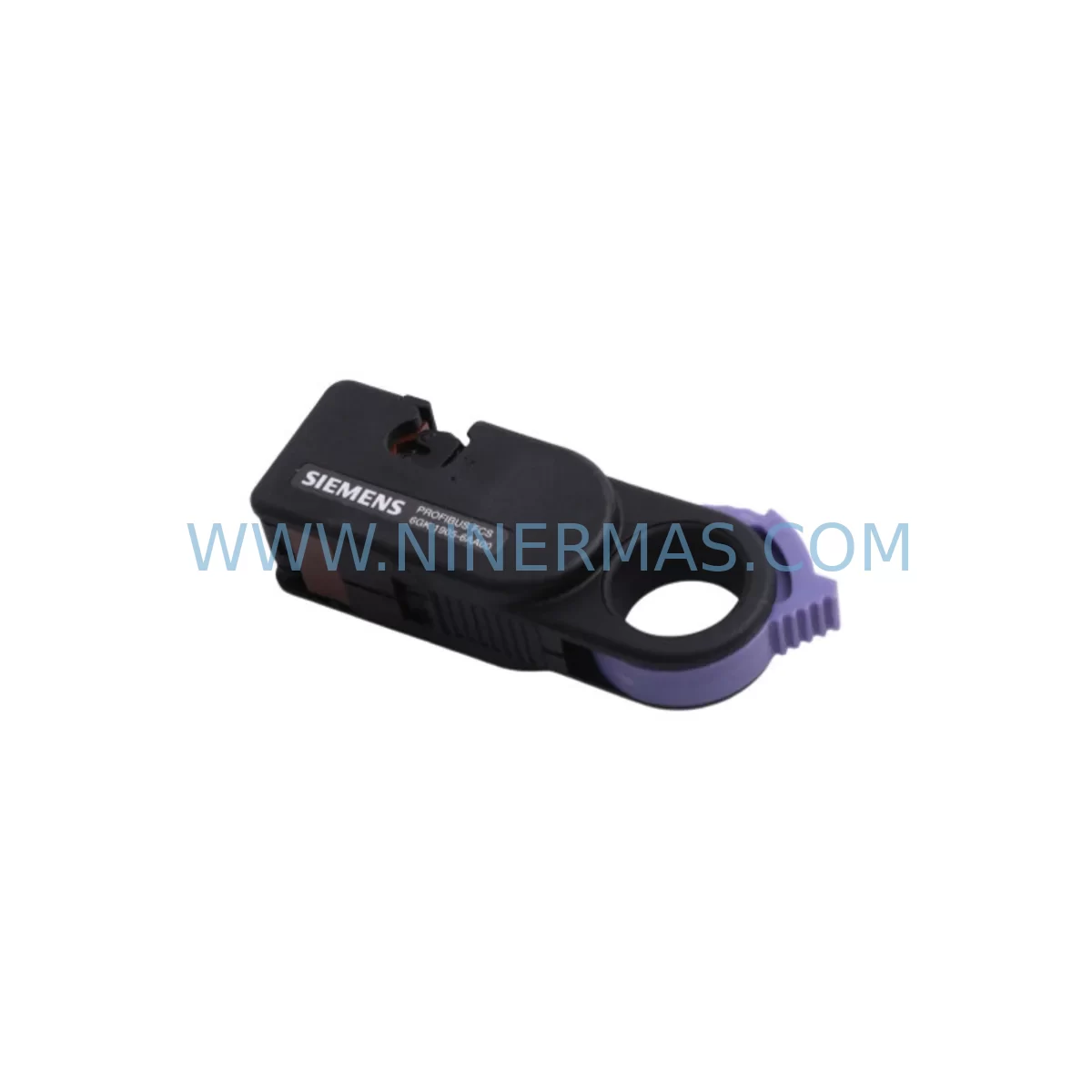
Siemens 6GK1905-6AA00 Service-Ready Spare Part
Verify the part, confirm the platform family, and move straight into quotation with the right commercial details.
RFQ Ready
- SKU6GK1905-6AA00
- CategoryPLC & Industrial Automation Modules
- BrandSiemens
- SupportAvailability, lead time, condition, and shipping coordination
How Buyers Usually Use This Page
- Confirm the exact part number and platform family before sending the quote request.
- Use direct email when quantity, condition, and destination are already defined internally.
- Switch to the broader brand or category archive when you need alternates nearby.
Series Navigation
Move through the most common platform families behind this part.
Product RFQ
Send this part directly for quotation.
Include quantity, required condition, destination country, and target delivery timing. Current reference: Siemens 6GK1905-6AA00 Service-Ready Spare Part with SKU 6GK1905-6AA00.
Siemens 6GK1905-6AA00 Service-Ready Spare Part for Industrial Maintenance
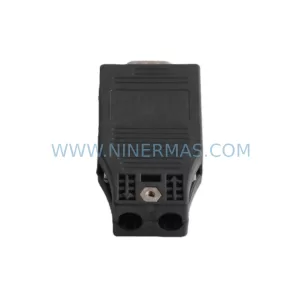
The Siemens 6GK1905-6AA00 is a PROFIBUS bus connector belonging to the SIMATIC NET product family, engineered for reliable field-bus communication in demanding industrial automation environments. As a service-ready spare part, this connector is a critical component for maintenance engineers managing PROFIBUS DP networks across process and discrete manufacturing facilities. Whether you are executing a planned annual shutdown, responding to an unplanned network fault, or building a strategic spare parts inventory, the 6GK1905-6AA00 ensures your PROFIBUS segment can be restored to full operation with minimal downtime.
PROFIBUS bus connectors are among the most frequently replaced components during control cabinet inspections and field-bus maintenance cycles. Mechanical wear, cable fatigue at the termination point, and environmental ingress are common failure modes in high-cycle production lines. Stocking the 6GK1905-6AA00 as a certified original Siemens spare part eliminates sourcing delays and reduces mean time to repair (MTTR) when a network segment goes offline. Each unit supplied by NINERMAS is pre-shipment tested and dispatched with a 12-month warranty, giving procurement engineers confidence in both quality and long-term supply continuity.
Spare Maintenance Table
| Part Number | 6GK1905-6AA00 |
| Brand / Series | Siemens / SIMATIC NET PROFIBUS |
| Component Type | PROFIBUS Bus Connector (90° cable outlet) |
| Bus Standard | PROFIBUS DP / FMS / PA (RS-485) |
| Transmission Rate | Up to 12 Mbit/s |
| Cable Outlet Angle | 90° |
| Terminating Resistor | Switchable (integrated) |
| Degree of Protection | IP20 |
| Operating Temperature | -40 °C to +85 °C |
| Connector Interface | Sub-D 9-pin (male) |
| Compatible Systems | SIMATIC S7-300, S7-400, S7-1500 (via CM), ET 200M, ET 200S, ET 200SP DP, SINAMICS drives, SCALANCE network devices |
| Installation | Tool-free cable termination; screw-type conductor clamps |
| Replacement For | 6GK1905-6AA00 (direct), compatible with legacy PROFIBUS segment connectors |
| Origin | Germany |
| Warranty | 12 Months — Pre-shipment tested, documented QA |
| Supply Program | Long-term availability via NINERMAS spare parts program |
Maintenance Planning for Continuous Operation
When replacing the 6GK1905-6AA00 PROFIBUS bus connector during a scheduled or emergency maintenance event, a thorough inspection of the surrounding network and control cabinet components is essential to prevent repeat failures and ensure full segment integrity. Maintenance engineers should treat a connector replacement as an opportunity to audit the entire PROFIBUS segment.
Begin by verifying the PROFIBUS cable (typically Siemens 6XV1830-0EH10 or equivalent shielded twisted-pair) for insulation damage, excessive bending radius violations, or shield continuity breaks near the connector termination point — these are the most common root causes of intermittent communication faults. Check the terminating resistors at both ends of the PROFIBUS segment; an improperly switched termination on the 6GK1905-6AA00 itself is a frequent source of bus reflection errors that manifest as sporadic DP slave dropouts.
Inspect the PROFIBUS DP master interface module — such as the Siemens CP 342-5 or CP 443-5 Extended — for firmware currency and connector seating. On ET 200M distributed I/O stations, verify that the IM 153-2 interface module is free of diagnostic alarms and that its PROFIBUS address is correctly set via DIP switch. For SINAMICS G120 or S120 drive systems connected to the same PROFIBUS segment, confirm that the CBE20 or CBC10 communication board is firmly seated and that drive parameters for PROFIBUS baud rate and watchdog timeout are consistent with the master configuration.
During control cabinet inspection, also check the 24 VDC power supply modules (e.g., Siemens SITOP PSU100S or PSU8600 series) that power the DP slaves and I/O racks. Voltage sag or ripple on the 24 V rail can cause false DP slave diagnostics that are misdiagnosed as connector or cable faults. Inspect terminal blocks and PE bus bars for corrosion or loose connections, particularly in humid or chemically aggressive environments. Review the status of signal isolators and surge protection devices on the PROFIBUS line — components such as the Siemens 6XV1800-0AH10 PROFIBUS surge arrester should be tested for continuity and replaced if the indicator shows a triggered state.
For facilities running mixed PROFIBUS and PROFINET architectures, verify the configuration of any SCALANCE X208 or X216 managed switches and IE/PB Link PN IO gateways that bridge the two networks. A misconfigured gateway can cause the PROFIBUS segment to appear offline even when the physical connector and cable are intact. Finally, update your spare parts inventory record to reflect the consumed 6GK1905-6AA00 and initiate a replenishment order to maintain your minimum stock level — NINERMAS supports blanket order programs for long-lifecycle SIMATIC NET components to ensure availability without lead-time risk.
Site Replacement Workflow
Step 1 — Isolate and document: Before disconnecting the faulty 6GK1905-6AA00, photograph the cable routing, termination switch position, and PROFIBUS address label. Record the current bus baud rate from the STEP 7 or TIA Portal hardware configuration to ensure the replacement is set identically.
Step 2 — De-energize safely: Switch the terminating resistor on the adjacent active connector to ON if the faulty connector is at a segment end, to maintain bus termination during the swap. Follow your site LOTO (Lockout/Tagout) procedure before touching the connector.
Step 3 — Install the 6GK1905-6AA00 replacement: Insert the PROFIBUS cable conductors (A-line green, B-line red) into the correct screw clamps. Ensure the cable shield is connected to the shield clamp. Set the terminating resistor switch to match the original position (ON at segment ends, OFF at intermediate nodes).
Step 4 — Verify and restore: Re-energize the segment and monitor the PROFIBUS diagnostic LEDs on the DP master and affected slaves. Use STEP 7 / TIA Portal online diagnostics or a PROFIBUS tester (e.g., Softing PB-T3 or ProfiTrace) to confirm all slaves return to DATA_EXCHANGE state. Clear any residual diagnostic alarms in the CPU.
Step 5 — Update maintenance records: Log the replacement in your CMMS, note the serial number of the installed unit, and update the spare parts BOM for the affected control cabinet. This supports lifecycle traceability and warranty claim processing within the 12-month coverage period.
Spare Parts Support FAQ
Q1: Is the 6GK1905-6AA00 compatible with both SIMATIC S7-300 and S7-400 PROFIBUS networks?
Yes. The 6GK1905-6AA00 is a standard PROFIBUS Sub-D 9-pin bus connector compatible with all SIMATIC S7-300, S7-400, and legacy S5 PROFIBUS DP networks, as well as ET 200 distributed I/O families and SINAMICS drive systems. Compatibility is determined by the PROFIBUS DP standard (IEC 61158), not by the PLC platform.
Q2: What pre-shipment testing does NINERMAS perform on this spare part?
Each 6GK1905-6AA00 unit undergoes visual inspection, mechanical integrity check of the Sub-D connector pins and cable clamps, and continuity verification of the terminating resistor circuit before dispatch. Units are packaged in anti-static, moisture-resistant packaging. A 12-month warranty is provided from the date of shipment, covering manufacturing defects and functional failures under normal operating conditions.
Q3: Can NINERMAS support long-term or blanket orders for this connector?
Yes. NINERMAS operates a long-term spare parts supply program for SIMATIC NET components including the 6GK1905-6AA00. Blanket purchase orders with scheduled releases are supported to help maintenance and procurement teams maintain minimum stock levels without capital lock-up. Contact our team to discuss volume pricing and lead-time commitments.
Q4: What should I do if the PROFIBUS segment does not recover after replacing the connector?
If the segment remains offline after installing the 6GK1905-6AA00, perform a systematic fault isolation: check cable continuity with a multimeter, verify termination resistor positions at both segment ends, confirm baud rate settings on the DP master, and use a PROFIBUS diagnostic tool to identify any remaining slaves in fault state. If the issue persists, inspect the DP master interface module (CP 342-5 / CP 443-5) and the 24 VDC supply rail for the affected rack. Contact NINERMAS technical support with your diagnostic report for further assistance.
| Product Series | SIMATIC |
|---|---|
| Country of Origin | DE |
Catalog Continuation
More Siemens modules in the catalog.
Use the brand lane to compare nearby part numbers, platform-adjacent modules, and other inquiry-ready listings before sending your final RFQ.
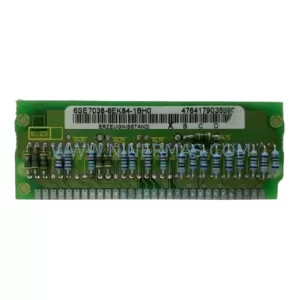
SKU: 6SE7038-6EK84-1BH0
Siemens 6SE7038-6EK84-1BH0 Retrofit Drive Control Module
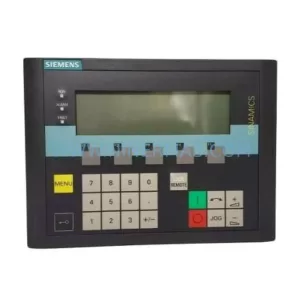
SKU: 6SL3055-0AA00-4CA5
Siemens 6SL3055-0AA00-4CA5 Retrofit-Compatible Operator Panel for Legacy Systems
Catalog Continuation
Alternative parts within PLC & Industrial Automation Modules.
Stay inside the same system family when you need substitutes, adjacent modules, or a broader shortlist for procurement review.

SKU: OZDPROFI12MG12
Hirschmann OZDPROFI12MG12 Spare Part for Industrial Maintenance



SKU: 07025-0000-70-1-04
KONTRON 07025-0000-70-1-04 Service-Ready Spare Part



