Original Industrial Spare Part
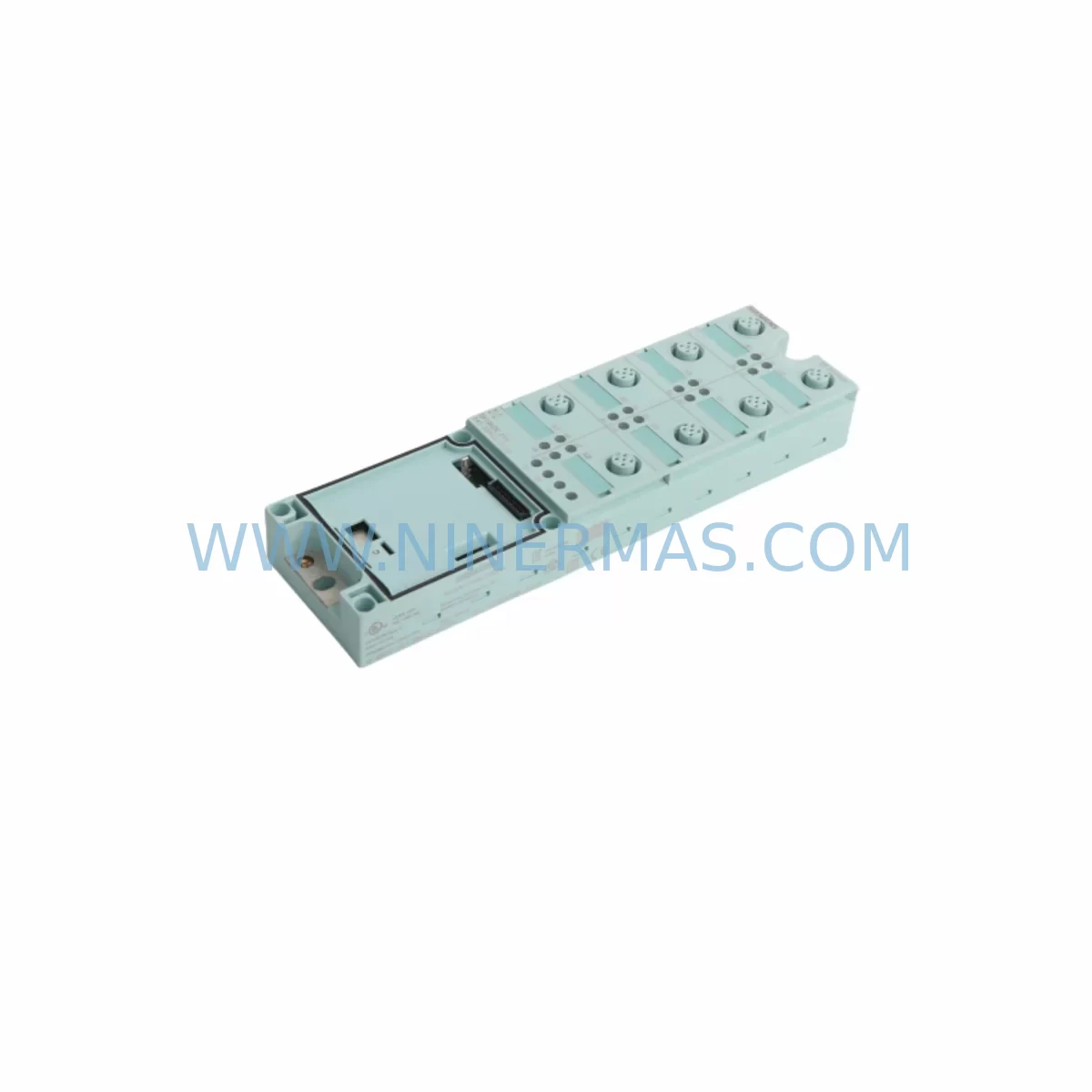
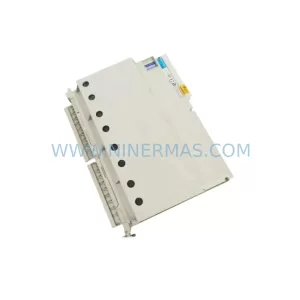
Siemens 6ES7141-3BH00-0XA0 Service-Ready Spare Part for Industrial Maintenance
Verify the part, confirm the platform family, and move straight into quotation with the right commercial details.
RFQ Ready
- SKU6ES7141-3BH00-0XA0
- CategoryPLC & Industrial Automation Modules
- BrandSiemens
- SupportAvailability, lead time, condition, and shipping coordination
How Buyers Usually Use This Page
- Confirm the exact part number and platform family before sending the quote request.
- Use direct email when quantity, condition, and destination are already defined internally.
- Switch to the broader brand or category archive when you need alternates nearby.
Series Navigation
Move through the most common platform families behind this part.
Product RFQ
Send this part directly for quotation.
Include quantity, required condition, destination country, and target delivery timing. Current reference: Siemens 6ES7141-3BH00-0XA0 Service-Ready Spare Part for Industrial Maintenance with SKU 6ES7141-3BH00-0XA0.
Siemens 6ES7141-3BH00-0XA0 Service-Ready Spare Part for Industrial Maintenance
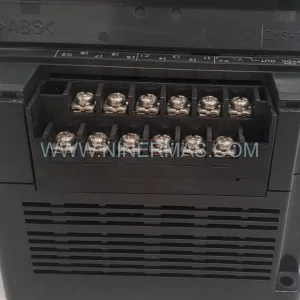
The Siemens 6ES7141-3BH00-0XA0 is a 16-channel 24 VDC digital input module designed for the ET 200L distributed I/O system, operating within the SIMATIC S7 automation environment. As a service-ready original spare part, this module is a critical component for maintenance engineers managing distributed control architectures in manufacturing, process automation, and machine tool environments. Sourced from verified supply channels and fully tested prior to dispatch, each unit is backed by a 12-month warranty and is available for fast global shipment to minimise unplanned downtime.
In industrial facilities where ET 200L stations are deployed along production lines or integrated into control cabinets, the 6ES7141-3BH00-0XA0 serves as the primary interface between field-level sensors, limit switches, and proximity detectors and the central PLC or DCS controller. When this module fails or degrades — often presenting as intermittent input loss, channel faults, or diagnostic errors on the CPU — rapid replacement is essential to restore production continuity. Keeping at least one unit in your on-site spare parts inventory is a recognised best practice for facilities operating legacy ET 200L configurations.
Spare Maintenance Table
| Parameter | Specification |
|---|---|
| Part Number | 6ES7141-3BH00-0XA0 |
| Series | ET 200L / SIMATIC S7 |
| Module Type | Digital Input (DI) |
| Number of Channels | 16 × DI, 24 VDC |
| Input Voltage | 24 VDC (rated) |
| Input Current (per channel) | Approx. 7 mA |
| Signal Delay | Configurable (0.1 ms – 3 ms typical) |
| Mounting | DIN rail, ET 200L terminal block |
| Dimensions (W×H×D) | Approx. 40 × 119 × 74 mm |
| Operating Temperature | 0 °C to +60 °C |
| Protection Class | IP20 |
| Compatibility | ET 200L, SIMATIC S7-300 CPU via IM 151 interface |
| Origin | Germany (DE) |
| Warranty | 12 Months (NINERMAS) |
| Condition | Original, tested before shipment |
Maintenance Planning for Continuous Operation
Effective maintenance planning for an ET 200L station goes well beyond replacing the 6ES7141-3BH00-0XA0 input module in isolation. Maintenance and procurement engineers should treat this replacement as an opportunity to audit the surrounding electrical circuit and control cabinet components to prevent cascading failures and reduce the risk of repeat downtime events.
Begin with the 24 VDC power supply feeding the ET 200L rack — units such as the Siemens SITOP PSU100S or equivalent 24 VDC stabilised power supplies should be checked for output voltage stability, ripple, and thermal performance. A degraded power supply is a common root cause of intermittent digital input faults that are misdiagnosed as module failures. Alongside the power supply, inspect the IM 151 interface module (e.g. 6ES7151-1AA05-0AB0) that connects the ET 200L station to the PROFIBUS DP network; a worn or corroded interface module can cause entire station dropouts rather than isolated channel faults.
Within the same control cabinet, review the condition of terminal blocks and wiring harnesses connected to the input channels. Loose or oxidised terminals on Phoenix Contact or Weidmüller-style terminal strips are a frequent source of false input signals and should be re-torqued or replaced during the same maintenance window. If the station monitors safety-critical inputs such as emergency stop circuits or door interlock switches, verify that any associated safety relay modules — for example Siemens 3SK1 series or Pilz PNOZ units — are within their rated service life and have not accumulated excessive switching cycles.
For facilities running mixed I/O configurations, also inspect any digital output modules installed in adjacent slots of the ET 200L rack, such as the 6ES7142-3BH00-0XA0 (16-channel DO counterpart), as shared backplane power distribution means a fault in one module can stress neighbouring units. Similarly, signal isolators or signal conditioners used to interface non-standard sensors with the 24 VDC input channels should be tested for correct output levels and isolation integrity.
Where the ET 200L station communicates over PROFIBUS DP, check the bus connector termination resistors and cable shielding continuity — degraded PROFIBUS cabling is a well-known source of sporadic diagnostic alarms that can be confused with hardware module faults. If the facility is planning a longer-term migration, consider whether PROFINET-based ET 200SP modules (e.g. 6ES7131-6BH01-0BA0) are a viable upgrade path, and stock the 6ES7141-3BH00-0XA0 as a bridge spare to maintain uptime during the transition period.
Finally, ensure that the CPU or remote I/O controller — whether a Siemens S7-300 CPU 314 or a third-party DCS marshalling panel — has its firmware and configuration backed up before any module swap. Maintaining an up-to-date hardware configuration file in STEP 7 or TIA Portal ensures that the replacement module is correctly parameterised on first power-up, eliminating configuration-related delays during emergency maintenance.
Site Replacement Workflow
Step 1 — Isolate and de-energise: Switch off the 24 VDC supply to the ET 200L station at the cabinet isolator. Verify absence of voltage on the terminal block using a calibrated multimeter before proceeding.
Step 2 — Document current wiring: Photograph or sketch the field wiring connections on the existing 6ES7141-3BH00-0XA0 terminal block. Note channel assignments against the I/O list in your maintenance management system.
Step 3 — Remove the faulty module: Release the DIN rail locking clip and slide the module free from the ET 200L terminal block. Inspect the terminal block contacts for corrosion or mechanical damage; replace the terminal block if necessary (6ES7193-3BH00-0AA0 or equivalent).
Step 4 — Install the replacement unit: Seat the new 6ES7141-3BH00-0XA0 onto the terminal block and secure the DIN rail clip. Re-connect field wiring per the documented channel assignments.
Step 5 — Re-energise and verify: Restore 24 VDC supply and observe the module’s LED status indicators. All channel LEDs should reflect the actual field signal states. Clear any residual diagnostic alarms in the CPU and confirm that the hardware configuration in STEP 7 / TIA Portal matches the installed module order number.
Step 6 — Functional test: Activate each connected sensor or switch in sequence and verify correct channel response in the PLC I/O monitor. Document the test results in the maintenance log and update the spare parts inventory record.
This workflow is compatible with both hot-swap-capable ET 200L configurations and standard cold-swap procedures, and is designed to minimise total replacement time to under 30 minutes for a trained maintenance technician.
Spare Parts Support FAQ
Q1: Is the 6ES7141-3BH00-0XA0 still available as a new original spare, or only as a refurbished unit?
A: NINERMAS supplies original Siemens 6ES7141-3BH00-0XA0 units sourced from verified industrial supply channels. Each unit undergoes functional testing prior to shipment. A 12-month warranty is provided on all spare parts, covering manufacturing defects and functional failures under normal operating conditions.
Q2: What is the recommended inventory quantity for a facility running multiple ET 200L stations?
A: For facilities with three or more ET 200L stations, maintaining a minimum of two 6ES7141-3BH00-0XA0 units on-site is recommended. High-criticality lines or those operating 24/7 should consider a higher buffer. Procurement engineers should also include the IM 151 interface module and the 24 VDC power supply in the same spare parts plan to cover the most common failure points in a single purchase order.
Q3: How do I confirm compatibility before ordering if my system uses a slightly different ET 200L configuration?
A: The 6ES7141-3BH00-0XA0 is compatible with standard ET 200L terminal blocks and is parameterised via STEP 7 or TIA Portal using the standard GSD file for the ET 200L station. If your configuration uses a non-standard terminal block variant or a customised hardware configuration, contact sale@ninermas.com with your existing hardware order numbers and we will confirm compatibility before processing your order.
Q4: What does the 12-month warranty cover, and what is the process for a warranty claim?
A: The 12-month warranty covers functional failures and manufacturing defects under normal industrial operating conditions (within rated voltage, temperature, and environmental specifications). It does not cover damage caused by incorrect installation, overvoltage events, or physical impact. To initiate a warranty claim, contact sale@ninermas.com with your order reference, a description of the fault, and any available diagnostic screenshots from your PLC. NINERMAS will arrange a replacement or repair within the agreed lead time.
| Product Series | SIMATIC |
|---|---|
| Country of Origin | DE |
Catalog Continuation
More Siemens modules in the catalog.
Use the brand lane to compare nearby part numbers, platform-adjacent modules, and other inquiry-ready listings before sending your final RFQ.
SKU: 6ES7341-1AH01-0AE0
Siemens 6ES7341-1AH01-0AE0 Retrofit-Compatible CP341 for Legacy Systems
SKU: 6SL3352-3AG35-8AA0
Siemens 6SL3352-3AG35-8AA0 Service-Ready Spare Part for Industrial Maintenance
SKU: 6SY7000-0AA31
SIEMENS 6SY7000-0AA31 Retrofit-Compatible Rectifier Unit
Catalog Continuation
Alternative parts within PLC & Industrial Automation Modules.
Stay inside the same system family when you need substitutes, adjacent modules, or a broader shortlist for procurement review.
SKU: GIGA-F 0090-36221 0190-04562 H SK.CTD.200-0DEG F.D. 0040-95291
AMAT 0090-36221 Retrofit-Compatible TC Amp for Legacy Systems