Original Industrial Spare Part
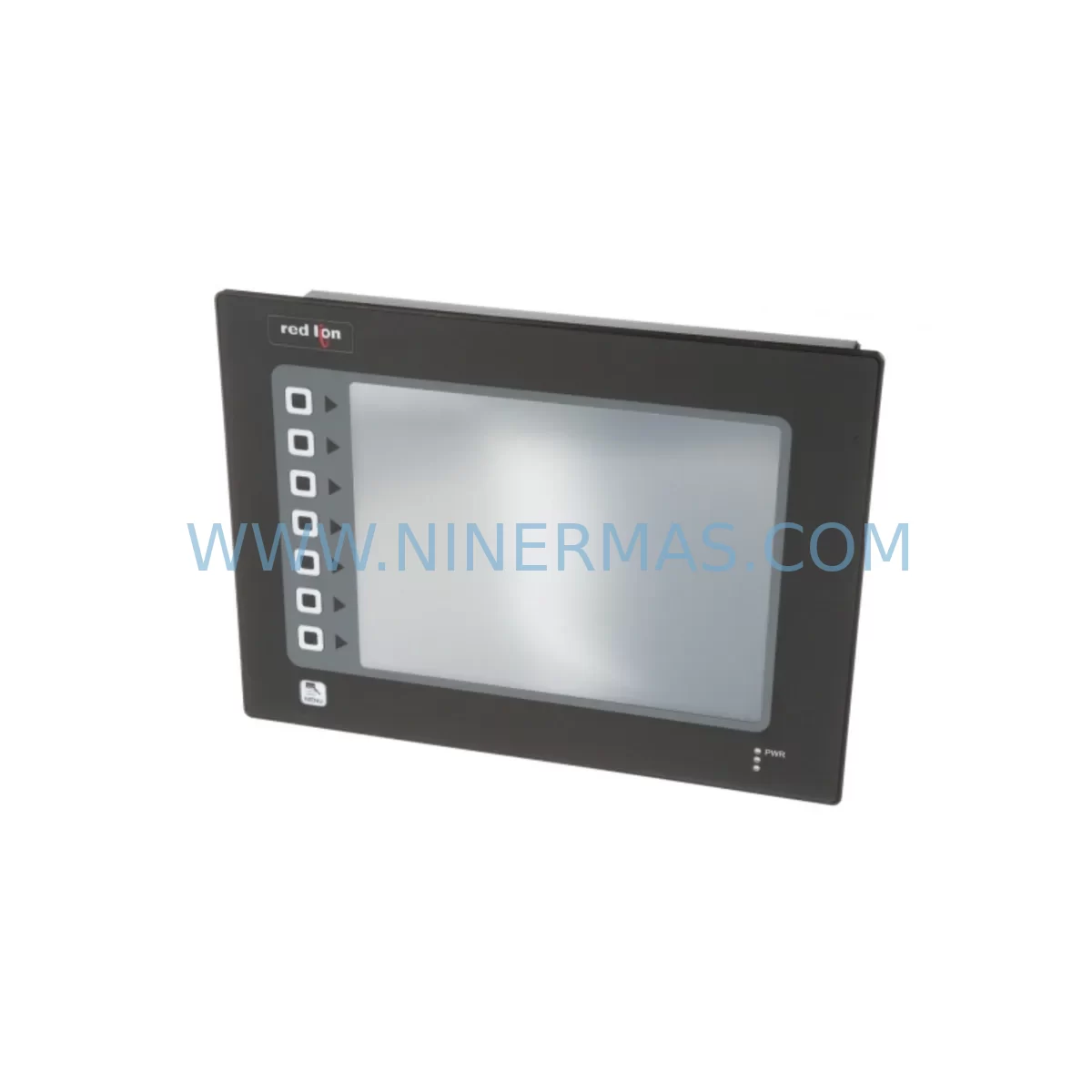
Red Lion G310C000 Retrofit-Compatible HMI for Legacy Systems
Verify the part, confirm the platform family, and move straight into quotation with the right commercial details.
RFQ Ready
- SKUG310C000
- CategoryPLC & Industrial Automation Modules
- BrandRed Lion
- SupportAvailability, lead time, condition, and shipping coordination
How Buyers Usually Use This Page
- Confirm the exact part number and platform family before sending the quote request.
- Use direct email when quantity, condition, and destination are already defined internally.
- Switch to the broader brand or category archive when you need alternates nearby.
Series Navigation
Move through the most common platform families behind this part.
Product RFQ
Send this part directly for quotation.
Include quantity, required condition, destination country, and target delivery timing. Current reference: Red Lion G310C000 Retrofit-Compatible HMI for Legacy Systems with SKU G310C000.
Red Lion G310C000 Retrofit-Compatible HMI for Legacy Systems
The Red Lion G310C000 is a 10.4-inch color TFT operator interface panel from the G3 Series, designed for demanding industrial environments where legacy HMI systems must be replaced without disrupting existing control architectures. As a retrofit-compatible replacement for discontinued G3 Series operator panels, the G310C000 supports seamless integration into existing control cabinets, preserving original PLC communication links, I/O wiring, and HMI screen logic wherever possible. For maintenance engineers and system integrators managing aging automation lines, the G310C000 represents a proven upgrade path that minimizes engineering rework and reduces unplanned downtime.
When planning a replacement for an end-of-life HMI panel, the first step is confirming power supply compatibility. The G310C000 operates on 24 VDC, which aligns with most existing control cabinet power rails. Engineers should verify that the existing power supply — often a Red Lion PAXLC800 or equivalent DIN-rail unit — can sustain the panel’s current draw under full backlight and communication load. If the original panel drew less current, a power budget review is recommended before commissioning.
Terminal wiring is the next critical checkpoint. The G310C000 uses a standard DB9 and RJ45 interface layout for serial and Ethernet communications respectively. Technicians replacing an older G306A000 or G308A000 panel must map existing RS-232 or RS-485 wiring to the G310C000’s port assignments. In many retrofit scenarios, the original communication cable — such as a CBLPROG0 programming cable — can be reused, provided the connector pinout is verified against the G310C000 wiring diagram.
Backplane and mounting space confirmation is essential before ordering. The G310C000 panel cutout dimensions differ slightly from earlier G3 models such as the G306A000, requiring a panel cutout of approximately 261 mm × 201 mm. Installers should measure the existing cabinet opening and, if necessary, use a panel adapter plate to avoid sheet metal rework. The mounting depth must also be confirmed to ensure the rear connector block clears any adjacent DIN rail components, including communication modules or signal isolators installed nearby.
Module addressing and program compatibility are central concerns during any HMI migration. Projects originally developed on the Crimson 2.0 environment for older G3 panels can typically be migrated to Crimson 3.1 for the G310C000, though screen resolution differences between the G308A000 (800×600) and the G310C000 (800×600 native) generally allow direct project transfer with minimal screen layout adjustment. Engineers should validate all tag bindings, alarm configurations, and communication driver settings after migration, particularly when the source project used legacy Modbus RTU links to PLCs or drives.
Communication protocol migration is a frequent challenge in retrofit projects. The G310C000 supports a broad driver library covering Modbus RTU, Modbus TCP, EtherNet/IP, PROFIBUS DP, and proprietary protocols for major PLC brands. When upgrading from a panel that relied on a dedicated ICM50000 serial communication module or a G3CNXT00 expansion unit, engineers should confirm whether the G310C000’s onboard ports can absorb those communication channels natively, or whether an external protocol converter remains necessary.
I/O expansion requirements should be assessed during the retrofit planning phase. If the original installation used a G3FILM10 overlay or external I/O modules connected via the G3 expansion bus, the G310C000’s compatibility with those expansion accessories must be verified. In many cases, discrete I/O signals previously routed through expansion modules can be reassigned to the PLC’s existing I/O rack, simplifying the panel wiring and reducing the number of field devices that require reconfiguration.
Field commissioning of the G310C000 follows a structured sequence: power-on verification, communication link establishment, tag database validation, alarm setpoint confirmation, and operator screen walkthrough. For installations where the G310C000 replaces a G310S000 or G315C000 panel, the commissioning team should prepare a pre-tested project file loaded onto the replacement unit before arriving on site, reducing live commissioning time to connection verification and functional testing only.
Every G310C000 unit supplied by NINERMAS undergoes pre-shipment functional testing, including display verification, communication port check, and power cycling under load. Units are shipped with a 12-month warranty covering manufacturing defects and operational failures under normal industrial use conditions.
Upgrade Compatibility Table
| Parameter | Legacy Panel (G306A000 / G308A000) | G310C000 Replacement | Retrofit Notes |
|---|---|---|---|
| Display Size | 5.7″ / 8.0″ TFT | 10.4″ TFT Color | Panel cutout enlargement may be required |
| Resolution | 320×240 / 800×600 | 800×600 | G308A000 projects transfer with minimal rework |
| Power Supply | 24 VDC | 24 VDC | Verify current capacity of existing PSU |
| Serial Ports | 1–2 × RS-232/RS-485 | 2 × RS-232/RS-485 (DB9) | Reuse existing cables after pinout verification |
| Ethernet | Optional / None | 1 × 10/100 RJ45 | Enables Modbus TCP and EtherNet/IP natively |
| USB | Not available | 1 × USB Host | Supports project transfer and data logging |
| Communication Protocols | Modbus RTU, proprietary | Modbus RTU/TCP, EtherNet/IP, PROFIBUS DP | Expanded driver library reduces converter needs |
| Programming Software | Crimson 2.0 | Crimson 3.1 | Project migration tool available; validate all tags |
| Mounting Cutout | Model-specific | 261 mm × 201 mm | Measure existing opening before ordering |
| Warranty | N/A (discontinued) | 12 Months | Covered by NINERMAS standard warranty policy |
Retrofit Planning for Existing Automation Systems
A successful G310C000 retrofit begins with a complete audit of the existing control cabinet. Identify all devices that interface with the current HMI panel: PLCs, drives, communication modules, and signal isolators. In a typical G3 Series installation, the HMI communicates with a PLC via RS-485 Modbus RTU, often through a dedicated serial port shared with a G3CNXT00 expansion unit or an ICM50000 serial interface module. The G310C000’s dual serial ports can absorb both communication channels in most cases, eliminating the need for the expansion unit and simplifying the cabinet layout.
Power distribution within the cabinet should be reviewed when adding the G310C000. If the existing power supply was sized for a smaller G306A000 panel, the additional current draw of the 10.4-inch display may require upgrading to a higher-capacity DIN-rail PSU. A Red Lion PAXLC800 or equivalent 24 VDC / 5 A unit is typically sufficient for the G310C000 plus associated communication loads.
Wiring adaptation is straightforward when replacing a G308A000 with the G310C000. The DB9 serial connector pinout is consistent across the G3 Series, and the original CBLPROG0 programming cable can be reused for initial project upload. Field wiring connected to the PLC’s I/O rack — including discrete inputs from pushbuttons and sensors, and outputs to contactors and indicator lights — remains unchanged during the HMI swap, as these signals are managed by the PLC, not the operator panel.
For installations that previously used a G3FILM10 protective overlay on the original panel, a replacement overlay sized for the G310C000 should be ordered alongside the panel to maintain IP65 front-face protection. The G310C000’s aluminum front bezel is rated IP65 when properly sealed, which is essential for food processing, chemical, and outdoor enclosure applications.
When the retrofit involves a communication protocol migration — for example, moving from a legacy proprietary protocol to Modbus TCP over Ethernet — the G310C000’s onboard Ethernet port eliminates the need for an external protocol converter. This simplifies the cabinet wiring, reduces potential failure points, and enables remote monitoring capabilities that were not available with the original G3 panel. Engineers should update the PLC’s communication configuration to match the new Ethernet-based link and validate all data exchange registers before returning the line to production.
Downtime Control During System Migration
Minimizing production downtime during an HMI retrofit requires careful pre-migration preparation. The replacement G310C000 unit should arrive on site with the migrated Crimson 3.1 project pre-loaded and bench-tested. All communication parameters — IP addresses, Modbus node IDs, baud rates, and parity settings — should be configured and verified offline before the scheduled maintenance window begins.
During the physical swap, the sequence should follow: power down the control cabinet, disconnect the original panel’s power and communication cables (labeling each connector), remove the legacy panel from the cutout, install the G310C000 (with adapter plate if required), reconnect all cables in the documented order, and restore power. A well-prepared team can complete the physical installation in under 30 minutes for a standard cabinet cutout replacement.
After power restoration, the commissioning sequence focuses on communication link verification first. Confirm that the G310C000 establishes communication with the PLC within the expected timeout period. Validate that all process values displayed on the HMI match the PLC’s actual register values. Test all operator controls — setpoint entries, mode selections, and alarm acknowledgements — before releasing the line to production. Retain the original project file and the legacy panel (if functional) as a fallback for the first production shift following the retrofit.
NINERMAS recommends scheduling HMI retrofits during planned maintenance shutdowns rather than emergency replacement scenarios. Pre-ordering the G310C000 as a strategic spare — held in the maintenance store alongside the migrated project file — ensures that any future unplanned failure can be resolved within a single shift, protecting production continuity and reducing the risk of extended downtime caused by long lead times on discontinued components.
Retrofit Support FAQ
Q1: Is the G310C000 a direct drop-in replacement for the G308A000?
The G310C000 is functionally compatible with G308A000 installations in terms of communication protocols and programming environment, but the panel cutout dimensions differ. A panel cutout enlargement or adapter plate is typically required. The Crimson 3.1 project migration tool supports direct import of G308A000 projects, with screen layout adjustments recommended due to the display size difference.
Q2: Can I reuse my existing RS-485 wiring and communication cable?
Yes. The G310C000’s DB9 serial port pinout is consistent with the G3 Series standard. Existing RS-485 field wiring and CBLPROG0 programming cables can be reused after verifying the connector pinout against the G310C000 wiring diagram. No rewiring of PLC-side terminals is required in most standard retrofit scenarios.
Q3: What pre-shipment testing does NINERMAS perform on the G310C000?
Every G310C000 unit undergoes display function verification, communication port continuity check, power cycling under load, and firmware version confirmation before shipment. Units are shipped with a test report and are covered by a 12-month warranty against manufacturing defects and operational failures under normal industrial use conditions.
Q4: What is the lead time and stock availability for the G310C000?
NINERMAS maintains ready stock of the G310C000 to support urgent retrofit and emergency replacement requirements. Standard orders ship within 3–5 business days. For large-quantity or reserved inventory agreements supporting long-term maintenance programs, contact our sales team to discuss dedicated stock arrangements and extended supply commitments.
| Product Series | Legacy |
|---|
Catalog Continuation
More Red Lion modules in the catalog.
Use the brand lane to compare nearby part numbers, platform-adjacent modules, and other inquiry-ready listings before sending your final RFQ.
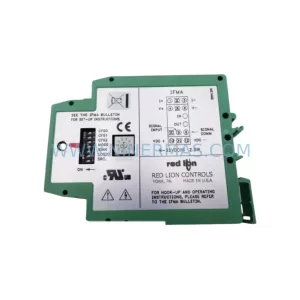
Catalog Continuation
Alternative parts within PLC & Industrial Automation Modules.
Stay inside the same system family when you need substitutes, adjacent modules, or a broader shortlist for procurement review.

SKU: ZINT-541 3AUA00000658960
ABB ZINT-541 3AUA00000658960 Retrofit-Compatible Inverter Power Module
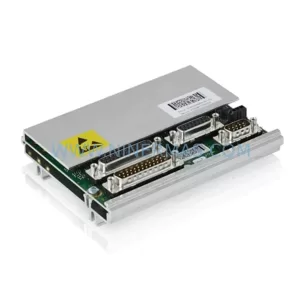
SKU: DSQC633 3HAC022286-001
ABB DSQC633 3HAC022286-001 Service-Ready Spare Part

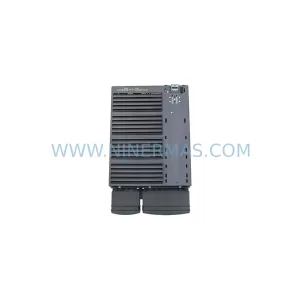
SKU: 6SL3224-0BE33-7UA0
Siemens 6SL3224-0BE33-7UA0 Service-Ready Spare Part