Original Industrial Spare Part
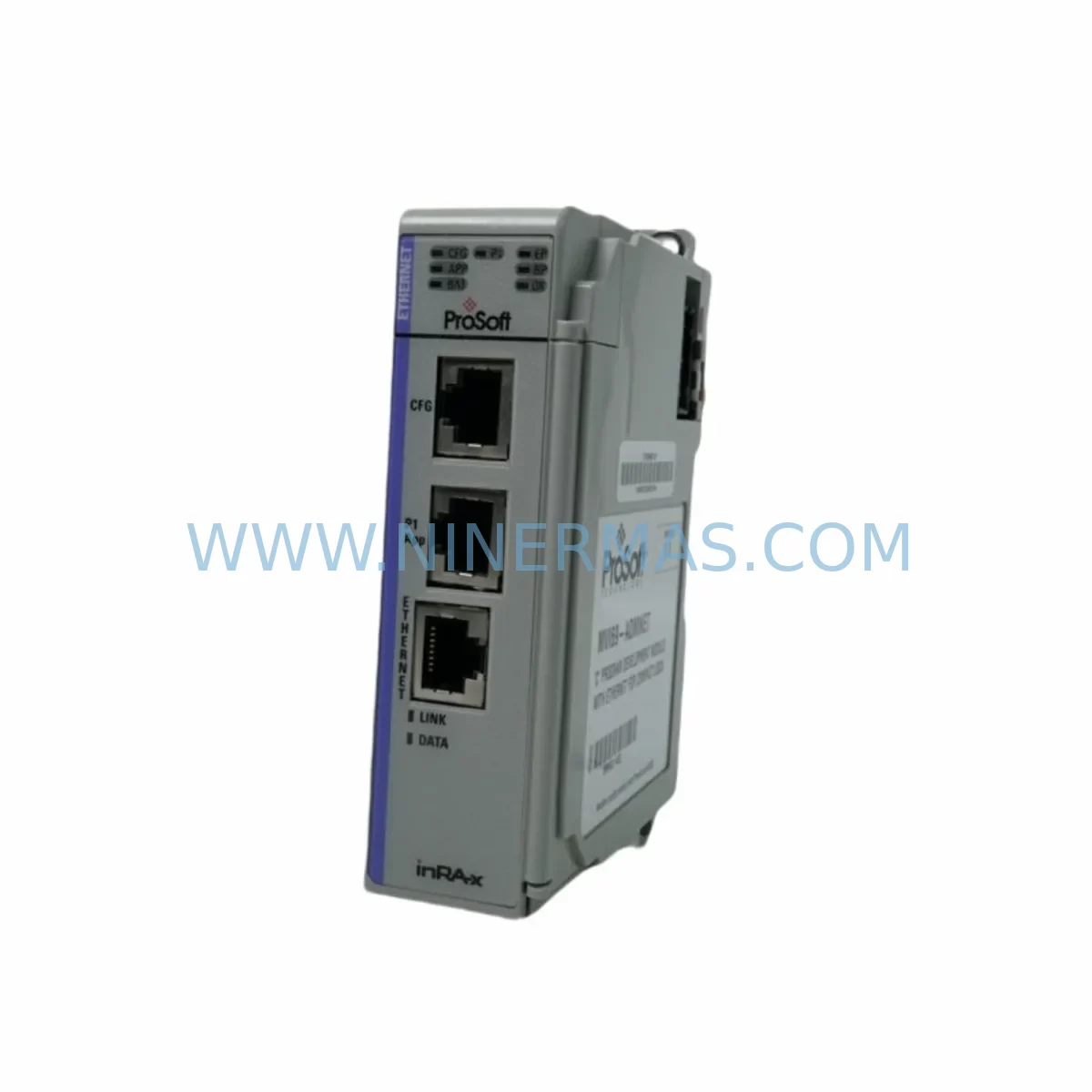
ProSoft MVI71-ADM Service-Ready Spare Part for Industrial Maintenance
Verify the part, confirm the platform family, and move straight into quotation with the right commercial details.
RFQ Ready
- SKUMVI71-ADM
- CategoryPLC & Industrial Automation Modules
- BrandProSoft Technology
- SupportAvailability, lead time, condition, and shipping coordination
How Buyers Usually Use This Page
- Confirm the exact part number and platform family before sending the quote request.
- Use direct email when quantity, condition, and destination are already defined internally.
- Switch to the broader brand or category archive when you need alternates nearby.
Series Navigation
Move through the most common platform families behind this part.
Product RFQ
Send this part directly for quotation.
Include quantity, required condition, destination country, and target delivery timing. Current reference: ProSoft MVI71-ADM Service-Ready Spare Part for Industrial Maintenance with SKU MVI71-ADM.
ProSoft MVI71-ADM Service-Ready Spare Part for Industrial Maintenance
The ProSoft MVI71-ADM (SKU: MVI71-ADM) is a service-ready spare part designed for industrial automation environments where uptime is non-negotiable. As a communication module within the ProSoft MVI71 Series, the MVI71-ADM provides reliable data exchange between Allen-Bradley PLC-5 and SLC 500 backplane systems and external serial devices using the Advanced Driver Module protocol. When a production line goes down due to a failed communication module, every minute of unplanned downtime translates directly into lost output and recovery costs. Stocking a verified replacement unit of the MVI71-ADM is one of the most cost-effective decisions a maintenance or procurement engineer can make for aging PLC-5 and SLC 500 control architectures.
At NINERMAS, every MVI71-ADM unit is sourced, inspected, and dispatched with full traceability. We supply original and service-grade spare parts to maintenance teams, system integrators, and procurement departments across manufacturing, oil & gas, water treatment, power generation, and discrete automation industries. Each unit ships with a 12-month warranty and passes pre-shipment functional verification to ensure it is ready for immediate installation upon arrival.
Spare Maintenance Table
| Parameter | Specification / Detail |
|---|---|
| SKU / Part Number | MVI71-ADM |
| Brand | ProSoft Technology |
| Series | MVI71 Series |
| Product Type | Communication Module (Advanced Driver Module) |
| Compatible Platform | Allen-Bradley PLC-5, SLC 500 Backplane |
| Communication Protocol | ADM (Advanced Driver Module) – Serial |
| Backplane Interface | PLC-5 / SLC 500 I/O Chassis Slot |
| Serial Ports | 2 × RS-232/422/485 configurable ports |
| Operating Temperature | 0°C to 60°C (32°F to 140°F) |
| Power Consumption | Supplied via backplane (no external power required) |
| Origin | United States |
| Application Environment | Industrial control panels, PLC cabinets, SCADA integration |
| Maintenance Recommendation | Replace on failure or every 5–7 years in high-cycle environments; inspect serial port connectors and firmware version annually |
| Warranty | 12 Months from date of shipment |
| Pre-Shipment Testing | Functional verification performed before dispatch |
| Lead Time | In-stock units ship within 1–3 business days |
Maintenance Planning for Continuous Operation
When a maintenance engineer identifies a failed or degraded MVI71-ADM during a control cabinet inspection or fault isolation routine, the replacement process rarely ends with the module itself. A thorough site assessment should accompany every MVI71-ADM swap to prevent repeat failures and ensure the restored system operates reliably through the next maintenance cycle.
Begin by inspecting the PLC-5 or SLC 500 backplane for signs of corrosion, loose slot connectors, or thermal stress — a damaged backplane can cause premature failure of any newly installed communication module. Verify that the 1771 I/O chassis power supply is delivering stable voltage within specification; an under-voltage condition is a common root cause of intermittent communication faults that are often misdiagnosed as module failures. If the control cabinet houses a ProSoft MVI71-MNET or MVI71-DFNT alongside the ADM module, inspect those units for similar wear indicators, as modules in the same chassis share environmental stresses.
Check all RS-232/RS-485 serial cables connected to the MVI71-ADM’s communication ports. Degraded shielding, loose DB9 connectors, or incorrect termination resistors on RS-485 runs are frequent contributors to communication errors that appear as module faults. For multi-drop RS-485 networks, confirm that only one end of the cable is terminated and that the termination resistance matches the cable impedance.
Review the ProSoft Configuration Builder (PCB) configuration file stored for the MVI71-ADM. Ensure the replacement unit is loaded with the correct firmware and configuration before installation — a mismatch between the module’s driver settings and the connected field device protocol will prevent successful communication even with a fully functional spare. If the site uses a ProSoft MVI71-GSC or similar generic serial communication module in adjacent slots, cross-check the port assignments to avoid address conflicts.
During annual shutdowns or planned maintenance windows, it is good practice to also inspect Allen-Bradley 1771 I/O modules, terminal blocks and wiring harnesses within the cabinet, and any signal isolators or surge protection devices on the serial lines. Fuse holders and DIN rail-mounted circuit breakers feeding the control panel should be tested for continuity and rated current capacity. If the system integrates with an HMI panel — such as a PanelView or third-party operator terminal — verify that the communication path from the HMI through the PLC to the MVI71-ADM remains intact after module replacement.
For facilities managing older PLC-5 systems approaching end-of-life, a proactive spare parts inventory that includes the MVI71-ADM alongside ProSoft MVI71-PDPMV1 (PROFIBUS DP) or MVI71-MCM (Modbus) modules — depending on the site’s protocol mix — significantly reduces the risk of extended downtime when sourcing becomes difficult. NINERMAS maintains long-term supply capability for discontinued and hard-to-find ProSoft MVI71 Series modules to support exactly these scenarios.
Site Replacement Workflow
Step 1 – Fault Confirmation: Use the PLC-5 or SLC 500 fault table and the MVI71-ADM’s onboard LED indicators (OK, APP, BP ACT, P1 ACT, P2 ACT) to confirm the module is the source of the fault. A solid red OK LED or absence of backplane activity LEDs typically indicates a hardware failure requiring replacement.
Step 2 – Safe Isolation: Follow site lockout/tagout (LOTO) procedures. Power down the I/O chassis or remove the module from the live backplane only if the chassis supports hot-swap — most PLC-5 and SLC 500 chassis do not, so a controlled shutdown is required.
Step 3 – Configuration Backup: Before removing the failed unit, confirm that the ProSoft Configuration Builder project file is saved and accessible. The replacement MVI71-ADM must be configured with the same driver settings, port parameters, and ladder logic interface configuration as the original.
Step 4 – Physical Replacement: Seat the new MVI71-ADM firmly into the correct chassis slot. Reconnect all serial port cables, ensuring correct port assignment (Port 1 / Port 2) matches the original wiring. Restore power and observe LED startup sequence.
Step 5 – Functional Verification: Monitor the PLC data table for expected communication data from the connected serial device. Confirm that the module’s pass-through data is updating correctly in the PLC-5 or SLC 500 data file. Document the replacement in the site maintenance log with the new unit’s serial number and installation date.
This workflow minimizes downtime, maintains system compatibility, and provides a clear audit trail — all critical requirements for ISO-compliant maintenance programs and insurance documentation.
Spare Parts Support FAQ
Q1: Is the MVI71-ADM still available as a new or service-grade spare part?
Yes. NINERMAS stocks MVI71-ADM units for immediate dispatch. As ProSoft Technology has transitioned many MVI71 Series products to end-of-life or limited availability status, we maintain dedicated inventory of service-grade and original spare units to support facilities that cannot migrate to newer platforms in the short term. All units are tested before shipment and covered by a 12-month warranty.
Q2: How do I verify compatibility before ordering?
The MVI71-ADM is compatible with Allen-Bradley PLC-5 and SLC 500 I/O chassis using the 1771 backplane. Confirm your chassis model, available slot width (single-slot module), and the serial protocol required by your connected field device. If you are unsure, contact our technical team at sale@ninermas.com with your existing module’s label information and we will confirm compatibility before processing your order.
Q3: What does the 12-month warranty cover and how is it handled?
The 12-month warranty covers manufacturing defects and functional failures under normal operating conditions from the date of shipment. If a unit fails within the warranty period, NINERMAS will arrange a replacement or repair at no additional cost. Warranty claims require the original invoice and a brief fault description. Physical damage caused by incorrect installation, overvoltage, or environmental factors outside the module’s rated specifications is not covered.
Q4: Can NINERMAS support long-term or blanket purchase orders for MVI71-ADM?
Yes. We work with procurement engineers and MRO buyers to establish long-term supply agreements for critical spare parts including the MVI71-ADM and other ProSoft MVI71 Series modules. Blanket orders, scheduled releases, and consignment stock arrangements are available for qualified accounts. Contact sale@ninermas.com to discuss your facility’s annual consumption and lead time requirements.
| Product Series | Other series |
|---|---|
| Country of Origin | US |
Catalog Continuation
More ProSoft Technology modules in the catalog.
Use the brand lane to compare nearby part numbers, platform-adjacent modules, and other inquiry-ready listings before sending your final RFQ.
Catalog Continuation
Alternative parts within PLC & Industrial Automation Modules.
Stay inside the same system family when you need substitutes, adjacent modules, or a broader shortlist for procurement review.
SKU: 5PP520.1043-00
B&R 5PP520.1043-00 Retrofit Power Panel for Legacy Systems
SKU: 531X133PRUALG1
GE 531X133PRUALG1 Retrofit-Compatible Process Interface Board
SKU: IRB7600 3HAC17484-1 3HAC062339-006 IRB6620 3HAC025007-001 DSQC1018 3HAC050363-001 DSQC1000 3HAC042766-001
ABB 3HAC17484-1 Service-Ready Spare for Industrial Maintenance
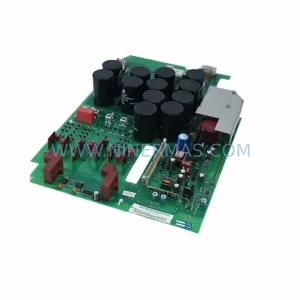
SKU: 6SE7023-4TC84-1HF3
Siemens 6SE7023-4TC84-1HF3 Service-Ready Industrial Spare