Original Industrial Spare Part
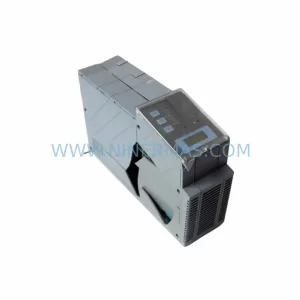
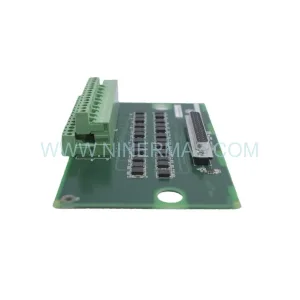
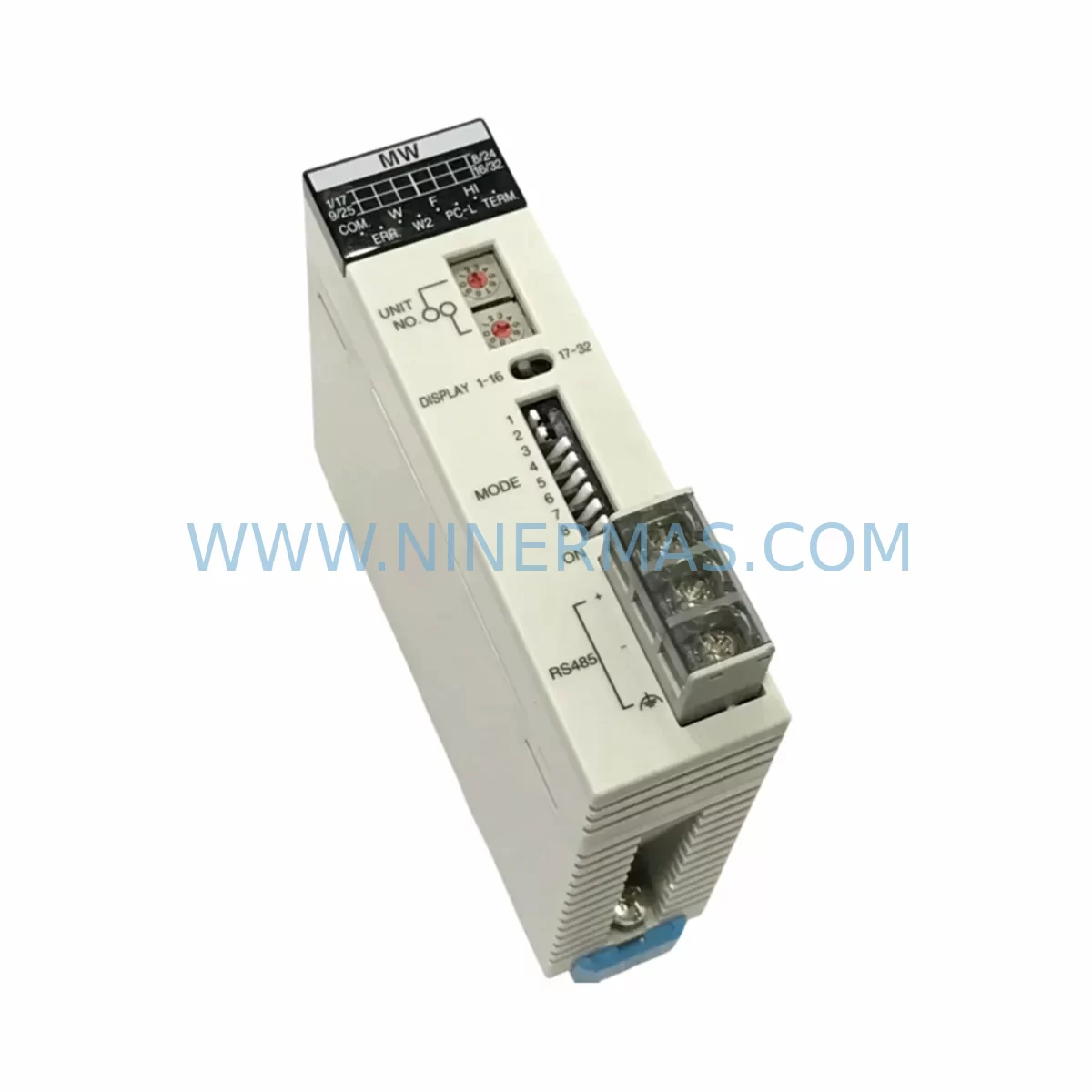
Panasonic FP2-MW AFP2720 Retrofit Memory Write Module
Verify the part, confirm the platform family, and move straight into quotation with the right commercial details.
RFQ Ready
- SKUFP2-MW AFP2720
- CategoryPLC & Industrial Automation Modules
- BrandPanasonic
- SupportAvailability, lead time, condition, and shipping coordination
How Buyers Usually Use This Page
- Confirm the exact part number and platform family before sending the quote request.
- Use direct email when quantity, condition, and destination are already defined internally.
- Switch to the broader brand or category archive when you need alternates nearby.
Series Navigation
Move through the most common platform families behind this part.
Product RFQ
Send this part directly for quotation.
Include quantity, required condition, destination country, and target delivery timing. Current reference: Panasonic FP2-MW AFP2720 Retrofit Memory Write Module with SKU FP2-MW AFP2720.
Panasonic FP2-MW AFP2720 Retrofit-Compatible Memory Write Module for Legacy FP2 Systems
The Panasonic FP2-MW AFP2720 is a dedicated memory write module designed for the Panasonic FP2 programmable logic controller platform. As industrial facilities continue to operate aging FP2-series control systems well beyond their original design lifecycle, the AFP2720 has become a critical spare part for maintenance engineers and system integrators tasked with sustaining production continuity without a full control system overhaul. NINERMAS maintains verified stock of the AFP2720, fully pre-shipment tested and backed by a 12-month warranty, to support your retrofit and lifecycle extension programs.
The FP2 platform, introduced by Panasonic Industrial Devices SUNX, remains widely deployed across discrete manufacturing, packaging lines, material handling systems, and process control cabinets throughout Asia, Europe, and the Americas. When the AFP2720 memory write module fails or reaches end-of-service, the consequences can include loss of program write capability, inability to update ladder logic, and disruption to HMI data exchange routines. Sourcing a verified replacement from a specialist supplier like NINERMAS eliminates the risk of counterfeit or untested modules entering your control cabinet.
Upgrade Compatibility Table
| Parameter | Details |
|---|---|
| SKU / Part Number | FP2-MW / AFP2720 |
| Compatible Platform | Panasonic FP2 PLC Series |
| Module Function | Memory Write (program write enable/disable control) |
| Backplane Interface | FP2 standard backplane bus (AFP2800 / AFP2802 backplane compatible) |
| Installation Slot | FP2 main rack or expansion rack — confirm available slot address before installation |
| Communication Compatibility | Compatible with MEWTOCOL-COM protocol used by FP2 CPU units (AFP2431, AFP2432, AFP2434) |
| Power Consumption | Verify rack power budget against FP2 power supply unit (AFP2801 / AFP2802) capacity before adding module |
| Replacement Recommendation | Direct drop-in replacement for failed or end-of-life AFP2720 units |
| Commissioning Note | Confirm module address assignment in FPWIN Pro programming software after installation |
| Warranty | 12 months from shipment date — NINERMAS standard warranty |
| Pre-Shipment Testing | Yes — functional verification performed before dispatch |
| Origin | Japan |
Retrofit Planning for Existing Automation Systems
When planning a retrofit around the AFP2720 memory write module, engineers must evaluate the complete FP2 rack assembly to ensure system integrity. The FP2 platform uses a modular backplane architecture — typically the AFP2800 or AFP2802 backplane — which hosts the CPU, power supply, and I/O modules in a shared bus configuration. Before installing a replacement AFP2720, confirm that the rack’s available slot count and bus addressing do not conflict with existing modules already assigned in the FPWIN Pro configuration file.
The FP2 CPU units most commonly paired with the AFP2720 include the AFP2431, AFP2432, and AFP2434 CPU modules. These processors communicate with peripheral modules via the MEWTOCOL-COM protocol, and any change to the rack configuration — including module replacement — should be followed by a full program verification cycle in FPWIN Pro to confirm that all I/O addresses, data registers, and internal relay assignments remain intact.
On the power supply side, the AFP2801 and AFP2802 power supply modules provide the DC bus voltage for the entire rack. When adding or replacing modules such as the AFP2720, always calculate the updated total current draw against the power supply’s rated output. Overloading the power supply is a common cause of intermittent faults in retrofitted FP2 systems and can be mistaken for a faulty replacement module.
For facilities that also operate FP2 analog I/O modules such as the AFP2740 (analog input) or AFP2760 (analog output), the retrofit scope may extend to recalibrating signal ranges and verifying that the HMI tag database — whether running on a Panasonic GT series HMI or a third-party SCADA system — correctly maps to the updated module addresses. HMI screen updates are frequently overlooked during memory module replacements and can result in incorrect process variable displays after commissioning.
If the retrofit also involves migrating communications from a legacy RS-232 link to a more modern RS-485 or Ethernet-based topology, the AFP2462 communication module (MEWTOCOL-COM over RS-485) or the AFP2465 Ethernet unit may be required alongside the AFP2720 replacement. Confirm that the new communication module’s slot assignment does not displace existing I/O modules and that the updated network configuration is reflected in both the PLC program and the SCADA/DCS host system.
For expansion rack configurations, the AFP2812 I/O link module is used to extend the FP2 system across multiple racks. When the AFP2720 is replaced in a multi-rack setup, verify that the I/O link scan time and module refresh cycle are not adversely affected by the configuration change. Document all wiring terminal assignments before disconnecting any module, and use terminal labeling to ensure accurate reconnection during the replacement procedure.
Downtime Control During System Migration
Minimizing unplanned downtime is the primary concern when replacing the AFP2720 memory write module in an active production environment. The recommended approach is to perform a full program backup from the existing FP2 CPU to a laptop running FPWIN Pro before any physical module change. Store the backup file in at least two locations — a local drive and a network share — and verify the file integrity by performing a compare operation against the live CPU before proceeding.
Where possible, schedule the module swap during a planned maintenance window rather than responding reactively to a module failure. Pre-stage the replacement AFP2720 at the control cabinet location, confirm that all terminal wiring labels are legible, and prepare a step-by-step commissioning checklist that includes: power-down sequence, module extraction, replacement installation, power-up sequence, program download verification, I/O force test, and HMI communication confirmation.
For systems where the FP2 CPU controls safety-critical outputs — such as motor starters, valve actuators, or conveyor drives — coordinate with the operations team to place the affected equipment in a safe state before initiating the swap. Use the FP2’s built-in output disable function where available to prevent unintended actuator movement during the module change. After the AFP2720 is installed and the program is verified, perform a controlled restart and monitor the first production cycle closely before returning the system to full automatic operation.
NINERMAS ships the AFP2720 with pre-shipment functional testing documentation included, reducing the risk of receiving a non-functional module and eliminating the need for incoming inspection delays. Our standard lead time and in-stock availability are designed to support emergency replacement scenarios where production continuity cannot wait for extended procurement cycles.
Retrofit Support FAQ
Q1: Is the AFP2720 a direct replacement for a failed FP2-MW module in my existing FP2 rack?
Yes. The AFP2720 is the Panasonic catalog part number for the FP2-MW memory write module. It is a direct drop-in replacement for any FP2 rack slot previously occupied by an FP2-MW unit. No hardware modification or firmware update is required. After installation, verify the module address in FPWIN Pro and perform a program compare to confirm data integrity.
Q2: What wiring or terminal connections are required for the AFP2720?
The AFP2720 is a backplane-mounted module with no external field wiring terminals. It connects exclusively via the FP2 backplane bus. Ensure the rack power is off before insertion, seat the module firmly into the backplane connector, and secure the module retaining screw before restoring power.
Q3: Can the AFP2720 be used in both the main rack and expansion racks?
The AFP2720 is designed for use in the FP2 main rack. For expansion rack configurations using the AFP2812 I/O link module, consult the FP2 hardware manual to confirm slot compatibility and address allocation before installing the AFP2720 in a non-standard rack position.
Q4: What does the 12-month warranty cover, and does NINERMAS provide stock for long-term supply programs?
NINERMAS’s 12-month warranty covers manufacturing defects and functional failures under normal operating conditions from the date of shipment. We also support long-term spare parts programs for facilities that require committed stock reservations for FP2-series components, including the AFP2720, to cover multi-year maintenance schedules. Contact our sales team to discuss volume commitments and lead time guarantees.
| Product Series | Other series |
|---|
Catalog Continuation
More Panasonic modules in the catalog.
Use the brand lane to compare nearby part numbers, platform-adjacent modules, and other inquiry-ready listings before sending your final RFQ.
SKU: ZUEP5585D 0.17KW MG_03_40_60 00-201-179 cloos pcif 033.59.20.00
Panasonic ZUEP5585D Retrofit Servo Drive for Legacy Systems
Catalog Continuation
Alternative parts within PLC & Industrial Automation Modules.
Stay inside the same system family when you need substitutes, adjacent modules, or a broader shortlist for procurement review.