
Original Industrial Spare Part
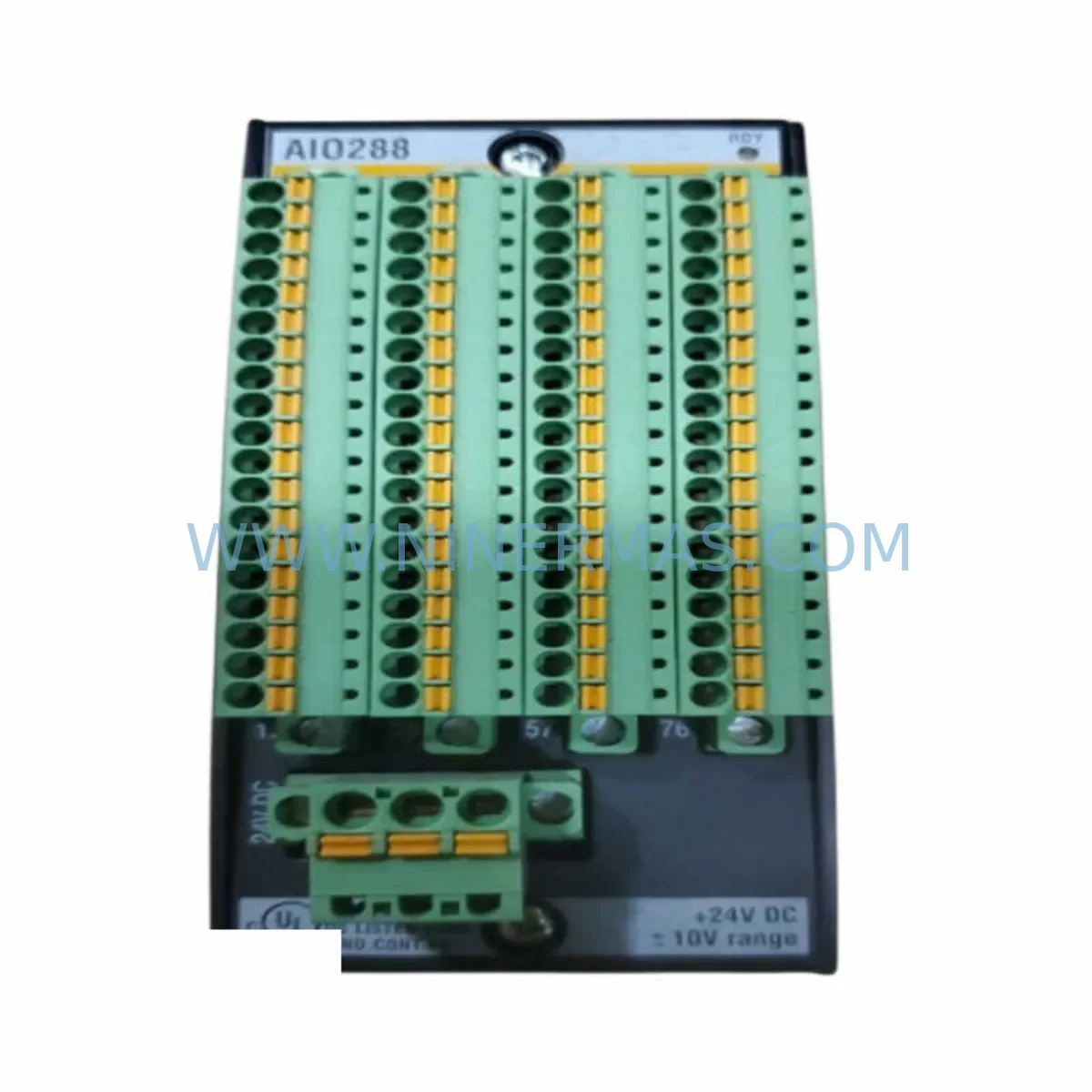
Neles A413135 Retrofit-Compatible Analog Output Module
Verify the part, confirm the platform family, and move straight into quotation with the right commercial details.
RFQ Ready
- SKUA413135
- CategoryPLC & Industrial Automation Modules
- BrandNeles
- SupportAvailability, lead time, condition, and shipping coordination
How Buyers Usually Use This Page
- Confirm the exact part number and platform family before sending the quote request.
- Use direct email when quantity, condition, and destination are already defined internally.
- Switch to the broader brand or category archive when you need alternates nearby.
Series Navigation
Move through the most common platform families behind this part.
Product RFQ
Send this part directly for quotation.
Include quantity, required condition, destination country, and target delivery timing. Current reference: Neles A413135 Retrofit-Compatible Analog Output Module with SKU A413135.
Neles A413135 Retrofit-Compatible Analog Output Module: Legacy System Compatibility & Smooth Upgrade Path
The Neles A413135 is a retrofit-compatible analog output module engineered for seamless integration into existing AOU4-series control architectures. As industrial facilities face increasing pressure to extend the operational life of legacy automation platforms while managing the risks of discontinued spare parts, the A413135 provides a reliable, drop-in-compatible solution that minimizes engineering rework, reduces downtime, and preserves existing program logic. Whether you are managing a valve positioner network, a distributed control system (DCS) retrofit, or a control cabinet upgrade, the A413135 is designed to slot into your existing infrastructure with minimal disruption.
NINERMAS COMPANY LIMITED maintains verified in-stock inventory of the Neles A413135, backed by a 12-month warranty on all spare parts. Each unit undergoes pre-shipment functional testing to confirm analog signal integrity, output channel calibration, and terminal compatibility before dispatch.
Upgrade Compatibility Table
| Parameter | Neles A413135 (Replacement) | Legacy AOU4 Reference | Retrofit Notes |
|---|---|---|---|
| Module Type | Analog Output Module | AOU4 Analog Output Unit | Direct functional replacement |
| Output Channels | 4-channel (4–20 mA) | 4-channel (4–20 mA) | Channel mapping preserved; verify field wiring polarity |
| Terminal Interface | Screw-terminal block | Screw-terminal block | Confirm terminal pitch and wire gauge compatibility |
| Backplane / Rack Interface | Neles AOU4-series backplane | AOU4-series backplane | Verify backplane slot address and module addressing jumpers |
| Power Supply Requirement | 24 VDC (loop-powered) | 24 VDC | Confirm existing PSU capacity; check rail loading with co-installed modules |
| Communication Protocol | HART-compatible signal layer | Analog / HART | HART pass-through supported; verify DCS HART multiplexer settings |
| Installation Footprint | Standard AOU4 form factor | Standard AOU4 form factor | No panel modification required; confirm DIN rail or rack mounting clearance |
| Program / Configuration | Compatible with existing tag database | Legacy DCS tag mapping | Preserve existing I/O tag assignments; re-download configuration after swap |
| HMI Display | Signal-transparent to HMI | HMI analog faceplate | No HMI screen modification required if tag names are preserved |
| Pre-Shipment Testing | Full functional test included | — | Each unit tested for output accuracy and channel isolation |
| Warranty | 12 Months | — | Covers manufacturing defects and functional failure under normal operating conditions |
Retrofit Planning for Existing Automation Systems
Replacing a discontinued analog output module in a live production environment requires careful pre-engineering to avoid signal interruptions and protect the integrity of the control loop. When integrating the Neles A413135 into an existing AOU4-based system, the retrofit planning process should begin with a full audit of the control cabinet layout, including available rack slots, backplane wiring harness condition, and the current load on the 24 VDC power supply rail. If the cabinet houses a Neles AOU4 power supply module or a third-party 24 VDC DIN rail PSU, verify that the combined current draw of all installed I/O modules — including the A413135 — remains within the PSU’s rated output capacity with a minimum 20% headroom margin.
Terminal block wiring should be documented before removal of the legacy module. Photograph or record each field wire connection, noting wire color, terminal number, and associated instrument tag. The A413135 uses a compatible screw-terminal interface, but wire ferrule sizing and terminal torque specifications should be confirmed against the module’s installation datasheet. In systems where the legacy AOU4 module was connected to a Neles valve positioner (such as the ND9000 or NDX series), confirm that the 4–20 mA output range and loop resistance are within the positioner’s input specification.
For facilities running a Metso DNA or third-party DCS platform, the module address and I/O channel assignment must be verified in the controller configuration before the new module is powered. If the system uses a Neles AOU4 backplane with hardware address jumpers, set the A413135 jumpers to match the original module’s address before installation. Failure to match the module address will result in a configuration mismatch alarm and may cause the controller to place the associated output channels in a safe-state (typically 4 mA or 0%) until the address conflict is resolved.
In multi-drop HART environments, where a HART multiplexer or asset management system (such as Emerson AMS or Honeywell FDM) is connected to the analog output loop, verify that the HART communication layer is re-established after module replacement. The A413135 supports HART pass-through, but the asset management system may require a re-scan of the loop to re-register the connected field device. This step is particularly important in safety-instrumented systems (SIS) where the HART channel is used for partial stroke testing of Neles emergency shutdown valves.
Where the retrofit involves simultaneous replacement of multiple I/O modules — for example, replacing both the A413135 analog output module and a co-installed Neles AIU4 analog input module or a Neles DIU4 digital input module — plan the replacement sequence to maintain at least one active control loop at all times. This is especially critical in continuous process industries such as oil and gas, chemical, or pulp and paper, where a complete loss of analog output can trigger a process upset or emergency shutdown. Coordinate with the process control team to place affected control loops in manual mode at the DCS before beginning the physical swap.
If the control system includes a Neles FieldCare or compatible field device management tool, use it to export the existing device configuration and parameter set from the connected positioners before the module swap. This ensures that the configuration can be restored quickly if the field device loses its parameter set during the power interruption associated with module removal.
Downtime Control During System Migration
Minimizing unplanned downtime is the primary operational concern when replacing a discontinued analog output module in a live control system. The following approach is recommended for the Neles A413135 retrofit to ensure that the migration is completed within a planned maintenance window with full restoration of control loop functionality.
Pre-Maintenance Window Preparation: Before the maintenance window opens, complete all engineering documentation — including the terminal wiring record, module address verification, DCS tag list export, and PSU load calculation. Pre-configure the A413135 with the correct address jumper settings and verify the unit’s output channels using a loop calibrator or milliamp source/measure instrument. This bench-level verification confirms that the replacement module is fully functional before it enters the cabinet, eliminating the risk of discovering a defective unit during a live maintenance window.
Control Loop Handover: Place all affected control loops in manual mode at the DCS operator station before isolating the legacy module. For valve positioner loops, confirm that the valve is in a safe position (fully open or fully closed, depending on the process fail-safe requirement) before removing the 4–20 mA signal. If the system uses a Neles ND9000 series positioner with a mechanical travel stop, engage the stop to prevent uncontrolled valve movement during the signal interruption.
Module Swap Procedure: Remove the legacy AOU4 module from the backplane slot, taking care not to disturb adjacent modules or the backplane wiring harness. Insert the A413135 into the same slot, confirm that the backplane connector is fully seated, and re-terminate all field wiring to the screw-terminal block in the documented sequence. Apply power and observe the module’s status indicators. A healthy module should indicate normal operation within 10–15 seconds of power-up.
Post-Swap Verification: From the DCS engineering station, confirm that the I/O channel is recognized and that the module address matches the configured tag. Issue a test output command (e.g., 12 mA = 50% output) and verify the corresponding signal at the field terminal using a clamp meter or loop calibrator. Once signal integrity is confirmed, return the control loop to automatic mode and monitor the process variable for stability over a minimum of 5 minutes before closing the maintenance window.
Documentation and Closure: Update the as-built wiring diagram, the spare parts register, and the maintenance management system (CMMS) to reflect the module replacement. Record the A413135 serial number, installation date, and warranty expiry (12 months from installation) in the equipment history file.
Retrofit Support FAQ
Q1: Is the Neles A413135 a direct drop-in replacement for the original AOU4 analog output module?
A: Yes. The A413135 is designed as a retrofit-compatible replacement for the AOU4-series analog output module, sharing the same backplane interface, terminal block layout, and 4–20 mA output specification. In most installations, no panel modification or re-wiring is required. However, we recommend verifying the module address jumper settings and confirming PSU load capacity before installation. NINERMAS provides pre-shipment functional test documentation with each unit.
Q2: How do I verify wiring and terminal compatibility before installation?
A: Document all existing field wiring connections (terminal number, wire color, instrument tag) before removing the legacy module. The A413135 uses a compatible screw-terminal block; confirm wire ferrule sizing and terminal torque values from the installation datasheet. For HART-enabled loops, verify that the loop resistance (including cable and field device impedance) is within the HART communication specification (250–1100 Ω) to ensure reliable HART signal integrity after replacement.
Q3: What is the warranty coverage and what does the pre-shipment test include?
A: All Neles A413135 units supplied by NINERMAS COMPANY LIMITED are covered by a 12-month warranty from the date of shipment, covering manufacturing defects and functional failure under normal operating conditions. Pre-shipment testing includes output channel accuracy verification (4–20 mA across all 4 channels), channel isolation check, terminal continuity test, and power-up functional verification. A test report is available upon request.
Q4: Can NINERMAS support urgent or emergency replacement orders?
A: Yes. NINERMAS maintains in-stock inventory of the Neles A413135 and can support expedited shipment for emergency maintenance situations. Contact our team at sale@ninermas.com or call +0086 187 5021 5667 to confirm current stock availability, lead time, and shipping options. For critical spare parts programs, we also offer long-term stock commitment agreements to ensure supply continuity for your maintenance planning cycle.
| Product Series | Other series |
|---|
Catalog Continuation
More Neles modules in the catalog.
Use the brand lane to compare nearby part numbers, platform-adjacent modules, and other inquiry-ready listings before sending your final RFQ.
Catalog Continuation
Alternative parts within PLC & Industrial Automation Modules.
Stay inside the same system family when you need substitutes, adjacent modules, or a broader shortlist for procurement review.
SKU: DS200SLCCG3ACC DS215DENQG3QZZ01A
GE DS200SLCCG3ACC Mark V Service-Ready Spare Part
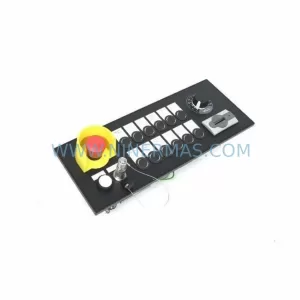
SKU: MPP1500D 6FC5303-1AF30-0AA0
Siemens MPP1500D 6FC5303-1AF30-0AA0 Retrofit Operator Panel
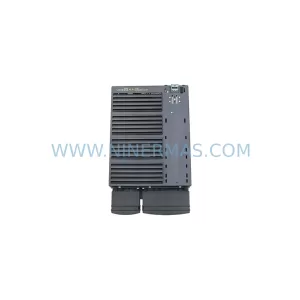
SKU: 6SL3224-0BE31-5UA0
Siemens 6SL3224-0BE31-5UA0 Service-Ready Spare Part



