
Original Industrial Spare Part
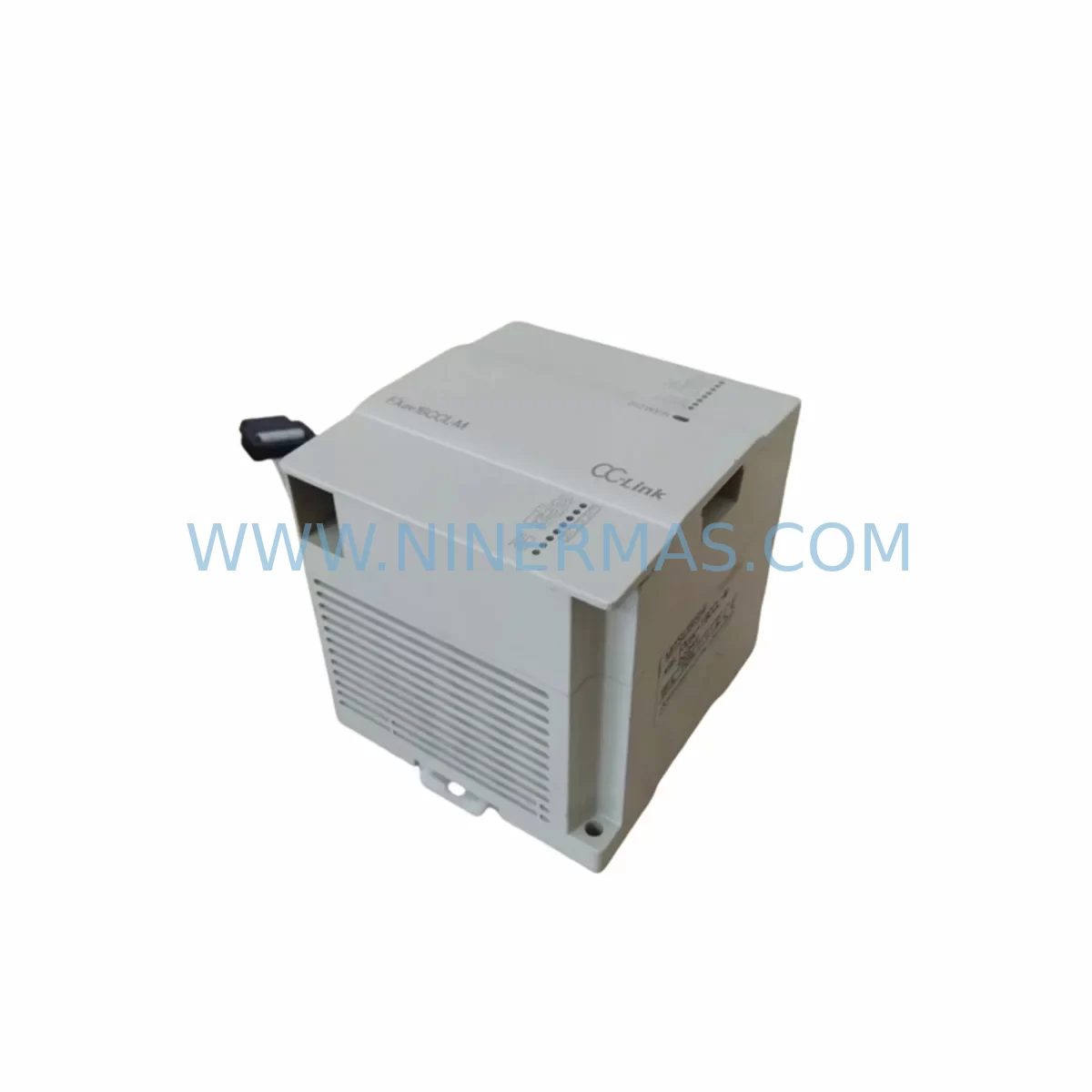
Mitsubishi FX2NC-16EX Retrofit-Compatible Extension I/O for Legacy Systems
Verify the part, confirm the platform family, and move straight into quotation with the right commercial details.
RFQ Ready
- SKUFX2NC-16EX
- CategoryPLC & Industrial Automation Modules
- BrandMitsubishi Electric
- SupportAvailability, lead time, condition, and shipping coordination
How Buyers Usually Use This Page
- Confirm the exact part number and platform family before sending the quote request.
- Use direct email when quantity, condition, and destination are already defined internally.
- Switch to the broader brand or category archive when you need alternates nearby.
Series Navigation
Move through the most common platform families behind this part.
Product RFQ
Send this part directly for quotation.
Include quantity, required condition, destination country, and target delivery timing. Current reference: Mitsubishi FX2NC-16EX Retrofit-Compatible Extension I/O for Legacy Systems with SKU FX2NC-16EX.
Mitsubishi FX2NC-16EX Retrofit-Compatible Extension I/O Module for Legacy Systems
The Mitsubishi Electric FX2NC-16EX is a 16-point DC input extension module designed for the MELSEC FX2NC compact PLC series. As production lines age and original spare parts become increasingly scarce, the FX2NC-16EX has become a critical component in retrofit projects, legacy system upgrades, and discontinued-model replacement programs across discrete manufacturing, process control, and machine automation environments. NINERMAS maintains verified stock of the FX2NC-16EX with pre-shipment functional testing and a 12-month warranty, supporting engineers and maintenance teams who need reliable, field-proven replacements without extended lead times.
The FX2NC-16EX connects directly to the FX2NC main unit or to other FX2NC extension modules via the compact connector interface, expanding the system’s input capacity without requiring a new controller or backplane. Each input point accepts 24V DC signals and is compatible with standard NPN (sink) wiring configurations common in Asian and European machine tool installations. When planning a retrofit, engineers must confirm the total I/O count against the FX2NC CPU’s maximum extension limit—typically up to 128 I/O points across all connected extension modules—and verify that the existing FX2NC-32MT, FX2NC-64MT, or FX2NC-96MT main unit has sufficient power budget to support the additional module load.
Terminal wiring on the FX2NC-16EX uses a compact, high-density connector block. During replacement, technicians should document the original field wiring assignments before disconnecting, paying particular attention to common terminal groupings and input numbering offsets introduced by the module’s position in the extension chain. Incorrect module sequencing can shift I/O addresses in the PLC program, causing unexpected behavior during commissioning. Where the original program uses absolute I/O addressing (X000–X017 for this module’s 16 points), the address map must be verified against the GX Developer or GX Works2 project file before powering the system back on.
Upgrade Compatibility Table
| Parameter | FX2NC-16EX Specification | Retrofit / Replacement Notes |
|---|---|---|
| Input Points | 16 × DC 24V Input | Verify field sensor wiring polarity (NPN sink) |
| Connector Interface | FX2NC compact extension connector | Compatible with FX2NC main units and FX2NC-CNV-IF adapter for FX3U/FX3UC migration |
| Power Consumption | 30 mA (5V DC from main unit) | Confirm remaining power budget on FX2NC CPU before adding modules |
| I/O Address Range | X000–X017 (position-dependent) | Validate address map in GX Developer / GX Works2 before restart |
| Compatible Main Units | FX2NC-32MT, FX2NC-64MT, FX2NC-96MT | Also compatible via FX2NC-CNV-IF with FX3U/FX3UC base units |
| Communication Protocol | Parallel extension bus (no fieldbus required) | No protocol migration needed for same-series replacement |
| Installation Space | Compact DIN-rail mount, 40mm width | Confirm control cabinet rail space; no additional mounting hardware required |
| Commissioning | Plug-and-play within FX2NC series | Force I/O test recommended via GX Developer monitor mode before live run |
| Warranty | 12-Month Warranty | Pre-shipment functional test included | |
Retrofit Planning for Existing Automation Systems
A successful FX2NC-16EX retrofit begins well before the replacement module arrives on site. The first step is a full audit of the existing FX2NC system configuration: identify the main unit model, count all currently installed extension modules (including FX2NC-16EXL input modules, FX2NC-16EYT transistor output modules, and FX2NC-8AD analog input modules), and calculate the cumulative power draw against the CPU’s 5V internal bus capacity. If the system is also using an FX2NC-32MT-D or FX2NC-64MT-D main unit with built-in Ethernet, confirm that the communication link to the SCADA or HMI panel—often a GOT1000 series or GOT2000 series graphic terminal—remains unaffected during the module swap.
For installations where the FX2NC series is being migrated toward a newer platform, the FX2NC-CNV-IF interface converter allows FX2NC extension modules, including the FX2NC-16EX, to be reused on FX3U or FX3UC base units. This migration path is particularly valuable when the main CPU has failed or is no longer available, but the field wiring, sensors, and cabinet layout are still serviceable. In such cases, the FX3U-32MT or FX3UC-32MT-LT can serve as the new host controller, with the FX2NC-16EX retained in the extension chain via the CNV-IF adapter, preserving the original I/O wiring and minimizing re-engineering effort.
Where the retrofit involves expanding I/O capacity rather than a direct replacement, engineers may combine the FX2NC-16EX with FX2NC-16EYT output extension modules or FX2NC-4AD-TC thermocouple input modules to address new process measurement requirements. Signal isolators should be considered for any long-cable runs or environments with significant electrical noise, particularly in motor drive or inverter-heavy panels where the FX2NC-A8V analog voltage module or similar signal conditioning components are already in use. Programming cable access via the FX-USB-AW or SC-09 RS-422 adapter should be confirmed before the maintenance window begins, as firmware or program uploads may be required after hardware changes.
Downtime Control During System Migration
Minimizing unplanned downtime during an FX2NC-16EX replacement requires a structured pre-outage preparation process. Before the maintenance window, the existing PLC program should be backed up from the FX2NC CPU using GX Developer or GX Works2, with the project file saved to a secure location and verified for completeness. If the system uses latched data registers or retentive coils, confirm that battery-backed memory in the FX2NC main unit is intact and that the program will resume correctly after a power cycle.
During the swap, the field wiring to the FX2NC-16EX terminal block should be labeled and photographed before removal. The replacement module should be installed in the same physical position in the extension chain to preserve the original I/O address mapping. After installation, use GX Developer’s monitor and force functions to verify each of the 16 input points responds correctly to field signals before releasing the line. Where the system feeds a GOT series HMI, confirm that all input status indicators on the operator screen reflect the correct states before handing back to production. A staged restart—energizing the PLC first, then the field devices—reduces the risk of spurious output activation during the initialization sequence.
For sites with strict uptime requirements, NINERMAS recommends holding a pre-tested FX2NC-16EX unit as a cold standby spare. Our long-term supply program supports fixed-price inventory commitments for 12 to 36 months, ensuring that replacement units are available without spot-market delays when the next maintenance event occurs.
Retrofit Support FAQ
Q1: Is the FX2NC-16EX a direct drop-in replacement for a failed unit in an existing FX2NC system?
Yes. The FX2NC-16EX is a direct replacement for any existing FX2NC-16EX module in the same position within the extension chain. No program changes are required provided the module is installed in the identical slot position, preserving the original X-address mapping. All units shipped by NINERMAS are functionally tested prior to dispatch.
Q2: Can the FX2NC-16EX be used with an FX3U or FX3UC main unit?
Yes, with the FX2NC-CNV-IF interface converter. This adapter allows FX2NC series extension modules to be connected to FX3U or FX3UC base units, making it possible to retain existing field wiring and I/O modules when upgrading only the CPU. Confirm the total extension module count and power budget for the FX3U host unit before finalizing the configuration.
Q3: What commissioning steps are required after installing a replacement FX2NC-16EX?
After installation, connect the programming cable (FX-USB-AW or SC-09) and open the project in GX Developer or GX Works2. Use the monitor function to verify all 16 input points (X000–X017, position-dependent) respond correctly to field signals. Perform a forced I/O test on critical inputs before returning the system to automatic mode. Check HMI screen status indicators if a GOT terminal is connected.
Q4: What warranty and supply terms does NINERMAS offer for the FX2NC-16EX?
All FX2NC-16EX units supplied by NINERMAS carry a 12-month warranty covering functional defects under normal operating conditions. Units are pre-shipment tested and shipped with documentation. Long-term supply agreements with fixed pricing and reserved stock are available for customers requiring ongoing spare parts support for legacy FX2NC installations. Contact sale@ninermas.com or +0086 187 5021 5667 for volume and program pricing.
| Product Series | FX2N |
|---|---|
| Country of Origin | JP |
Catalog Continuation
More Mitsubishi Electric modules in the catalog.
Use the brand lane to compare nearby part numbers, platform-adjacent modules, and other inquiry-ready listings before sending your final RFQ.
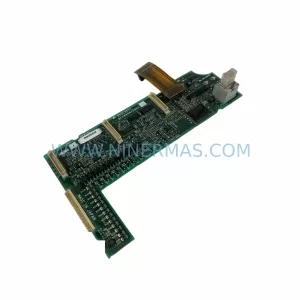
SKU: A50CA55C BC186A433G53
Mitsubishi A50CA55C BC186A433G53 Spare Part for Maintenance
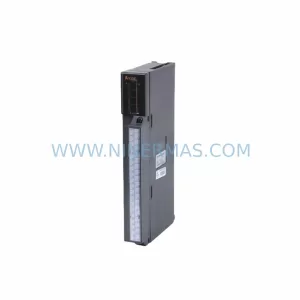
SKU: MELSEC RD77MS16 D 0140-76929 GAS N2, 40 SLM UFC-1660
Mitsubishi RD77MS16 Safety-Reliable Motion for Critical Sites
Catalog Continuation
Alternative parts within PLC & Industrial Automation Modules.
Stay inside the same system family when you need substitutes, adjacent modules, or a broader shortlist for procurement review.

SKU: OZDPROFI12MG12
Hirschmann OZDPROFI12MG12 Spare Part for Industrial Maintenance



SKU: 07025-0000-70-1-04
KONTRON 07025-0000-70-1-04 Service-Ready Spare Part



