Original Industrial Spare Part
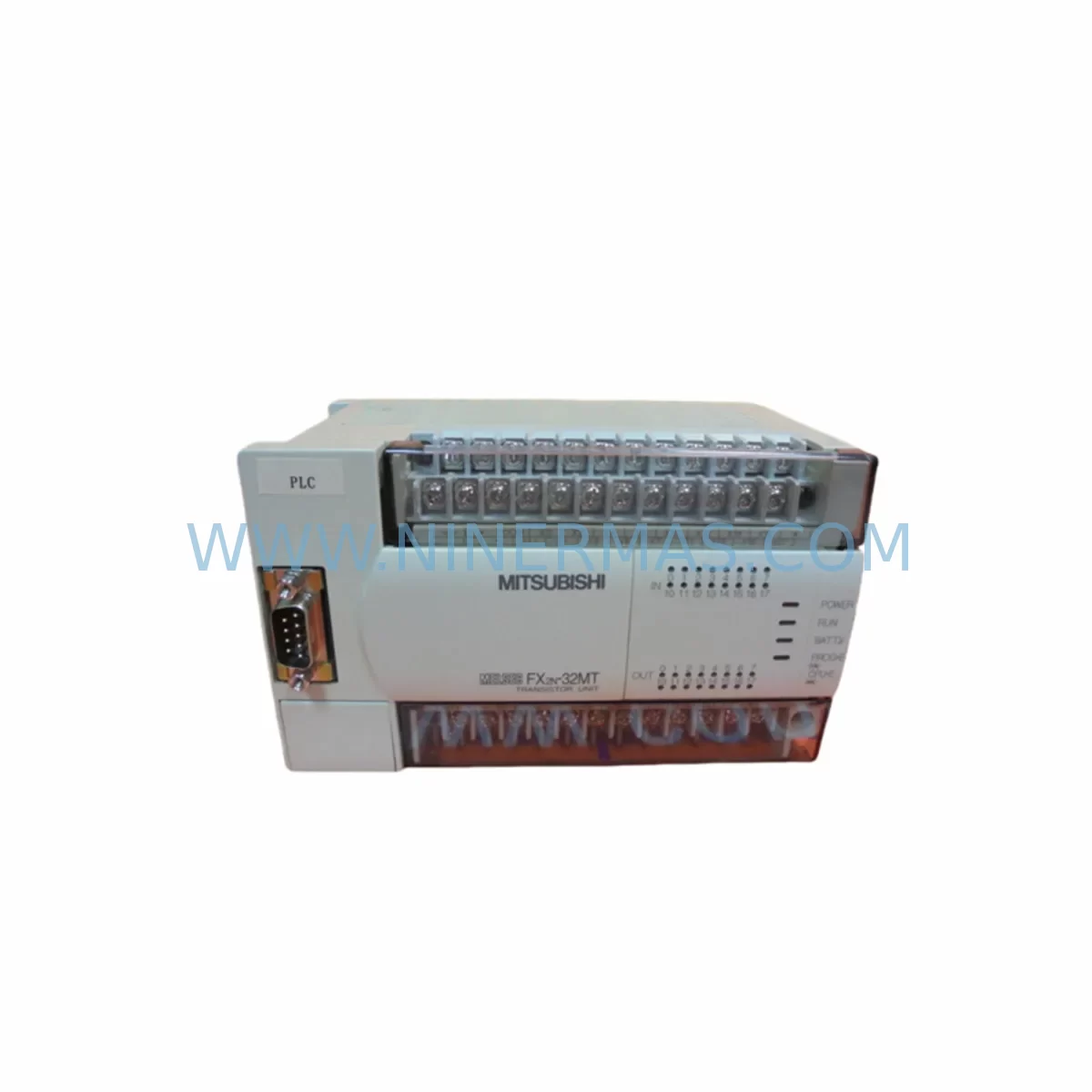
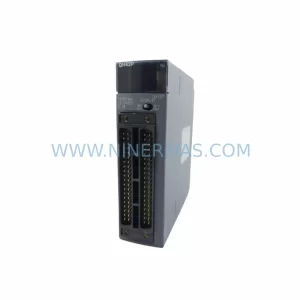
MITSUBISHI FX2N-32MT Service-Ready Spare Part for Industrial Maintenance
Verify the part, confirm the platform family, and move straight into quotation with the right commercial details.
RFQ Ready
- SKUFX2N-32MT
- CategorySIS Safety & Redundancy Systems
- BrandMitsubishi
- SupportAvailability, lead time, condition, and shipping coordination
How Buyers Usually Use This Page
- Confirm the exact part number and platform family before sending the quote request.
- Use direct email when quantity, condition, and destination are already defined internally.
- Switch to the broader brand or category archive when you need alternates nearby.
Series Navigation
Move through the most common platform families behind this part.
Product RFQ
Send this part directly for quotation.
Include quantity, required condition, destination country, and target delivery timing. Current reference: MITSUBISHI FX2N-32MT Service-Ready Spare Part for Industrial Maintenance with SKU FX2N-32MT.
MITSUBISHI FX2N-32MT Service-Ready Spare Part for Industrial Maintenance
The MITSUBISHI FX2N-32MT is a 32-point transistor output programmable logic controller (PLC) main unit from the widely deployed FX2N Series — one of Mitsubishi Electric’s most enduring MELSEC control platforms in global industrial automation. Designed for high-speed pulse output, compact panel installation, and broad I/O expandability, the FX2N-32MT remains a critical component in manufacturing lines, packaging systems, material handling equipment, and process control cabinets across industries worldwide.
For maintenance engineers managing aging control systems, the FX2N-32MT represents a high-priority spare. Its transistor (sink) output configuration supports stepper motor drives, servo amplifiers, and high-frequency switching loads — making it irreplaceable in motion-sensitive applications where relay output alternatives are not viable. Sourcing a verified, service-ready FX2N-32MT from a reliable supplier is essential to minimizing unplanned downtime and protecting production continuity.
At NINERMAS, every FX2N-32MT unit is inspected, function-tested, and shipped with a 12-month warranty, ensuring your maintenance team receives a part that performs from day one of installation.
Spare Maintenance Table
| Parameter | Specification |
|---|---|
| Model / SKU | FX2N-32MT |
| Brand | MITSUBISHI Electric (MELSEC) |
| Series | FX2N Series |
| Product Type | PLC Main Unit (Programmable Logic Controller) |
| I/O Points | 32 Points (16 Inputs / 16 Outputs) |
| Output Type | Transistor (Sink, NPN) |
| Power Supply | AC 100–240V (Built-in) |
| Program Memory | 8,000 Steps |
| High-Speed Counter | Up to 60 kHz (6 channels) |
| Pulse Output | Up to 100 kHz (2 axes) |
| Communication Port | RS-422 (Peripheral port) |
| Expansion Capability | Up to 8 extension modules / 256 I/O points |
| Operating Temperature | 0°C to 55°C |
| Mounting | DIN Rail / Direct Panel Mount |
| Origin | Japan |
| Compatibility | FX2N Series expansion modules, FX2N-CNV-BC, FX0N, FX2NC (via adapter) |
| Warranty | 12 Months (NINERMAS) |
Maintenance Planning for Continuous Operation
When replacing an FX2N-32MT in the field, a disciplined maintenance engineer does not stop at swapping the PLC main unit. The FX2N-32MT sits at the heart of a control cabinet ecosystem, and its failure — or the conditions that caused it — often affect adjacent components that must be inspected or replaced concurrently to prevent repeat failures and ensure stable recommissioning.
Power Supply Integrity: Begin with the cabinet power supply. The FX2N-32MT operates on AC 100–240V, but the 24VDC sensor supply rail feeding its input circuit is equally critical. Verify the output voltage of the power supply module under load. Aging or undersized power supplies are a leading cause of PLC input instability and premature main unit failure. If the existing supply is more than five years old or shows output ripple, replace it alongside the FX2N-32MT.
I/O Expansion Modules: The FX2N Series supports a wide range of expansion modules connected via the right-side bus connector. During replacement, inspect the FX2N-8EX (8-point input expansion), FX2N-8EYT (8-point transistor output expansion), and any analog modules such as the FX2N-4AD or FX2N-4DA for physical damage, connector corrosion, or loose ribbon cable connections. A failed expansion module can cause the new main unit to fault immediately on power-up, leading to misdiagnosis.
Communication and Programming Interface: The FX2N-32MT uses an RS-422 peripheral port for programming via GX Developer or GX Works2. Confirm that the SC-09 or USB-SC09-FX programming cable is functional and that the host PC’s COM port settings match the PLC’s default baud rate. If the site uses an FX2N-232IF or FX2N-485ADP communication adapter for SCADA or HMI connectivity, verify adapter firmware and wiring continuity before restoring the system to automatic mode.
HMI and Operator Panel: Many FX2N-32MT installations are paired with GOT1000 or GOT2000 series HMI panels communicating over RS-422 or RS-232. After replacing the main unit, confirm that the HMI screen project is compatible with the restored PLC program version and that all device addresses map correctly. A mismatched HMI project can cause operator confusion or unsafe machine states during restart.
Input Wiring and Sensor Circuit: Inspect all 16 input terminals for wiring integrity, terminal block tightness, and correct sensor supply polarity. NPN (sink) sensors must be used with the FX2N-32MT’s sink input configuration. Mixing NPN and PNP sensors without proper interface relays is a common wiring error that damages input circuits. Check terminal blocks — such as Phoenix Contact or Weidmüller DIN rail terminal strips — for signs of heat discoloration or loose ferrules.
Output Load and Protection: The transistor outputs of the FX2N-32MT are rated for DC loads only. Verify that all output loads — solenoid valves, relay coils, indicator lamps, and servo enable signals — are within the rated current per output point (0.5A per point, 0.8A per common). Install flyback diodes across inductive DC loads if not already present. Check output fuses or miniature circuit breakers protecting each output common group.
Backup and Program Verification: Before powering down the old unit, attempt to upload the existing ladder program using GX Developer or GX Works2 and save it as a verified backup. If the original unit is non-responsive, retrieve the program from the site’s maintenance documentation or SCADA historian. After installing the FX2N-32MT, download the verified program, set the RUN/STOP switch to STOP, and perform a forced I/O test before enabling automatic operation.
Site Replacement Workflow
Step 1 — Isolation and Lockout: Follow site LOTO (Lockout/Tagout) procedures. Isolate AC power to the control cabinet. Discharge any capacitive loads and confirm zero-energy state with a calibrated voltage tester.
Step 2 — Program Backup: If the existing FX2N-32MT is still partially functional, connect via SC-09 cable and upload the program to a laptop running GX Developer or GX Works2. Save the .gxw or .gpj file with a timestamped filename to the site maintenance folder.
Step 3 — Module Disconnection: Disconnect all I/O wiring from the terminal blocks, labeling each wire group by terminal number. Disconnect the expansion bus connector on the right side of the main unit. Remove the main unit from the DIN rail or panel mount.
Step 4 — New Unit Installation: Mount the NINERMAS-supplied FX2N-32MT on the DIN rail. Reconnect the expansion bus. Reconnect all I/O wiring per the labeled terminal diagram. Verify power supply connections and confirm correct AC input voltage range.
Step 5 — Program Download and Verification: Power up the cabinet. Connect the programming cable. Download the verified program to the new unit. Set the PLC to STOP mode and perform a forced I/O test on all 16 inputs and 16 outputs. Confirm correct operation of all field devices.
Step 6 — System Restart and Handover: Set the PLC to RUN mode. Monitor the first production cycle manually. Confirm HMI displays correct status. Document the replacement in the site maintenance log, including the new unit’s serial number and the NINERMAS 12-month warranty start date.
This structured workflow reduces average replacement time to under two hours for experienced maintenance teams and eliminates the most common recommissioning errors that extend downtime unnecessarily.
Spare Parts Support FAQ
Q1: Is the NINERMAS FX2N-32MT an original Mitsubishi unit or a compatible replacement?
All FX2N-32MT units supplied by NINERMAS are original Mitsubishi Electric components sourced through verified industrial supply channels. Each unit undergoes incoming inspection and functional testing before dispatch. We do not supply counterfeit, refurbished-without-disclosure, or third-party compatible substitutes. The 12-month warranty covers manufacturing defects and functional failure under normal operating conditions.
Q2: How do I confirm compatibility with my existing FX2N expansion modules and HMI?
The FX2N-32MT is fully compatible with all FX2N Series right-side expansion modules, including digital I/O extensions, analog modules (FX2N-4AD, FX2N-4DA), and communication adapters (FX2N-232IF, FX2N-485ADP). It is also compatible with FX2N-CNV-BC for connecting FX0N or FX2NC modules. For HMI compatibility, confirm that your GOT series panel’s communication driver supports the FX2N CPU type. Contact NINERMAS with your existing system configuration for pre-purchase compatibility confirmation.
Q3: What is your lead time and can you support emergency orders for line-down situations?
NINERMAS maintains stock of high-demand FX2N Series components to support emergency maintenance scenarios. Standard orders are processed and shipped within 1–3 business days. For line-down emergencies, contact our sales team directly at sale@ninermas.com or +0086 187 5021 5667 to discuss expedited dispatch options. We provide tracking information and pre-shipment test reports upon request.
Q4: What does the 12-month warranty cover and how is a warranty claim processed?
The NINERMAS 12-month warranty covers functional failure of the FX2N-32MT under normal industrial operating conditions, including CPU faults, I/O circuit failure, and power supply section defects attributable to manufacturing. It does not cover damage caused by incorrect wiring, overvoltage, physical impact, or unauthorized modification. To initiate a warranty claim, contact sale@ninermas.com with your order number, a description of the fault, and any available diagnostic information. NINERMAS will arrange return shipping and provide a replacement or repair within the warranty period.
| Product Series | FX2N |
|---|---|
| Country of Origin | JP |
Catalog Continuation
More Mitsubishi modules in the catalog.
Use the brand lane to compare nearby part numbers, platform-adjacent modules, and other inquiry-ready listings before sending your final RFQ.
Catalog Continuation
Alternative parts within SIS Safety & Redundancy Systems.
Stay inside the same system family when you need substitutes, adjacent modules, or a broader shortlist for procurement review.