Original Industrial Spare Part
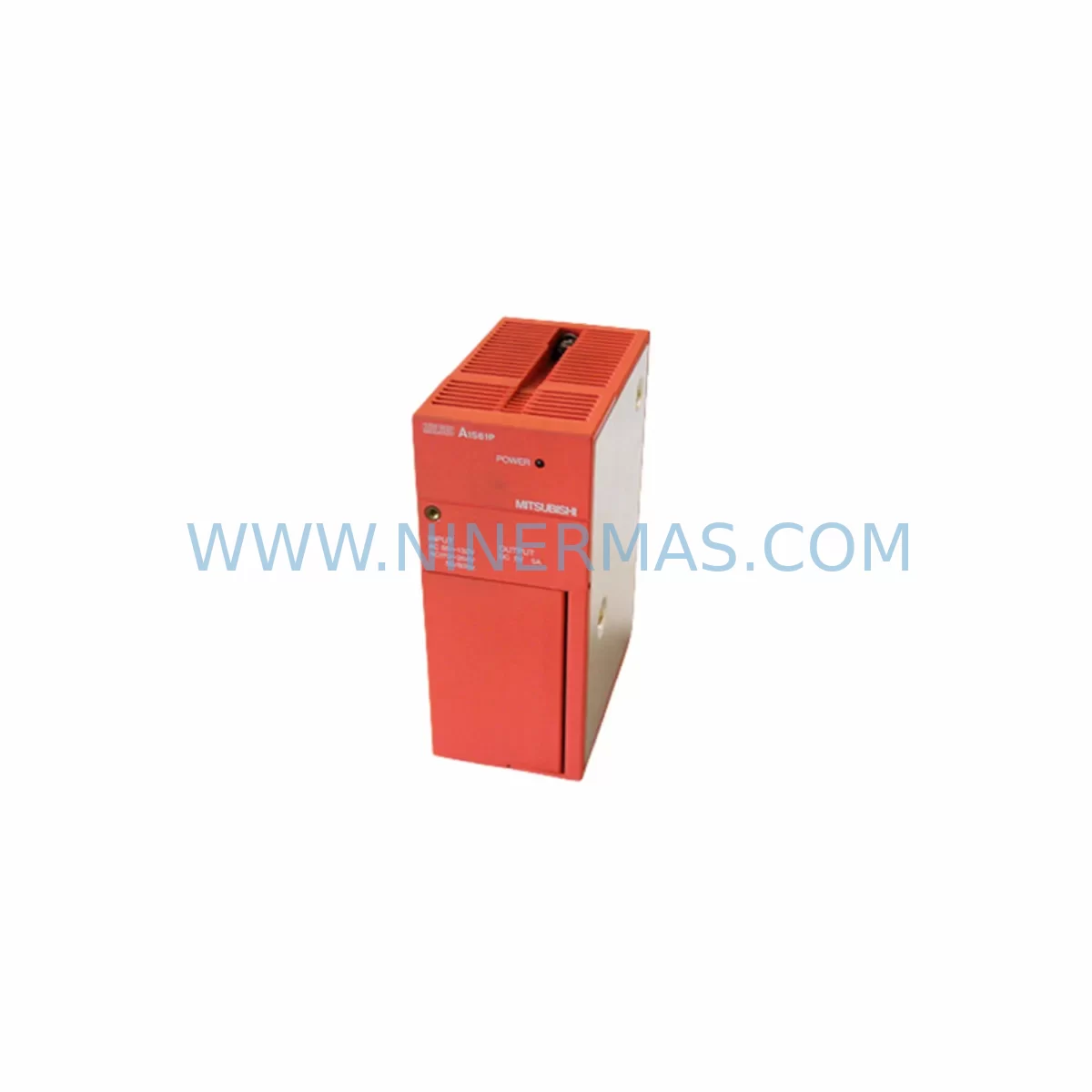
Mitsubishi A1S61PN Retrofit-Compatible Power Supply for Legacy Systems
Verify the part, confirm the platform family, and move straight into quotation with the right commercial details.
RFQ Ready
- SKUA1S61PN
- CategoryPLC & Industrial Automation Modules
- BrandMitsubishi Electric
- SupportAvailability, lead time, condition, and shipping coordination
How Buyers Usually Use This Page
- Confirm the exact part number and platform family before sending the quote request.
- Use direct email when quantity, condition, and destination are already defined internally.
- Switch to the broader brand or category archive when you need alternates nearby.
Series Navigation
Move through the most common platform families behind this part.
Product RFQ
Send this part directly for quotation.
Include quantity, required condition, destination country, and target delivery timing. Current reference: Mitsubishi A1S61PN Retrofit-Compatible Power Supply for Legacy Systems with SKU A1S61PN.
Mitsubishi A1S61PN Retrofit-Compatible Power Supply for Legacy Systems
The Mitsubishi Electric A1S61PN is a DC-input power supply module engineered for the MELSEC-A Series slim-type base units, delivering stable 5 VDC and 24 VDC internal bus power to support legacy automation lines that remain in continuous production. As original A-Series hardware reaches end-of-life and spare parts become increasingly scarce, the A1S61PN has become a critical component in retrofit projects where engineers must maintain control continuity without committing to a full platform migration. NINERMAS maintains verified stock of the A1S61PN with full functional testing and a 12-month warranty, making it a reliable source for both emergency replacement and planned upgrade programs.
When integrating the A1S61PN into an existing control cabinet, engineers should begin by confirming the input voltage range against the site supply — the module accepts a DC input and must be matched to the correct slim-type base unit such as the A1S38B or A1S52B backplane. Slot positioning on the base unit determines the module address recognized by the CPU, so any change in physical location requires a corresponding update in the GX Developer or GX Works2 program parameters. Terminal wiring should be verified against the original I/O assignment sheets, particularly where field devices share a common 24 VDC supply rail drawn from the power module output.
Upgrade Compatibility Table
| Parameter | A1S61PN (This Unit) | Retrofit Notes |
|---|---|---|
| Series | MELSEC-A Series (Slim) | Compatible with A1S38B, A1S52B, A1S65B base units |
| Input Voltage | DC Input | Verify site DC supply voltage before installation |
| Output | 5 VDC / 24 VDC internal bus | Check total current draw of all installed I/O modules |
| Mounting | Slim-type base unit slot | Confirm physical slot clearance in existing cabinet |
| Communication | Backplane bus (A-Series) | Not applicable for protocol migration; CPU handles comms |
| CPU Compatibility | A1SCPU, A1SHCPU, A1SJHCPU | Confirm CPU firmware supports existing I/O module map |
| Replacement Path | Direct drop-in for A1S61PN | No program changes required for same-slot replacement |
| Commissioning | Power-on self-test via CPU LED | Verify RUN/ERROR LED status after first power-up |
| Warranty | 12-Month Warranty — All units ship after full functional testing | |
Retrofit Planning for Existing Automation Systems
A successful A1S61PN retrofit begins well before the module arrives on site. The engineering team should audit the full contents of the control cabinet, documenting every installed module by slot position. In a typical A-Series slim rack, this may include an A1SCPU or A1SHCPU processor, one or more A1SX40 or A1SX80 digital input modules, A1SY10 or A1SY40P digital output modules, and analog I/O modules such as the A1S68AD or A1S62DA. Each of these modules draws current from the power supply bus, and the cumulative load must remain within the A1S61PN rated output capacity. If the existing system has been expanded over the years with additional I/O, a current audit is essential before assuming the replacement module will be sufficient.
For systems that also include communication modules — such as the A1SJ71UC24-R2 serial communication module or an A1SJ71E71-B2 Ethernet interface — the power budget calculation must account for these as well. Communication modules are frequently overlooked during power supply sizing, yet they represent a meaningful portion of the total bus load. If the retrofit is being combined with a protocol migration from RS-232C or RS-422 to Ethernet or CC-Link, the new communication module’s power requirements must be factored into the updated design.
Where the retrofit scope extends to the HMI layer, engineers should verify that existing GOT1000 or GOT2000 series panels retain their communication link to the A-Series CPU after the power supply is replaced. In most cases, the HMI connection is independent of the power module, but any interruption to the backplane during installation will cause the CPU to lose its program execution state, requiring a controlled restart sequence. If the site operates a SCADA system connected via the A1SJ71UC24-R2 or a similar serial gateway, the communication parameters — baud rate, station number, and protocol format — should be documented before shutdown and verified after restart.
Backplane integrity is another area that deserves attention during A1S61PN replacement projects. The A1S38B and A1S52B base units use a printed circuit backplane that can develop contact resistance at module connectors after years of thermal cycling. While replacing the power supply, it is good practice to inspect the backplane connector pins and clean them if necessary. If the backplane itself shows signs of damage, replacement with a new A1S38B or A1S52B should be considered as part of the same maintenance window to avoid a second unplanned outage.
Downtime Control During System Migration
Minimizing production downtime during an A1S61PN replacement requires a structured pre-outage preparation process. Before the scheduled maintenance window, the engineering team should use GX Developer or GX Works2 to perform a full program backup from the A1SCPU or A1SHCPU to a PC. This backup should include the main program, all sub-programs, device comments, and parameter files. A verified backup eliminates the risk of program loss in the event that the CPU battery has discharged during the period when spare parts were being sourced.
The replacement sequence itself should follow a defined procedure: power down the cabinet in the correct sequence, discharge any residual voltage on the DC bus, remove the failed A1S61PN, install the replacement unit in the same slot, verify terminal connections against the wiring diagram, and restore power in a controlled sequence. The CPU should be observed through its first power-up cycle, with the RUN and ERROR LEDs confirming normal operation before any field outputs are re-enabled. If the system includes a programmable relay or safety module such as an A1SS94, its status should be verified independently before returning the line to automatic operation.
For sites where even a brief unplanned outage carries significant cost, NINERMAS recommends maintaining at least one A1S61PN as a certified on-site spare. Given the age of the MELSEC-A Series platform and the declining availability of original Mitsubishi Electric stock, the window for sourcing tested replacement units is narrowing. Procuring a spare unit now, while verified stock is available, is a straightforward way to protect against future emergency downtime. All units supplied by NINERMAS are covered by a 12-month warranty and ship only after passing a full functional test procedure.
Retrofit Support FAQ
Q: Is the A1S61PN a direct replacement for a failed unit in my existing slim-type base unit?
A: Yes. The A1S61PN is a direct slot-compatible replacement for the same model in any MELSEC-A Series slim-type base unit, including the A1S38B and A1S52B. No program modifications are required when replacing like-for-like in the same slot position. If the slot position changes, the module address in the CPU parameters must be updated accordingly.
Q: What commissioning steps are required after installing the replacement A1S61PN?
A: After installation, restore DC input power and observe the CPU RUN and ERROR LEDs. If the CPU enters RUN mode without errors, verify that all I/O modules are recognized by performing a module map check in GX Developer or GX Works2. Confirm that field outputs are in the expected state before re-enabling automatic operation. If any communication modules such as the A1SJ71E71-B2 are installed, verify their link status indicators as well.
Q: Can the A1S61PN support a system that has been expanded beyond its original I/O configuration?
A: This depends on the total current draw of all installed modules. The A1S61PN has a defined output current rating for the 5 VDC and 24 VDC bus. If the system has been expanded with additional I/O modules, analog modules, or communication modules since the original installation, a current audit should be performed to confirm the power supply is not operating beyond its rated capacity. NINERMAS technical support can assist with this calculation.
Q: What warranty and testing does NINERMAS provide with the A1S61PN?
A: Every A1S61PN unit supplied by NINERMAS is covered by a 12-month warranty from the date of shipment. Prior to dispatch, each unit undergoes a full functional test to verify output voltage levels, protection circuit operation, and module communication on the backplane bus. Units that do not pass testing are not shipped. In-stock units are available for same-week dispatch, and NINERMAS maintains ongoing inventory to support both emergency replacement and planned retrofit programs.
| Product Series | MELSEC-A |
|---|---|
| Country of Origin | JP |
Catalog Continuation
More Mitsubishi Electric modules in the catalog.
Use the brand lane to compare nearby part numbers, platform-adjacent modules, and other inquiry-ready listings before sending your final RFQ.
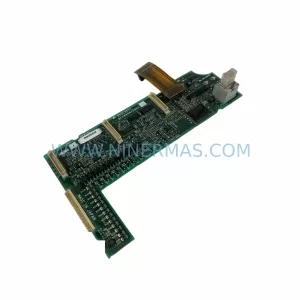
SKU: A50CA55C BC186A433G53
Mitsubishi A50CA55C BC186A433G53 Spare Part for Maintenance
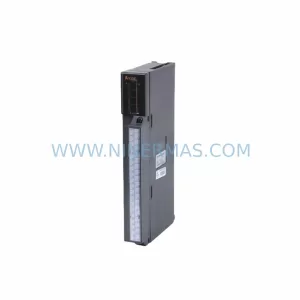
SKU: MELSEC RD77MS16 D 0140-76929 GAS N2, 40 SLM UFC-1660
Mitsubishi RD77MS16 Safety-Reliable Motion for Critical Sites
Catalog Continuation
Alternative parts within PLC & Industrial Automation Modules.
Stay inside the same system family when you need substitutes, adjacent modules, or a broader shortlist for procurement review.

SKU: OZDPROFI12MG12
Hirschmann OZDPROFI12MG12 Spare Part for Industrial Maintenance



SKU: 07025-0000-70-1-04
KONTRON 07025-0000-70-1-04 Service-Ready Spare Part