
Original Industrial Spare Part
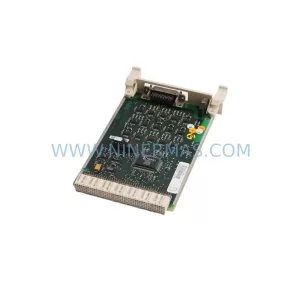
LASER S-DNC-62-G16 Retrofit-Compatible Screen Module
Verify the part, confirm the platform family, and move straight into quotation with the right commercial details.
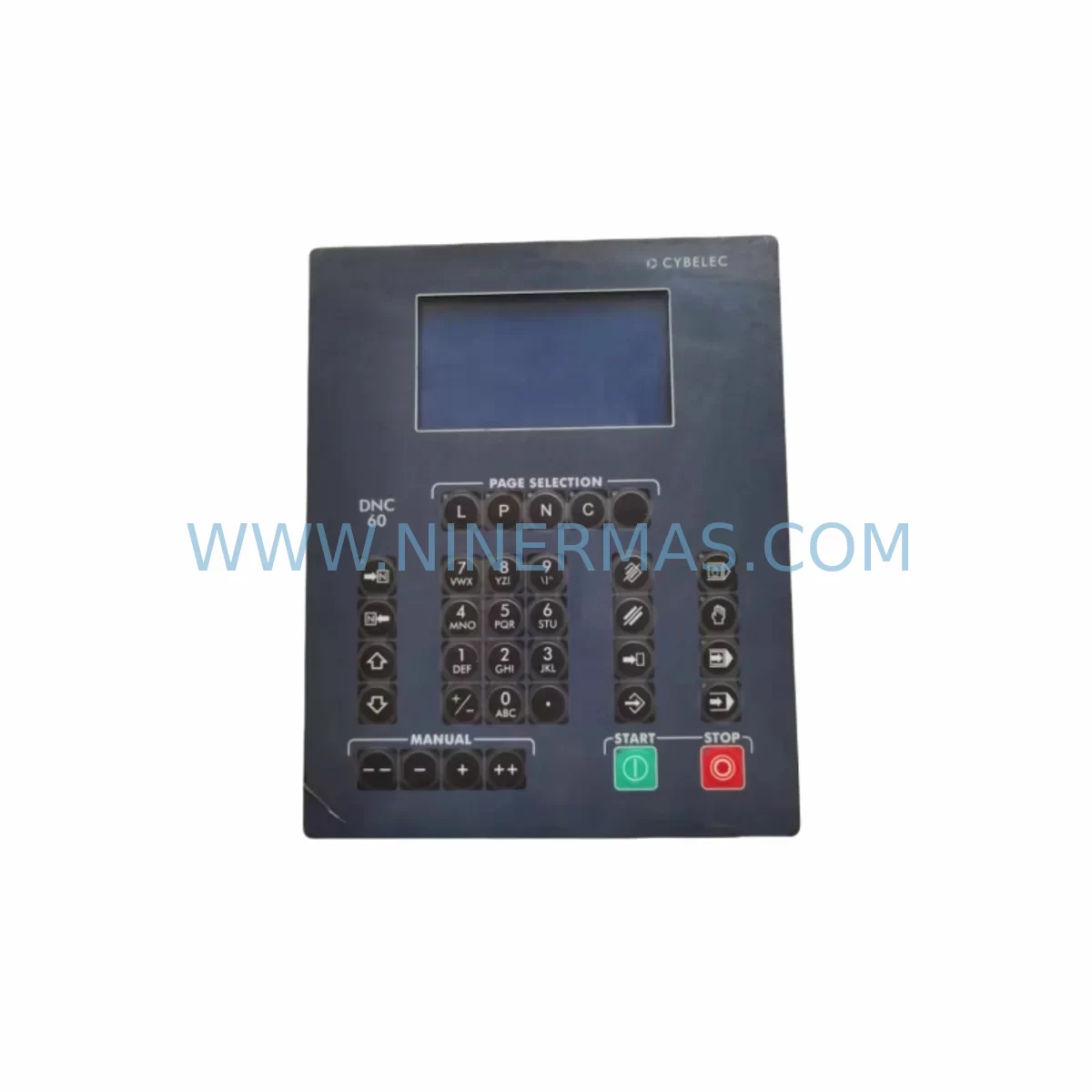
RFQ Ready
- SKUS-DNC-62-G16
- CategoryPLC & Industrial Automation Modules
- BrandLASER
- SupportAvailability, lead time, condition, and shipping coordination
How Buyers Usually Use This Page
- Confirm the exact part number and platform family before sending the quote request.
- Use direct email when quantity, condition, and destination are already defined internally.
- Switch to the broader brand or category archive when you need alternates nearby.
Series Navigation
Move through the most common platform families behind this part.
Product RFQ
Send this part directly for quotation.
Include quantity, required condition, destination country, and target delivery timing. Current reference: LASER S-DNC-62-G16 Retrofit-Compatible Screen Module with SKU S-DNC-62-G16.
LASER S-DNC-62-G16 Retrofit-Compatible Screen Module: Legacy System Compatibility & Smooth Upgrade
The LASER S-DNC-62-G16 is a ruggedized system screen module engineered for harsh industrial environments and designed as a direct retrofit replacement for aging DNC (Distributed Numerical Control) operator interface systems. As legacy CNC machine tool networks reach end-of-life, plant engineers and maintenance teams face mounting pressure to source compatible display and interface modules that preserve existing program logic, wiring infrastructure, and communication links without triggering a full-line shutdown. The S-DNC-62-G16 addresses this challenge by offering a form-fit-function compatible replacement path for facilities running LASER DNC Series control platforms.
Whether your facility operates a multi-machine DNC network with RS-232 or RS-422 serial communication links, or you are migrating toward a modernized Ethernet-based DNC backbone, the S-DNC-62-G16 provides the display and operator interface continuity needed to bridge legacy and modern control architectures. Its ruggedized G16 enclosure rating makes it suitable for environments with elevated vibration, coolant mist, and temperature cycling — conditions common in metal-cutting, stamping, and heavy fabrication shops.
Upgrade Compatibility Table
| Parameter | S-DNC-62-G16 Specification | Retrofit Notes |
|---|---|---|
| Form Factor | Panel-mount, G16 ruggedized enclosure | Verify cutout dimensions against legacy bezel; adapter plates available for older LASER DNC-50 series housings |
| Communication Interface | RS-232 / RS-422 serial; optional Ethernet port | Confirm baud rate, parity, and stop-bit settings match existing DNC host software configuration |
| Power Supply | 24 VDC nominal input | Verify control cabinet 24 VDC rail capacity; add a LASER PSU-24-5A power supply module if existing rail is marginal |
| Backplane / Rack Interface | Standalone panel-mount; no backplane dependency | No rack slot required; mounts directly to control cabinet door or operator console |
| HMI Screen Compatibility | Replaces LASER DNC-60 and DNC-55 series operator panels | Existing HMI screen layouts and part-program display pages are retained without reprogramming |
| Installation Space | Standard 96×96 mm panel cutout (DIN-compliant) | Confirm available depth behind panel; minimum 80 mm clearance required for connector routing |
| Commissioning | Plug-and-play with existing LASER DNC host software | No firmware update required for standard DNC-62 protocol; advanced Ethernet mode requires host software v3.2+ |
| Warranty | 12-Month Warranty — all units shipped by NINERMAS are pre-tested and covered for 12 months from date of delivery | |
Retrofit Planning for Existing Automation Systems
A successful retrofit of the LASER S-DNC-62-G16 into an existing DNC network begins with a thorough audit of the control cabinet and communication infrastructure. Before removing the legacy operator panel, document all terminal wiring assignments — particularly the RS-232 or RS-422 signal lines, the 24 VDC power feed, and any shield grounding connections. Mislabeled or undocumented wiring is one of the most common causes of extended commissioning time during DNC panel replacements.
Power capacity is a critical first checkpoint. The S-DNC-62-G16 draws up to 15 W at full brightness. If the existing 24 VDC rail also feeds a LASER PSU-24-5A power supply module, a LASER I/O-16DI digital input module, or a LASER COM-422 serial communication module, calculate the total rail load before proceeding. Overloaded power rails are a leading cause of intermittent faults in retrofitted control cabinets.
For facilities running multi-drop RS-422 networks where the S-DNC-62-G16 replaces one node in a chain of machine-side operator panels, verify the termination resistor configuration at both ends of the RS-422 bus. Incorrect termination after a panel swap can introduce signal reflections that corrupt part-program transfers to all machines on the network — including those running LASER DNC-55 and LASER DNC-60 operator panels that remain in service.
Where the retrofit scope extends beyond the operator panel to include a communication protocol migration — for example, moving from legacy RS-232 point-to-point links to an Ethernet-based DNC architecture — the S-DNC-62-G16’s optional Ethernet port simplifies the transition. In this scenario, the LASER ETH-DNC Ethernet adapter module and a managed industrial Ethernet switch are typically added to the control cabinet alongside the new panel. Coordinate the IP address assignment and DNC host software configuration before the cutover window to minimize machine downtime.
I/O expansion requirements should also be assessed during the planning phase. If the legacy DNC panel included integrated discrete I/O for cycle-start, feed-hold, or alarm indicator signals, confirm whether those functions are handled by a separate LASER I/O-8DO digital output module or wired directly through the panel’s terminal block. The S-DNC-62-G16 does not include onboard discrete I/O, so any such signals must be routed through an external I/O module in the control cabinet.
For shops that also operate CNC controllers from the same LASER control platform — such as the LASER CNC-900 series controller or the LASER MC-200 motion controller — the S-DNC-62-G16 integrates seamlessly into the same DNC host software environment, allowing unified part-program management across all machines from a single DNC server. This is particularly valuable during phased modernization projects where some machines receive new controllers while others retain legacy hardware.
Finally, confirm the physical installation space. The S-DNC-62-G16 requires a 96×96 mm panel cutout and a minimum of 80 mm of clearance behind the panel face for connector routing and cable management. In tight control cabinets, a LASER CBL-DNC-3M programming cable with a right-angle connector may be required to route the serial or Ethernet cable without exceeding the minimum bend radius.
Downtime Control During System Migration
Minimizing unplanned downtime is the primary operational concern when replacing a DNC operator panel on a production machine. The recommended approach is to complete all pre-installation preparation — wiring documentation, power rail verification, communication parameter confirmation, and spare parts staging — during scheduled maintenance windows or shift changeovers, so that the physical panel swap itself can be completed in under 30 minutes.
Before powering down the machine, capture a full backup of the part-program library stored on the DNC host server and verify that the backup is readable. Although the S-DNC-62-G16 does not store part programs locally, a corrupted or incomplete DNC host database can cause program transfer failures after the panel is replaced, leading to extended troubleshooting time. Use the DNC host software’s built-in export function to create a timestamped backup immediately before the cutover.
During the panel swap, label all disconnected wires with adhesive markers before removal. Reconnect in reverse order — power last — and perform a continuity check on the RS-232 or RS-422 signal lines before applying power. After power-up, confirm that the S-DNC-62-G16 establishes communication with the DNC host within 60 seconds. If communication is not established, check the baud rate, parity, and stop-bit settings in both the panel’s configuration menu and the DNC host software before escalating to hardware diagnostics.
For facilities that cannot tolerate any interruption to DNC communication during the swap, a parallel commissioning approach is recommended: install and configure the S-DNC-62-G16 on a bench test setup using a laptop running the DNC host software, verify full communication and part-program transfer functionality, and then perform the physical installation during the next available maintenance window. This approach eliminates on-machine commissioning risk and reduces the cutover to a simple cable transfer.
All S-DNC-62-G16 units supplied by NINERMAS are pre-tested prior to shipment, with communication parameters verified against standard LASER DNC-62 protocol defaults. A test report is included with each shipment. The 12-month warranty covers all hardware defects identified after installation, and NINERMAS maintains stock of the S-DNC-62-G16 to support urgent spare-parts requirements with short lead times.
Retrofit Support FAQ
Q1: Is the LASER S-DNC-62-G16 a direct drop-in replacement for the LASER DNC-60 and DNC-55 operator panels?
A: The S-DNC-62-G16 is functionally compatible with the DNC-60 and DNC-55 series and uses the same LASER DNC-62 communication protocol. The panel cutout dimensions are identical (96×96 mm DIN-compliant), so no mechanical modification is required in most installations. Verify the depth clearance behind the panel and confirm the 24 VDC power feed polarity before installation.
Q2: What communication parameters need to be confirmed before replacing the legacy panel?
A: Record the baud rate (typically 9600 or 19200 bps), parity (none or even), stop bits (1 or 2), and RS-232/RS-422 mode from the existing panel’s configuration menu before removal. These settings must be replicated in the S-DNC-62-G16 configuration to ensure immediate communication with the DNC host software after installation.
Q3: Does NINERMAS pre-test the S-DNC-62-G16 before shipment, and what warranty is provided?
A: Yes. Every S-DNC-62-G16 unit is functionally tested against LASER DNC-62 protocol defaults before dispatch. A test report is included with each unit. NINERMAS provides a 12-month warranty from the date of delivery, covering all hardware defects. For urgent requirements, in-stock units can be dispatched within 24–48 hours. Contact sale@ninermas.com or call +0086 187 5021 5667 for availability confirmation.
Q4: Can the S-DNC-62-G16 be used in a mixed DNC network alongside older LASER DNC-55 panels?
A: Yes. The S-DNC-62-G16 is fully compatible with multi-drop RS-422 networks that include legacy LASER DNC-55 and DNC-60 panels on the same bus. Ensure that the RS-422 termination resistors are correctly configured at the physical ends of the bus after any panel replacement to prevent signal integrity issues that could affect all nodes on the network.
| Product Series | Other series |
|---|
Catalog Continuation
More LASER modules in the catalog.
Use the brand lane to compare nearby part numbers, platform-adjacent modules, and other inquiry-ready listings before sending your final RFQ.
SKU: 18-21-82-00/05 TLS-18-21-82-01-V02
LASER TLS-18-21-82-01-V02 Retrofit-Compatible Control Unit
Catalog Continuation
Alternative parts within PLC & Industrial Automation Modules.
Stay inside the same system family when you need substitutes, adjacent modules, or a broader shortlist for procurement review.
SKU: 14L41-RS0B0-B24R-ST5S00N-R0SU
LENZE 14L41-RS0B0-B24R-ST5S00N-R0SU Retrofit for Legacy Systems
SKU: CI540 3BSE001077R1
ABB CI540 3BSE001077R1 Spare Part for Industrial Maintenance

SKU: ZINT-541 3AUA00000658960
ABB ZINT-541 3AUA00000658960 Retrofit-Compatible Inverter Power Module



