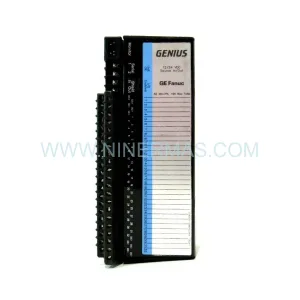
Original Industrial Spare Part
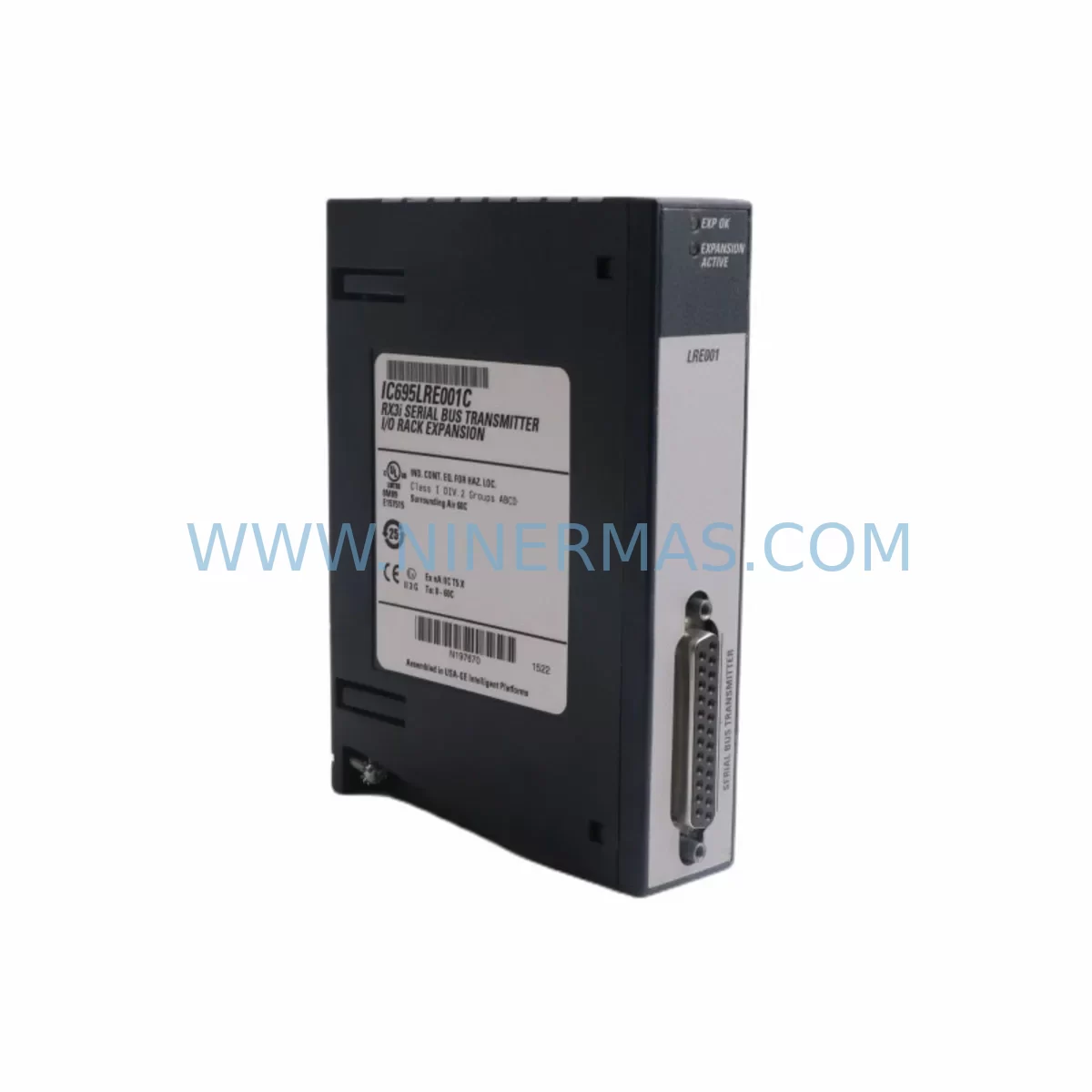
GE IC695LRE001B Retrofit-Compatible Remote Ethernet Adapter
Verify the part, confirm the platform family, and move straight into quotation with the right commercial details.
RFQ Ready
- SKUIC695LRE001B
- CategoryPLC & Industrial Automation Modules
- BrandGE
- SupportAvailability, lead time, condition, and shipping coordination
How Buyers Usually Use This Page
- Confirm the exact part number and platform family before sending the quote request.
- Use direct email when quantity, condition, and destination are already defined internally.
- Switch to the broader brand or category archive when you need alternates nearby.
Series Navigation
Move through the most common platform families behind this part.
Product RFQ
Send this part directly for quotation.
Include quantity, required condition, destination country, and target delivery timing. Current reference: GE IC695LRE001B Retrofit-Compatible Remote Ethernet Adapter with SKU IC695LRE001B.
GE IC695LRE001B Retrofit-Compatible Remote Ethernet Adapter for Legacy PACSystems RX3i Control Systems
The GE IC695LRE001B is a Remote Expansion Ethernet adapter module designed for the PACSystems RX3i platform, enabling distributed I/O expansion over standard Ethernet networks. As legacy GE Fanuc and GE Automation & Controls installations age beyond their original support lifecycle, the IC695LRE001B has become a critical retrofit component for engineers tasked with extending the operational life of existing control architectures without full system replacement. NINERMAS maintains verified stock of the IC695LRE001B with pre-shipment functional testing and a 12-month warranty, supporting rapid deployment into both greenfield upgrades and brownfield retrofit projects.
In distributed control environments, the IC695LRE001B connects remote I/O racks to the main PACSystems RX3i CPU rack via a standard 100 Mbps Ethernet link, eliminating the need for dedicated backplane cabling across long distances. This makes it especially valuable in large-scale process plants, water treatment facilities, and power generation sites where control cabinets are physically separated from field I/O panels. When replacing a failed or end-of-life LRE module, engineers must verify the firmware revision compatibility with the installed CPU — typically the IC695CPE302, IC695CPE305, or IC695CPE330 — and confirm that the Proficy Machine Edition (PME) project configuration reflects the correct rack and slot addressing for the remote node.
Before installation, the following parameters must be confirmed to ensure a smooth retrofit with minimal downtime:
- Power supply capacity: The remote rack housing the IC695LRE001B requires a dedicated power supply such as the IC695PSA040 or IC695PSD040. Verify that the total module load in the remote rack does not exceed the rated output of the installed power supply before adding or replacing modules.
- Terminal wiring and I/O module compatibility: Existing I/O modules in the remote rack — including analog input modules like the IC695ALG600, discrete output modules such as the IC694MDL754, or mixed I/O modules — must be confirmed compatible with the rack backplane revision. Terminal block wiring should be documented and photographed prior to any module removal.
- Backplane interface and rack type: The IC695LRE001B is designed for the Universal Backplane (IC695CHS012 or IC695CHS016). Confirm that the remote rack backplane is not a legacy IC693 or IC694 series chassis, which uses a different bus architecture and is not directly compatible without an adapter or full rack replacement.
- Module addressing and node configuration: In the PME hardware configuration, the remote Ethernet node must be assigned a unique IP address and rack number. Verify that no IP conflicts exist on the plant Ethernet segment and that the node number matches the existing program logic referencing remote I/O variables.
- Program compatibility and logic verification: The PLC program referencing I/O points in the remote rack should be reviewed to confirm that all %I, %Q, %AI, and %AQ references remain valid after the module swap. A forced I/O test or offline simulation is recommended before returning the system to automatic control.
- HMI screen and SCADA tag mapping: If the plant uses an iFIX, CIMPLICITY, or third-party SCADA system, verify that HMI tags referencing the remote I/O node are not disrupted by any IP address or rack configuration changes made during the retrofit.
- Communication link integrity: The Ethernet link between the CPU rack and the remote IC695LRE001B node should be tested for latency and packet loss before commissioning. Managed switches with QoS settings are recommended to prioritize PLC Ethernet traffic in mixed-use network environments.
- Installation space and DIN rail clearance: Confirm that the remote control cabinet has sufficient depth and width to accommodate the IC695LRE001B in its designated slot, with adequate clearance for Ethernet cable routing and module locking tabs.
- Field commissioning procedure: After physical installation, power up the remote rack and verify that the IC695LRE001B establishes a stable Ethernet connection to the CPU. Use the PME online diagnostics to confirm that all remote I/O modules are recognized and that no fault codes are present in the CPU fault table.
Upgrade Compatibility Table
| Parameter | IC695LRE001B Specification | Retrofit / Replacement Notes |
|---|---|---|
| Compatible Platform | PACSystems RX3i (IC695 series) | Not compatible with IC693 or IC694 backplanes without rack replacement |
| Communication Interface | 100 Mbps Ethernet (RJ45) | Verify managed switch port speed and duplex settings match module requirements |
| Rack Compatibility | IC695CHS012 / IC695CHS016 Universal Backplane | Confirm backplane revision before installation; mixed IC694/IC695 racks not supported |
| Power Supply Requirement | Requires IC695PSA040 or IC695PSD040 in remote rack | Calculate total rack load; replace undersized power supply if necessary |
| CPU Compatibility | IC695CPE302, IC695CPE305, IC695CPE330 | Confirm firmware version supports remote Ethernet expansion; update CPU firmware if required |
| IP Address Configuration | Static IP assigned via PME hardware configuration | Ensure no IP conflicts on plant network; document assigned address before replacement |
| Programming Software | Proficy Machine Edition (PME) 8.0 or later | Verify PME project hardware configuration matches physical rack and slot layout |
| Installation Slot | Any slot in IC695 remote rack (slot 0 recommended) | Confirm slot availability and module locking tab clearance in cabinet |
| Downtime Estimate | Typically 2–4 hours for experienced engineers | Pre-stage replacement module and verify configuration offline to minimize downtime |
| Warranty | 12-Month Warranty | Covered by NINERMAS 12-month warranty with pre-shipment functional testing |
Retrofit Planning for Existing Automation Systems
Successful integration of the IC695LRE001B into an aging automation system requires a structured retrofit plan that accounts for both hardware compatibility and software configuration. In a typical PACSystems RX3i distributed control architecture, the remote Ethernet adapter works in conjunction with a range of I/O and communication modules that must be assessed as part of the overall upgrade scope.
In the remote rack, the IC695LRE001B typically shares the backplane with analog input modules such as the IC695ALG600 (16-channel analog input) or the IC695ALG608 (8-channel analog input with HART support), discrete I/O modules like the IC694MDL340 (32-point discrete input) or IC694MDL754 (32-point discrete output), and specialty modules including the IC695HSC304 (high-speed counter). Each of these modules must be individually verified for firmware compatibility and correct slot assignment in the PME hardware configuration tree.
On the CPU side, the IC695CPE330 or IC695CPE305 controller manages the Ethernet-based remote I/O scan cycle. If the existing CPU is an older IC695CPE302 running an early firmware revision, a firmware update may be required before the IC695LRE001B can be reliably commissioned. In some installations, the CPU rack also houses an IC695ETM001 Ethernet communications module for SRTP or Modbus TCP connectivity to SCADA systems — this module operates independently of the LRE remote expansion link and should not be confused with the IC695LRE001B during the replacement process.
For installations that include serial communication legacy devices, an IC695CMM002 or IC695CMM004 serial communications module may be present in the CPU rack to handle RS-232 or RS-485 links to older field instruments. These serial links are unaffected by the IC695LRE001B replacement but should be documented as part of the overall system architecture review. Similarly, if the control system includes a redundancy module such as the IC695RMX128, the remote Ethernet node configuration must be verified in both the primary and secondary CPU configurations to ensure seamless failover behavior after the retrofit.
Signal isolation requirements should also be evaluated during retrofit planning. In high-noise industrial environments, signal isolators or barriers may be installed between field instruments and the I/O modules in the remote rack. These devices are independent of the IC695LRE001B but affect the overall wiring layout and terminal block assignments that must be preserved during the module replacement. Confirm that all field wiring documentation is current before beginning any physical work in the remote cabinet.
Downtime Control During System Migration
Minimizing unplanned downtime is the primary concern when replacing an IC695LRE001B in a live production environment. The recommended approach is to pre-configure the replacement module offline using a laptop running Proficy Machine Edition, verifying the hardware configuration, IP address assignment, and rack node number before the module is brought to site. This eliminates the need for on-site configuration changes and reduces the risk of programming errors during the maintenance window.
Before powering down the remote rack, the existing PLC program should be saved and backed up from the CPU using PME’s online upload function. The current I/O force table and any active overrides should be documented and cleared in a controlled sequence to prevent unintended actuator movement during the power-down phase. If the process requires continuous monitoring during the transition, portable data loggers or temporary hardwired bypass circuits can be used to maintain visibility of critical process variables while the remote I/O node is offline.
After installing the IC695LRE001B and restoring power to the remote rack, the CPU should be placed in STOP mode before downloading the verified hardware configuration. Once the remote node is confirmed online in the PME diagnostics view — with all I/O modules showing green status — the program can be restarted in RUN mode. A structured commissioning checklist covering each I/O point in the remote rack should be completed before returning the system to automatic control, ensuring that all field signals are correctly mapped and that no spurious faults are present in the CPU fault table.
For critical processes where even a brief interruption is unacceptable, NINERMAS can support pre-shipment configuration and burn-in testing of the IC695LRE001B to the customer’s specific IP address and rack parameters, further reducing on-site commissioning time and the risk of configuration-related delays.
Retrofit Support FAQ
Q: Is the IC695LRE001B a direct drop-in replacement for a failed LRE module in an existing PACSystems RX3i remote rack?
A: Yes, the IC695LRE001B is designed as a slot-compatible replacement for existing IC695LRE001 and IC695LRE001B modules in IC695 series remote racks. No hardware modifications to the rack or backplane are required. The replacement module must be configured with the same IP address and rack node number as the original unit using Proficy Machine Edition before it will be recognized by the CPU.
Q: What commissioning steps are required after installing a replacement IC695LRE001B?
A: After physical installation, power up the remote rack and confirm that the IC695LRE001B establishes an Ethernet link (indicated by the LAN LED). Place the CPU in STOP mode, download the hardware configuration from PME, and verify that all remote I/O modules appear online in the diagnostics view. Perform a point-by-point I/O check before returning the CPU to RUN mode. Total commissioning time for an experienced engineer is typically 2–4 hours.
Q: Does NINERMAS provide pre-shipment testing for the IC695LRE001B, and what does the 12-month warranty cover?
A: Yes. Every IC695LRE001B shipped by NINERMAS undergoes functional testing prior to dispatch, including power-up verification and Ethernet link establishment. The 12-month warranty covers manufacturing defects and functional failures under normal operating conditions. Warranty claims are supported by NINERMAS technical staff and include replacement or repair at no additional cost within the warranty period.
Q: Can the IC695LRE001B be used in a PACSystems RX3i redundancy configuration?
A: The IC695LRE001B supports use in systems with CPU redundancy modules such as the IC695RMX128. In a redundant configuration, the remote Ethernet node must be configured identically in both the primary and secondary CPU hardware configurations. Consult the GE PACSystems RX3i System Manual (GFK-2314) and the Redundancy CPU Reference Manual (GFK-2308) for detailed configuration requirements specific to your firmware revision.
| Product Series | PACSystems |
|---|---|
| Country of Origin | US |
Catalog Continuation
Nearby part numbers around IC695LRE.
Use this lane when the buyer is comparing adjacent model numbers, revision-near items, or closely related spare variants within the same brand family.
Catalog Continuation
More GE modules in the catalog.
Use the brand lane to compare nearby part numbers, platform-adjacent modules, and other inquiry-ready listings before sending your final RFQ.

Catalog Continuation
Alternative parts within PLC & Industrial Automation Modules.
Stay inside the same system family when you need substitutes, adjacent modules, or a broader shortlist for procurement review.


SKU: 6FC5357-0BB12-0AE0
Siemens 6FC5357-0BB12-0AE0 Service-Ready Industrial Spare Part

SKU: 3BSE011790R1(PXHK401)
ABB 3BSE011790R1 PXHK401 Retrofit-Ready Communication Module
SKU: DI890 3BSC690073R1
ABB DI890 3BSC690073R1 Retrofit-Compatible Digital Input for Legacy S800