
Original Industrial Spare Part
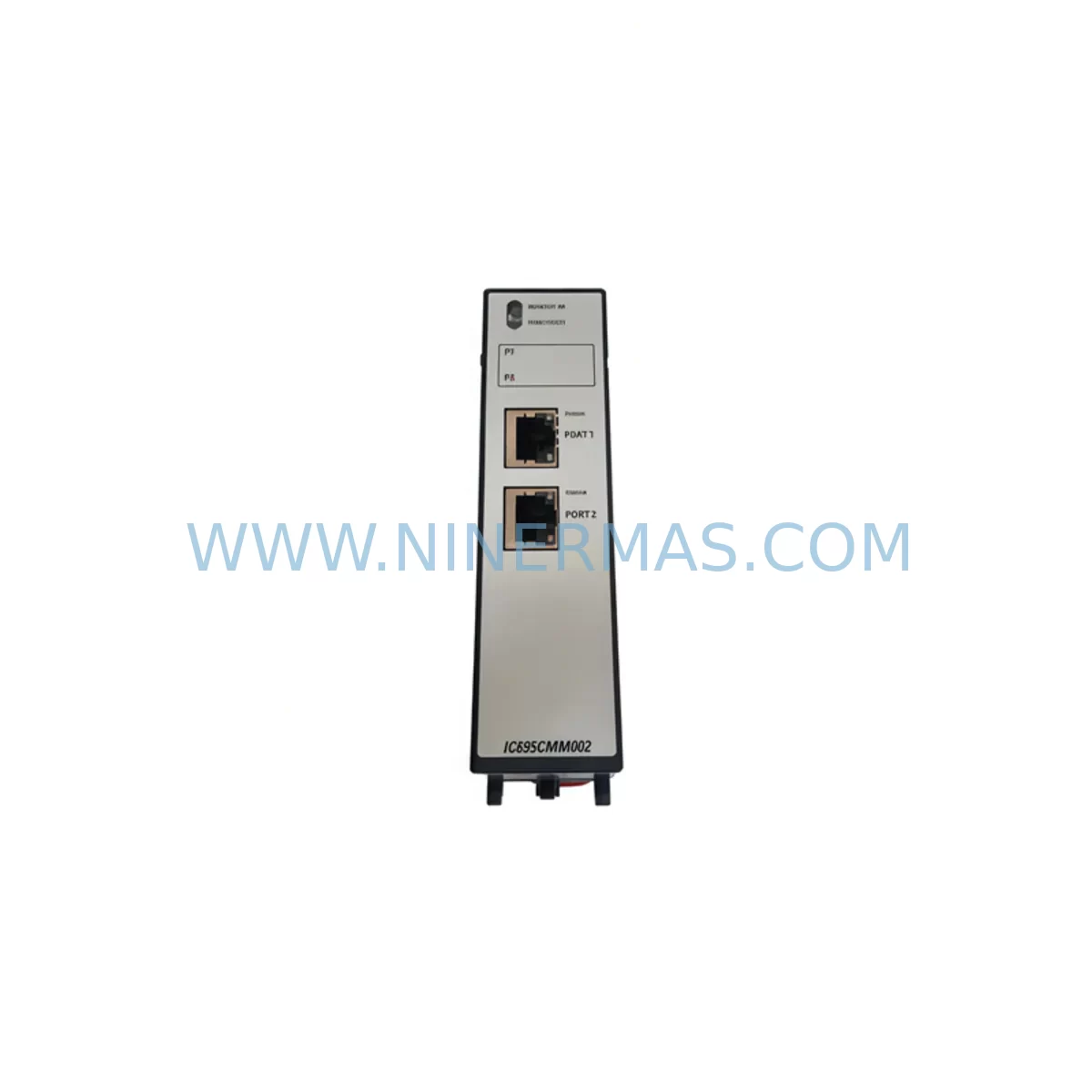
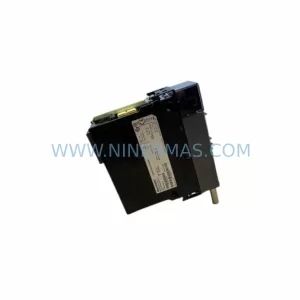
GE IC695CMM002 Retrofit-Compatible Serial Comms Module
Verify the part, confirm the platform family, and move straight into quotation with the right commercial details.
RFQ Ready
- SKUIC695CMM002
- CategoryPLC & Industrial Automation Modules
- BrandGE
- SupportAvailability, lead time, condition, and shipping coordination
How Buyers Usually Use This Page
- Confirm the exact part number and platform family before sending the quote request.
- Use direct email when quantity, condition, and destination are already defined internally.
- Switch to the broader brand or category archive when you need alternates nearby.
Series Navigation
Move through the most common platform families behind this part.
Product RFQ
Send this part directly for quotation.
Include quantity, required condition, destination country, and target delivery timing. Current reference: GE IC695CMM002 Retrofit-Compatible Serial Comms Module with SKU IC695CMM002.
GE IC695CMM002 Retrofit-Compatible Serial Communications Module for Legacy PACSystems RX3i Upgrades
The GE IC695CMM002 is a Serial Communications Module designed for the GE PACSystems RX3i platform, widely deployed across industrial automation environments in manufacturing, oil & gas, utilities, and process control. As legacy control systems approach end-of-life and original spare parts become increasingly scarce, the IC695CMM002 serves as a critical retrofit-compatible replacement module that enables engineers to extend the operational life of existing RX3i backplanes without requiring a full system overhaul.
NINERMAS maintains verified stock of the IC695CMM002 with full functional testing, outgoing inspection, and a 12-month warranty on every unit shipped. Whether you are replacing a failed communications module in an active production line or pre-positioning spares for a planned system migration, our team can support your procurement and technical requirements.
Upgrade Compatibility Table
| Parameter | IC695CMM002 Specification | Retrofit Notes |
|---|---|---|
| Platform | GE PACSystems RX3i | Direct slot-compatible with IC695 series backplanes |
| Serial Ports | 2 × RS-232 / RS-485 configurable | Verify port mode matches legacy wiring (RS-232 vs RS-485) |
| Backplane Interface | RX3i Universal Backplane | Compatible with IC695CHS007, IC695CHS012, IC695CHS016 |
| Communication Protocols | SNP, SNP-X, RTU, ASCII | Confirm protocol selection matches existing HMI/SCADA configuration |
| Power Consumption | Supplied via backplane | Verify IC695PSA040 or IC695PSD040 power supply capacity before installation |
| Module Address | Configured via Proficy Machine Edition | Match slot address to original program reference table |
| Installation Space | Single-slot RX3i module | No additional mounting hardware required for standard chassis |
| Firmware Compatibility | RX3i CPU firmware v3.50+ | Confirm CPU firmware version on IC695CPE302 or IC695CPE305 before swap |
| Warranty | 12 Months | Covered from date of shipment; includes functional test report |
Retrofit Planning for Existing Automation Systems
When planning a retrofit involving the IC695CMM002, the scope of work typically extends beyond the module itself. Engineers must evaluate the entire communications chain — from the RX3i CPU through the serial link to field devices, HMI panels, and SCADA hosts — to ensure continuity after the module swap.
Begin by auditing the existing backplane configuration. The IC695CMM002 occupies a single slot in the RX3i universal backplane. Common chassis in service include the IC695CHS007 (7-slot), IC695CHS012 (12-slot), and IC695CHS016 (16-slot). Confirm that the target slot is physically accessible and that adjacent modules — such as analog I/O modules like the IC695ALG600 or discrete I/O modules like the IC694MDL754 — are not affected by the removal and reinstallation process.
Power budget verification is essential. The IC695PSA040 (120/240 VAC input) and IC695PSD040 (24 VDC input) power supplies each have defined backplane current budgets. Adding or replacing a communications module requires recalculating the total backplane load to confirm headroom remains within specification. Failure to verify power capacity is one of the most common causes of intermittent faults following a module replacement.
Terminal wiring must be carefully documented before removal. The IC695CMM002 uses a removable terminal block for serial port connections. Photograph and label all wiring before disconnecting. RS-485 multi-drop networks require particular attention to termination resistors and bias resistors, which may be installed at the module end or at the far end of the cable run. Incorrect termination after reinstallation can cause communication errors that are difficult to diagnose under time pressure.
Program compatibility should be confirmed using Proficy Machine Edition. The IC695CMM002 is configured through the hardware configuration tree in the project. When replacing a failed module, import the existing hardware configuration and verify that the slot assignment, port mode (SNP, SNP-X, RTU, or ASCII), baud rate, parity, and stop bits all match the original settings. If the original project file is unavailable, these parameters can often be recovered from the connected HMI — such as a QuickPanel+ or iFIX SCADA node — which retains its own communication settings independently.
HMI screen validation is a step that is frequently underestimated. After restoring serial communications, verify that all HMI data points are updating correctly. Pay particular attention to any screens that display real-time process values sourced through the serial link, as address mapping errors introduced during reconfiguration may not be immediately obvious during a brief functional check.
For systems that are being migrated from an older Series 90-30 platform to the RX3i, the IC695CMM002 provides a compatible serial communications path that preserves existing field wiring and protocol configurations. In this scenario, the IC695CMM002 is often deployed alongside the IC695ETM001 Ethernet module to support parallel communications during the transition period, allowing engineers to validate the new platform while the legacy system remains in service.
Signal isolation should be considered for long cable runs or installations in electrically noisy environments. Signal isolators inserted between the IC695CMM002 serial ports and field devices can prevent ground loop interference and protect the module from transient voltages. This is particularly relevant in retrofit projects where the original installation did not include isolation and the new module may have different common-mode voltage tolerance.
Programming cables such as the IC690ACC901 or IC693CBL316 may be required during commissioning to connect a laptop running Proficy Machine Edition directly to the CPU for program upload, verification, and online monitoring. Ensure these cables are available on-site before the maintenance window begins.
Downtime Control During System Migration
Minimizing unplanned downtime is the primary concern in any retrofit involving a live production system. For the IC695CMM002, the replacement procedure can typically be completed within a planned maintenance window of two to four hours, provided that all preparatory steps have been completed in advance.
Before the maintenance window, prepare a complete backup of the RX3i project using Proficy Machine Edition. Store the backup on at least two separate media — a local laptop and a network share or USB drive. Verify that the backup can be successfully opened and compiled before the maintenance window begins. This ensures that if the replacement module requires a fresh configuration download, the process can proceed without delay.
During the maintenance window, follow a structured sequence: isolate the affected communications circuit at the field device end first, then power down the backplane slot if the chassis supports hot-swap (note that the IC695CMM002 does not support hot-swap and requires a controlled power cycle of the affected chassis or the full system). Remove the failed module, install the replacement IC695CMM002, restore power, and perform a controlled program download from the verified backup.
After restoring power, allow the CPU — typically an IC695CPE302 or IC695CPE305 — to complete its startup sequence before initiating communications. Monitor the module status LEDs and the CPU fault table in Proficy Machine Edition to confirm that no hardware faults are logged. Once the module reports a healthy status, restore the field communications circuit and verify end-to-end data flow before releasing the system to production.
Maintaining a pre-tested spare IC695CMM002 on the shelf is the most effective strategy for reducing future downtime risk. NINERMAS can supply tested units with documentation to support your spare parts inventory program, with typical lead times of one to three business days for in-stock items.
Retrofit Support FAQ
Q: Is the IC695CMM002 a direct drop-in replacement for a failed unit in an existing RX3i system?
A: Yes, the IC695CMM002 is slot-compatible with any RX3i universal backplane. The replacement unit must be configured to match the original slot assignment, port mode, and communication parameters using Proficy Machine Edition. No physical modifications to the chassis or wiring are required, provided the terminal block wiring is restored correctly.
Q: What testing is performed before shipment?
A: Every IC695CMM002 unit supplied by NINERMAS undergoes functional testing to verify backplane communication, serial port operation, and firmware integrity. A test report is available upon request. All units are shipped with a 12-month warranty covering defects in materials and workmanship.
Q: Can the IC695CMM002 support both RS-232 and RS-485 devices simultaneously?
A: The IC695CMM002 provides two independently configurable serial ports. Each port can be set to RS-232 or RS-485 mode independently, allowing the module to communicate with different field devices or protocols on each port simultaneously. Port mode selection is made in the hardware configuration within Proficy Machine Edition.
Q: What is the typical lead time and is stock currently available?
A: NINERMAS maintains stock of the IC695CMM002 and can typically ship within one to three business days. For urgent requirements, please contact our team directly at sale@ninermas.com or +0086 187 5021 5667 to confirm current availability and arrange expedited dispatch.
—
| Product Series | PACSystems |
|---|---|
| Country of Origin | US |
Catalog Continuation
Nearby part numbers around IC695CMM.
Use this lane when the buyer is comparing adjacent model numbers, revision-near items, or closely related spare variants within the same brand family.
Catalog Continuation
More GE modules in the catalog.
Use the brand lane to compare nearby part numbers, platform-adjacent modules, and other inquiry-ready listings before sending your final RFQ.
Catalog Continuation
Alternative parts within PLC & Industrial Automation Modules.
Stay inside the same system family when you need substitutes, adjacent modules, or a broader shortlist for procurement review.
SKU: PFXPP170CA66K00N00
Pro-face PFXPP170CA66K00N00 Service-Ready Spare Part
SKU: 6SL3224-0BE32-2UA0
Siemens 6SL3224-0BE32-2UA0 Retrofit PM240 Power Module



