
Original Industrial Spare Part
GE IC693ACC310A Retrofit-Compatible Expansion for Legacy Systems
Verify the part, confirm the platform family, and move straight into quotation with the right commercial details.
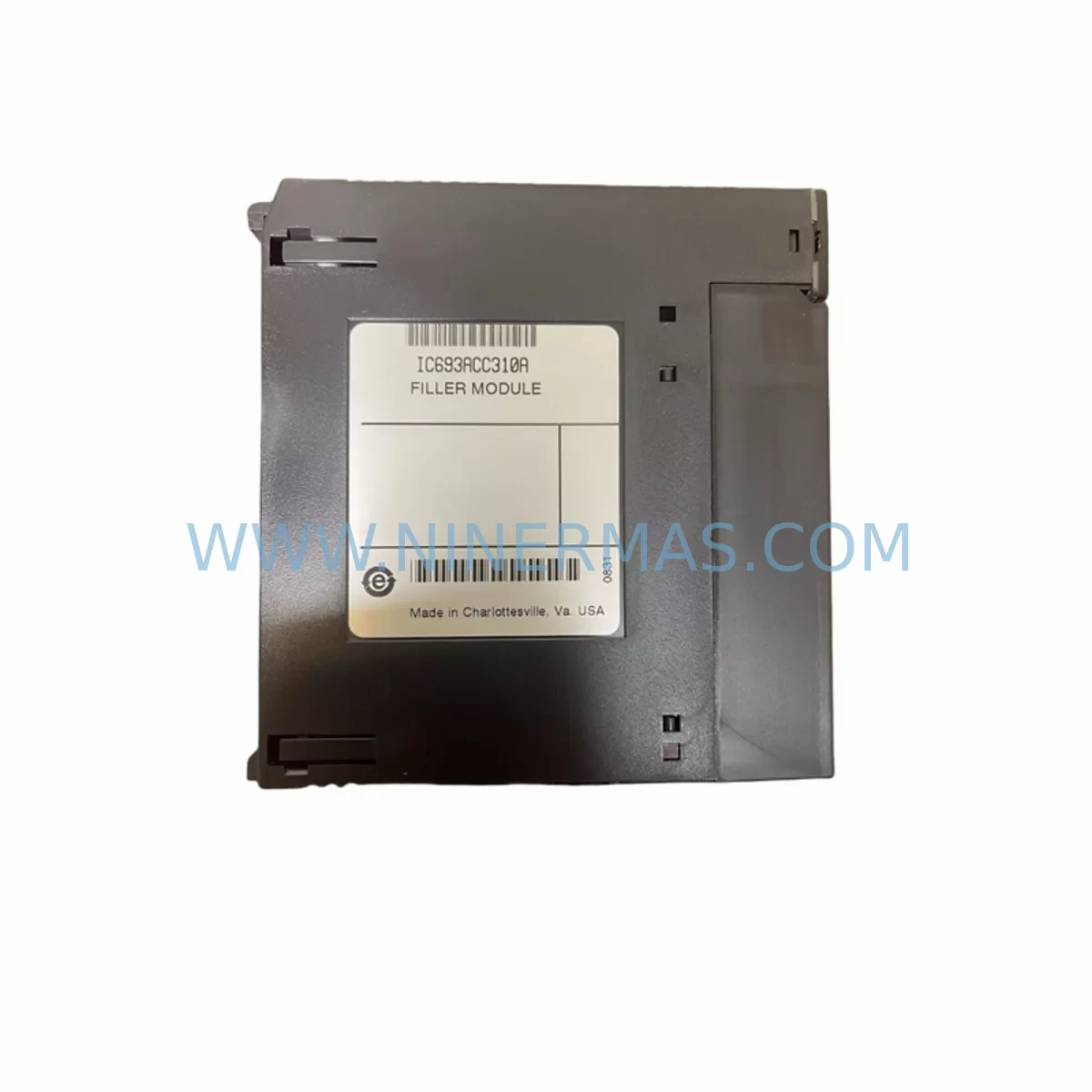
RFQ Ready
- SKUIC693ACC310A
- CategoryPLC & Industrial Automation Modules
- BrandGE
- SupportAvailability, lead time, condition, and shipping coordination
How Buyers Usually Use This Page
- Confirm the exact part number and platform family before sending the quote request.
- Use direct email when quantity, condition, and destination are already defined internally.
- Switch to the broader brand or category archive when you need alternates nearby.
Series Navigation
Move through the most common platform families behind this part.
Product RFQ
Send this part directly for quotation.
Include quantity, required condition, destination country, and target delivery timing. Current reference: GE IC693ACC310A Retrofit-Compatible Expansion for Legacy Systems with SKU IC693ACC310A.
GE IC693ACC310A Retrofit-Compatible Expansion for Legacy Systems
The GE IC693ACC310A is a rack expansion cable designed for the GE Series 90-30 PLC platform, enabling engineers and maintenance teams to extend backplane connectivity between rack segments in legacy control architectures. As original equipment manufacturers phase out support for aging automation infrastructure, the IC693ACC310A remains a critical component for facilities that depend on Series 90-30 controllers for continuous process control, discrete manufacturing, and utility management. NINERMAS maintains verified inventory of the IC693ACC310A to support retrofit projects, emergency replacements, and planned system upgrades with a 12-month warranty on every unit shipped.
Upgrade Compatibility Table
| Parameter | Details |
|---|---|
| Compatible Platform | GE Series 90-30 (GE Fanuc 90-30) |
| Module Function | Rack-to-Rack Expansion Cable |
| Interface Type | Backplane Bus Expansion Connector |
| Installation Requirement | Connects IC693CHS391 / IC693CHS392 / IC693CHS393 expansion racks to base rack |
| Communication Compatibility | Transparent to CPU bus; no protocol configuration required |
| Replacement Recommendation | Direct drop-in replacement for failed or aged IC693ACC310A cables |
| Commissioning Notes | Verify cable seating at both rack connectors; confirm rack addressing via DIP switches on expansion rack |
| Warranty | 12 Months — covers manufacturing defects and functional failure under normal operating conditions |
Retrofit Planning for Existing Automation Systems
When a facility undertakes a Series 90-30 retrofit or control cabinet upgrade, the IC693ACC310A is rarely the only component under review. A thorough retrofit plan must account for the full backplane ecosystem. The base rack — typically an IC693CHS391 five-slot or IC693CHS392 ten-slot chassis — must be inspected for connector wear and backplane trace integrity before a new expansion cable is installed. If the base rack itself is degraded, replacing the IC693ACC310A alone will not restore system stability.
Power supply capacity is a frequent constraint in legacy retrofits. The IC693PWR321 and IC693PWR330 power supply modules must be evaluated against the total current draw of all installed I/O and communication modules. Adding expansion racks via the IC693ACC310A increases the load on the primary power supply, and undersized supplies are a common root cause of intermittent faults in aging systems. Engineers should calculate the aggregate current demand across all slots before finalizing the retrofit bill of materials.
I/O module compatibility must also be confirmed. Discrete input modules such as the IC693MDL645 and IC693MDL654, as well as analog modules like the IC693ALG221 and IC693ALG392, must be verified against the CPU firmware revision. Some older CPU modules — including variants of the IC693CPU364 and IC693CPU374 — have firmware dependencies that affect how expansion rack I/O is addressed. Updating CPU firmware prior to installing new expansion hardware is strongly recommended to avoid address mapping conflicts.
Communication modules installed in the expansion rack, such as the IC693CMM321 for Genius Bus or the IC693CMM302 for serial communications, require careful attention during rack expansion. The IC693ACC310A carries the backplane bus signal transparently, but communication module slot assignments and rack addresses must be reconfigured in the programming software — typically Proficy Machine Edition or the legacy Logicmaster 90 environment — to reflect the new physical layout. Failure to update rack and slot addressing in the program will result in I/O faults at startup.
HMI integration is another consideration. If the facility operates a CIMPLICITY or iFIX SCADA system connected to the Series 90-30 CPU via SNP or SRTP protocol, any changes to I/O module slot assignments caused by rack expansion must be reflected in the HMI tag database. Technicians should export the current tag list before beginning the retrofit and perform a full tag audit after commissioning to ensure display accuracy and alarm integrity.
Installation space must be measured carefully. The IC693ACC310A is available in multiple cable lengths, and the physical distance between the base rack and expansion rack determines which cable variant is appropriate. Rack mounting positions in the control cabinet must accommodate both the base and expansion chassis, with adequate clearance for cable routing, ventilation, and future module access. Cramped installations are a leading cause of cable stress and premature connector failure.
Downtime Control During System Migration
Minimizing unplanned downtime is the primary operational concern when replacing or expanding Series 90-30 rack infrastructure. The recommended approach is to pre-stage all replacement hardware — including the IC693ACC310A, any new I/O modules, and the expansion rack chassis — and perform a bench test of the complete assembly before the scheduled maintenance window. This allows technicians to verify cable continuity, rack addressing, and module recognition offline, reducing the risk of discovering configuration errors during a live cutover.
Before disconnecting the existing system, a full program backup must be taken from the CPU using Proficy Machine Edition or Logicmaster 90. The backup should include the hardware configuration file, which documents rack and slot assignments, I/O module types, and communication settings. This file serves as the reference for reconfiguring the expanded system and provides a recovery point if the cutover encounters unexpected issues.
During the cutover, the sequence of operations should follow a defined procedure: power down the control cabinet, disconnect the existing expansion cable, install the new IC693ACC310A, seat all modules in the expansion rack, verify DIP switch rack addressing, restore power, and observe the CPU status LEDs for fault indicators. If the CPU enters a fault state, the hardware configuration in the programming software should be compared against the physical rack layout before any further troubleshooting steps are taken.
For facilities that cannot tolerate extended downtime, a parallel rack strategy may be appropriate. In this approach, the new expansion rack is pre-wired and configured alongside the existing system, and the cutover is limited to swapping the IC693ACC310A connection and updating the CPU hardware configuration. This approach requires additional temporary wiring but significantly reduces the window of exposure during the transition.
NINERMAS ships all IC693ACC310A units with pre-shipment functional testing documentation. Each unit is inspected for connector integrity and cable continuity before dispatch, and the 12-month warranty covers any functional failure that occurs under normal operating conditions during the warranty period. Expedited shipping is available for emergency replacement scenarios where downtime costs are significant.
Retrofit Support FAQ
Q: Is the IC693ACC310A a direct replacement for the original GE Fanuc part?
A: Yes. The IC693ACC310A supplied by NINERMAS is a direct form-fit-function replacement for the original GE Fanuc IC693ACC310A rack expansion cable. It is compatible with all IC693CHS-series expansion racks and requires no modification to the existing hardware configuration.
Q: What commissioning steps are required after installing the IC693ACC310A?
A: After physical installation, verify that the expansion rack DIP switches are set to the correct rack address (typically rack 1 or higher, depending on the system layout). Power up the system and confirm that the CPU hardware configuration in Proficy Machine Edition or Logicmaster 90 matches the physical rack and slot layout. Clear any I/O fault conditions and perform a controlled program run to verify all I/O points are responding correctly.
Q: Does NINERMAS provide pre-shipment testing for the IC693ACC310A?
A: Yes. Every IC693ACC310A unit undergoes functional inspection and continuity testing before shipment. A test report is available upon request. All units are covered by a 12-month warranty from the date of shipment.
Q: What is the typical lead time and stock availability?
A: NINERMAS maintains stock of the IC693ACC310A for immediate dispatch. Standard orders ship within 1–3 business days. Expedited options are available for urgent retrofit and emergency replacement requirements. Contact our team at sale@ninermas.com or +0086 187 5021 5667 to confirm current inventory and lead time.
| Product Series | 90-30 |
|---|---|
| Country of Origin | US |
Catalog Continuation
Nearby part numbers around IC693ACC.
Use this lane when the buyer is comparing adjacent model numbers, revision-near items, or closely related spare variants within the same brand family.



Catalog Continuation
More GE modules in the catalog.
Use the brand lane to compare nearby part numbers, platform-adjacent modules, and other inquiry-ready listings before sending your final RFQ.

Catalog Continuation
Alternative parts within PLC & Industrial Automation Modules.
Stay inside the same system family when you need substitutes, adjacent modules, or a broader shortlist for procurement review.


SKU: 6FC5357-0BB12-0AE0
Siemens 6FC5357-0BB12-0AE0 Service-Ready Industrial Spare Part

SKU: 3BSE011790R1(PXHK401)
ABB 3BSE011790R1 PXHK401 Retrofit-Ready Communication Module
SKU: DI890 3BSC690073R1
ABB DI890 3BSC690073R1 Retrofit-Compatible Digital Input for Legacy S800



