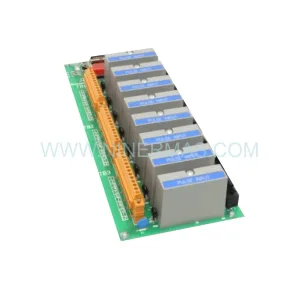
Original Industrial Spare Part
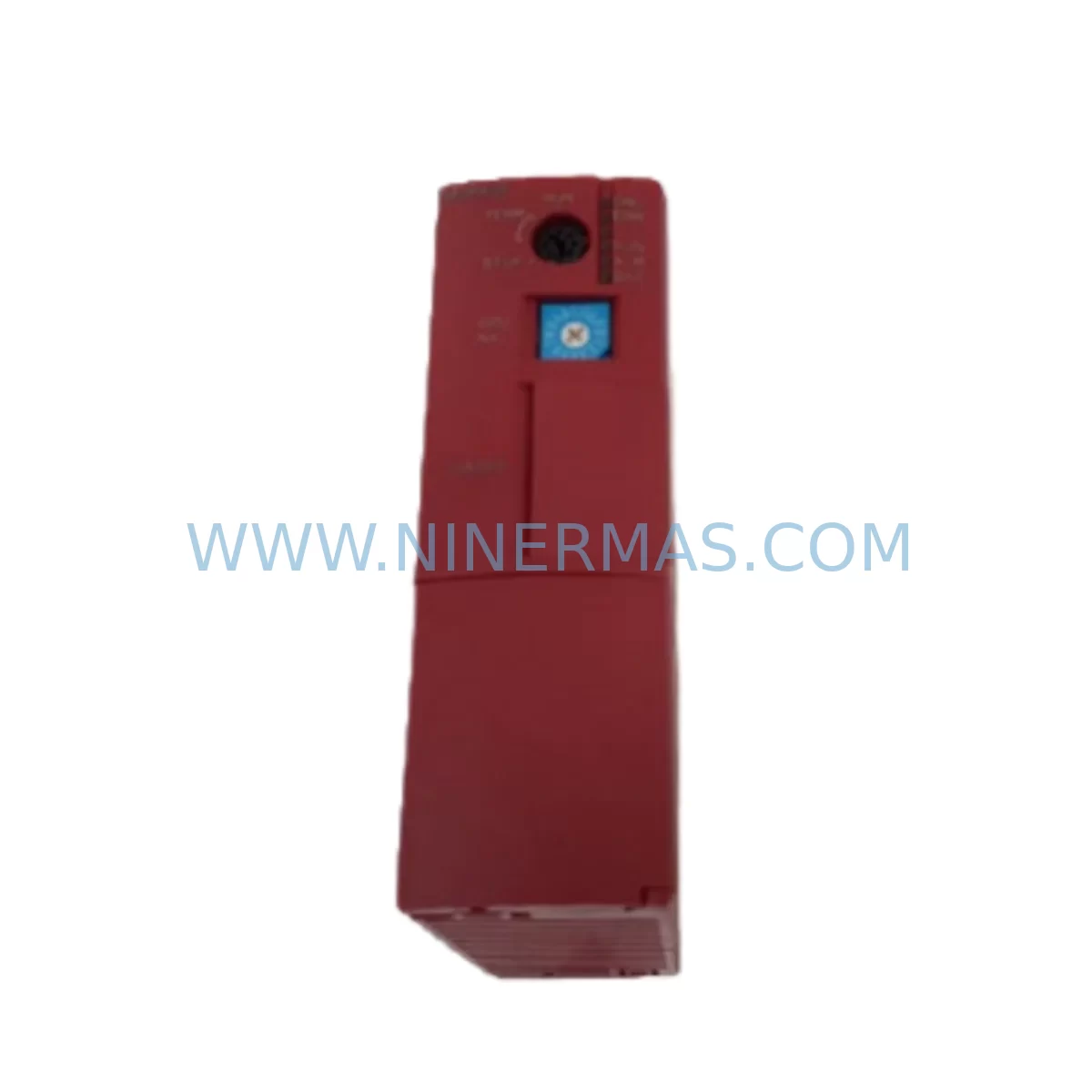
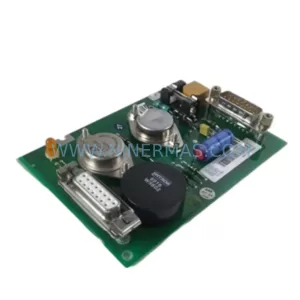
Fuji NP1PH-08 Service-Ready Spare Part for Industrial Maintenance
Verify the part, confirm the platform family, and move straight into quotation with the right commercial details.
RFQ Ready
- SKUNP1PH-08
- CategoryDCS Distributed Control Systems
- BrandFuji Electric
- SupportAvailability, lead time, condition, and shipping coordination
How Buyers Usually Use This Page
- Confirm the exact part number and platform family before sending the quote request.
- Use direct email when quantity, condition, and destination are already defined internally.
- Switch to the broader brand or category archive when you need alternates nearby.
Series Navigation
Move through the most common platform families behind this part.
Product RFQ
Send this part directly for quotation.
Include quantity, required condition, destination country, and target delivery timing. Current reference: Fuji NP1PH-08 Service-Ready Spare Part for Industrial Maintenance with SKU NP1PH-08.
Fuji NP1PH-08 Service-Ready Spare Part for Industrial Maintenance
The Fuji Electric NP1PH-08 is a CPU module designed for the MICREX-SX SPH Series programmable logic controller platform — one of Fuji Electric’s most widely deployed industrial automation systems across process control, discrete manufacturing, and utility infrastructure. For maintenance engineers managing aging control systems, sourcing a verified, service-ready NP1PH-08 is critical to minimizing unplanned downtime and restoring production continuity with confidence.
Whether you are responding to an emergency fault, executing a scheduled annual overhaul, or building a strategic spare parts inventory for a multi-line facility, the NP1PH-08 represents a high-priority line item. Its role as the central processing unit of the SPH rack means that any failure at this level cascades immediately into full system shutdown — making rapid, verified replacement the only viable recovery path.
At NINERMAS, every NP1PH-08 unit is sourced through controlled supply channels, inspected prior to dispatch, and shipped with full documentation support. Our 12-month warranty covers operational defects under normal industrial service conditions, giving procurement engineers the assurance they need when approving emergency or planned purchases.
Spare Maintenance Table
| Parameter | Specification / Detail |
|---|---|
| Part Number / SKU | NP1PH-08 |
| Brand | Fuji Electric |
| Series | MICREX-SX SPH |
| Module Type | CPU / Processor Module |
| Compatible Rack | MICREX-SX SPH Series Backplane / Base Unit |
| Communication Interface | Ethernet, RS-232C / RS-485 (series-dependent) |
| Operating Voltage | 24V DC (supplied via backplane) |
| Operating Temperature | 0°C to 55°C |
| Storage Temperature | -20°C to 75°C |
| Humidity | 5% to 95% RH (non-condensing) |
| Mounting | DIN rail / rack-mount via SPH base unit |
| Origin | Japan |
| Condition | Original, New / Service-Ready |
| Warranty | 12 Months from date of shipment |
| Pre-shipment Testing | Functional inspection and power-on verification |
| Application Environment | Industrial automation, process control, discrete manufacturing, utilities |
| Replacement Compatibility | Direct replacement for existing NP1PH-08 installations in SPH racks |
Maintenance Planning for Continuous Operation
When a MICREX-SX SPH system experiences a CPU fault or the NP1PH-08 module reaches end of reliable service life, the replacement process rarely involves the CPU alone. Experienced maintenance engineers understand that a thorough site inspection at the time of CPU replacement is the most cost-effective way to prevent secondary failures and repeat downtime events.
Begin by auditing the SPH backplane and rack assembly — the NP1PH-08 interfaces directly with the backplane bus, and any corrosion, loose connector, or damaged slot can cause intermittent faults even after a new CPU is installed. Inspect the NP1PS-□□ power supply module in the same rack; a degraded power supply is a common root cause of CPU instability and should be replaced proactively if it shows signs of age or thermal stress.
Review all NP1X-□□ digital input modules and NP1Y-□□ digital output modules installed in the SPH rack. I/O module failures are frequently masked by CPU faults, and a full I/O diagnostic cycle should be completed before returning the system to production. Similarly, inspect any NP1W-□□ analog I/O modules for signal drift or calibration deviation — analog channels are particularly sensitive to power quality issues that may have contributed to the original CPU failure.
For systems with networked communication, verify the integrity of the NP1L-□□ communication module (Ethernet or fieldbus) and confirm that network topology and IP addressing are correctly restored after CPU swap. If the system uses NP1F-□□ function modules for motion control or high-speed counting, these should be re-initialized and tested against the restored CPU program.
Do not overlook the terminal blocks and field wiring connected to I/O modules — loose terminals are a leading cause of intermittent faults in high-vibration industrial environments. If the control cabinet houses an HMI panel (such as a Fuji Electric V9 or V7 series touch panel), confirm that the communication link to the new NP1PH-08 is re-established and that screen data matches the restored PLC program version.
For facilities maintaining a strategic spare parts inventory, we recommend stocking at minimum: one NP1PH-08 CPU module, one NP1PS power supply module, one set of critical I/O modules (NP1X and NP1Y), and a supply of signal isolators and surge protection devices for field wiring circuits. This inventory profile supports rapid recovery from the most common failure modes without requiring emergency procurement under production pressure.
Site Replacement Workflow
Step 1 — Preparation: Before powering down the system, back up the current PLC program from the NP1PH-08 using Fuji Electric’s SX-Programmer Expert or SX-Programmer Standard software. Confirm the backup file version matches the production program and store it on a secure, offline medium.
Step 2 — Safe Shutdown: Follow your site’s lockout/tagout (LOTO) procedure. De-energize the control cabinet and confirm zero-energy state before opening the rack. Document the physical slot positions of all modules in the SPH rack before removal.
Step 3 — Module Removal: Carefully extract the faulty NP1PH-08 from its rack slot. Inspect the backplane connector for damage, debris, or oxidation. Clean if necessary before installing the replacement unit.
Step 4 — Installation: Seat the new NP1PH-08 firmly into the correct rack slot. Verify that all adjacent modules — power supply, I/O, and communication modules — are properly seated and that no alarm LEDs are illuminated on neighboring units.
Step 5 — Program Restore and Commissioning: Power up the system and use SX-Programmer to download the backed-up program to the new CPU. Verify I/O mapping, communication links, and HMI connectivity. Conduct a controlled test cycle before returning the line to full production.
Step 6 — Documentation: Record the replacement date, new module serial number, and any observations from the inspection in your maintenance management system (CMMS). Update your spare parts inventory accordingly.
This workflow is designed to minimize total downtime from fault detection to production restoration, typically achievable within 2–4 hours for a prepared maintenance team with a service-ready NP1PH-08 on hand.
Spare Parts Support FAQ
Q1: Is the NP1PH-08 a direct drop-in replacement for the existing module in my SPH rack?
Yes. The NP1PH-08 is designed as a direct replacement for the same SKU in MICREX-SX SPH series racks. No hardware modification is required. After installation, you will need to restore the PLC program via Fuji Electric’s SX-Programmer software. Always verify firmware compatibility if your system has been updated since the original installation.
Q2: What is included in NINERMAS’s 12-month warranty for the NP1PH-08?
Our 12-month warranty covers manufacturing defects and operational failures under normal industrial service conditions from the date of shipment. Each unit undergoes pre-shipment functional inspection and power-on verification. Warranty claims are supported by our technical team, and replacement units are dispatched promptly to minimize your downtime exposure.
Q3: Can NINERMAS supply NP1PH-08 units for long-term or repeat procurement contracts?
Yes. NINERMAS maintains stock and supply relationships to support both emergency single-unit orders and long-term blanket purchase agreements. For facilities managing multiple MICREX-SX SPH systems or planning multi-year maintenance contracts, we recommend establishing a supply agreement to ensure priority allocation and stable pricing. Contact our team at sale@ninermas.com to discuss your requirements.
Q4: How do I verify compatibility before ordering if my system has been partially upgraded?
Provide us with your full system configuration — including the SPH base unit model, current firmware version, and any communication or function modules installed in the rack. Our technical team will confirm NP1PH-08 compatibility with your specific configuration before order confirmation, eliminating procurement risk and ensuring the replacement unit integrates correctly with your existing system.
| Product Series | Other series |
|---|
Catalog Continuation
More Fuji Electric modules in the catalog.
Use the brand lane to compare nearby part numbers, platform-adjacent modules, and other inquiry-ready listings before sending your final RFQ.
Catalog Continuation
Alternative parts within DCS Distributed Control Systems.
Stay inside the same system family when you need substitutes, adjacent modules, or a broader shortlist for procurement review.
SKU: 6SE7031-2HG84-1BH0
Siemens 6SE7031-2HG84-1BH0 Service-Ready Spare Part
SKU: DSTC190 57520001-ER
ABB DSTC190 57520001-ER Service-Ready Spare Part for Industrial Maintenance