Original Industrial Spare Part
Emerson SPMD1602 Retrofit-Compatible Digital I/O for Ovation DCS
Verify the part, confirm the platform family, and move straight into quotation with the right commercial details.
RFQ Ready
- SKUSPMD1602
- CategoryDCS Distributed Control Systems
- BrandEMERSON
- SupportAvailability, lead time, condition, and shipping coordination
How Buyers Usually Use This Page
- Confirm the exact part number and platform family before sending the quote request.
- Use direct email when quantity, condition, and destination are already defined internally.
- Switch to the broader brand or category archive when you need alternates nearby.
Series Navigation
Move through the most common platform families behind this part.
Product RFQ
Send this part directly for quotation.
Include quantity, required condition, destination country, and target delivery timing. Current reference: Emerson SPMD1602 Retrofit-Compatible Digital I/O for Ovation DCS with SKU SPMD1602.
Emerson SPMD1602 Retrofit-Compatible Digital I/O for Ovation DCS: Legacy System Compatibility and Smooth Upgrade Path
The Emerson SPMD1602 is a digital I/O module designed for use within the Ovation Distributed Control System (DCS) platform — one of the most widely deployed process automation architectures in power generation, refining, and chemical processing facilities worldwide. As aging Ovation installations approach end-of-life hardware cycles, the SPMD1602 has become a critical spare part for engineers tasked with sustaining control system availability without committing to a full platform migration. NINERMAS maintains verified stock of the SPMD1602 to support retrofit programs, emergency replacements, and planned lifecycle extension projects across global industrial sites.
When an existing SPMD1602 fails or reaches its recommended service interval, the replacement process requires careful attention to several system-level parameters. Engineers must first confirm the module’s slot assignment within the Ovation I/O cabinet and verify that the backplane interface is compatible with the installed controller revision. The SPMD1602 interfaces with the Ovation controller via the standard Ovation I/O bus, and its channel configuration — including point addressing, signal polarity, and contact wetting voltage — must be validated against the existing control database before the module is energized. Failure to confirm these parameters prior to installation can result in I/O mapping errors that affect interlock logic and alarm annunciation.
Power supply capacity is another key consideration during SPMD1602 replacement. The Ovation I/O cabinet typically draws regulated 24 VDC from a dedicated power supply module such as the SPPS0100 or equivalent redundant supply pair. Before inserting the replacement SPMD1602, technicians should verify that the available current budget on the affected I/O bus segment is sufficient to support the module’s rated load. In cabinets where multiple I/O modules share a common bus, the cumulative draw must be recalculated if any adjacent modules have been added or upgraded since the original system commissioning.
Upgrade Compatibility Table
| Parameter | SPMD1602 (Legacy / Replacement) | Retrofit Notes |
|---|---|---|
| Module Type | Digital I/O Module | Drop-in replacement for existing Ovation DCS I/O slots |
| Platform Compatibility | Emerson Ovation DCS | Verify controller firmware revision before installation |
| Backplane Interface | Ovation Standard I/O Bus | Confirm slot assignment and bus segment current budget |
| Signal Type | Digital Input / Output (contact / solid-state) | Validate contact wetting voltage and polarity in control DB |
| Power Requirement | 24 VDC regulated (from cabinet power supply) | Check SPPS0100 or redundant supply capacity before insertion |
| Communication Protocol | Ovation proprietary I/O bus | No protocol conversion required for same-generation replacement |
| Installation Space | Standard Ovation I/O module form factor | Confirm rack slot availability; no mechanical modification needed |
| Commissioning Requirement | Point address verification, loop check, HMI tag validation | Update Ovation Developer Studio DB if point mapping has changed |
| Replacement Recommendation | Direct replacement; no firmware re-flash required in most cases | Confirm with site DCS engineer for custom-configured installations |
| Warranty | 12-Month Warranty | Pre-shipment functional test included | |
Retrofit Planning for Existing Automation Systems
A successful SPMD1602 retrofit begins well before the replacement module arrives on site. The engineering team should extract the current I/O configuration from Ovation Developer Studio, documenting each point’s tag name, address, signal type, and associated interlock or sequence logic. This baseline record serves as the reference for post-installation verification and reduces the risk of commissioning errors during the cutover window.
In many aging Ovation installations, the SPMD1602 coexists with other I/O modules including analog input cards, thermocouple input modules, and pulse counter modules mounted in the same I/O enclosure. When planning the retrofit, engineers should inspect the condition of adjacent modules and the backplane connector pins, as corrosion or mechanical wear on the bus interface can cause intermittent faults that are incorrectly attributed to the replacement module. If the cabinet also houses an Ovation Remote Node Controller (RNC) or a communication interface module for Modbus or PROFIBUS connectivity, the network topology should be reviewed to confirm that the I/O replacement does not disrupt the communication link between the field devices and the Ovation controller.
Terminal wiring is a critical step that is often underestimated in retrofit projects. The SPMD1602 connects to field devices through a marshalling terminal block or a dedicated I/O termination assembly. Before disconnecting the existing module, technicians should photograph or document the wiring layout, label each conductor, and verify continuity on critical circuits. In installations where the original wiring documentation is incomplete or outdated, a point-by-point loop check against the current control narrative is strongly recommended. This is particularly important for digital output channels that drive motor starters, solenoid valves, or safety interlock relays, where an incorrect wiring connection could result in an unintended process action during commissioning.
For sites operating mixed-generation Ovation hardware — where newer Ovation OCR400 or OCR1100 controllers share the same network with legacy I/O subsystems — the SPMD1602 replacement should be coordinated with the DCS system administrator to ensure that the controller’s I/O scan list is updated if any module address changes are required. In some configurations, the Ovation Historian and the associated HMI graphics built in Ovation Workstation may reference specific module addresses for trend displays and alarm setpoints, and these references must be updated to reflect any changes made during the retrofit.
Downtime Control During System Migration
Minimizing unplanned downtime is the primary operational concern when replacing a digital I/O module in a live process control environment. For the SPMD1602, the recommended approach is to schedule the replacement during a planned maintenance window and to prepare a detailed cutover procedure that has been reviewed and approved by the site operations team. The procedure should include a pre-work checklist covering module receipt inspection, pre-installation functional test, spare fuse verification, and confirmation that the replacement module’s firmware version is compatible with the installed Ovation controller revision.
Where process conditions permit, the affected I/O points should be placed in manual control or bypassed in the safety system prior to module removal. For digital input channels connected to process switches or position transmitters, the Ovation controller can be configured to hold the last known state during the module swap, reducing the risk of spurious alarms or interlock trips. For digital output channels, the field devices should be confirmed in a safe state before the module is de-energized. In redundant I/O configurations, the standby module can be brought online before the primary is removed, achieving a bumpless transfer that eliminates process interruption entirely.
After the replacement SPMD1602 is installed and powered, the commissioning sequence should follow the site’s standard loop check procedure. Each digital input channel should be exercised from the field device to confirm correct state representation in the Ovation controller and on the HMI display. Each digital output channel should be verified by commanding the output from the Ovation Workstation and confirming the correct response at the field device. Any discrepancies should be investigated and resolved before the I/O points are returned to automatic control. The total commissioning time for a single SPMD1602 replacement in a well-documented installation is typically two to four hours, making it feasible to complete within a standard maintenance shift without impacting production schedules.
Retrofit Support FAQ
Q1: Is the SPMD1602 a direct drop-in replacement for the existing module in my Ovation DCS cabinet?
In the majority of installations, yes. The SPMD1602 is designed to occupy a standard Ovation I/O slot and interfaces with the backplane bus without requiring mechanical modification. However, you should confirm the module revision level and verify that your Ovation controller firmware supports the specific SPMD1602 variant you are installing. NINERMAS provides the module datasheet and revision history upon request to support your pre-installation compatibility check.
Q2: What pre-shipment testing does NINERMAS perform on the SPMD1602?
Every SPMD1602 unit supplied by NINERMAS undergoes a functional test prior to shipment. The test verifies digital input channel response, digital output channel switching, backplane interface integrity, and power supply rail stability. A test report is available upon request. All units are covered by a 12-month warranty from the date of shipment, covering manufacturing defects and functional failures under normal operating conditions.
Q3: How do I confirm wiring compatibility before installing the replacement SPMD1602?
Refer to the original Ovation I/O wiring diagram for the affected cabinet. Verify the terminal block assignment for each channel, confirm the contact wetting voltage matches the field device specification, and check that the cable shield grounding arrangement is consistent with the Ovation grounding guidelines. If the original wiring documentation is unavailable, perform a point-by-point loop check using a calibrated test instrument before energizing the replacement module. NINERMAS technical support can assist with wiring compatibility questions based on the module’s datasheet.
Q4: What is the lead time and stock availability for the SPMD1602?
NINERMAS maintains stock of the SPMD1602 to support urgent replacement requirements. Standard lead time for in-stock units is 3–7 business days for international shipments, depending on destination and customs clearance. For projects requiring multiple units or long-term spare parts agreements, NINERMAS can arrange dedicated stock reservation with scheduled delivery to align with your planned maintenance windows. Contact our sales team at sale@ninermas.com or +0086 187 5021 5667 to confirm current availability and pricing.
| Product Series | Ovation |
|---|---|
| Country of Origin | US |
Catalog Continuation
Likely Ovation platform matches.
These parts are closer to the same platform family signaled by the current SKU and title, so buyers can validate continuity before sending a final RFQ.
SKU: SLS 1508 KJ2201X1-BA1 CS3202
Emerson SLS 1508 KJ2201X1-BA1 Retrofit-Compatible Safety Logic Solver
Catalog Continuation
More EMERSON modules in the catalog.
Use the brand lane to compare nearby part numbers, platform-adjacent modules, and other inquiry-ready listings before sending your final RFQ.
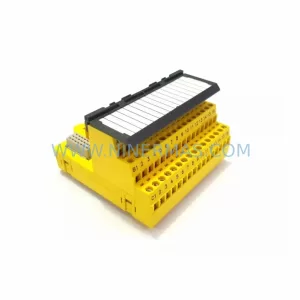
SKU: KJ2201X1-HA1 12P3322X022
Emerson KJ2201X1-HA1 12P3322X022 Service-Ready Spare Part
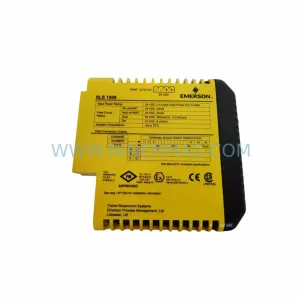
SKU: KJ2201X1-BA1 12P3162X162 SLS1508
Emerson KJ2201X1-BA1 Retrofit-Compatible Logic I/O Module
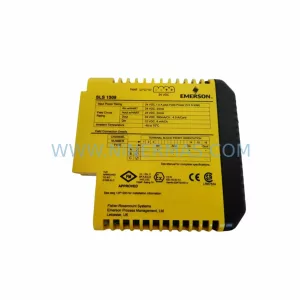
SKU: KJ2201X1-BA1 12P3162X182 SLS1508
Emerson KJ2201X1-BA1 SLS1508 Safety-Reliable Logic Solver
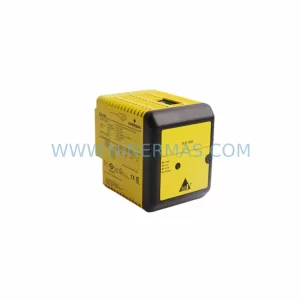
SKU: KJ2201X1-BA1 12P3162X142 SLS1508
Emerson KJ2201X1-BA1 SLS1508 Retrofit Safety Logic Solver
Catalog Continuation
Alternative parts within DCS Distributed Control Systems.
Stay inside the same system family when you need substitutes, adjacent modules, or a broader shortlist for procurement review.
SKU: DSTA001B 3BSE018316R1
ABB DSTA001B 3BSE018316R1 Retrofit-Compatible Interface for Legacy Systems