
Original Industrial Spare Part
Cooper P3798102-00010 Service-Ready Spare Part for Industrial Maintenance
Verify the part, confirm the platform family, and move straight into quotation with the right commercial details.
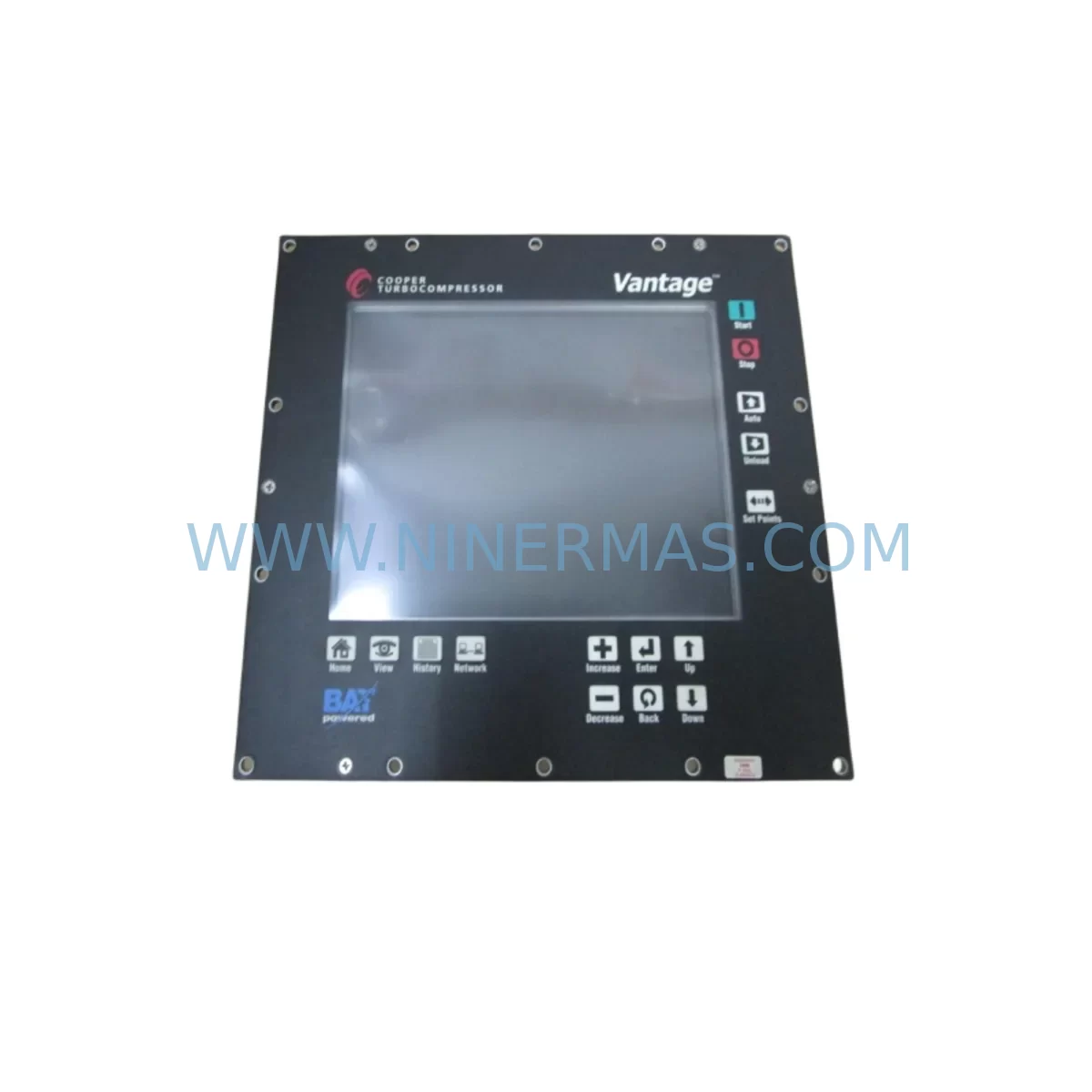
RFQ Ready
- SKUP3798102-00010
- CategoryPLC & Industrial Automation Modules
- BrandCOOPER
- SupportAvailability, lead time, condition, and shipping coordination
How Buyers Usually Use This Page
- Confirm the exact part number and platform family before sending the quote request.
- Use direct email when quantity, condition, and destination are already defined internally.
- Switch to the broader brand or category archive when you need alternates nearby.
Series Navigation
Move through the most common platform families behind this part.
Product RFQ
Send this part directly for quotation.
Include quantity, required condition, destination country, and target delivery timing. Current reference: Cooper P3798102-00010 Service-Ready Spare Part for Industrial Maintenance with SKU P3798102-00010.
Cooper P3798102-00010 Service-Ready Spare Part for Industrial Maintenance
The Cooper P3798102-00010 is an original CN-UIM2 Interface Module engineered for industrial control systems requiring reliable data communication and signal interfacing. As a service-ready spare part, this module is sourced, inspected, and dispatched to support rapid replacement in production environments where unplanned downtime carries significant operational and financial risk. Whether you are managing a scheduled annual overhaul, responding to an emergency fault, or building a proactive spare parts inventory, the P3798102-00010 delivers the compatibility and performance assurance that maintenance and procurement engineers demand.
The CN-UIM2 series interface module serves as a critical communication bridge within Cooper-based control cabinet architectures. It facilitates structured data exchange between field devices, I/O subsystems, and supervisory control layers. In aging automation systems where the original manufacturer has discontinued active production, sourcing a verified original spare becomes the single most important factor in minimizing mean time to repair (MTTR). This unit is tested prior to dispatch and backed by a 12-month warranty, providing procurement teams with the confidence needed for long-term spare parts planning.
Spare Maintenance Table
| Parameter | Specification / Detail |
|---|---|
| Part Number | P3798102-00010 |
| Model / Series | CN-UIM2 Interface Module |
| Brand | COOPER (Eaton Legacy / Bussmann Series) |
| Module Type | Universal Interface Module — Control Network |
| Communication Protocol | ControlNet / Serial Interface (CN-UIM2 architecture) |
| Mounting | DIN Rail / Panel Mount (backplane-compatible) |
| Operating Voltage | 24 VDC nominal (verify with system documentation) |
| Operating Temperature | 0°C to +55°C (industrial standard) |
| Compatibility | Cooper CN-series control systems; legacy PLC/DCS backplane environments |
| Application Environment | Industrial control cabinets, automation panels, process control systems |
| Condition | Original spare — inspected and tested before dispatch |
| Warranty | 12 months from date of shipment |
| Lead Time | In-stock — typically ships within 1–3 business days |
| Long-Term Supply | Available for blanket orders and scheduled procurement programs |
Maintenance Planning for Continuous Operation
When replacing the Cooper P3798102-00010 CN-UIM2 Interface Module, a disciplined maintenance engineer will not stop at the module itself. The CN-UIM2 sits at the intersection of power distribution, signal routing, and communication integrity — meaning adjacent components must be inspected and, where necessary, replaced concurrently to ensure full system restoration.
Begin with the 24 VDC power supply rail feeding the interface module. Aging power supplies in Cooper control cabinets — such as the Cooper CN-PS24 series or equivalent DIN-rail mounted SMPS units — are frequent contributors to interface module failures due to voltage ripple or output degradation. Verify output voltage under load before reinstalling the new P3798102-00010.
Next, inspect the backplane connector and rack assembly. In CN-UIM2 deployments, the backplane carries both power and communication signals. Oxidized or mechanically stressed backplane contacts can cause intermittent faults that mimic module failure. Clean and reseat all rack connectors before commissioning the replacement module.
The ControlNet coaxial cable and tap assemblies connected to the CN-UIM2 should be tested for continuity and impedance. Damaged taps or degraded RG-6 coaxial segments are a common source of communication errors that persist even after a module swap. Replace any suspect tap units — such as Allen-Bradley 1786-TPR or equivalent ControlNet taps — as part of the same maintenance window.
For systems integrating digital I/O modules on the same backplane, verify that the I/O module firmware and addressing remain consistent after the CN-UIM2 replacement. Modules such as the Cooper CN-DIO series or third-party 24 VDC digital I/O cards may require re-initialization if the interface module address has been reset.
Inspect terminal blocks and field wiring terminations within the control cabinet. Loose or corroded terminal connections — particularly on Phoenix Contact or Weidmüller-style terminal strips — can introduce ground loops or signal noise that degrades interface module performance. Torque all terminals to specification and apply contact protection spray where appropriate.
If the system includes a signal isolator or barrier module between the CN-UIM2 and field instruments, verify isolator output levels and response time. Units such as MTL or Pepperl+Fuchs signal isolators in the same cabinet loop should be tested for drift, particularly in high-temperature environments.
For installations with an HMI panel communicating through the CN-UIM2, confirm that the HMI communication driver and node address configuration are intact post-replacement. Panels running on Wonderware, FactoryTalk, or equivalent SCADA platforms may require a driver restart or node re-scan after the interface module is swapped.
Finally, review the fuse and circuit protection for the module’s power feed. A blown or weakened fuse — such as a 2A slow-blow fuse in a standard Phoenix Contact fuse terminal — may indicate an upstream fault that caused the original module failure. Replace the fuse and verify the root cause before returning the system to production.
Site Replacement Workflow
Step 1 — Isolation: De-energize the control cabinet section housing the CN-UIM2. Follow LOTO (Lockout/Tagout) procedures. Document the existing module’s node address, DIP switch settings, and any visible configuration labels before removal.
Step 2 — Module Removal: Disconnect all field wiring and communication cables from the P3798102-00010. Release the backplane locking mechanism and extract the module. Inspect the backplane slot for debris or contact damage.
Step 3 — Pre-Installation Verification: Confirm the replacement P3798102-00010 matches the original part number and hardware revision. Verify that DIP switch or jumper settings on the new module match the documented configuration of the removed unit.
Step 4 — Installation: Seat the new CN-UIM2 module firmly into the backplane slot. Reconnect all field wiring and communication cables. Ensure ControlNet tap connections are hand-tight and properly terminated.
Step 5 — Power-Up and Commissioning: Re-energize the cabinet section. Monitor the module’s status LEDs for normal initialization sequence. Verify communication link establishment via the system’s network diagnostic tool or HMI status screen.
Step 6 — Functional Test: Confirm all I/O points associated with the CN-UIM2 are responding correctly. Run a full I/O scan and compare against the pre-maintenance baseline. Document the replacement in the site maintenance log.
This structured workflow minimizes re-work risk, reduces total downtime, and ensures the replacement module is fully commissioned before the production line is returned to service.
Spare Parts Support FAQ
Q1: Is the Cooper P3798102-00010 still in active production?
The CN-UIM2 series is a legacy Cooper industrial module. While active OEM production may be discontinued, NINERMAS maintains verified original stock sourced through authorized industrial distribution channels. Each unit is individually inspected and tested before shipment to ensure full operational integrity.
Q2: What warranty coverage applies to this spare part?
All Cooper P3798102-00010 units supplied by NINERMAS carry a 12-month warranty from the date of shipment. This covers manufacturing defects and functional failures under normal operating conditions. Warranty claims are supported by our technical team with replacement dispatch as the standard resolution.
Q3: Can this module replace older CN-UIM or CN-UIM1 variants in existing installations?
The CN-UIM2 (P3798102-00010) is the second-generation interface module in the Cooper CN-UIM series. In most installations, it is backward-compatible with CN-UIM deployments, but hardware revision and firmware compatibility should be verified against your system’s engineering documentation before installation. Our technical team can assist with compatibility confirmation prior to order.
Q4: Do you support long-term supply agreements for critical spare parts?
Yes. NINERMAS offers blanket purchase orders and scheduled delivery programs for maintenance teams managing multi-site or multi-year spare parts inventories. For the Cooper P3798102-00010 and related CN-series components, we can commit to defined stock levels and lead times to support your annual maintenance planning and procurement risk control strategy.
| Product Series | Other series |
|---|
Catalog Continuation
Alternative parts within PLC & Industrial Automation Modules.
Stay inside the same system family when you need substitutes, adjacent modules, or a broader shortlist for procurement review.
SKU: E19299450 E19299451 W/ MERCURY II 6000 ME-88-Y233-1 PCA-28430
Varian E19299450/E19299451 Service-Ready Spare Part
SKU: M-SPS1000RM-1F-0010-10061-0100-20003
Fuji M-SPS1000RM Retrofit Power Supply for Legacy Systems
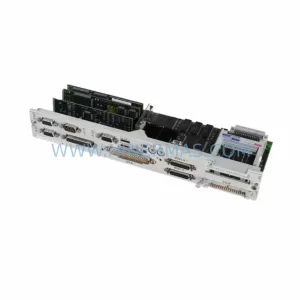
SKU: 6FC5357-0BB11-0AE1
Siemens 6FC5357-0BB11-0AE1 Retrofit NCU for Legacy Systems



