Original Industrial Spare Part
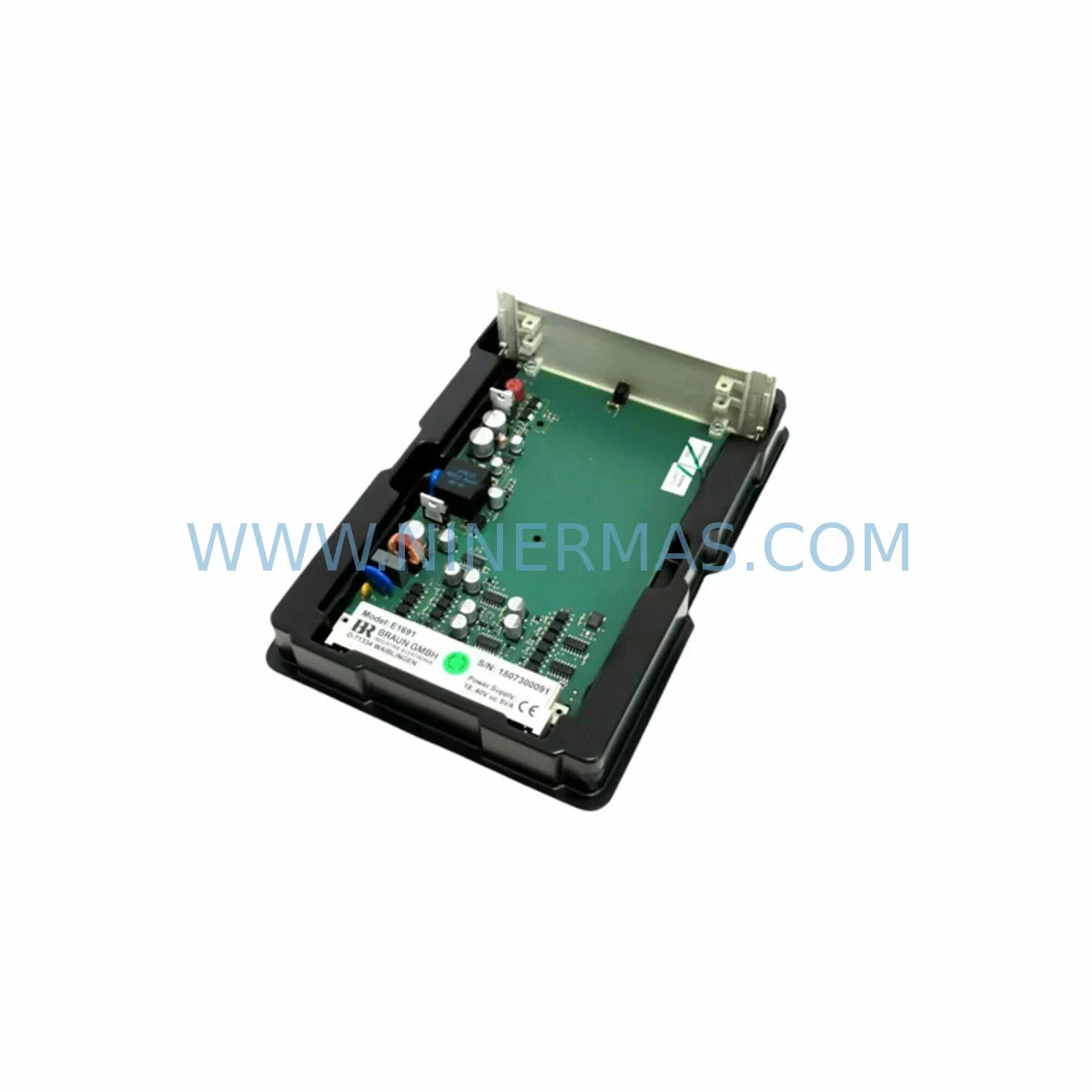
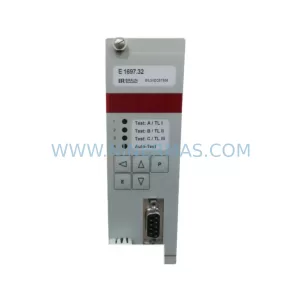
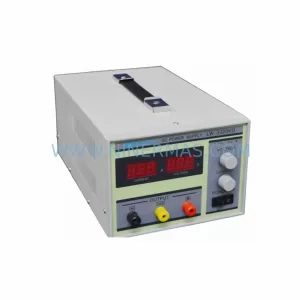
Braun E1691 Retrofit-Compatible Power Supply for Legacy Systems
Verify the part, confirm the platform family, and move straight into quotation with the right commercial details.
RFQ Ready
- SKUE1691
- CategoryPLC & Industrial Automation Modules
- BrandBraun
- SupportAvailability, lead time, condition, and shipping coordination
How Buyers Usually Use This Page
- Confirm the exact part number and platform family before sending the quote request.
- Use direct email when quantity, condition, and destination are already defined internally.
- Switch to the broader brand or category archive when you need alternates nearby.
Series Navigation
Move through the most common platform families behind this part.
Product RFQ
Send this part directly for quotation.
Include quantity, required condition, destination country, and target delivery timing. Current reference: Braun E1691 Retrofit-Compatible Power Supply for Legacy Systems with SKU E1691.
Braun E1691 Retrofit-Compatible Power Supply for Legacy Systems
The Braun E1691 is a retrofit-compatible industrial power supply engineered to serve as a direct replacement for end-of-life and discontinued power supply modules in legacy automation environments. Whether you are managing a phased control cabinet upgrade, restoring a production line after an unplanned failure, or executing a structured migration away from obsolete hardware, the E1691 delivers the electrical performance and form-factor compatibility required to minimise engineering rework and reduce total downtime.
In legacy automation systems, the power supply is the backbone of every control cabinet. When the original Braun E1691 or its predecessor units reach end-of-life, procurement teams face a critical decision: source a verified compatible replacement or risk extended downtime caused by incompatible substitutes. NINERMAS maintains verified stock of the E1691 to support exactly this scenario — providing a tested, warranted unit that integrates directly into existing rack and DIN-rail configurations without requiring panel redesign.
The E1691 is commonly deployed alongside Braun-series communication modules, I/O expansion racks, and safety relay assemblies within the same control cabinet. During retrofit planning, engineers frequently pair the E1691 with Braun signal conditioning modules and terminal block assemblies to maintain consistent bus voltage across all downstream devices. Its output characteristics are compatible with the power budgets of legacy Braun CPU modules, remote I/O stations, and HMI panel power inputs, making it a reliable anchor point for any cabinet-level modernisation project.
For sites running mixed-generation hardware — where newer Braun communication gateways or protocol converters share a cabinet with original-generation I/O modules — the E1691 provides the stable, regulated DC output needed to prevent voltage sag events that can corrupt fieldbus communications or trigger nuisance trips on safety interlock circuits. This is particularly relevant in installations where PROFIBUS DP segments, DeviceNet nodes, or Modbus RTU chains are powered from the same cabinet rail as the control logic.
Upgrade Compatibility Table
| Parameter | Detail |
|---|---|
| SKU / Part Number | E1691 |
| Brand / Manufacturer | Braun |
| Product Series | Legacy Power Supply Series |
| Product Type | Industrial Power Supply Module |
| Mounting / Installation | DIN-rail or panel-mount (confirm existing rail pitch before installation) |
| Terminal Wiring | Screw-terminal block; verify conductor cross-section matches original specification |
| Backplane / Rack Interface | Standalone module; confirm bus connector type if rack-integrated variant |
| Communication Compatibility | Passive power supply — no fieldbus address required; compatible with PROFIBUS, DeviceNet, Modbus RTU cabinet environments |
| Replacement Guidance | Direct retrofit for original Braun E1691 and compatible predecessor units; verify output voltage and current rating against load list |
| Commissioning Notes | Confirm load current at startup; check downstream device power-on sequencing; validate HMI supply voltage after installation |
| Warranty | 12 Months — NINERMAS Company Limited |
| Origin | Germany (DE) |
| Stock Status | Available — contact sale@ninermas.com for lead time confirmation |
Retrofit Planning for Existing Automation Systems
A successful E1691 retrofit begins with a thorough load audit of the existing control cabinet. Before removing the original power supply, document the total current draw of all connected devices: CPU modules, remote I/O racks, communication processors, safety relay modules, signal isolators, and any panel-mounted HMI units drawing power from the same DC bus. This load list becomes the baseline for verifying that the E1691’s output capacity is correctly matched to the installed base.
Terminal wiring is the most common source of commissioning delays during power supply replacement. The original Braun E1691 installation may use ferrule-terminated conductors sized to the original unit’s terminal block specification. If the replacement unit uses a different terminal pitch or conductor entry angle, allow time in the project schedule for re-termination. In cabinets where the E1691 feeds a Braun distributed I/O backplane or a rack-mounted CPU carrier, confirm that the backplane power connector and bus bar arrangement are compatible before energising the replacement unit.
For systems where the E1691 supplies power to a Braun programming interface or a legacy handheld programming terminal, verify that the 24 VDC output tolerance is within the acceptable input range of the programming device. Some older Braun CPU modules and their associated programming cables are sensitive to supply voltage ripple; a clean, regulated output from the E1691 is essential for stable program upload and download operations during commissioning.
In installations that include Braun safety interlock modules or emergency-stop relay assemblies, the power supply replacement must be coordinated with the site safety officer. The E1691 should be installed and verified under a formal permit-to-work procedure, with all safety functions tested and documented before the system is returned to production. This includes functional testing of all safety relay outputs, confirmation of correct HMI alarm display, and verification of fieldbus communication continuity across all connected nodes.
Where the retrofit scope extends beyond the power supply to include I/O expansion modules, communication gateways, or signal conditioning assemblies, the E1691 installation should be sequenced as the first step — establishing a stable power foundation before any other modules are commissioned. This approach reduces the risk of voltage transients damaging newly installed Braun I/O modules or corrupting the configuration memory of communication processors during initial power-on.
Downtime Control During System Migration
Minimising production downtime during a power supply replacement requires careful pre-staging and a disciplined commissioning sequence. Before the planned maintenance window, prepare the E1691 replacement unit with all terminal labels transferred, conductor lengths pre-cut, and ferrules crimped. Where possible, pre-wire the replacement unit on a temporary panel and perform a bench-level power-on test to confirm output voltage and current limiting behaviour before the unit enters the cabinet.
Protect the original control program by performing a full backup of the CPU memory before any hardware is disturbed. For Braun CPU modules with battery-backed RAM, confirm battery condition and replace if necessary before the retrofit begins. If the system uses a Braun memory card or flash-based program storage, verify that the backup copy is readable and complete. This step is non-negotiable: a corrupted or incomplete program backup can extend a planned two-hour maintenance window into a multi-day recovery operation.
During the physical swap, work systematically from the incoming supply terminals outward. Isolate the incoming AC supply, discharge any capacitor banks, and verify zero voltage with a calibrated meter before touching any terminals. Transfer conductors one at a time, labelling each as it is moved to the new unit. Once all conductors are transferred, perform an insulation resistance check before re-energising. On first power-on, monitor the E1691 output voltage under no-load conditions, then progressively reconnect downstream devices — starting with the CPU module, then communication processors, then I/O racks — confirming stable operation at each stage before proceeding.
After full system restoration, run a complete I/O check against the original test sheet, verify all HMI screens display correctly, and confirm fieldbus communication status on all connected nodes. Document the as-installed configuration, including terminal assignments, output voltage measurement, and load current reading, as part of the site maintenance record. NINERMAS provides a 12-month warranty on all E1691 units, covering manufacturing defects identified during normal operation within the specified electrical and environmental ratings.
Retrofit Support FAQ
Q1: Is the Braun E1691 a direct drop-in replacement for the original unit?
The E1691 is designed as a retrofit-compatible replacement for the original Braun E1691 and functionally equivalent predecessor units. Before installation, verify the output voltage, current rating, and terminal block configuration against your existing wiring documentation. In most standard cabinet installations, no panel modification is required. If your installation uses a non-standard mounting arrangement or a modified terminal block, contact sale@ninermas.com for pre-sales technical confirmation.
Q2: What commissioning steps are required after installing the E1691?
After physical installation and wiring, perform the following: (1) measure output voltage under no-load conditions; (2) reconnect downstream devices progressively and monitor for voltage sag; (3) confirm CPU module boot sequence completes normally; (4) verify fieldbus communication status on all connected nodes; (5) run a full I/O functional test; (6) confirm HMI display and alarm functions. Document all measurements as part of the site commissioning record.
Q3: Does NINERMAS provide pre-shipment testing on the E1691?
Yes. All E1691 units supplied by NINERMAS undergo output voltage verification and load testing before dispatch. Units are shipped with a test record confirming electrical performance within specification. This pre-shipment testing reduces the risk of DOA units and supports faster on-site commissioning. The 12-month warranty covers manufacturing defects identified during normal operation within the rated electrical and environmental parameters.
Q4: What is the typical lead time and stock availability for the E1691?
NINERMAS maintains stock of the Braun E1691 to support urgent replacement and planned retrofit projects. Standard lead time for in-stock units is confirmed at order placement. For projects requiring multiple units or long-term supply agreements, contact sale@ninermas.com to discuss volume pricing and reserved stock arrangements. We support global shipping to industrial sites across the US, EU, UK, Asia-Pacific, and other regions.
| Product Series | Legacy |
|---|
Catalog Continuation
More Braun modules in the catalog.
Use the brand lane to compare nearby part numbers, platform-adjacent modules, and other inquiry-ready listings before sending your final RFQ.
Catalog Continuation
Alternative parts within PLC & Industrial Automation Modules.
Stay inside the same system family when you need substitutes, adjacent modules, or a broader shortlist for procurement review.