Description
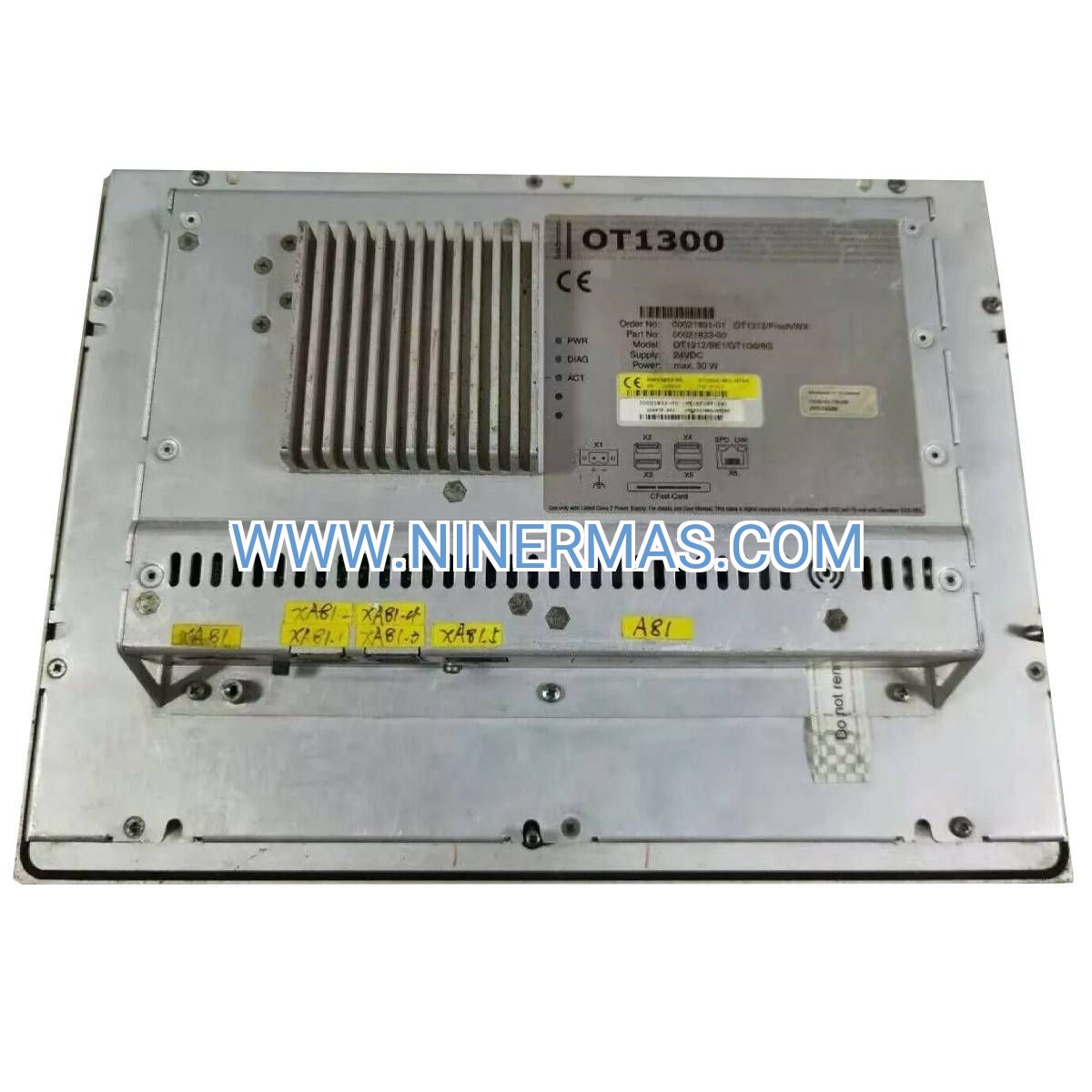
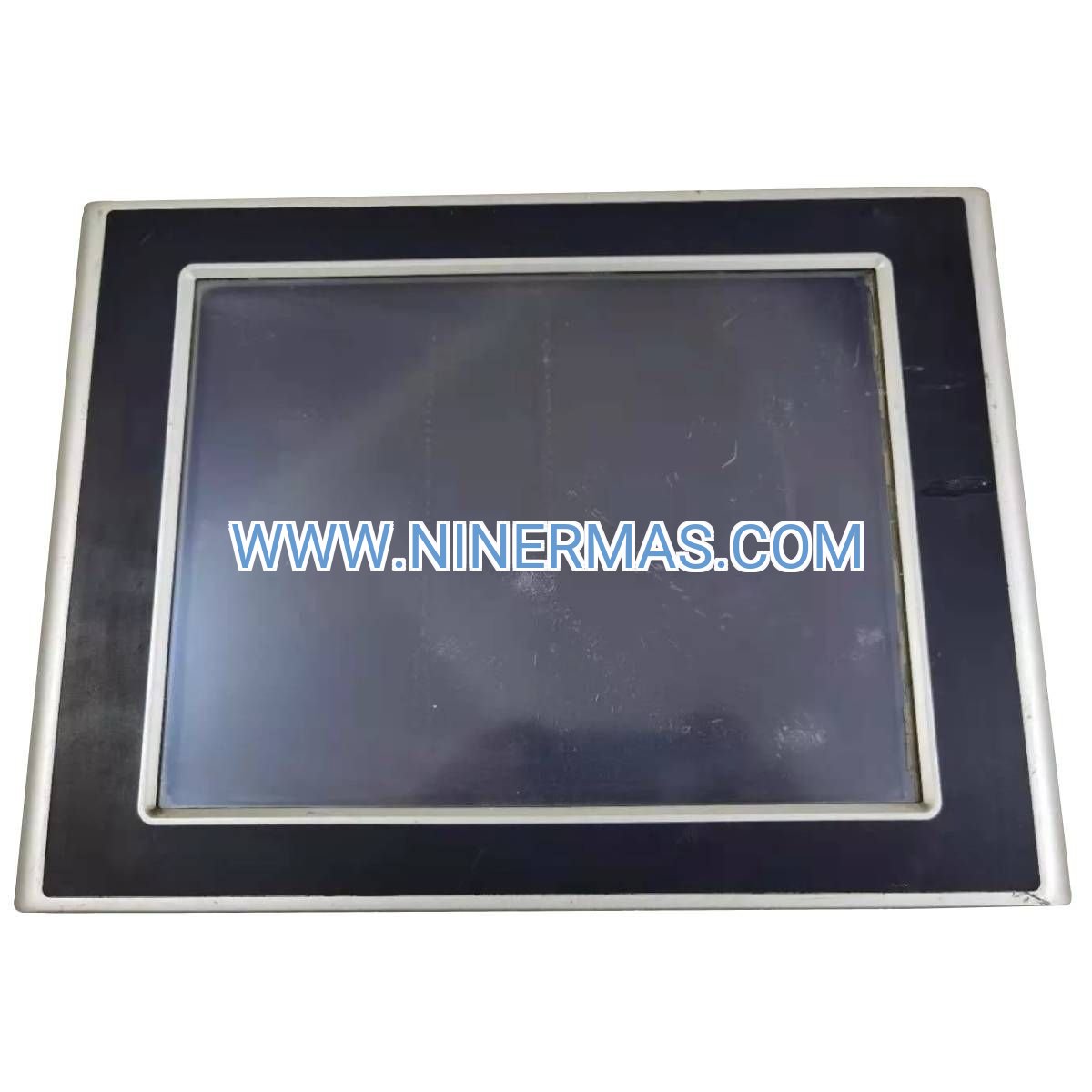
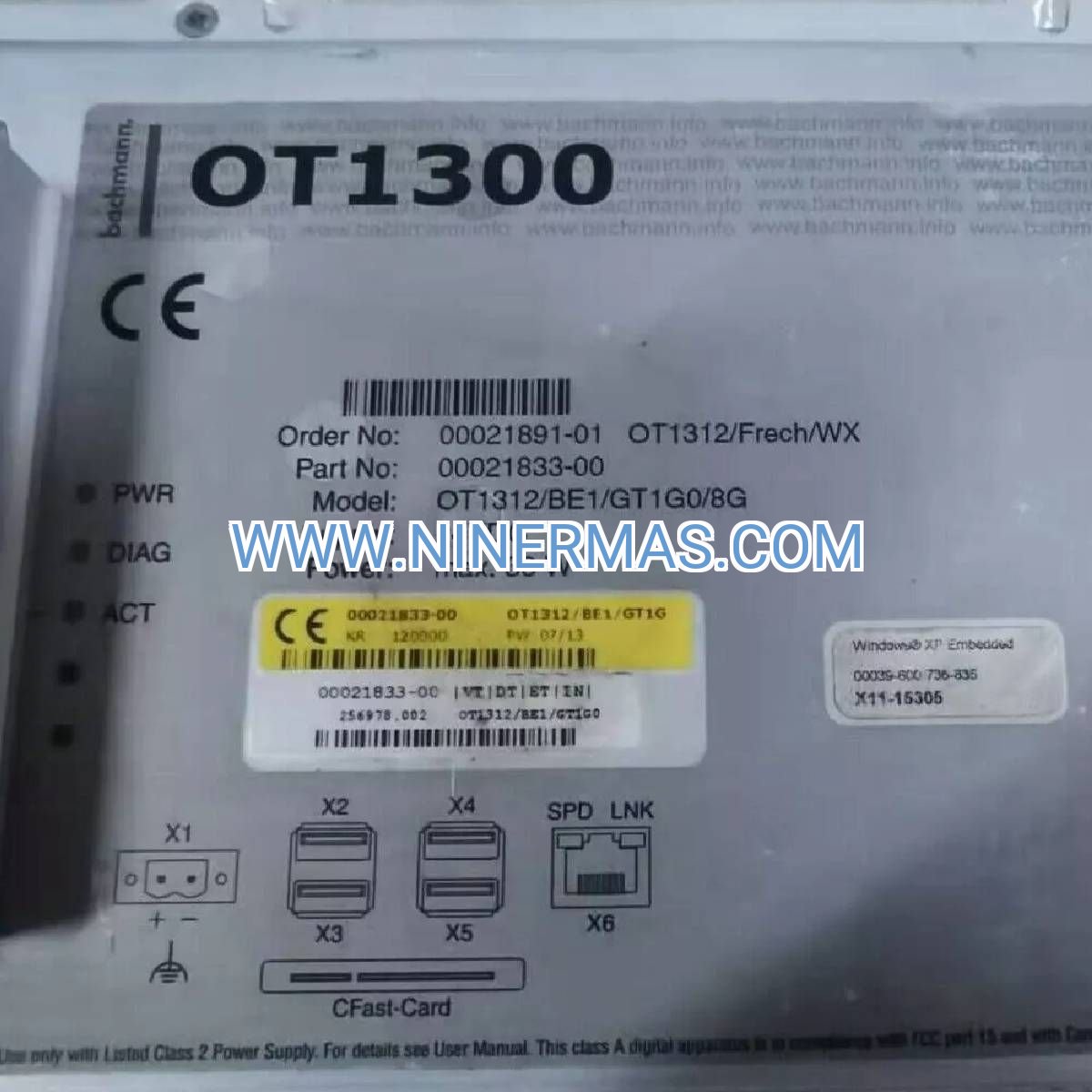
OT1300 Industrial Touchscreen Terminal (13-Inch SCADA-Ready HMI)
The BACHMANN OT1300 represents a professional-grade human-machine interface engineered for mission-critical industrial environments. This 13-inch touchscreen operator panel combines Austrian precision manufacturing with versatile connectivity, delivering reliable process visualization across manufacturing, utilities, and building automation sectors. Built to withstand harsh conditions while maintaining intuitive operator interaction, the OT1300 serves as your central command point for real-time monitoring and control.
Designed for integration with leading PLC platforms and SCADA systems, this terminal bridges the gap between complex automation logic and operator decision-making. Whether you're managing batch processes, monitoring distributed assets, or coordinating production lines, the OT1300 provides the visual clarity and responsive control your operations demand.
With IP65 front-panel protection, fanless thermal management, and multi-protocol communication support, this HMI terminal delivers industrial-grade reliability without compromising on performance. Backed by comprehensive development tools and global technical support, the OT1300 accelerates your automation projects from concept to commissioning.
Core Capabilities & Performance Advantages
✓ High-Resolution Visualization: 1280×800 WXGA display with 400 cd/m² brightness ensures crisp graphics and readability in high ambient light conditions, reducing operator eye strain during extended shifts
✓ Universal Protocol Compatibility: Native support for Modbus TCP/RTU, OPC UA, PROFINET, and EtherNet/IP eliminates gateway costs and simplifies integration with Siemens, Allen-Bradley, Schneider, and legacy systems
✓ Maintenance-Free Operation: Fanless cooling architecture with passive heat dissipation extends MTBF beyond 100,000 hours, eliminating filter replacement and reducing total cost of ownership by 40% versus fan-cooled alternatives
→ Rapid Application Development: Drag-and-drop HMI builder with pre-configured templates reduces programming time by 60%, enabling faster project deployment and easier modification by plant personnel
→ Multi-User Security Framework: Role-based access control with audit logging ensures regulatory compliance (21 CFR Part 11, GAMP 5) while protecting critical process parameters from unauthorized changes
→ Remote Diagnostics Capability: Built-in VNC server enables secure off-site troubleshooting, reducing emergency service call costs and minimizing unplanned downtime through proactive maintenance
Industry-Specific Application Scenarios
1. Pharmaceutical Batch Manufacturing
Challenge: Strict documentation requirements and recipe management for GMP compliance
Solution: OT1300's electronic batch records with digital signatures, automated alarm logging, and recipe version control ensure full traceability while reducing paperwork by 85%. Operators execute validated procedures with guided workflows that prevent deviations.
2. Municipal Water Treatment Networks
Challenge: Monitoring geographically distributed pump stations and chemical dosing systems
Solution: Centralized SCADA visualization displays real-time flow rates, tank levels, and water quality parameters from remote sites. Alarm prioritization directs operator attention to critical events, while trend analysis identifies equipment degradation before failures occur.
3. Food Processing CIP Systems
Challenge: Coordinating complex cleaning sequences with temperature, concentration, and timing validation
Solution: Automated CIP cycle visualization with pass/fail criteria ensures sanitation effectiveness. Historical trend storage provides evidence for HACCP audits, while recipe management adapts cleaning protocols for different product changeovers.
4. Building Energy Management
Challenge: Optimizing HVAC performance across multiple zones while controlling utility costs
Solution: Real-time energy consumption dashboards identify waste patterns and validate setpoint adjustments. Demand response integration automatically sheds non-critical loads during peak pricing periods, reducing energy expenses by 20-30%.
5. Packaging Line Coordination
Challenge: Synchronizing filling, capping, labeling, and case packing equipment for maximum throughput
Solution: OEE monitoring displays downtime causes and production rates versus targets. Operators quickly identify bottlenecks and adjust speeds to balance line efficiency, increasing output by 12-18% without capital investment.
Technical Parameters & Selection Guide
| Specification Category | OT1300 Parameters | Selection Considerations |
|---|---|---|
| Display Technology | 13" TFT LCD, 1280×800 px, resistive/capacitive touch | Choose capacitive for gloved operation; resistive for stylus input |
| Processing Power | ARM Cortex multi-core, 2GB RAM, 8GB storage | Supports 50+ screens with complex animations and data logging |
| Network Interfaces | Gigabit Ethernet, USB 2.0/3.0, RS232/RS485 | Dual Ethernet ports enable network redundancy for critical applications |
| Environmental Rating | -10°C to +50°C, IP65 front panel | Suitable for washdown areas; consider sunlight hoods for outdoor use |
| Power Requirements | 24 VDC ±20%, 25W typical consumption | Compatible with standard industrial power supplies; UPS recommended |
| Mounting Options | Panel mount, VESA 100 compatible | 340×260mm cutout required; swing-arm mounts available separately |
Sizing Recommendations: The 13-inch format suits control room consoles and machine-mounted applications where operators stand 1-2 meters from the display. For larger control rooms, consider multiple OT1300 units or larger 15-19" models. For space-constrained panels, the OT115 (11.5") provides similar functionality in a compact footprint.
Protocol Selection: Modbus TCP offers simplest configuration for single-vendor systems. OPC UA provides future-proof interoperability for Industry 4.0 initiatives. PROFINET suits Siemens-centric installations, while EtherNet/IP optimizes Allen-Bradley integration.
Extended Functionality & Customization
IoT Cloud Integration: Optional MQTT client enables data publishing to AWS IoT, Azure IoT Hub, or private cloud platforms for predictive analytics and remote asset management. JSON formatting supports integration with business intelligence tools and ERP systems.
Advanced Alarming: Configurable alarm classes with escalation rules automatically notify supervisors via email or SMS when operators fail to acknowledge critical alarms within defined timeframes. Alarm shelving prevents nuisance alerts during maintenance activities.
Video Integration: USB camera inputs support barcode scanning for material traceability and QR code reading for equipment identification. IP camera streams can be embedded in HMI screens for visual verification of remote processes.
Custom Branding: White-label firmware options allow OEMs to display custom boot logos and application branding, creating cohesive machine identity for end customers.
Delivery Timeline & Service Commitment
Standard Lead Time: 3-5 business days for in-stock units with factory-sealed packaging and full documentation
Custom Configuration: 10-15 business days for pre-loaded applications, custom firmware, or special mounting hardware
Warranty Coverage: 24-month manufacturer warranty covering defects in materials and workmanship; advance replacement available for critical applications
Technical Support: Lifetime application engineering assistance including screen design review, communication troubleshooting, and performance optimization
Documentation Package: Hardware manual, software development guide, protocol implementation examples, CAD drawings (DXF/STEP), and compliance certificates (CE, UL, RoHS)
Frequently Asked Questions
Q: Can the OT1300 communicate with multiple PLCs simultaneously?
A: Yes, the terminal supports concurrent connections to up to 16 different controllers using mixed protocols. For example, you can simultaneously poll Modbus devices, exchange data with an OPC UA server, and log to a SQL database—ideal for hybrid systems integrating new and legacy equipment.
Q: What screen development software is required for the OT1300?
A: BACHMANN provides the atvise® scada development environment at no additional license cost. This HTML5-based platform runs on Windows and supports offline simulation, version control integration, and collaborative development. Runtime licenses are included with the terminal purchase.
Q: How does the OT1300 handle power interruptions?
A: The terminal features a battery-backed real-time clock that maintains timestamps during outages. When paired with an uninterruptible power supply (UPS), the system can execute controlled shutdowns and automatic restart sequences. Alarm buffers retain the last 10,000 events in non-volatile memory.
Q: Is the touchscreen suitable for use with work gloves?
A: The capacitive touch variant supports operation with most industrial gloves up to 2mm thickness. For thicker gloves or wet environments, specify the resistive touch option which responds to pressure rather than conductivity. Both technologies provide palm rejection to prevent accidental activation.
Q: Can I retrofit the OT1300 into existing panel cutouts?
A: The terminal uses industry-standard DIN cutout dimensions (340×260mm) compatible with many legacy HMI installations. Mounting depth is 65mm behind the panel. Adapter plates are available for non-standard cutouts or when upgrading from smaller displays.
Q: What cybersecurity features protect the OT1300 from network threats?
A: Built-in firewall rules restrict incoming connections to authorized IP addresses. VNC access requires password authentication with optional certificate-based encryption. User activity logs track all configuration changes and parameter adjustments for forensic analysis. Regular firmware updates address emerging vulnerabilities.
Start Your HMI Project Today
Transform your industrial processes with professional-grade visualization that operators trust and engineers appreciate. Our automation specialists are ready to discuss your specific application requirements, recommend optimal configurations, and provide detailed technical specifications. Contact us for project consultation, volume pricing, or to request a demonstration unit for evaluation in your facility.
Request a Quote: Provide your application details for customized pricing and delivery estimates
Technical Consultation: Schedule a call with our HMI engineering team to review system architecture
Sample Applications: Download pre-built HMI templates for common industrial processes
Training Resources: Access video tutorials and documentation for rapid skill development
© 2026 NINERMAS COMPANY LIMITED. All rights reserved.
Original Source: https://ninermas.com
Contact: sale@ninermas.com | +0086 187 5021 5667
PDF Specification
Download PDF file here:
Click to Download PDF

Contact Info
-
Address:22 / F, South Wo Hang building, 148 Wing Lok Street, Sheung Wan, Western District, Hong Kong
-
Phone:+8618750215667
-
Email: