
Original Industrial Spare Part
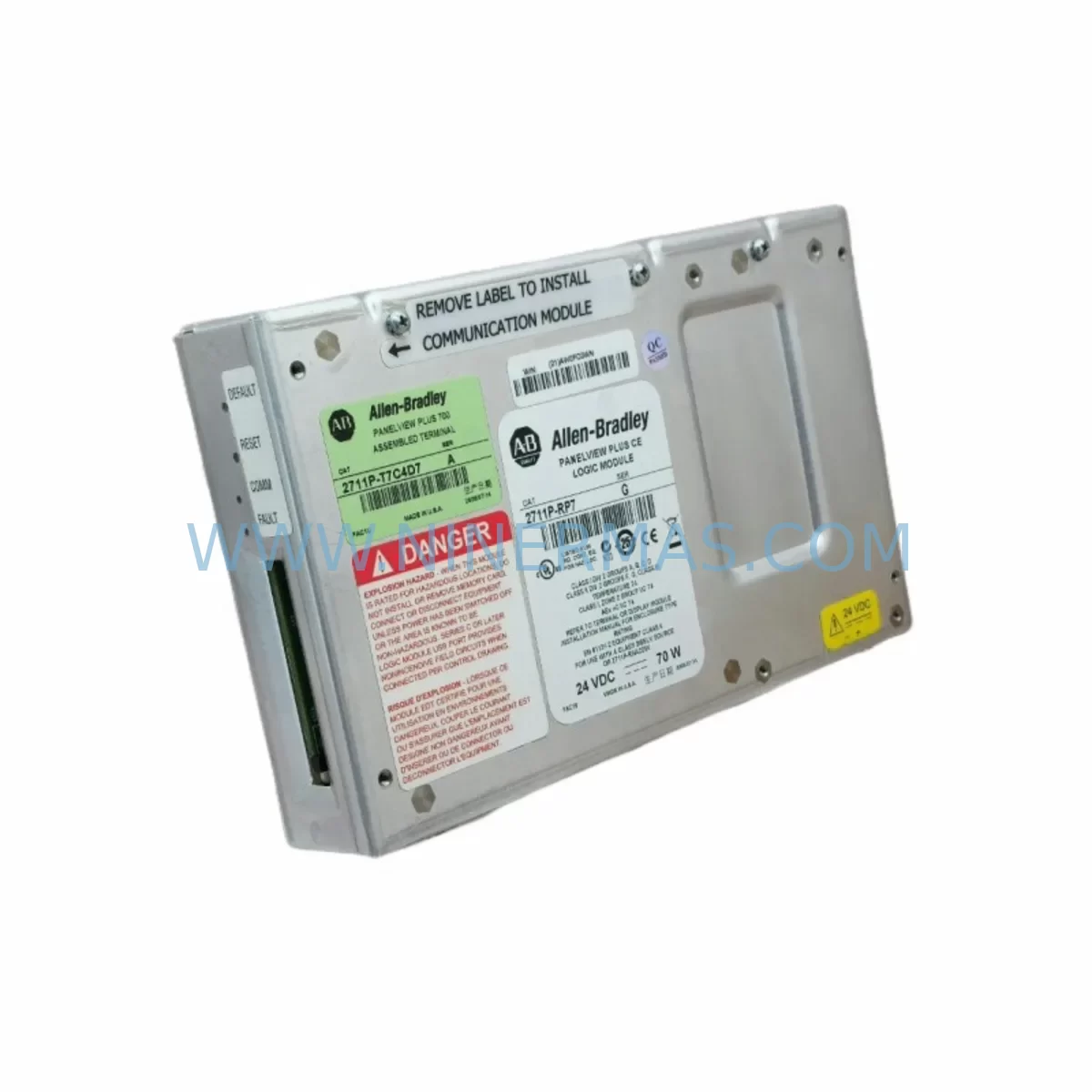
Allen-Bradley 2711P-RP7 Retrofit-Compatible HMI Module
Verify the part, confirm the platform family, and move straight into quotation with the right commercial details.
RFQ Ready
- SKU2711P-RP7
- CategoryPLC & Industrial Automation Modules
- BrandAllen-Bradley
- SupportAvailability, lead time, condition, and shipping coordination
How Buyers Usually Use This Page
- Confirm the exact part number and platform family before sending the quote request.
- Use direct email when quantity, condition, and destination are already defined internally.
- Switch to the broader brand or category archive when you need alternates nearby.
Series Navigation
Move through the most common platform families behind this part.
Product RFQ
Send this part directly for quotation.
Include quantity, required condition, destination country, and target delivery timing. Current reference: Allen-Bradley 2711P-RP7 Retrofit-Compatible HMI Module with SKU 2711P-RP7.
Allen-Bradley 2711P-RP7 Retrofit-Compatible HMI Module for Legacy System Upgrades
The Allen-Bradley 2711P-RP7 is a processor replacement module designed for the PanelView Plus series of Human-Machine Interface (HMI) terminals. As legacy automation systems age and original spare parts become increasingly difficult to source, the 2711P-RP7 serves as a critical retrofit solution for facilities operating older control architectures built around Rockwell Automation platforms. Whether you are managing a planned system modernization or responding to an unplanned failure of a discontinued component, this module provides a reliable, drop-in compatible upgrade path that minimizes engineering rework and reduces total downtime.
Industrial facilities across manufacturing, oil and gas, water treatment, and discrete automation sectors continue to rely on PanelView Plus terminals integrated with ControlLogix, CompactLogix, and MicroLogix controller families. The 2711P-RP7 is engineered to maintain backward compatibility with existing HMI application files developed in FactoryTalk View Studio, allowing engineers to restore or migrate panel functionality without rebuilding screen logic from scratch. This is particularly valuable when the original programming workstation or project archive is no longer available, as the module supports direct application recovery from compatible storage media.
Upgrade Compatibility Table
| Parameter | Details |
|---|---|
| SKU / Part Number | 2711P-RP7 |
| Series | PanelView Plus |
| Compatible Terminals | PanelView Plus 6 / PanelView Plus CE |
| Communication Compatibility | EtherNet/IP, DH+, ControlNet, RS-232 |
| Replaces / Upgrades | 2711P-RP6, 2711P-RP5, 2711P-RP4 (legacy processor modules) |
| Installation Interface | Internal backplane slot — tool-free module swap |
| HMI Application Compatibility | FactoryTalk View ME / CE project files |
| Controller Platform Support | ControlLogix, CompactLogix, MicroLogix, SLC 500 |
| Mounting / Form Factor | Matches original 2711P chassis footprint |
| Retrofit Recommendation | Direct replacement; verify firmware version before commissioning |
| Commissioning Note | Confirm IP address assignment, tag database mapping, and screen navigation paths post-swap |
| Warranty | 12-Month Warranty — Covered by NINERMAS |
Retrofit Planning for Existing Automation Systems
A successful retrofit using the 2711P-RP7 begins well before the module arrives on site. Engineers should conduct a pre-retrofit audit that documents the existing HMI terminal model, installed firmware version, communication protocol in use, and the controller it is networked to. In most legacy installations, the PanelView Plus terminal communicates with a 1756-L series ControlLogix processor via EtherNet/IP, or with older SLC 500 and PLC-5 platforms via Data Highway Plus (DH+). Confirming the active communication driver and network topology before the swap prevents post-installation connectivity failures.
When the control cabinet also houses a 1756-EN2T EtherNet/IP communication module or a 1756-DHRIO Data Highway Plus / Remote I/O bridge, engineers must verify that the replacement processor module’s firmware supports the same network services. Mismatched firmware between the HMI processor and the communication infrastructure is one of the most common causes of extended commissioning time during retrofit projects.
For facilities upgrading from older PanelView Plus terminals running FactoryTalk View ME applications, the 2711P-RP7 supports application file transfer via Compact Flash or USB storage, depending on the terminal generation. Before initiating the swap, back up the existing application to a 1784-CF64 Compact Flash card or equivalent approved media. This backup also captures alarm configurations, trend data definitions, and security settings that would otherwise need to be manually reconfigured.
In control cabinets where the HMI terminal shares a backplane or DIN rail with 1606-XLP series power supply modules, confirm that the power budget remains within specification after the module swap. The 2711P-RP7 draws power from the terminal’s internal supply, but the overall panel load — including any 1734 POINT I/O or 1769 CompactLogix I/O expansion modules connected via EtherNet/IP — must be recalculated if the retrofit is part of a broader I/O expansion project.
Signal isolation is another consideration in older installations where analog I/O signals are routed through the same cabinet. If the existing wiring includes unshielded signal cables running adjacent to power conductors, installing signal isolators or loop-powered transmitters before commissioning the new HMI module reduces the risk of noise-induced display errors or communication dropouts. Terminal block wiring should be inspected and re-torqued to manufacturer specifications as part of the retrofit procedure.
Downtime Control During System Migration
Minimizing production downtime is the primary operational constraint in any legacy HMI retrofit. For the 2711P-RP7 replacement, the recommended approach is a staged swap executed during a scheduled maintenance window. Begin by exporting the full FactoryTalk View project from the existing terminal using a connected programming workstation running FactoryTalk View Studio. Verify that the exported project compiles without errors before proceeding with the physical module removal.
During the physical swap, label all communication cables and terminal connections before disconnection. The 2711P-RP7 installs into the same chassis slot as the outgoing processor module, and the mechanical interface is identical across the PanelView Plus 6 product family. Once the module is seated and secured, restore power and allow the terminal to complete its boot sequence before loading the application file.
Post-installation commissioning should follow a structured checklist: confirm network connectivity to the associated controller, verify that all HMI tags are resolving correctly against the controller’s tag database, test alarm acknowledgment functions, and validate that all navigation paths between screens operate as designed. For installations where the HMI is connected to a 1756-L83E ControlLogix controller or similar, use RSLinx Classic or FactoryTalk Linx to confirm the communication path is established before handing the system back to operations.
In facilities where continuous process control is required, consider deploying a temporary PanelView 800 or portable HMI device to maintain operator visibility during the swap window. This approach is particularly effective in water treatment and chemical processing environments where process parameters must be monitored even during planned maintenance activities. The total swap and commissioning time for a prepared 2711P-RP7 retrofit is typically between two and four hours, depending on site conditions and the complexity of the existing application.
Retrofit Support FAQ
Q1: Is the 2711P-RP7 a direct drop-in replacement for the 2711P-RP6 and earlier processor modules?
A: In most PanelView Plus 6 terminal configurations, the 2711P-RP7 is mechanically and electrically compatible with the slot previously occupied by the 2711P-RP6 or 2711P-RP5. However, firmware compatibility between the new processor module and the existing HMI application must be verified before commissioning. If the application was developed on an older version of FactoryTalk View Studio, a firmware update or application conversion may be required.
Q2: What pre-shipment testing is performed on the 2711P-RP7?
A: Each 2711P-RP7 unit supplied by NINERMAS undergoes functional verification prior to dispatch, including power-on testing and communication interface checks. Units are shipped with original or equivalent packaging to prevent transit damage. A 12-month warranty is included with every unit, covering manufacturing defects and functional failures under normal operating conditions.
Q3: How do I confirm wiring and terminal compatibility before installation?
A: The 2711P-RP7 does not require external field wiring — all connections are made through the terminal’s internal backplane and front-panel communication ports. Before installation, confirm that the existing communication cables (EtherNet/IP patch cable, RS-232 serial cable, or DH+ connector) are in serviceable condition and that the terminal enclosure has sufficient clearance for the module’s ventilation requirements.
Q4: What is the lead time and stock availability for the 2711P-RP7?
A: NINERMAS maintains inventory of the 2711P-RP7 to support urgent retrofit and breakdown replacement requirements. Standard lead time for in-stock units is 3–7 business days for international shipments. For time-critical applications, expedited shipping options are available. Contact our team to confirm current stock levels and delivery schedules for your region.
—
| Product Series | 2711 |
|---|---|
| Country of Origin | US |
Catalog Continuation
More Allen-Bradley modules in the catalog.
Use the brand lane to compare nearby part numbers, platform-adjacent modules, and other inquiry-ready listings before sending your final RFQ.




Catalog Continuation
Alternative parts within PLC & Industrial Automation Modules.
Stay inside the same system family when you need substitutes, adjacent modules, or a broader shortlist for procurement review.



SKU: HDD02.2-W040N-HS12-01-FW FWA-DIAX04-ELS-05VRS-MS
Rexroth HDD02.2-W040N-HS12-01-FW Service-Ready Spare Part

SKU: I5DAE375F10010000S
Lenze I5DAE375F10010000S Service-Ready Spare Part for Industrial Maintenance



