Original Industrial Spare Part
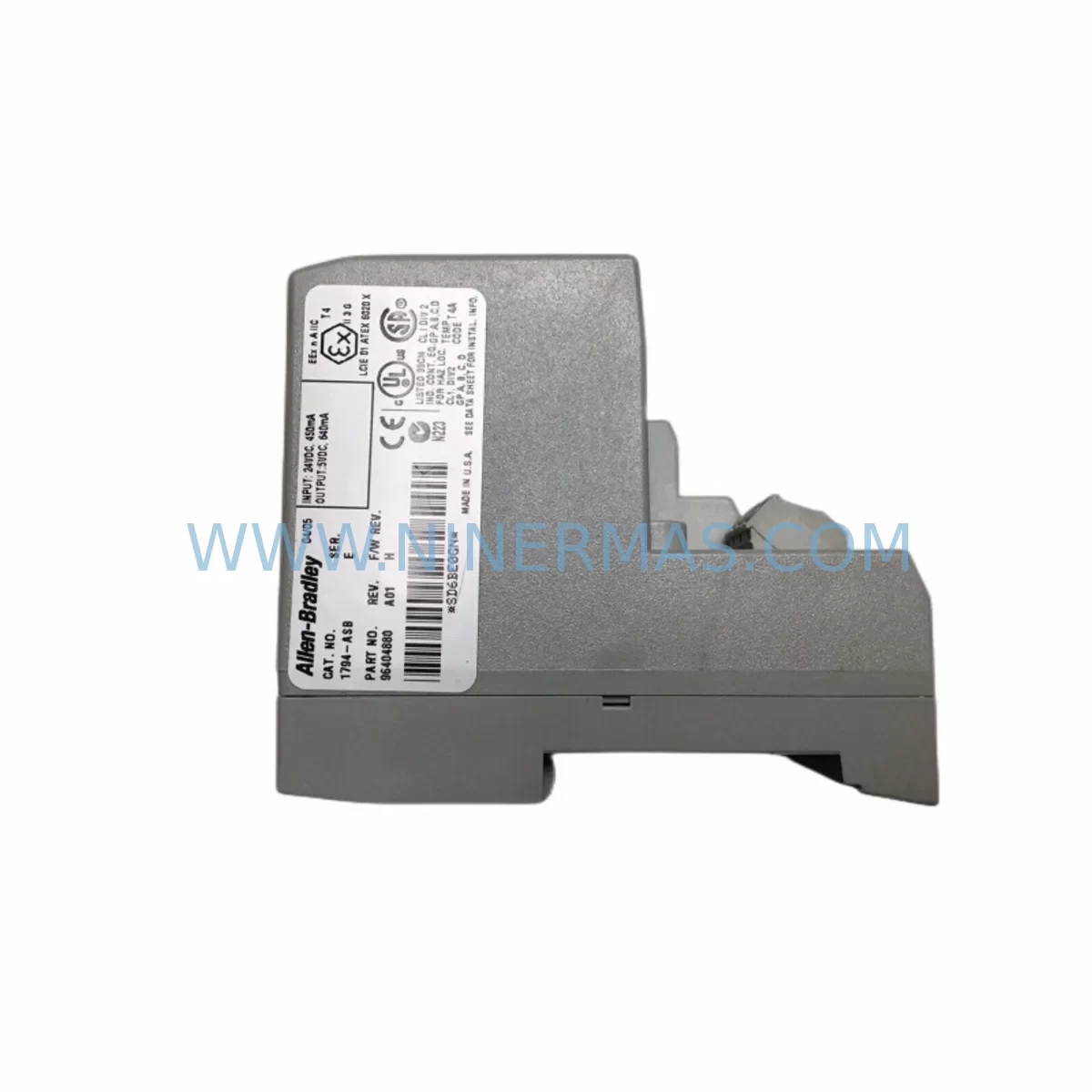
Allen-Bradley 1794-ASB Service-Ready Spare Part for Industrial Maintenance
Verify the part, confirm the platform family, and move straight into quotation with the right commercial details.
RFQ Ready
- SKU1794-ASB
- CategoryPLC & Industrial Automation Modules
- BrandAllen-Bradley
- SupportAvailability, lead time, condition, and shipping coordination
How Buyers Usually Use This Page
- Confirm the exact part number and platform family before sending the quote request.
- Use direct email when quantity, condition, and destination are already defined internally.
- Switch to the broader brand or category archive when you need alternates nearby.
Series Navigation
Move through the most common platform families behind this part.
Product RFQ
Send this part directly for quotation.
Include quantity, required condition, destination country, and target delivery timing. Current reference: Allen-Bradley 1794-ASB Service-Ready Spare Part for Industrial Maintenance with SKU 1794-ASB.
Allen-Bradley 1794-ASB Service-Ready Spare Part for Industrial Maintenance
The Allen-Bradley 1794-ASB is a FLEX Remote I/O Adapter module designed for distributed I/O applications in demanding industrial environments. As a critical node in the 1794 FLEX I/O platform, the 1794-ASB enables seamless communication between remote I/O racks and host controllers over the Remote I/O (RIO) network. For maintenance engineers managing aging automation systems, having a verified, service-ready 1794-ASB in stock is essential to minimizing unplanned downtime and sustaining production continuity.
NINERMAS supplies the 1794-ASB as an original spare part, fully tested prior to shipment and backed by a 12-month warranty. Whether you are executing a scheduled annual overhaul, responding to an emergency fault, or building a strategic spare parts inventory for a multi-line facility, the 1794-ASB is a high-priority component that should be on every maintenance BOM for systems running the FLEX I/O architecture.
Spare Maintenance Table
| Parameter | Specification / Detail |
|---|---|
| Part Number | 1794-ASB |
| Brand | Allen-Bradley (Rockwell Automation) |
| Series | 1794 FLEX I/O |
| Module Type | Remote I/O Adapter |
| Network Protocol | Remote I/O (RIO) |
| Backplane Communication | FLEX I/O Backplane |
| Max I/O Modules Supported | Up to 8 FLEX I/O modules per adapter |
| Supply Voltage | 24V DC (nominal) |
| Operating Temperature | 0°C to 55°C |
| Mounting | DIN Rail / Panel Mount via FLEX I/O Terminal Base |
| Compatibility | PLC-5, SLC 500, ControlLogix (via RIO scanner), CompactLogix |
| Origin | United States |
| Condition | Original, New or Tested Surplus |
| Warranty | 12 Months |
| Pre-shipment Testing | Yes — functional verification before dispatch |
| Typical Application | Distributed I/O, remote panel control, machine automation, process control |
| Maintenance Recommendation | Inspect backplane connectors, verify RIO cable integrity, check 24V DC supply on replacement |
Maintenance Planning for Continuous Operation
When a 1794-ASB adapter fails or is flagged during a routine control cabinet inspection, the fault rarely exists in isolation. Maintenance engineers should treat the replacement of a 1794-ASB as an opportunity to audit the surrounding electrical environment and prevent cascading failures that could extend downtime beyond the initial incident.
Begin by verifying the integrity of the RIO trunk cable and drop cable connecting the 1794-ASB to the host scanner. Damaged or aged RIO coaxial cables are a common root cause of intermittent communication faults that are often misdiagnosed as adapter failures. Inspect the cable termination resistors at both ends of the RIO network — a missing or incorrect terminator will cause persistent communication errors even after a new 1794-ASB is installed.
Next, confirm the 24V DC power supply feeding the FLEX I/O rack. A marginal or failing 1794-PS13 or equivalent FLEX I/O power supply can cause the adapter to reset unexpectedly under load. If the power supply is original to the installation and has not been replaced in recent years, proactive replacement alongside the 1794-ASB is a sound maintenance decision.
Inspect all 1794 FLEX I/O modules mounted on the same backplane — including digital input modules such as the 1794-IB16, digital output modules such as the 1794-OB16, and analog modules such as the 1794-IE8 or 1794-OE4. A shorted output channel on a neighboring I/O module can place excessive load on the backplane and contribute to adapter instability. Verify that all terminal base units (1794-TB3 or 1794-TB32) are securely seated and that wiring terminations are tight and corrosion-free.
For facilities running PLC-5 or SLC 500 host controllers with 1771 or 1747 remote I/O scanner cards, confirm that the scanner’s node address and baud rate settings match the 1794-ASB configuration. Mismatched baud rates — typically 57.6K, 115.2K, or 230.4K — are a frequent commissioning error after adapter replacement. Document the existing switch settings on the failed unit before removal to ensure the replacement is configured identically.
If the control system has been upgraded to a ControlLogix or CompactLogix platform using a 1756-DHRIO or 1747-SN remote I/O scanner, verify that the scanner’s rack and group assignments are correctly mapped in the controller project. An incorrectly mapped I/O tree will prevent the new 1794-ASB from being recognized by the host, even if the hardware is functioning correctly.
For facilities managing long-term asset life extension programs on legacy automation systems, maintaining a minimum stock of one to two 1794-ASB units per production line is strongly recommended. The 1794 FLEX I/O platform, while mature, remains widely deployed across food and beverage, automotive, water treatment, and discrete manufacturing facilities. Sourcing delays for legacy Rockwell Automation components can extend to weeks or months through standard distribution channels — making a pre-positioned spare inventory a critical risk mitigation strategy.
Additional components that should be reviewed during a 1794-ASB replacement event include signal isolators on analog I/O circuits, fuse blocks and miniature circuit breakers protecting the 24V DC distribution rail, surge protection devices on field wiring inputs, and any 1492 terminal blocks used for field wiring consolidation. A comprehensive inspection at the time of adapter replacement reduces the probability of a repeat fault call within the same maintenance cycle.
Site Replacement Workflow
Step 1 — Fault Confirmation: Before removing the 1794-ASB, confirm the fault using the host controller’s diagnostic screen or RSLogix 500/5000 fault table. Document the fault code, node address, rack number, and last known I/O status. This information is essential for post-replacement verification.
Step 2 — Safe Isolation: De-energize the FLEX I/O rack by removing power at the 24V DC supply breaker. Do not rely solely on the controller’s inhibit function. Verify zero voltage at the adapter’s power input terminals using a calibrated multimeter before proceeding.
Step 3 — Configuration Documentation: Photograph or record the DIP switch settings on the existing 1794-ASB. These switches define the node address, baud rate, and rack size. The replacement unit must be configured identically before installation.
Step 4 — Module Removal: Disconnect the RIO drop cable from the adapter. Remove the adapter from the terminal base by releasing the locking tab and sliding the module free. Inspect the backplane connector on the terminal base for bent pins or contamination before installing the replacement.
Step 5 — Replacement Installation: Configure the new 1794-ASB DIP switches to match the documented settings. Seat the adapter firmly onto the terminal base until the locking tab engages. Reconnect the RIO drop cable, ensuring the BNC connector is fully locked.
Step 6 — Power-Up and Verification: Restore 24V DC power. Observe the adapter’s status LEDs — the Active and OK indicators should illuminate solid green within a few seconds of power application. From the host controller, verify that all I/O points in the affected rack are communicating correctly and that no fault codes remain active.
Step 7 — Functional Test: Exercise representative I/O points — both inputs and outputs — to confirm end-to-end signal integrity. For analog modules, verify that engineering unit values are within expected ranges before releasing the system to production.
This workflow is applicable whether the 1794-ASB is being replaced on an emergency basis during a production stoppage or as part of a planned maintenance window. The total replacement time for a trained technician is typically 30 to 60 minutes, excluding any controller configuration changes.
Spare Parts Support FAQ
Q1: Is the 1794-ASB supplied by NINERMAS an original Allen-Bradley component?
Yes. NINERMAS supplies only original Allen-Bradley 1794-ASB units sourced through verified industrial channels. Each unit undergoes functional testing prior to shipment. A 12-month warranty is provided on all spare parts supplied by NINERMAS, covering manufacturing defects and functional failures under normal operating conditions.
Q2: How do I confirm compatibility between the 1794-ASB and my existing host controller?
The 1794-ASB is compatible with any host controller equipped with a Remote I/O scanner port or scanner module, including PLC-5 processors, SLC 500 systems with 1747-SN scanners, and ControlLogix systems using the 1756-DHRIO module. Confirm the RIO baud rate and rack configuration in your existing controller program before ordering. If you require compatibility verification support, contact NINERMAS with your controller model and existing adapter configuration details.
Q3: What is NINERMAS’s lead time for the 1794-ASB, and can you support emergency orders?
NINERMAS maintains stock of high-demand legacy components including the 1794-ASB to support emergency maintenance scenarios. Standard orders are processed and shipped within 1 to 3 business days. For critical production stoppages, contact NINERMAS directly at sale@ninermas.com or +0086 187 5021 5667 to discuss expedited shipment options. Long-term supply agreements are also available for facilities requiring guaranteed stock availability.
Q4: Does NINERMAS offer long-term supply support for discontinued or legacy Allen-Bradley components?
Yes. NINERMAS specializes in long-term supply support for legacy and end-of-life industrial automation components, including the 1794 FLEX I/O series. For facilities operating systems that depend on components no longer available through standard distribution, NINERMAS can provide inventory reservation, scheduled delivery programs, and multi-unit procurement to support planned maintenance and life extension strategies.
| Product Series | ControlLogix |
|---|---|
| Country of Origin | US |
Catalog Continuation
More Allen-Bradley modules in the catalog.
Use the brand lane to compare nearby part numbers, platform-adjacent modules, and other inquiry-ready listings before sending your final RFQ.




Catalog Continuation
Alternative parts within PLC & Industrial Automation Modules.
Stay inside the same system family when you need substitutes, adjacent modules, or a broader shortlist for procurement review.



SKU: HDD02.2-W040N-HS12-01-FW FWA-DIAX04-ELS-05VRS-MS
Rexroth HDD02.2-W040N-HS12-01-FW Service-Ready Spare Part

SKU: I5DAE375F10010000S
Lenze I5DAE375F10010000S Service-Ready Spare Part for Industrial Maintenance