
Original Industrial Spare Part
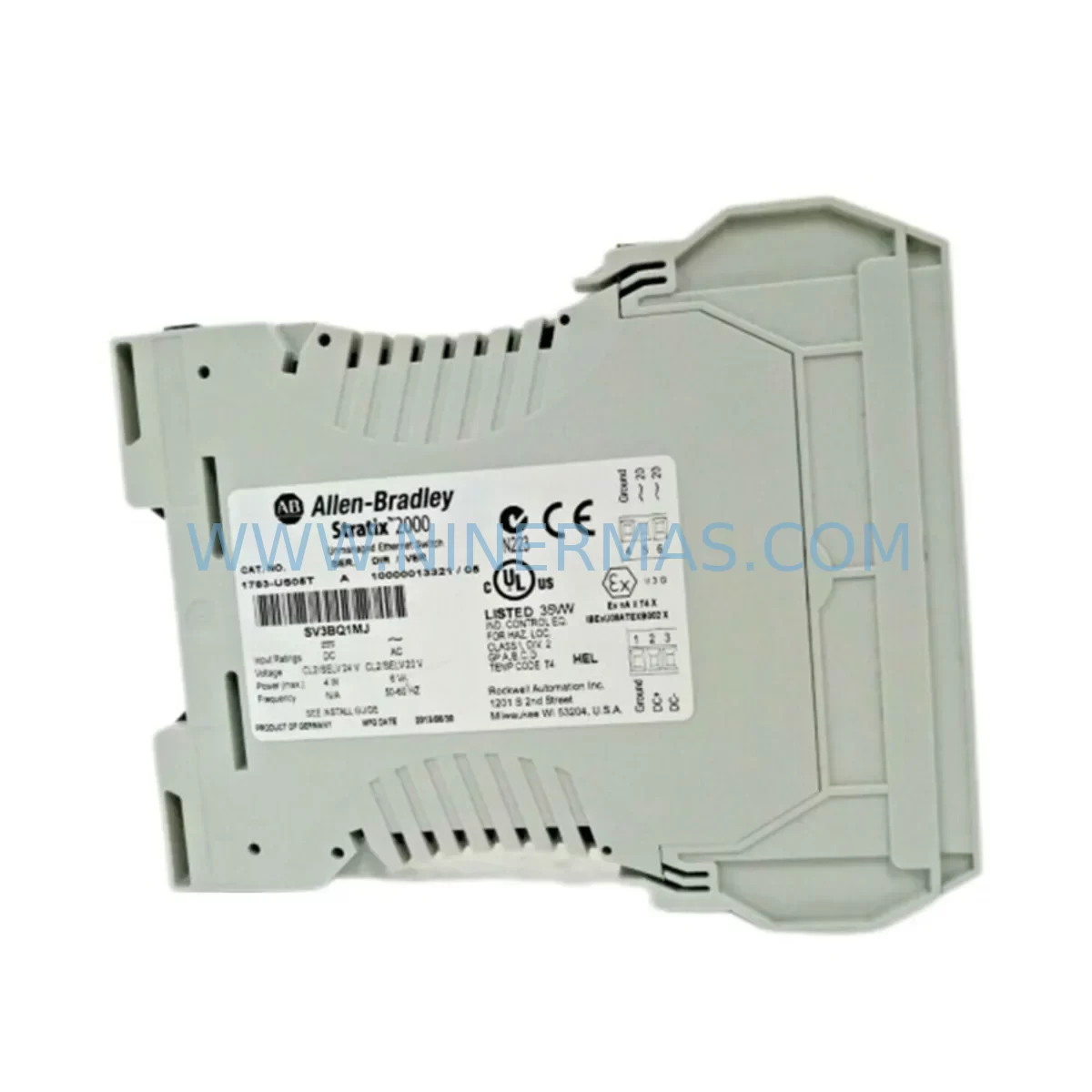
Allen-Bradley 1783-US05T Retrofit-Compatible Ethernet Switch
Verify the part, confirm the platform family, and move straight into quotation with the right commercial details.
RFQ Ready
- SKU1783-US05T
- CategoryPLC & Industrial Automation Modules
- BrandAllen-Bradley
- SupportAvailability, lead time, condition, and shipping coordination
How Buyers Usually Use This Page
- Confirm the exact part number and platform family before sending the quote request.
- Use direct email when quantity, condition, and destination are already defined internally.
- Switch to the broader brand or category archive when you need alternates nearby.
Series Navigation
Move through the most common platform families behind this part.
Product RFQ
Send this part directly for quotation.
Include quantity, required condition, destination country, and target delivery timing. Current reference: Allen-Bradley 1783-US05T Retrofit-Compatible Ethernet Switch with SKU 1783-US05T.
Allen-Bradley 1783-US05T Retrofit-Compatible Ethernet Switch for Legacy System Modernization
The Allen-Bradley 1783-US05T is a 5-port unmanaged Ethernet switch from the Stratix 2000 series, purpose-built for industrial automation environments. As legacy control architectures age and OEM support windows close, the 1783-US05T has become a critical retrofit component for engineers tasked with modernizing distributed control systems without full panel redesigns. NINERMAS maintains verified stock of the 1783-US05T to support planned upgrades, emergency replacements, and long-cycle maintenance programs across manufacturing, utilities, and process industries.
Whether you are migrating from an older ControlNet or DeviceNet backbone to EtherNet/IP, expanding an existing Logix-based control network, or simply replacing a failed switch in a legacy control cabinet, the 1783-US05T provides a compact, DIN-rail-mountable solution that integrates directly into existing panel layouts without requiring additional power supply modifications. Its 24 VDC input is compatible with the standard 24 V bus found in most Allen-Bradley control cabinets, eliminating the need for a dedicated power module or voltage converter during retrofit.
Upgrade Compatibility Table
| Parameter | 1783-US05T (This Unit) | Retrofit Notes |
|---|---|---|
| Port Count | 5 × RJ45 10/100 Mbps | Verify existing cable count before swap; add patch panel if expanding |
| Power Input | 24 VDC (18–30 V range) | Compatible with standard Allen-Bradley 1606-XLP and 1606-XLS power supplies |
| Mounting | DIN rail (35 mm) | Direct replacement for most Stratix 2000 installations; confirm rail depth |
| Communication Protocol | EtherNet/IP (unmanaged) | No VLAN or QoS config required; plug-and-play on existing EtherNet/IP segments |
| Operating Temperature | 0–60 °C | Confirm cabinet thermal profile; add ventilation if replacing in sealed enclosures |
| Replacement Compatibility | Stratix 2000 series | Pin-compatible with 1783-US05T original; no firmware changes required |
| Commissioning | No configuration required | Power on, connect cables, verify link LEDs; no software tools needed |
| Warranty | 12 Months | Covered by NINERMAS 12-month quality warranty from shipment date |
Retrofit Planning for Existing Automation Systems
Successful integration of the 1783-US05T into a legacy automation environment begins with a thorough audit of the existing network topology. In most Logix-based systems, the switch sits between a CompactLogix L3x or ControlLogix L7x controller and field devices such as PowerFlex 525 or PowerFlex 755 variable frequency drives, remote I/O adapters, and operator interface panels running PanelView Plus 7 or PanelView Plus 6 terminals. Before removing the failed or obsolete switch, engineers should document all IP address assignments, subnet masks, and gateway configurations currently active on the segment to avoid address conflicts after the replacement unit is installed.
Terminal wiring for the 24 VDC power input should be verified against the existing panel drawing. The 1783-US05T uses a two-terminal screw connector for DC power; polarity must be confirmed before energizing. In cabinets where a 1606-XLP power supply feeds multiple devices on a shared 24 V rail, verify that the available current budget accommodates the switch’s nominal draw without triggering the supply’s overload protection. If the cabinet also houses a 1756-PA75 or 1756-PB75 ControlLogix power supply feeding a chassis backplane, ensure that the Ethernet switch is on a separate DC circuit to isolate any transient noise from the PLC backplane.
For systems that include a 1783-MX08T managed switch upstream, the unmanaged 1783-US05T can be deployed as a downstream edge switch without any VLAN reconfiguration on the managed layer. This is a common architecture in cell-level network designs where the managed switch handles inter-VLAN routing and the unmanaged switch provides local port density at the machine level. If the retrofit also involves adding a 1783-ETAP EtherNet/IP tap for passive monitoring or a 1783-BMS10CGN managed switch for a larger segment, the 1783-US05T can coexist on the same EtherNet/IP subnet without protocol conflicts.
In applications where the legacy system used a 1747-SN Remote I/O Scanner or 1771-ASB adapter for older PLC-5 or SLC 500 I/O racks, the migration path typically involves introducing an EtherNet/IP-to-Remote I/O gateway alongside the 1783-US05T to bridge the legacy I/O to the modern network. This approach preserves existing field wiring and I/O module investments while enabling the control program to run on a current-generation Logix platform. The 1783-US05T provides the local switching capacity needed to connect the gateway, the controller, and any HMI on the same network segment without requiring a managed switch for this straightforward topology.
Before finalizing the retrofit plan, confirm that the physical installation space in the control cabinet accommodates the 1783-US05T’s DIN rail footprint. The unit’s compact profile is designed to fit in standard 300 mm and 400 mm wide enclosures alongside other DIN-mounted components. If the cabinet is particularly congested, consider the cable bend radius for the RJ45 patch cables connecting to the switch ports, as insufficient bend radius can cause intermittent link failures that are difficult to diagnose after the panel is closed.
Downtime Control During System Migration
Minimizing production downtime during a switch replacement requires preparation before the maintenance window begins. Prior to the cutover, create a full backup of the Logix controller program using Studio 5000 Logix Designer and store it on a secure offline medium. If the system includes a PanelView Plus HMI, export the FactoryTalk View ME application project as well, so that the HMI configuration can be restored independently if the terminal loses its network connection during the swap.
During the replacement, work sequentially: power down the cabinet section feeding the failed switch, remove the old unit from the DIN rail, install the 1783-US05T, reconnect all Ethernet patch cables in the same port sequence as documented before the outage, and restore power. Because the 1783-US05T is an unmanaged switch, there is no configuration to restore — the unit begins forwarding traffic as soon as it receives power and detects link on its ports. This eliminates the risk of misconfiguration during a time-pressured maintenance window.
After power restoration, verify controller-to-device communication by going online with the Logix controller in Studio 5000 and confirming that all I/O modules, drives, and HMI connections show a healthy status in the I/O tree. If any device fails to communicate, check the physical link LED on the corresponding switch port before assuming a software or configuration issue. In most cases, a failed link LED indicates a cable or connector problem introduced during the swap rather than a switch fault. Once all devices are confirmed online, run a short functional test of the control logic before returning the system to automatic operation. The entire replacement process, from power-down to functional verification, can typically be completed within a 30-to-60-minute planned maintenance window when the preparation steps above are followed.
Retrofit Support FAQ
Q: Is the 1783-US05T a direct drop-in replacement for an existing Stratix 2000 switch in my panel?
A: Yes. The 1783-US05T is the standard catalog number for the 5-port Stratix 2000 unmanaged switch. It uses the same DIN rail mounting, 24 VDC power input, and RJ45 port layout as previous production runs of the same model. No wiring changes or software modifications are required for a like-for-like replacement.
Q: Does NINERMAS test units before shipment?
A: Yes. Every 1783-US05T shipped by NINERMAS undergoes a power-on functional test to verify port link activity and power input operation before packaging. Units are shipped with original or equivalent protective packaging to prevent transit damage.
Q: What warranty coverage is provided?
A: NINERMAS provides a 12-month warranty from the date of shipment covering manufacturing defects and functional failures under normal operating conditions. Warranty claims are handled directly by NINERMAS with priority turnaround to minimize your system downtime.
Q: Can this switch be used in a mixed network with both managed and unmanaged switches?
A: Yes. The 1783-US05T operates transparently on any EtherNet/IP segment regardless of whether upstream switches are managed or unmanaged. It does not require VLAN membership, QoS tagging, or IGMP snooping configuration, making it compatible with managed switches such as the 1783-MX08T or 1783-BMS10CGN without any additional network configuration.
| Product Series | Stratix |
|---|---|
| Country of Origin | US |
Catalog Continuation
More Allen-Bradley modules in the catalog.
Use the brand lane to compare nearby part numbers, platform-adjacent modules, and other inquiry-ready listings before sending your final RFQ.




Catalog Continuation
Alternative parts within PLC & Industrial Automation Modules.
Stay inside the same system family when you need substitutes, adjacent modules, or a broader shortlist for procurement review.



SKU: HDD02.2-W040N-HS12-01-FW FWA-DIAX04-ELS-05VRS-MS
Rexroth HDD02.2-W040N-HS12-01-FW Service-Ready Spare Part

SKU: I5DAE375F10010000S
Lenze I5DAE375F10010000S Service-Ready Spare Part for Industrial Maintenance



