Original Industrial Spare Part
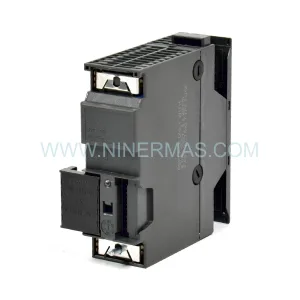
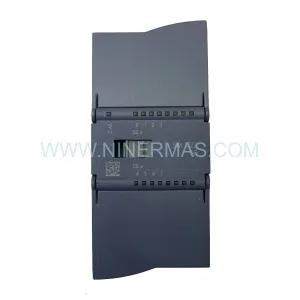
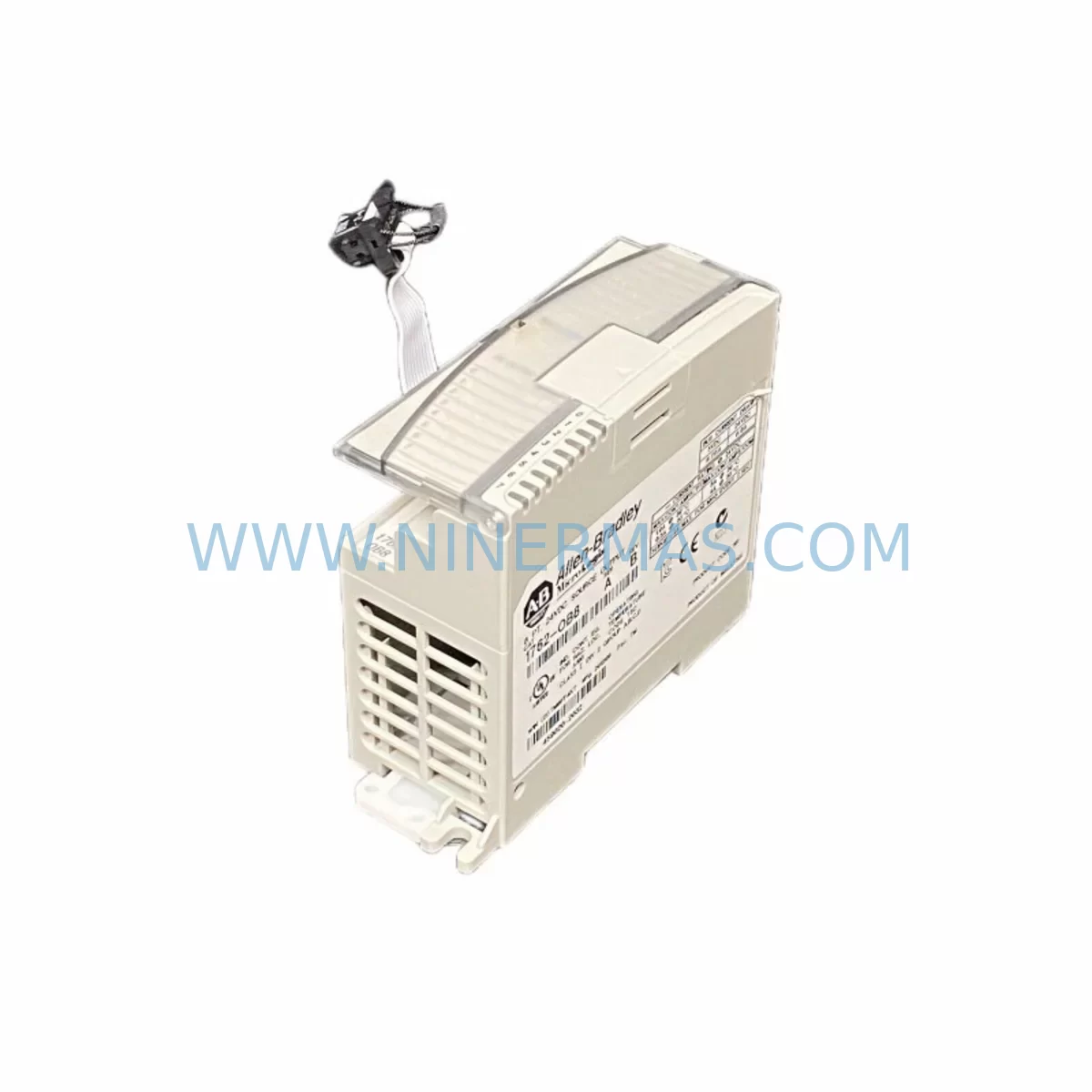
Allen-Bradley 1762-OB8 Spare Part for Industrial Maintenance
Verify the part, confirm the platform family, and move straight into quotation with the right commercial details.
RFQ Ready
- SKU1762-OB8
- CategoryPLC & Industrial Automation Modules
- BrandAllen-Bradley
- SupportAvailability, lead time, condition, and shipping coordination
How Buyers Usually Use This Page
- Confirm the exact part number and platform family before sending the quote request.
- Use direct email when quantity, condition, and destination are already defined internally.
- Switch to the broader brand or category archive when you need alternates nearby.
Series Navigation
Move through the most common platform families behind this part.
Product RFQ
Send this part directly for quotation.
Include quantity, required condition, destination country, and target delivery timing. Current reference: Allen-Bradley 1762-OB8 Spare Part for Industrial Maintenance with SKU 1762-OB8.
Allen-Bradley 1762-OB8 Spare Part for Industrial Maintenance
The Allen-Bradley 1762-OB8 is an 8-point, 24VDC sourcing digital output module designed for the MicroLogix 1100 and MicroLogix 1200 controller platforms. As a core expansion module within the 1762 Series I/O family, the 1762-OB8 delivers reliable discrete output control for a wide range of industrial automation applications — from conveyor line control and motor starter switching to solenoid valve actuation and indicator lamp circuits. For maintenance engineers managing aging MicroLogix-based control systems, maintaining a stocked spare of the 1762-OB8 is a fundamental risk-reduction strategy that directly supports uptime targets and production continuity.
In facilities where MicroLogix 1100 or MicroLogix 1200 controllers manage critical production lines, an unexpected failure of the 1762-OB8 output module can result in immediate line stoppage. The module’s 8 sourcing outputs, each rated at 0.5A continuous, interface directly with field devices including solenoids, relays, and pilot lights. When a channel fails — whether due to overcurrent, short circuit, or component aging — the affected output circuit goes dark, and the downstream device loses its command signal. Without a pre-stocked replacement, the maintenance team faces unplanned downtime that can extend from hours to days depending on local distributor availability.
NINERMAS maintains ready inventory of the 1762-OB8 to support emergency replacement scenarios. Each unit is sourced from verified supply channels, inspected upon receipt, and function-tested prior to shipment. A 12-month warranty is provided on every unit, covering manufacturing defects and operational failures under normal industrial use conditions.
Spare Maintenance Table
| Parameter | Specification |
|---|---|
| SKU / Part Number | 1762-OB8 |
| Brand / Manufacturer | Allen-Bradley (Rockwell Automation) |
| Series | MicroLogix 1762 Expansion I/O |
| Compatible Controllers | MicroLogix 1100, MicroLogix 1200 |
| Output Type | Sourcing (PNP), Discrete Digital Output |
| Number of Output Points | 8 Points |
| Output Voltage | 10–28.8V DC |
| Output Current per Point | 0.5A continuous |
| Total Module Current | 4A maximum |
| Backplane Current Draw | 40mA @ 5V DC |
| Communication Interface | 1762 Expansion Bus |
| Installation Method | DIN Rail or Panel Mount |
| Operating Temperature | 0°C to 55°C (32°F to 131°F) |
| Protection | Short-circuit and overload protected per output |
| Warranty | 12 Months — Covers manufacturing defects and operational failure under normal use |
| Condition | New / Tested-before-shipment |
Maintenance Planning for Continuous Operation
Effective maintenance planning for a MicroLogix-based control system requires a holistic view of the entire I/O expansion rack and control cabinet. When the 1762-OB8 is identified as a replacement candidate — whether during a scheduled annual inspection or an emergency fault response — the maintenance engineer should simultaneously evaluate the condition of adjacent modules and supporting infrastructure.
The 1762-IQ8 8-point 24VDC digital input module is the natural companion to the 1762-OB8 in most control cabinet configurations. Both modules share the same 1762 expansion bus and are typically installed side by side. If the output module shows signs of wear or channel failure, the input module should be inspected for similar degradation, particularly if both have been in service for the same duration. Similarly, the 1762-IF4 analog input module and 1762-OF4 analog output module — commonly used in the same expansion rack for process variable monitoring and control signal generation — should be verified for correct operation during any planned maintenance window.
The MicroLogix 1100 controller itself, specifically the 1763-L16BWA or 1763-L16BBB base unit, should be checked for firmware version compatibility when replacing expansion I/O modules. Rockwell Automation periodically releases firmware updates that affect I/O module recognition and channel configuration behavior. Confirming that the controller firmware is current before installing the replacement 1762-OB8 eliminates a common source of post-replacement commissioning delays.
Power supply integrity is equally critical. The 1762-OB8 draws 40mA from the 5V DC backplane bus. If the system uses an external 24V DC field power supply — such as a 1606-XLP series power supply — the maintenance team should verify that the supply’s output voltage is within the 10–28.8V DC operating range of the module’s output circuit. Voltage sag caused by an aging or undersized power supply is a frequent root cause of intermittent output failures that are misdiagnosed as module faults.
Terminal block wiring should be inspected and re-torqued during module replacement. Loose field wiring connections at the output terminal strip are a leading cause of nuisance faults in discrete output circuits. If the control cabinet uses Phoenix Contact or Weidmüller terminal blocks for field device connections, verify that all conductors are properly seated and that ferrules are intact. Signal isolation barriers — such as those used between the PLC output and high-voltage field devices — should also be tested for correct operation.
For facilities that use RSLogix 500 or Studio 5000 Logix Designer for program management, the I/O configuration file should be backed up before the module swap. The 1747-UIC USB-to-DH485 interface cable or a compatible programming cable should be on hand to allow immediate program verification and online monitoring after the replacement module is installed. HMI panels connected to the MicroLogix system — such as a PanelView Component C400 or PanelView Plus 600 — should remain powered during the module swap to preserve communication link status and allow real-time verification of output states after restoration.
For sites managing multiple MicroLogix systems across a facility, a recommended minimum spare parts inventory includes: one 1762-OB8, one 1762-IQ8, one 1762-IF4, one replacement MicroLogix 1100 base unit, and a set of pre-configured terminal blocks. This inventory profile supports same-shift restoration for the most common failure modes without requiring emergency procurement.
Site Replacement Workflow
Replacing the 1762-OB8 on a live production system requires a structured approach to minimize downtime and avoid secondary faults. The following workflow reflects best practices for MicroLogix 1762 Series I/O module replacement in an industrial environment.
Step 1 — Pre-Replacement Preparation: Before removing the faulty module, use RSLogix 500 to go online with the controller and document the current I/O configuration, including module slot address, output forcing status, and any active faults. Save a backup copy of the program to a local drive. Confirm that the replacement 1762-OB8 carries the same catalog number and firmware compatibility as the module being removed.
Step 2 — Power and Field Device Isolation: De-energize the field power supply feeding the 1762-OB8 output circuit. Do not power down the MicroLogix controller unless the application requires a full system shutdown. In many installations, the 1762 expansion bus remains powered while field power is isolated, allowing the controller to continue executing the program in a degraded mode. Verify isolation using a calibrated multimeter before proceeding.
Step 3 — Module Removal and Installation: Disconnect the field wiring terminal block from the module. Label all conductors before removal if they are not already marked. Remove the module from the DIN rail by releasing the locking tab. Install the replacement 1762-OB8, reconnect the terminal block, and verify that all conductors are correctly seated. Re-torque terminal screws to the manufacturer’s specified torque value.
Step 4 — System Restoration and Verification: Re-energize the field power supply. Go online with RSLogix 500 and verify that the replacement module is recognized by the controller without faults. Force each output point individually and confirm correct field device response. Remove all forces and return the system to automatic mode. Document the replacement in the site maintenance log, including the date, module serial number, and technician name.
This structured workflow typically allows a trained maintenance technician to complete the 1762-OB8 replacement within 30 to 60 minutes, minimizing production impact and ensuring a verified, documented restoration.
Spare Parts Support FAQ
Q1: Is the 1762-OB8 still available as a new spare part?
Yes. NINERMAS maintains stock of the Allen-Bradley 1762-OB8 as a new, genuine spare part. Each unit is sourced from verified supply channels and is available for immediate shipment. Long-term supply continuity is supported through our global sourcing network, ensuring availability even as the product approaches end-of-life status in Rockwell Automation’s catalog.
Q2: How do I confirm compatibility before ordering?
The 1762-OB8 is compatible with MicroLogix 1100 (catalog prefix 1763) and MicroLogix 1200 (catalog prefix 1762) controller systems. Compatibility is determined by the controller’s expansion I/O bus type. If you are unsure of your system configuration, provide your controller catalog number and current I/O slot layout to our technical team at sale@ninermas.com for pre-order compatibility confirmation.
Q3: What testing is performed before shipment?
Every 1762-OB8 unit shipped by NINERMAS undergoes a pre-shipment functional test that verifies output channel continuity, backplane communication response, and LED indicator operation. Units that do not pass the test protocol are quarantined and not shipped. A test report is available upon request for quality-critical procurement requirements.
Q4: What does the 12-month warranty cover?
The 12-month warranty covers manufacturing defects and operational failures that occur under normal industrial operating conditions within the specified voltage, current, and temperature ranges. Warranty claims are processed through NINERMAS directly. In the event of a confirmed warranty failure, a replacement unit is dispatched within 3 business days of fault confirmation. The warranty period begins from the date of shipment.
| Product Series | MicroLogix |
|---|---|
| Country of Origin | US |
Catalog Continuation
More Allen-Bradley modules in the catalog.
Use the brand lane to compare nearby part numbers, platform-adjacent modules, and other inquiry-ready listings before sending your final RFQ.


Catalog Continuation
Alternative parts within PLC & Industrial Automation Modules.
Stay inside the same system family when you need substitutes, adjacent modules, or a broader shortlist for procurement review.
SKU: 6SL3224-0BE33-7UA0
Siemens 6SL3224-0BE33-7UA0 Service-Ready Spare Part
SKU: HENF331395R0001 P4LDA
ABB HENF331395R0001 Service-Ready Industrial Spare Part