Original Industrial Spare Part
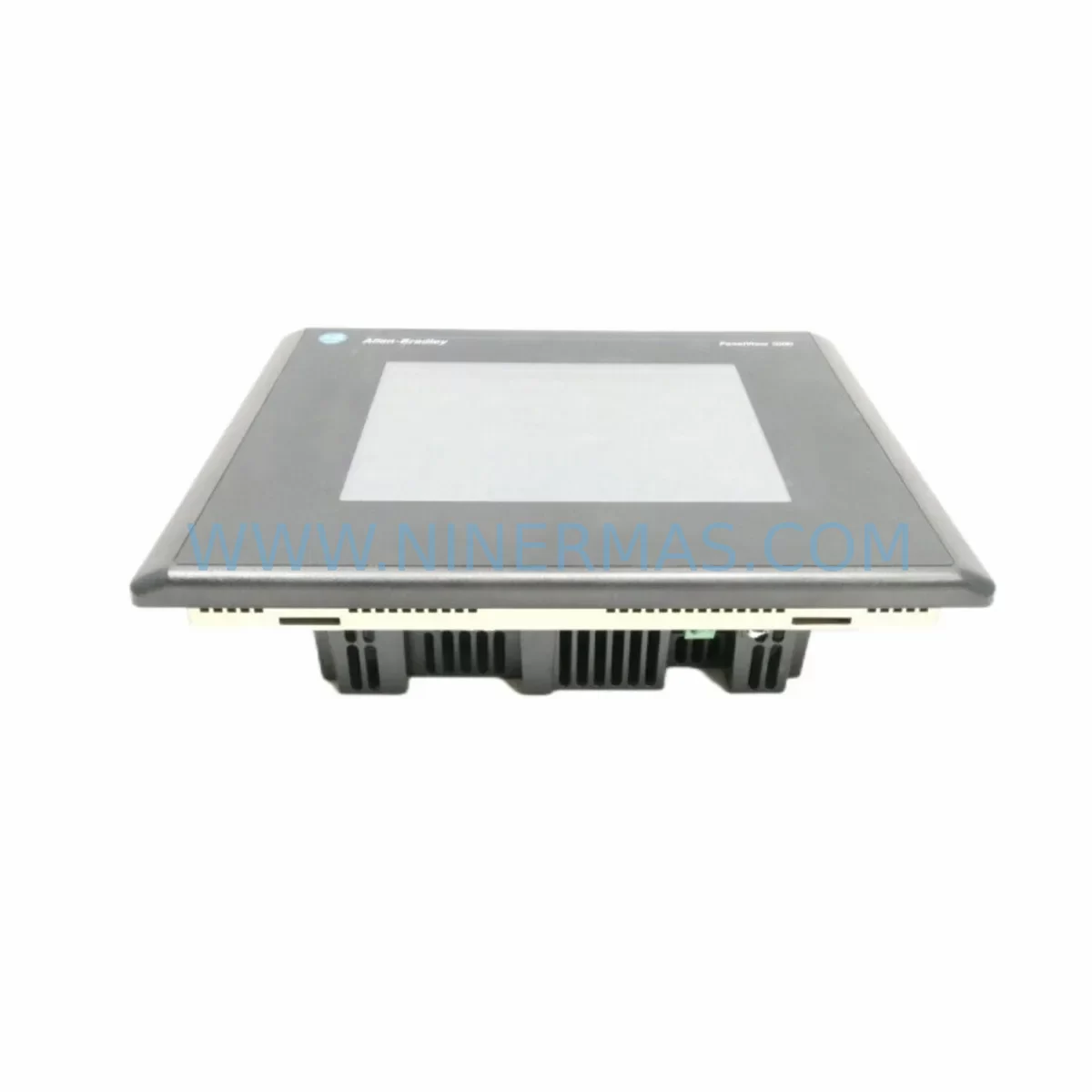
AB 2711-T10C20L1 Retrofit-Compatible HMI Terminal
Verify the part, confirm the platform family, and move straight into quotation with the right commercial details.
RFQ Ready
- SKU2711-T10C20L1
- CategoryPLC & Industrial Automation Modules
- BrandAllen-Bradley
- SupportAvailability, lead time, condition, and shipping coordination
How Buyers Usually Use This Page
- Confirm the exact part number and platform family before sending the quote request.
- Use direct email when quantity, condition, and destination are already defined internally.
- Switch to the broader brand or category archive when you need alternates nearby.
Series Navigation
Move through the most common platform families behind this part.
Product RFQ
Send this part directly for quotation.
Include quantity, required condition, destination country, and target delivery timing. Current reference: AB 2711-T10C20L1 Retrofit-Compatible HMI Terminal with SKU 2711-T10C20L1.
AB 2711-T10C20L1 Retrofit-Compatible HMI Terminal: Legacy System Compatibility & Smooth Upgrade
The Allen-Bradley 2711-T10C20L1 is a 10.4-inch color touch terminal from the PanelView 1000 series, designed for demanding industrial environments. As legacy PanelView systems reach end-of-life and spare parts become increasingly scarce, the 2711-T10C20L1 remains one of the most sought-after retrofit solutions for facilities running aging DH+ or RS-232-based HMI architectures. Whether you are replacing a failed unit on a bottling line, upgrading a control cabinet in a water treatment plant, or migrating a legacy automotive assembly cell, this terminal provides a reliable, tested path forward without requiring a full control system overhaul.
NINERMAS maintains verified inventory of the 2711-T10C20L1 with full functional testing prior to shipment, backed by a 12-month warranty. Each unit is inspected for display integrity, touch calibration, communication port function, and power input compliance before leaving our facility.
Upgrade Compatibility Table
| Parameter | 2711-T10C20L1 Specification | Retrofit Notes |
|---|---|---|
| Display Size | 10.4-inch Color TFT | Verify panel cutout dimensions before installation; matches standard PanelView 1000 cutout |
| Power Supply | 24 VDC | Confirm existing cabinet PSU (e.g., 1606-XLP or equivalent) can supply adequate current; check terminal block wiring |
| Communication Port | DH+ / RS-232 / DH-485 | Match to existing PLC communication module; DH+ requires 1784-KTX or 1784-PKTX adapter on programming side |
| Communication Compatibility | Allen-Bradley DH+, DH-485, RS-232 DF1 | Compatible with SLC 500, PLC-5, and MicroLogix controllers; verify node address settings |
| Mounting | Panel-mount, NEMA 4/4X front face | Gasket seal must be inspected; replace if original gasket is degraded |
| Application File | .PVA (PanelBuilder 1400e) | Existing .PVA application files can be reloaded via serial transfer; verify PanelBuilder version compatibility |
| Replacement Path | Direct replacement for 2711-T10C20, 2711-T10C8 | Confirm firmware revision matches application requirements; update if necessary |
| Debugging Focus | Touch calibration, node address, baud rate | Run full screen calibration after installation; confirm DH+ baud rate matches network (57.6K typical) |
| Warranty | 12-Month Warranty — all units tested before shipment | |
Retrofit Planning for Existing Automation Systems
Successful integration of the 2711-T10C20L1 into an existing control system requires careful pre-installation planning. The terminal communicates natively over DH+ networks, making it directly compatible with legacy SLC 5/04, SLC 5/05, and PLC-5 processors without requiring protocol conversion hardware. However, facilities that have partially migrated to ControlLogix or CompactLogix platforms may need to evaluate whether a 1761-NET-AIC Advanced Interface Converter or a 1747-AIC Link Coupler is already present in the control cabinet to bridge DH-485 segments.
Before removing the failed terminal, document the existing node address, baud rate, and communication port assignment. These settings are stored in the terminal’s non-volatile memory and must be manually re-entered on the replacement unit. If the original application file (.PVA) is not archived, it may be recoverable from the connected SLC 500 or PLC-5 processor’s data table if the application was designed with embedded tag references. In cases where the application file is lost, NINERMAS technical support can assist with baseline screen reconstruction using the controller’s I/O map.
Power supply verification is a critical step that is frequently overlooked. The 2711-T10C20L1 draws up to 30W at 24 VDC. If the existing cabinet power supply — such as a 1606-XLP30E or a third-party 24V rail — is already loaded near capacity by other devices including 1746-IB16 digital input modules, 1746-OB16 digital output modules, or 1746-NI4 analog input modules, adding the HMI terminal without a load audit can cause voltage sag and intermittent communication faults. Always measure actual rail voltage under load before commissioning.
For facilities upgrading from an older 2711-T10C8 (monochrome) to the 2711-T10C20L1 (color), the physical panel cutout dimensions are identical, but the application file must be converted to support color tag assignments. PanelBuilder 1400e software handles this conversion, and the process typically takes less than two hours for a standard 50-screen application. Alarm summary pages, trend displays, and recipe screens should be validated individually after conversion.
If the retrofit is part of a broader control cabinet upgrade that also involves replacing a 1747-L553 SLC 5/05 processor with a 1769-L33ER CompactLogix controller, the HMI communication path will need to change from DH+ to EtherNet/IP. In this scenario, the 2711-T10C20L1 is best used as a short-term bridge solution while the new PanelView Plus 7 — such as the 2711P-T10C21D8S — is being configured and the FactoryTalk View ME application is being developed. This staged approach allows production to continue on the existing DH+ network while the new Ethernet infrastructure is installed in parallel.
Signal isolation should also be considered when the terminal is installed in cabinets that share enclosures with variable frequency drives or servo amplifiers. A 1492-IFM20F interface module or equivalent signal conditioner on analog I/O lines can prevent ground loop interference from corrupting HMI communication. Shielded cable with proper grounding at one end is recommended for all DH+ trunk segments longer than 10 meters.
Downtime Control During System Migration
Minimizing unplanned downtime during an HMI replacement is the primary concern for most maintenance teams. The 2711-T10C20L1 supports a direct swap procedure that, when properly prepared, can be completed within a single 4-hour maintenance window. The key to achieving this is pre-staging: load the application file onto the replacement terminal before the maintenance window begins, verify communication settings on the bench using a laptop with RSLinx Classic and a 1784-U2DHP USB-to-DH+ adapter, and confirm that the touch screen calibration is complete before the unit reaches the production floor.
Protecting the original program logic in the connected SLC 500 or PLC-5 processor is non-negotiable. Before any work begins, upload and archive the processor program using RSLogix 500 or RSLogix Classic. Store the backup on a network drive and a local USB drive. The HMI application file should be separately archived using PanelBuilder 1400e. These two files together represent the complete recoverable state of the control system.
During the physical swap, label all terminal block connections before disconnecting. The 2711-T10C20L1 uses a standard DB-9 or DH+ connector depending on the communication port in use. Photograph the existing wiring before removal. Reconnect in reverse order and verify continuity before applying power. After power-up, confirm the DH+ node address LED indicators on the network show the terminal has joined the network without address conflicts.
Once the terminal is online, navigate through each screen in the application to verify tag connections are live. Pay particular attention to alarm pages, setpoint entry screens, and any screens that write values back to the processor data table. A brief functional test with the process in manual mode — where operators can verify that pushbutton commands on the HMI produce the expected outputs at the field device level — is the most reliable way to confirm a successful retrofit before returning the line to automatic operation.
Retrofit Support FAQ
Q: Is the 2711-T10C20L1 a direct drop-in replacement for the 2711-T10C20 and 2711-T10C8?
A: Yes. The 2711-T10C20L1 shares the same panel cutout dimensions and DH+ communication interface as the 2711-T10C20 and 2711-T10C8. The primary difference is the color display on the L1 variant versus the monochrome display on the C8. Application files from the C8 must be converted for color using PanelBuilder 1400e before loading onto the C20L1.
Q: Do you test units before shipment, and what does the 12-month warranty cover?
A: Every 2711-T10C20L1 unit shipped by NINERMAS undergoes functional testing including display verification, touch calibration, communication port check, and 24 VDC power input validation. The 12-month warranty covers hardware defects and functional failures under normal operating conditions. Units damaged by incorrect wiring, overvoltage, or physical impact are not covered.
Q: What communication cable and adapter do I need to load the application file onto the terminal?
A: For RS-232 transfer, use a standard null-modem serial cable connected to the terminal’s programming port and a PC running PanelBuilder 1400e. For DH+ network transfer, a 1784-U2DHP USB-to-DH+ adapter connected to RSLinx Classic is required. Ensure the baud rate in RSLinx matches the network baud rate (typically 57.6 Kbps for DH+).
Q: Do you maintain stock of the 2711-T10C20L1, and how quickly can it ship?
A: NINERMAS maintains verified inventory of the 2711-T10C20L1. In-stock units typically ship within 1–3 business days after order confirmation. For urgent breakdown situations, contact our team directly at sale@ninermas.com or +0086 187 5021 5667 to confirm availability and arrange expedited dispatch.
| Product Series | 2711 |
|---|---|
| Country of Origin | US |
Catalog Continuation
More Allen-Bradley modules in the catalog.
Use the brand lane to compare nearby part numbers, platform-adjacent modules, and other inquiry-ready listings before sending your final RFQ.




Catalog Continuation
Alternative parts within PLC & Industrial Automation Modules.
Stay inside the same system family when you need substitutes, adjacent modules, or a broader shortlist for procurement review.



SKU: HDD02.2-W040N-HS12-01-FW FWA-DIAX04-ELS-05VRS-MS
Rexroth HDD02.2-W040N-HS12-01-FW Service-Ready Spare Part

SKU: I5DAE375F10010000S
Lenze I5DAE375F10010000S Service-Ready Spare Part for Industrial Maintenance