
Original Industrial Spare Part
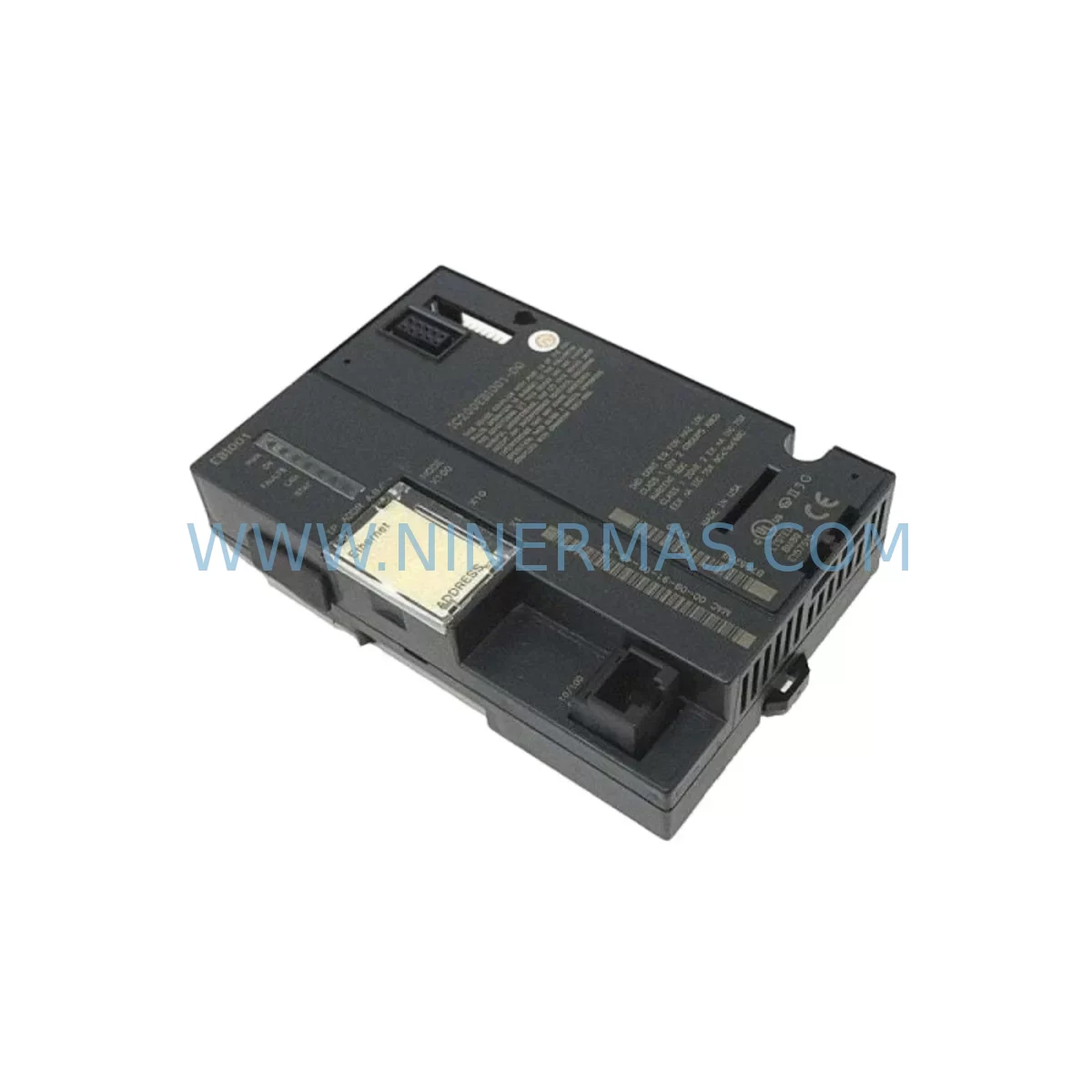
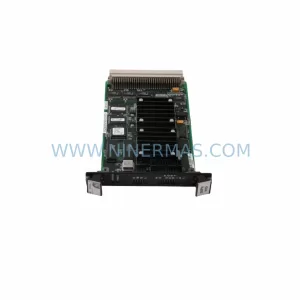
GE IC200EBI001 Service-Ready Spare Part for Industrial Maintenance
Verify the part, confirm the platform family, and move straight into quotation with the right commercial details.
RFQ Ready
- SKUIC200EBI001
- CategoryPLC & Industrial Automation Modules
- BrandGE
- SupportAvailability, lead time, condition, and shipping coordination
How Buyers Usually Use This Page
- Confirm the exact part number and platform family before sending the quote request.
- Use direct email when quantity, condition, and destination are already defined internally.
- Switch to the broader brand or category archive when you need alternates nearby.
Series Navigation
Move through the most common platform families behind this part.
Product RFQ
Send this part directly for quotation.
Include quantity, required condition, destination country, and target delivery timing. Current reference: GE IC200EBI001 Service-Ready Spare Part for Industrial Maintenance with SKU IC200EBI001.
GE IC200EBI001 Service-Ready Spare Part for Industrial Maintenance
The GE IC200EBI001 is a ruggedized Ethernet Network Interface Unit (NIU) designed for the GE VersaMax distributed I/O platform. As a critical communication bridge between the VersaMax I/O station and the plant-level Ethernet network, the IC200EBI001 enables real-time data exchange with host PLCs, DCS controllers, and SCADA systems operating over standard 10/100 Mbps Ethernet. In industrial environments where uptime is non-negotiable — automotive assembly lines, water treatment facilities, chemical processing plants, and discrete manufacturing cells — maintaining a verified, service-ready spare of the IC200EBI001 is a fundamental element of any responsible maintenance strategy.
Each unit supplied by NINERMAS is sourced from original manufacturer channels or verified surplus stock, subjected to functional pre-shipment testing, and backed by a 12-month warranty. Our inventory is maintained to support both emergency breakdown replacements and planned annual maintenance cycles, ensuring your procurement team can act decisively when a fault is detected.
Spare Maintenance Table
| Parameter | Specification |
|---|---|
| Part Number | IC200EBI001 |
| Brand / Manufacturer | GE (General Electric Automation) |
| Series | VersaMax Distributed I/O |
| Module Type | Ethernet Network Interface Unit (NIU) |
| Communication Protocol | Ethernet (10/100 Mbps), SRTP, Modbus TCP |
| Network Connector | RJ-45 (standard Ethernet) |
| Power Supply Input | 24 VDC (supplied via VersaMax backplane) |
| Operating Temperature | 0°C to +60°C (32°F to 140°F) |
| Storage Temperature | -40°C to +85°C |
| Humidity | 5% to 95% non-condensing |
| Mounting | VersaMax I/O carrier / backplane slot |
| Compatibility | GE VersaMax I/O stations; compatible with GE PACSystems RX3i, Series 90-30, and third-party Ethernet SCADA hosts |
| Certifications | CE, UL (refer to original GE datasheet for full listing) |
| Condition | Original / Tested Surplus |
| Warranty | 12 Months (NINERMAS) |
| Lead Time | In Stock — ships within 1–3 business days |
| Application Environment | Industrial automation, process control, discrete manufacturing, utilities |
Maintenance Planning for Continuous Operation
When a maintenance or reliability engineer identifies a fault or degraded performance in the IC200EBI001, the root cause is rarely isolated to the NIU alone. A systematic inspection of the surrounding control cabinet components is essential to prevent repeat failures and ensure a clean restoration of network communications.
Begin with the VersaMax power supply module (such as the IC200PWR002 or IC200PWR101) — verify output voltage stability under load, as undervoltage conditions are a leading cause of NIU communication dropouts and module resets. Inspect the VersaMax backplane (e.g., IC200CHS002 or IC200CHS022) for physical damage, oxidized contacts, or loose module seating that could cause intermittent bus faults.
Check all Ethernet patch cables and RJ-45 connectors in the network path — industrial environments with vibration and thermal cycling are notorious for causing connector fatigue. If the IC200EBI001 is part of a larger VersaMax station, inspect co-installed digital input modules (e.g., IC200MDL640) and digital output modules (e.g., IC200MDL740) for blown fuses, welded output contacts, or input signal anomalies that may have triggered a network fault condition upstream.
For sites running GE PACSystems RX3i or Series 90-30 as the host controller, verify the CPU module’s Ethernet configuration and confirm that the IP address, subnet mask, and SRTP server settings in the replacement IC200EBI001 are correctly programmed before returning the station to service. If the plant uses a GE HMI panel (such as a QuickPanel or Proficy iFIX workstation) for operator visualization, confirm that the HMI’s Ethernet driver re-establishes communication with the restored NIU without requiring a full driver restart.
Additionally, inspect signal isolators and terminal blocks on analog I/O circuits connected to the VersaMax station — ground loops introduced during a module swap can corrupt analog readings and trigger false alarms. Ensure that 24 VDC panel power supplies feeding the VersaMax rack are within specification and that any miniature circuit breakers (MCBs) or fuse holders protecting the supply rails are intact and correctly rated. A complete cabinet inspection at the time of NIU replacement is the most cost-effective way to prevent a second unplanned outage within the same maintenance window.
Site Replacement Workflow
Step 1 — Isolate and document: Before removing the IC200EBI001, capture the current IP configuration, MAC address, and any custom SRTP/Modbus TCP settings using your PLC programming software (e.g., GE Proficy Machine Edition). Photograph the wiring and module position for reference.
Step 2 — Power down safely: Follow your site’s lockout/tagout (LOTO) procedure. De-energize the VersaMax rack power supply. Confirm zero voltage at the backplane before handling modules.
Step 3 — Remove and inspect: Extract the faulty IC200EBI001 from its carrier slot. Inspect the backplane connector pins for damage or contamination. Clean with appropriate contact cleaner if required.
Step 4 — Install the replacement: Seat the new IC200EBI001 firmly into the carrier. Reconnect the Ethernet cable. Restore power to the rack and observe the module’s status LEDs — the OK LED should illuminate solid green within 30 seconds of power-up during normal initialization.
Step 5 — Configure and verify: Using Proficy Machine Edition or equivalent, download the saved network configuration to the replacement module. Verify that the host PLC or SCADA system re-establishes communication. Confirm all I/O data is updating correctly in the controller’s data table before releasing the system to production.
Step 6 — Update maintenance records: Log the replacement date, new module serial number, and any observations in your CMMS. Schedule a follow-up inspection at the next planned maintenance interval.
Spare Parts Support FAQ
Q1: Is the IC200EBI001 still available as a new original part, or only as tested surplus?
GE has transitioned many VersaMax components to end-of-life or limited-availability status. NINERMAS maintains stock of both original new-in-box units (where available) and fully tested surplus units. All units undergo pre-shipment functional verification and are covered by our 12-month warranty regardless of condition grade. Contact our team to confirm current stock status and condition for your order.
Q2: How do I verify compatibility between the IC200EBI001 and my existing VersaMax station?
The IC200EBI001 is compatible with all standard VersaMax I/O carriers and backplanes. Confirm your backplane model (e.g., IC200CHS002, IC200CHS022) and ensure your host controller supports SRTP or Modbus TCP over Ethernet. If you are replacing an older NIU revision, verify firmware compatibility with your Proficy Machine Edition version. Our technical team can assist with compatibility confirmation before shipment.
Q3: What is included in the 12-month warranty and what does the pre-shipment test cover?
Every IC200EBI001 shipped by NINERMAS is tested for power-up initialization, Ethernet link establishment, LED status indication, and basic communication response. The 12-month warranty covers manufacturing defects and functional failures under normal operating conditions. It does not cover damage caused by incorrect installation, overvoltage, or environmental conditions outside the specified range. Warranty claims are processed with priority turnaround to minimize your downtime.
Q4: Can NINERMAS support long-term or blanket purchase orders for the IC200EBI001?
Yes. We actively support long-term spare parts programs for maintenance teams managing aging VersaMax installations. Blanket orders, scheduled releases, and reserved stock arrangements are available for customers with ongoing procurement requirements. This is particularly valuable for facilities operating legacy GE automation systems where sourcing lead times from standard distribution channels have become unpredictable. Contact sale@ninermas.com to discuss a tailored supply agreement.
| Product Series | VersaMax |
|---|---|
| Country of Origin | US |
Catalog Continuation
Nearby part numbers around IC200EBI.
Use this lane when the buyer is comparing adjacent model numbers, revision-near items, or closely related spare variants within the same brand family.
SKU: IC200EBI001-DF
IC200EBI001-DF GE VersaMax Ethernet NIU | Original Spare Parts
Catalog Continuation
More GE modules in the catalog.
Use the brand lane to compare nearby part numbers, platform-adjacent modules, and other inquiry-ready listings before sending your final RFQ.
Catalog Continuation
Alternative parts within PLC & Industrial Automation Modules.
Stay inside the same system family when you need substitutes, adjacent modules, or a broader shortlist for procurement review.

SKU: OZDPROFI12MG12
Hirschmann OZDPROFI12MG12 Spare Part for Industrial Maintenance



SKU: 07025-0000-70-1-04
KONTRON 07025-0000-70-1-04 Service-Ready Spare Part



