
Original Industrial Spare Part
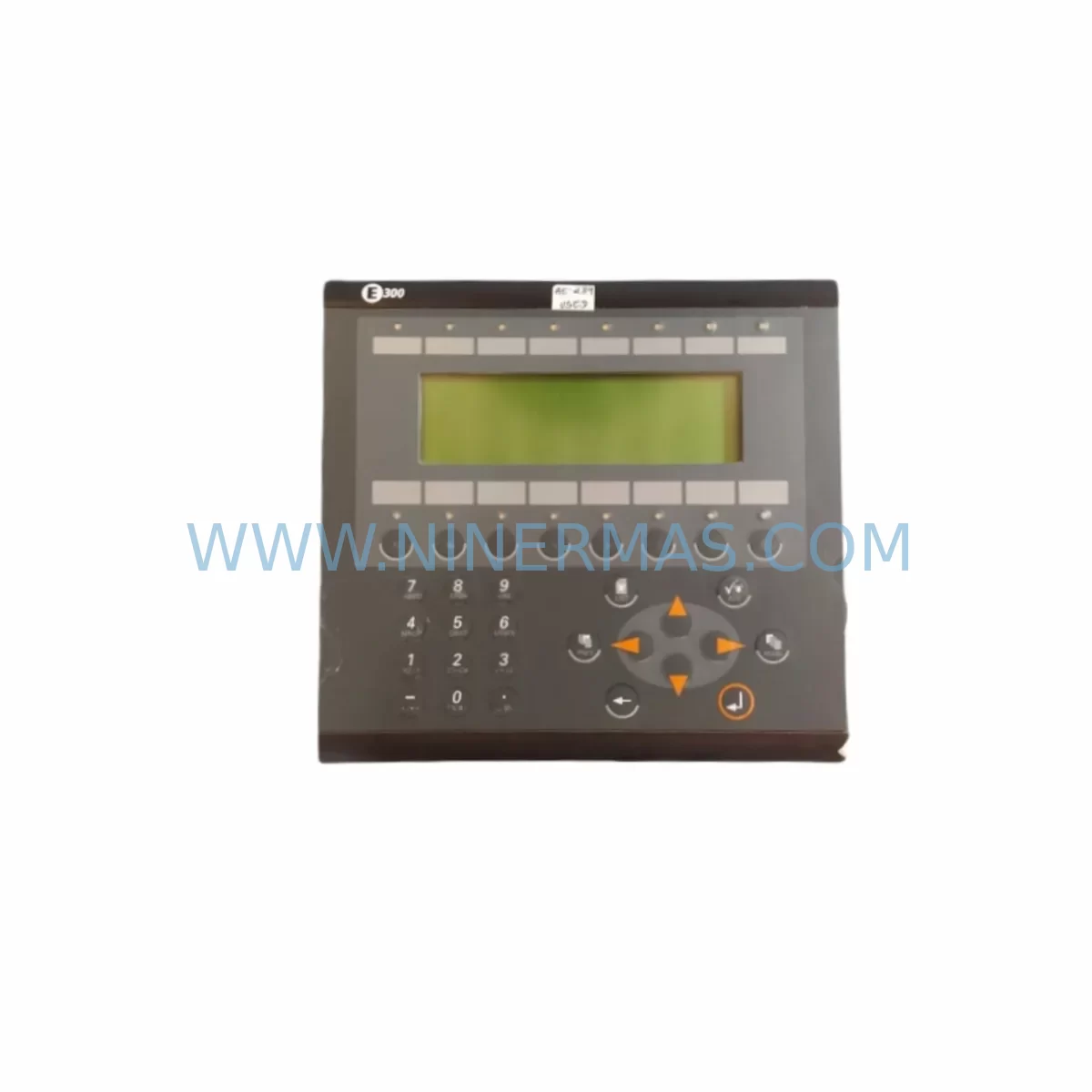
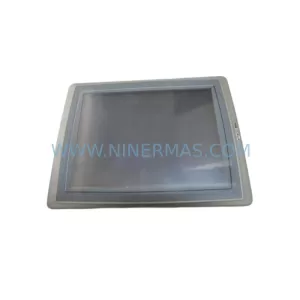
Beijer Electronics 02750D Retrofit-Compatible HMI for Legacy Systems
Verify the part, confirm the platform family, and move straight into quotation with the right commercial details.
RFQ Ready
- SKU02750D
- CategoryPLC & Industrial Automation Modules
- BrandBeijer Electronics
- SupportAvailability, lead time, condition, and shipping coordination
How Buyers Usually Use This Page
- Confirm the exact part number and platform family before sending the quote request.
- Use direct email when quantity, condition, and destination are already defined internally.
- Switch to the broader brand or category archive when you need alternates nearby.
Series Navigation
Move through the most common platform families behind this part.
Product RFQ
Send this part directly for quotation.
Include quantity, required condition, destination country, and target delivery timing. Current reference: Beijer Electronics 02750D Retrofit-Compatible HMI for Legacy Systems with SKU 02750D.
Beijer Electronics 02750D Retrofit-Compatible HMI for Legacy Systems
The Beijer Electronics 02750D is a proven operator interface module widely deployed across legacy automation lines, control cabinets, and process control systems throughout manufacturing, water treatment, and energy sectors. As original equipment manufacturers phase out support for aging HMI platforms, the 02750D has become a critical retrofit component for engineers tasked with extending the operational life of existing control architectures without committing to a full system overhaul.
This unit is stocked, pre-shipment tested, and backed by a 12-month warranty — making it a reliable drop-in solution for facilities managing planned or emergency replacement of discontinued operator interface hardware. Whether you are upgrading a standalone control panel or integrating into a multi-node SCADA environment, the 02750D delivers the display resolution, communication compatibility, and panel-mount form factor required for seamless migration.
Upgrade Compatibility Table
| Parameter | Details |
|---|---|
| SKU / Part Number | 02750D |
| Brand / Manufacturer | Beijer Electronics |
| Series | Operator Interface (HMI) Series |
| Product Type | HMI Operator Interface Panel |
| Country of Origin | Sweden |
| Panel Mount Compatibility | Standard cutout dimensions; verify existing panel aperture before installation |
| Communication Interface | RS-232 / RS-485 serial; confirm PLC protocol mapping (Modbus RTU, proprietary Beijer driver) |
| Power Supply Requirement | 24 VDC nominal; verify existing PSU capacity before replacement |
| Terminal / Connector Type | Screw terminal block; re-use existing wiring harness where pin-out is compatible |
| Replacement Recommendation | Direct replacement for discontinued 02750D units; cross-reference with E-series and IX-series Beijer HMI platforms for upgrade path |
| Commissioning Notes | Re-upload existing project file via Beijer programming cable; verify tag mapping and screen navigation after power-on |
| Warranty | 12 Months — covers manufacturing defects; pre-shipment functional test included |
Retrofit Planning for Existing Automation Systems
Replacing the Beijer Electronics 02750D within an active production environment requires careful pre-migration planning to avoid unplanned downtime and configuration loss. Before removing the existing unit, engineers should document all active screen projects using the Beijer EXTER Software or Designer programming environment, exporting the project file to a backup location accessible during commissioning.
The 02750D typically communicates with the host PLC — commonly a Siemens S5 or S7 series controller, an Allen-Bradley SLC 500, or a Mitsubishi FX-series PLC — via RS-232 or RS-485 serial links. Confirm the active communication driver and baud rate settings before disconnecting the existing unit. If the control system also includes a Beijer E300 or E600 series terminal elsewhere on the network, ensure that node addressing does not conflict after the replacement unit is powered on.
For control cabinets that also house a 24 VDC power supply module, a DIN-rail mounted terminal block assembly, and a PLC CPU with I/O expansion racks, the physical installation sequence matters. Power down the cabinet, verify isolation with a multimeter, then remove the legacy HMI. Check the panel cutout dimensions against the 02750D mounting template — minor shimming or gasket adjustment may be required for older enclosures. Reconnect the serial communication cable, 24 VDC supply leads, and any discrete I/O signal wires used for HMI-driven outputs.
If the retrofit also involves migrating from a legacy serial network to a modern Ethernet-based topology — for example, transitioning from RS-485 Modbus RTU to Modbus TCP/IP — a protocol converter or communication gateway module should be installed in parallel before the HMI swap to validate signal integrity without interrupting production. Signal isolators on long RS-485 cable runs are recommended to prevent ground loop interference that can corrupt display data or trigger spurious alarms.
Where the control system includes remote I/O expansion modules, distributed safety relays, or analog signal conditioning cards mounted in the same rack or sub-panel, confirm that the HMI project’s tag database correctly maps all I/O addresses after the replacement. Address mismatches between the HMI screen objects and the PLC data table are the most common source of post-retrofit commissioning delays.
Downtime Control During System Migration
Minimizing production interruption during an HMI replacement begins with a structured pre-outage checklist. Before the scheduled maintenance window, verify that the replacement 02750D unit has been bench-tested against a known-good PLC simulator or a spare controller to confirm communication link establishment, screen navigation, and alarm display functionality. This pre-shipment validation — which is standard practice for all units supplied through NINERMAS — significantly reduces on-site commissioning time.
During the outage window, preserve the original PLC program in its current state. Do not attempt to modify ladder logic, function block diagrams, or structured text routines during the HMI swap unless a specific program update is part of the planned scope. Keeping the controller program unchanged isolates the HMI as the only variable, making fault diagnosis straightforward if communication issues arise after power-on.
After installing the 02750D and restoring power, perform a systematic screen-by-screen navigation check, verify all analog trend displays are receiving live data, confirm alarm acknowledgement functions correctly, and test any HMI-initiated control outputs (e.g., setpoint writes, mode selection commands) against the PLC before releasing the system to operations. Document the as-installed configuration, including the communication port settings, project file version, and firmware revision of the replacement unit, for future maintenance reference.
For facilities operating continuous processes where even brief outages carry significant cost, a parallel commissioning approach — where the replacement HMI is powered and communicating on a test bench replicating the live PLC environment — allows full validation before the production cutover, compressing the actual on-site swap to under 30 minutes in most cases.
Retrofit Support FAQ
Q1: Is the 02750D a direct drop-in replacement for the original Beijer Electronics unit?
In most installations, yes. The 02750D shares the same panel cutout dimensions and terminal layout as the original production unit. However, customers should verify the firmware version of the replacement against the project file created in the Beijer programming environment, as older project files may require a software compatibility check before upload.
Q2: What communication protocols does the 02750D support, and will it work with my existing PLC?
The 02750D supports RS-232 and RS-485 serial communication with a range of PLC drivers available through the Beijer driver library, covering Siemens, Mitsubishi, Omron, and Modbus-compatible controllers. Confirm the active driver and baud rate from your existing HMI project file before ordering to ensure compatibility without additional configuration.
Q3: Is pre-shipment testing included, and what does the 12-month warranty cover?
Yes. Every 02750D unit supplied by NINERMAS undergoes functional pre-shipment testing to verify power-on, display operation, and communication port integrity. The 12-month warranty covers manufacturing defects and component failures under normal operating conditions. It does not cover damage resulting from incorrect wiring, overvoltage, or physical mishandling during installation.
Q4: What is the typical lead time, and do you maintain stock for emergency replacement orders?
NINERMAS maintains ready stock of the 02750D to support both planned maintenance schedules and emergency breakdown replacements. Standard orders are processed and dispatched within 1–3 business days. For urgent requirements, contact our sales team directly to confirm current inventory availability and expedited shipping options.
| Product Series | Legacy |
|---|---|
| Country of Origin | SE |
Catalog Continuation
More Beijer Electronics modules in the catalog.
Use the brand lane to compare nearby part numbers, platform-adjacent modules, and other inquiry-ready listings before sending your final RFQ.
Catalog Continuation
Alternative parts within PLC & Industrial Automation Modules.
Stay inside the same system family when you need substitutes, adjacent modules, or a broader shortlist for procurement review.

SKU: ZINT-541 3AUA00000658960
ABB ZINT-541 3AUA00000658960 Retrofit-Compatible Inverter Power Module
SKU: DSQC633 3HAC022286-001
ABB DSQC633 3HAC022286-001 Service-Ready Spare Part

SKU: 6SL3224-0BE33-7UA0
Siemens 6SL3224-0BE33-7UA0 Service-Ready Spare Part



