
Original Industrial Spare Part
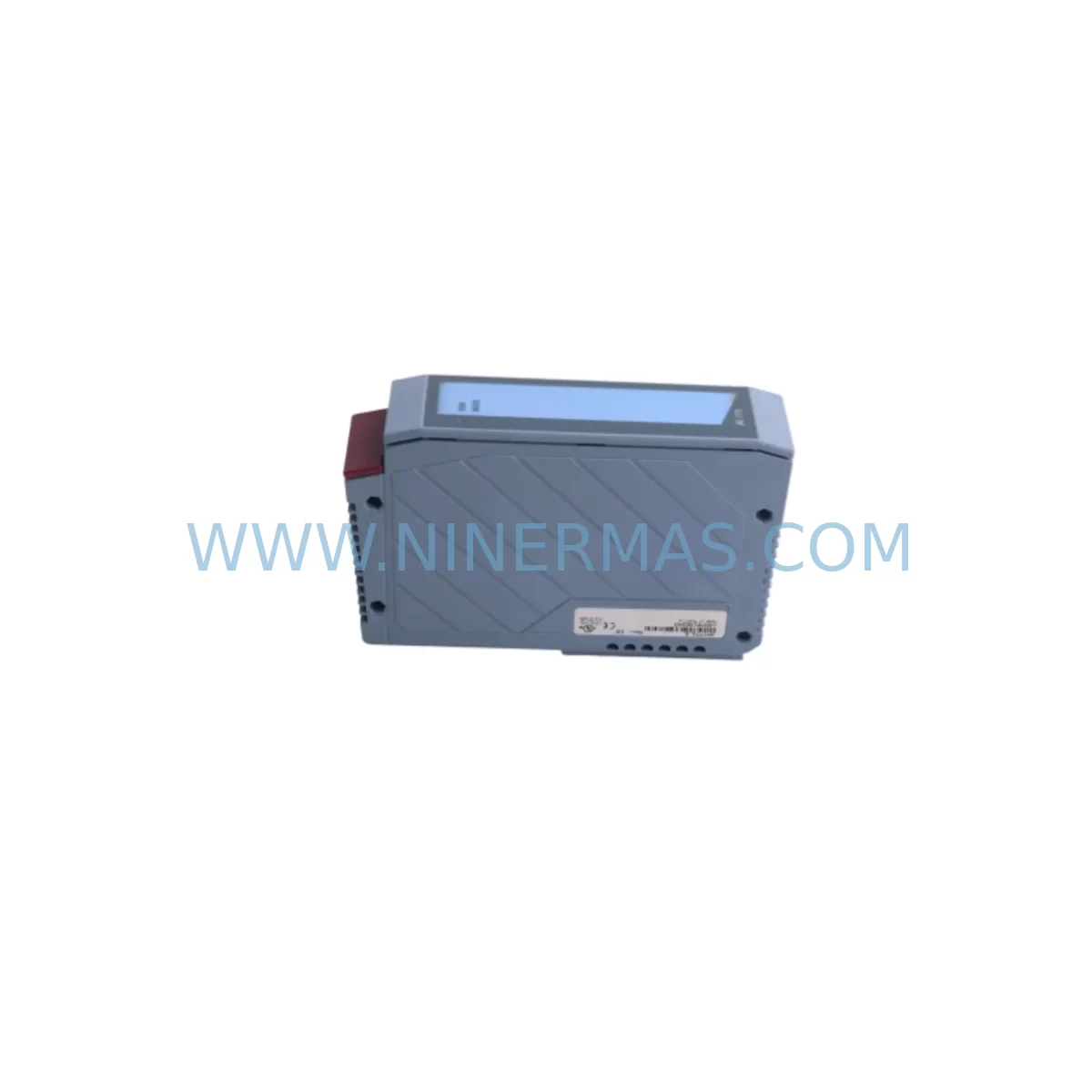
B&R 3AI775.6 Retrofit-Compatible Analog Input for Legacy Systems
Verify the part, confirm the platform family, and move straight into quotation with the right commercial details.
RFQ Ready
- SKU3AI775.6
- CategoryPLC & Industrial Automation Modules
- BrandB&R
- SupportAvailability, lead time, condition, and shipping coordination
How Buyers Usually Use This Page
- Confirm the exact part number and platform family before sending the quote request.
- Use direct email when quantity, condition, and destination are already defined internally.
- Switch to the broader brand or category archive when you need alternates nearby.
Series Navigation
Move through the most common platform families behind this part.
Product RFQ
Send this part directly for quotation.
Include quantity, required condition, destination country, and target delivery timing. Current reference: B&R 3AI775.6 Retrofit-Compatible Analog Input for Legacy Systems with SKU 3AI775.6.
B&R 3AI775.6 Retrofit-Compatible Analog Input for Legacy Systems: Seamless Upgrade for Aging Automation Infrastructure
The B&R 3AI775.6 is an X20 series analog input module designed for high-precision signal acquisition in industrial control environments. As legacy automation systems approach end-of-life and original spare parts become increasingly scarce, the 3AI775.6 serves as a critical retrofit component for plant engineers and maintenance teams seeking to extend the operational lifespan of existing control architectures without committing to a full platform migration. Whether you are replacing a discontinued analog input card in a legacy B&R 2003 or 2005 system, or consolidating I/O capacity within a modernized X20 rack, this module delivers the signal fidelity and form-factor compatibility required for a controlled, low-risk upgrade.
With support for multiple analog input signal types and a compact X20 form factor, the 3AI775.6 integrates directly into existing X20 backplane assemblies. Its compatibility with the B&R Automation Studio programming environment ensures that existing function blocks, variable mappings, and HMI tag references can be preserved during migration, significantly reducing re-engineering effort and commissioning time on the plant floor.
Upgrade Compatibility Table
| Parameter | Details |
|---|---|
| Module SKU | 3AI775.6 |
| Series | B&R X20 |
| Module Type | Analog Input Module |
| Backplane Interface | X20 internal bus, compatible with X20BM11 and X20BM15 bus modules |
| Installation Requirement | Mounts on X20 base module; verify rail depth and cabinet clearance before installation |
| Communication Compatibility | Communicates via X20 internal bus; CPU must support X20 I/O expansion (e.g., X20CP1586, X20CP3586) |
| Replacement Suggestion | Direct replacement for equivalent-channel legacy analog input modules in B&R 2003/2005 series where X20 migration is planned |
| Commissioning Focus | Verify channel scaling, signal type (voltage/current), terminal wiring polarity, and module address assignment in Automation Studio |
| Warranty | 12-Month Warranty — all units tested prior to shipment |
Retrofit Planning for Existing Automation Systems
Successful integration of the B&R 3AI775.6 into a legacy control system requires a structured pre-installation assessment. Before removing the existing analog input card, engineers should document all terminal wiring assignments, confirm signal types (4–20 mA current loop or 0–10 V voltage), and verify that the replacement module’s channel count and resolution meet the process requirements of the application.
The X20 platform’s modular architecture means the 3AI775.6 must be seated on a compatible base module and connected to the X20 internal bus via an X20BM11 bus module or equivalent. Where the existing rack uses an older backplane standard, an X20HB2885 housing base or updated rack assembly may be required to accommodate the new module footprint. Cabinet space should be measured carefully — the X20 form factor is compact, but terminal block depth and cable routing must be confirmed against the existing enclosure layout.
Power supply capacity is a frequent oversight during analog I/O upgrades. The X20PS9400 or X20PS3300 power supply modules should be evaluated to ensure sufficient 24 VDC bus current is available after adding the 3AI775.6 to the rack. If the existing power supply is already near capacity, a supplementary supply or load redistribution across the backplane may be necessary before commissioning.
On the communication side, the X20 CPU — whether an X20CP1586 or a higher-density X20CP3586 — must have the 3AI775.6 declared in the Automation Studio hardware configuration. Module address assignment follows the physical slot position on the backplane, and any mismatch between the hardware configuration and the physical installation will prevent the CPU from recognizing the module at startup. Where the legacy system used PROFIBUS or Modbus RTU for field device communication, the X20IF1063 PROFIBUS interface module or X20IF10D3 Modbus interface should be verified as part of the broader migration plan to ensure protocol continuity.
For systems that include digital output expansion alongside analog input acquisition, the X20DO9322 digital output module is commonly deployed in the same rack assembly. Confirming that the combined I/O load does not exceed the bus module’s current rating is essential before finalizing the rack configuration. Similarly, where signal isolation is required between field instruments and the control system, inline signal isolators or the X20AI4622 isolated analog input module may be considered as part of the channel-by-channel wiring review.
HMI screen updates are often underestimated during analog input module replacements. If the legacy system used a B&R Power Panel or an external SCADA connected via OPC, tag names and I/O addresses linked to the replaced module must be remapped in the HMI project before the new module goes live. Retaining the original variable names in Automation Studio wherever possible minimizes the scope of HMI rework and reduces the risk of display errors during the first live run.
Programming cable access is required during commissioning to connect a laptop running Automation Studio to the X20 CPU via the X20CA0E61 or a compatible USB/Ethernet programming cable. Confirming that the programming interface is accessible within the control cabinet — and that the correct Automation Studio version is installed on the engineering workstation — prevents avoidable delays during the final commissioning phase.
Downtime Control During System Migration
Minimizing unplanned downtime is the primary operational constraint in any analog input module replacement. A phased approach is strongly recommended: complete all pre-installation documentation, hardware configuration updates in Automation Studio, and bench-testing of the 3AI775.6 before scheduling the physical swap on the production line.
Where possible, the replacement should be performed during a planned maintenance window. The existing PLC program should be backed up to a secure location before any hardware changes are made. If the X20 CPU supports warm restart or retain variable functionality, confirm that critical process setpoints and accumulated values will be preserved across the power cycle that accompanies the module swap.
During the physical installation, label all field wiring before disconnection and photograph the terminal block layout for reference. Re-terminate wiring to the new 3AI775.6 base module according to the documented channel assignments, and verify signal continuity with a multimeter before powering the rack. After power-up, use Automation Studio’s online diagnostic view to confirm that the module is recognized, all channels are reporting valid signal values, and no I/O errors are flagged in the CPU’s diagnostic log.
For critical processes where even a brief interruption is unacceptable, consider deploying a temporary bypass or manual control fallback for the affected analog input channels during the transition period. This approach maintains field control continuity while the new module is being commissioned and validated against the process baseline.
All units supplied by NINERMAS are tested prior to shipment to confirm module functionality, reducing the risk of receiving a defective component and extending the commissioning window unnecessarily. The 12-month warranty covers manufacturing defects and provides a clear recourse path if a module fault is identified after installation.
Retrofit Support FAQ
Q1: Is the B&R 3AI775.6 a direct replacement for legacy B&R analog input modules from the 2003 or 2005 series?
The 3AI775.6 is an X20 series module and requires an X20-compatible backplane and bus module. It is not a pin-for-pin replacement for 2003/2005 series cards, but it is the recommended upgrade path when migrating those systems to the X20 platform. Terminal wiring must be re-terminated to the X20 base module, and the hardware configuration in Automation Studio must be updated to reflect the new module type and slot address.
Q2: What commissioning steps are required after installing the 3AI775.6?
After physical installation, declare the module in the Automation Studio hardware configuration, assign the correct slot address, and download the updated configuration to the X20 CPU. Verify that each analog input channel reports the expected signal value in the online I/O diagnostic view. Confirm channel scaling parameters match the field instrument output range, and check that no diagnostic errors are present in the CPU’s system log before returning the process to automatic control.
Q3: Can the existing field wiring be reused when replacing a legacy analog input module with the 3AI775.6?
In most cases, existing field cables can be reused provided the signal type (current or voltage) and wire gauge are compatible with the 3AI775.6 terminal specifications. Wiring must be re-terminated to the new X20 base module’s terminal block. Polarity, shielding connections, and cable routing should be verified against the module’s wiring diagram before powering the system.
Q4: What warranty and stock availability does NINERMAS provide for the 3AI775.6?
NINERMAS supplies the B&R 3AI775.6 with a 12-month warranty covering manufacturing defects. All units undergo functional testing prior to shipment. Stock availability is maintained for immediate dispatch; for large-quantity or project-based orders, lead time and inventory reservation can be confirmed directly with the sales team. Contact sale@ninermas.com or call +0086 187 5021 5667 for current stock status and pricing.
| Product Series | Legacy |
|---|---|
| Country of Origin | AT |
Catalog Continuation
More B&R modules in the catalog.
Use the brand lane to compare nearby part numbers, platform-adjacent modules, and other inquiry-ready listings before sending your final RFQ.
Catalog Continuation
Alternative parts within PLC & Industrial Automation Modules.
Stay inside the same system family when you need substitutes, adjacent modules, or a broader shortlist for procurement review.
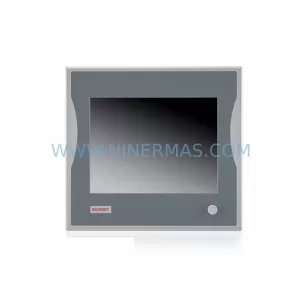
SKU: CP6902-1009-0000
Beckhoff CP6902-1009-0000 Spare Part for Industrial Maintenance
SKU: HW0380219-A HP-25A-11-F0-SP
YASKAWA HW0380219-A Retrofit Servo Board for Legacy Systems



