
Original Industrial Spare Part
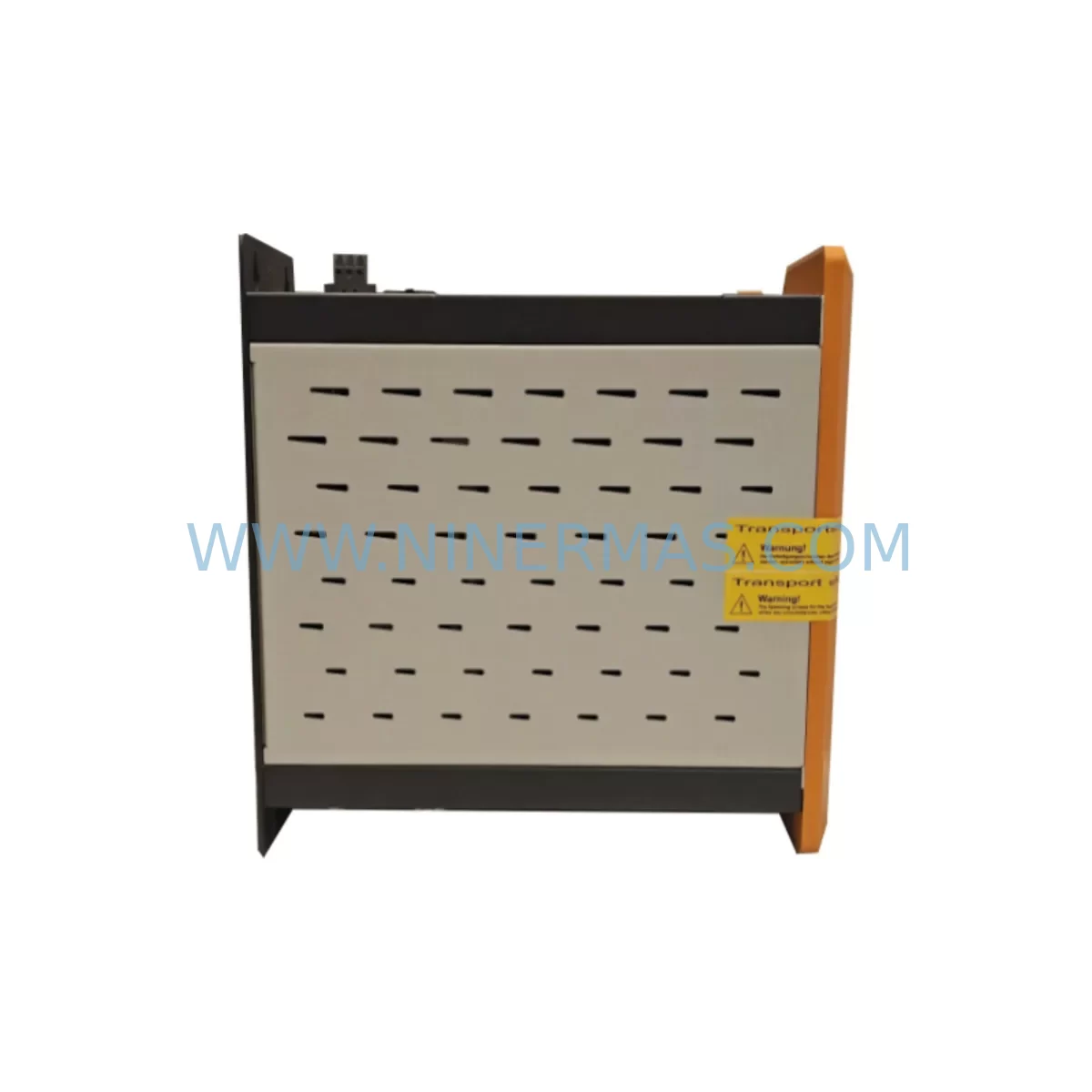
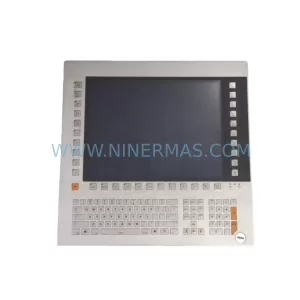
B&R 5PC910.SX02-00 Retrofit-Compatible Panel PC for Legacy Systems
Verify the part, confirm the platform family, and move straight into quotation with the right commercial details.
RFQ Ready
- SKU5PC910.SX02-00
- CategoryPLC & Industrial Automation Modules
- BrandB&R
- SupportAvailability, lead time, condition, and shipping coordination
How Buyers Usually Use This Page
- Confirm the exact part number and platform family before sending the quote request.
- Use direct email when quantity, condition, and destination are already defined internally.
- Switch to the broader brand or category archive when you need alternates nearby.
Series Navigation
Move through the most common platform families behind this part.
Product RFQ
Send this part directly for quotation.
Include quantity, required condition, destination country, and target delivery timing. Current reference: B&R 5PC910.SX02-00 Retrofit-Compatible Panel PC for Legacy Systems with SKU 5PC910.SX02-00.
B&R 5PC910.SX02-00 Retrofit-Compatible Panel PC for Legacy Systems
The B&R 5PC910.SX02-00 is a high-performance industrial panel PC from B&R’s 5PC910 series, purpose-built for demanding automation environments. As legacy control systems age and original spare parts become increasingly scarce, the 5PC910.SX02-00 serves as a proven retrofit solution for facilities operating older B&R-based control architectures. Whether you are replacing a failed unit on an existing production line, upgrading a control cabinet to extend operational life, or migrating from an end-of-life HMI platform, this module delivers the compatibility, reliability, and industrial-grade performance your application demands.
NINERMAS maintains verified stock of the 5PC910.SX02-00 with full functional testing prior to shipment, backed by a 12-month warranty. Our team supports engineers and procurement specialists through every stage of the retrofit process — from pre-replacement compatibility checks to post-installation commissioning guidance.
Upgrade Compatibility Table
| Parameter | Details |
|---|---|
| Model | B&R 5PC910.SX02-00 |
| Series | 5PC910 |
| Product Type | Industrial Panel PC / HMI |
| Manufacturer | B&R (Bernecker + Rainer) |
| Origin | Austria |
| Backplane Interface | Compatible with 5PC910 series backplane and mounting frame |
| Communication Compatibility | Ethernet POWERLINK, Modbus TCP, CANopen, OPC UA (application dependent) |
| Installation Requirement | Panel cutout per 5PC910 series specification; verify cabinet depth clearance |
| Replacement Recommendation | Direct replacement for failed or end-of-life 5PC910.SX02-00 units |
| Commissioning Notes | Restore original project from Automation Studio; verify I/O mapping and HMI screen bindings |
| Warranty | 12 Months — NINERMAS Quality Guarantee |
Retrofit Planning for Existing Automation Systems
Replacing a B&R 5PC910.SX02-00 in an active production environment requires careful pre-planning to avoid extended downtime and configuration errors. Before removing the failed unit, engineers should document all terminal wiring connections, confirm the power supply voltage and current capacity (typically 24 VDC for B&R panel systems), and photograph the existing cable routing within the control cabinet.
The 5PC910 series panel PC integrates tightly with B&R’s broader automation ecosystem. In many installations, the 5PC910.SX02-00 operates alongside X20 series I/O modules — such as the X20AI4622 analog input module or X20DO9322 digital output module — connected via the X2X Link or POWERLINK bus. Before swapping the panel PC, verify that the X20 bus controller configuration and node addresses are documented, as these will need to be re-confirmed after the new unit is initialized.
Power distribution within the cabinet should also be assessed. Many 5PC910 installations share a B&R PS3100 or PS9400 series power supply module with other rack components. Confirm that the existing power supply can support the replacement unit’s load requirements without modification. If the cabinet also houses a 5AC901 or 5AC902 series APC910 automation PC as the primary controller, ensure that the POWERLINK cycle time and task class configuration in Automation Studio remains compatible after the panel PC is replaced.
For systems using B&R ACOPOS servo drives or ACOPOSmulti drive modules on the same POWERLINK network, the panel PC’s network interface configuration must be preserved exactly. Any change to the IP address scheme or POWERLINK node number will require corresponding updates in the drive parameter sets and may trigger safety interlocks if the system includes SafeLOGIC or SafeMOTION safety modules.
HMI screen migration is another critical step. If the original 5PC910.SX02-00 was running a B&R mapp View or legacy VC4 visualization project, the project archive must be available in Automation Studio before the replacement unit is commissioned. Verify that the runtime version installed on the replacement panel PC matches the version used in the original project to avoid compatibility errors during startup. In some cases, a 5CFCRD.xxxx-xx CompactFlash card or USB recovery drive containing the original runtime image can be used to restore the system state directly.
If the retrofit also involves a communication protocol migration — for example, moving from a legacy serial RS-232 or RS-485 link to Ethernet-based Modbus TCP or OPC UA — a B&R 5ACPCI.ETH-01 or IF661 communication interface module may be required to bridge the existing field devices during the transition period. Plan for a parallel-run phase where both the old and new communication paths are active simultaneously to validate data integrity before cutting over fully.
Finally, confirm the physical installation space. The 5PC910.SX02-00 requires a specific panel cutout dimension and minimum cabinet depth for rear connector access. If the control cabinet was originally designed for an earlier-generation B&R panel, an adapter frame or modified cutout may be necessary. All mounting hardware, including the 5PC910 series mounting clamps and sealing gasket, should be inspected and replaced if worn to maintain the IP65 front panel rating.
Downtime Control During System Migration
Minimizing unplanned downtime is the primary concern for any retrofit involving a critical production asset. When replacing a B&R 5PC910.SX02-00, the most effective strategy is to pre-configure the replacement unit offline before the scheduled maintenance window begins. Using B&R Automation Studio, load the original project onto the new panel PC in a workshop environment, verify that all I/O channel assignments, HMI page bindings, alarm configurations, and communication parameters are correctly restored, and perform a full simulation run before the unit is transported to the production floor.
During the physical swap, label all terminal connections before disconnecting them from the original unit. Use a structured wiring diagram — either from the original cabinet documentation or reconstructed from the existing installation — to ensure that every signal wire, power feed, and communication cable is reconnected to the correct terminal on the replacement unit. Pay particular attention to the 24 VDC power input polarity, the POWERLINK port assignment, and any USB or CompactFlash peripheral connections that may be part of the original system configuration.
Once the replacement unit is installed and powered on, perform a controlled startup sequence: bring the POWERLINK network online first, confirm that all X20 I/O nodes and any connected ACOPOS drives are recognized by the controller, then enable the HMI visualization and verify that all process values are displaying correctly before releasing the system to production. Keep the original failed unit on-site until the replacement has completed at least one full production cycle without fault, as it may contain configuration data or hardware clues useful for troubleshooting unexpected issues during commissioning.
NINERMAS ships all 5PC910.SX02-00 units with a pre-shipment functional test report. This documentation confirms that the unit has been powered on, initialized, and verified against key performance parameters before leaving our facility — reducing the risk of receiving a non-functional unit and further extending your downtime.
Retrofit Support FAQ
Q1: Is the B&R 5PC910.SX02-00 supplied by NINERMAS a direct drop-in replacement for the original unit?
Yes. The 5PC910.SX02-00 supplied by NINERMAS is the same B&R part number as the original. It is compatible with the existing 5PC910 series mounting frame, backplane connectors, and power input terminals. No mechanical modification to the control cabinet is required in standard installations. Verify your cabinet’s panel cutout dimensions against the 5PC910 series datasheet before installation if the cabinet has been modified previously.
Q2: What commissioning steps are required after installing the replacement unit?
After physical installation, connect the unit to your Automation Studio project via Ethernet or USB service port. Download the original project to the new unit, confirm that all I/O module addresses on the X2X Link or POWERLINK bus are recognized correctly, and verify HMI screen data bindings. If the system uses mapp View visualization, confirm that the mapp View runtime version on the replacement unit matches the project’s target version. Perform a full I/O check before enabling automatic control mode.
Q3: Does NINERMAS provide a warranty on the 5PC910.SX02-00, and what does it cover?
Yes. All 5PC910.SX02-00 units supplied by NINERMAS are covered by a 12-month warranty from the date of shipment. The warranty covers hardware defects and functional failures under normal operating conditions. Each unit is tested prior to shipment and ships with a functional test report. For warranty claims, contact our support team at sale@ninermas.com with your order reference and a description of the fault.
Q4: Can NINERMAS confirm stock availability and lead time before I place an order?
Yes. NINERMAS maintains active inventory of the B&R 5PC910.SX02-00 and can confirm stock availability, lead time, and pricing upon request. Contact us at sale@ninermas.com or call +0086 187 5021 5667. For urgent retrofit situations, we prioritize expedited processing and can provide shipping documentation and tracking within 24–48 hours of order confirmation.
| Product Series | Legacy |
|---|---|
| Country of Origin | AT |
Catalog Continuation
More B&R modules in the catalog.
Use the brand lane to compare nearby part numbers, platform-adjacent modules, and other inquiry-ready listings before sending your final RFQ.
Catalog Continuation
Alternative parts within PLC & Industrial Automation Modules.
Stay inside the same system family when you need substitutes, adjacent modules, or a broader shortlist for procurement review.
SKU: CP6902-1009-0000
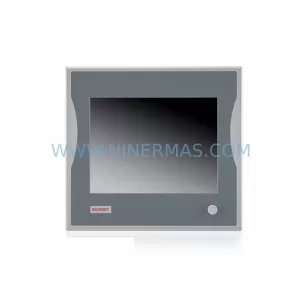
Beckhoff CP6902-1009-0000 Spare Part for Industrial Maintenance
SKU: HW0380219-A HP-25A-11-F0-SP
YASKAWA HW0380219-A Retrofit Servo Board for Legacy Systems



