Original Industrial Spare Part
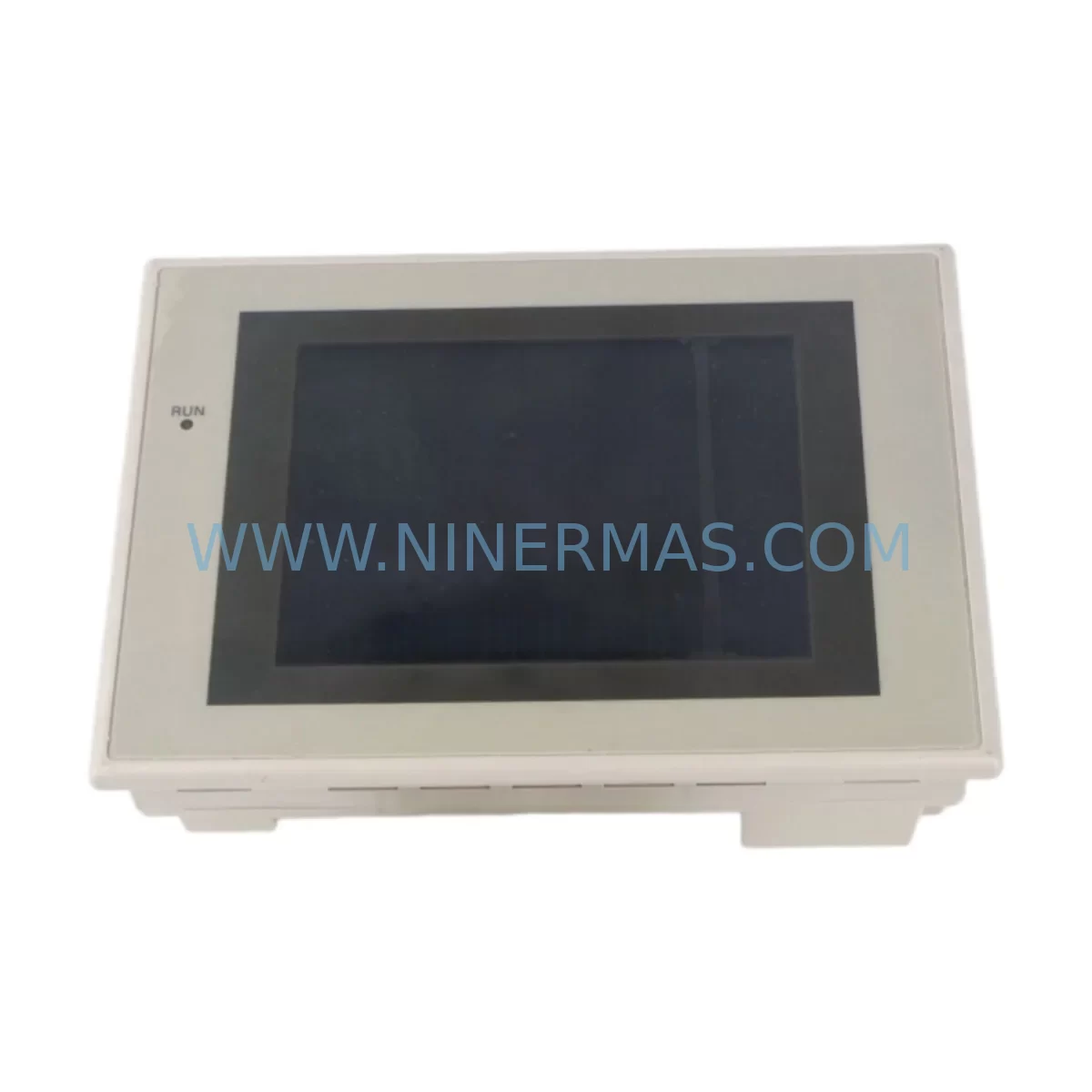
OMRON NS5-MQ00-V2 Service-Ready Spare Part for Industrial Maintenance
Verify the part, confirm the platform family, and move straight into quotation with the right commercial details.
RFQ Ready
- SKUNS5-MQ00-V2
- CategoryPLC & Industrial Automation Modules
- BrandOmron
- SupportAvailability, lead time, condition, and shipping coordination
How Buyers Usually Use This Page
- Confirm the exact part number and platform family before sending the quote request.
- Use direct email when quantity, condition, and destination are already defined internally.
- Switch to the broader brand or category archive when you need alternates nearby.
Series Navigation
Move through the most common platform families behind this part.
Product RFQ
Send this part directly for quotation.
Include quantity, required condition, destination country, and target delivery timing. Current reference: OMRON NS5-MQ00-V2 Service-Ready Spare Part for Industrial Maintenance with SKU NS5-MQ00-V2.
OMRON NS5-MQ00-V2 Service-Ready Spare Part for Industrial Maintenance
The OMRON NS5-MQ00-V2 is a 5.7-inch STN monochrome touch panel HMI from OMRON’s proven NS5 Series, widely deployed across discrete manufacturing, process control, packaging lines, and machine tool applications. As production environments age and original equipment manufacturers discontinue active production of legacy HMI units, maintaining a verified, service-ready stock of the NS5-MQ00-V2 becomes a critical element of any industrial maintenance strategy. Unplanned HMI failure is one of the leading causes of unscheduled downtime in automated production lines — a single failed panel can halt an entire cell, triggering cascading delays across upstream and downstream processes.
At NINERMAS, every NS5-MQ00-V2 unit is sourced from verified supply channels, inspected prior to dispatch, and shipped with a 12-month warranty. Whether you are managing a planned annual overhaul, responding to an emergency panel failure, or building a strategic spare parts inventory for aging OMRON NS-Series systems, this unit is ready for immediate deployment.
Spare Maintenance Table
| Parameter | Specification |
|---|---|
| Model | NS5-MQ00-V2 |
| Brand | OMRON |
| Series | NS5 Series |
| Display Type | 5.7-inch STN Monochrome LCD |
| Resolution | 320 × 240 (QVGA) |
| Supply Voltage | 24 VDC (±10%) |
| Power Consumption | Approx. 20 W |
| Communication Ports | RS-232C / RS-422/485, Ethernet (model dependent) |
| Compatible PLCs | OMRON CJ-Series, CS-Series, CP-Series via Host Link / NT Link |
| Operating Temperature | 0°C to 50°C |
| Storage Temperature | -20°C to 60°C |
| Protection Rating | IP65 (front panel) |
| Installation | Panel cut-out mount, rear-latch fixing |
| Memory | Built-in flash memory for screen data |
| Origin | Japan |
| Warranty | 12 Months (NINERMAS) |
| Condition | New / Service-Ready |
| Application | Industrial HMI replacement, PLC operator interface, machine control panel |
Maintenance Planning for Continuous Operation
When replacing the NS5-MQ00-V2 in the field, a disciplined maintenance engineer does not stop at the HMI panel itself. The NS5-MQ00-V2 interfaces directly with the control cabinet’s power distribution, communication backbone, and PLC I/O system — all of which should be inspected and verified during the same maintenance window to prevent repeat failures and ensure system stability.
Begin with the 24 VDC power supply feeding the HMI. Units such as the OMRON S8VS-06024 or equivalent DIN-rail power supplies should be load-tested and output voltage verified under operating conditions. A degraded power supply is a common root cause of intermittent HMI resets and display corruption that is often misdiagnosed as a panel fault. Inspect the terminal blocks and wiring harness at the HMI connector — loose or corroded terminals on the power and communication lines are a frequent source of communication errors between the NS5-MQ00-V2 and the host PLC.
The RS-232C or RS-422/485 communication cable connecting the NS5-MQ00-V2 to the PLC CPU — typically an OMRON CJ2M-CPU or CS1G-CPU — should be replaced or at minimum continuity-tested. Shielding integrity is critical in electrically noisy environments. If the system uses Ethernet communication, inspect the Ethernet switch or hub within the control cabinet for port faults or degraded link speeds that could cause screen update delays.
On the PLC side, verify the CJ-Series or CS-Series CPU module communication settings and confirm that the NT Link or Host Link protocol parameters match the replacement NS5-MQ00-V2 configuration. If the system includes CJ1W-SCU or CS1W-SCU serial communication units, inspect these for firmware compatibility and connector wear. For systems with DeviceNet or PROFIBUS communication modules, confirm that the HMI replacement does not disrupt the network node addressing.
Inspect the I/O modules in the same rack — particularly any digital input modules (e.g., CJ1W-ID211) and output modules (e.g., CJ1W-OD211) that are mapped to operator interface controls driven through the HMI. A failed I/O channel can cause misleading alarm states on the new panel. Also check relay output modules and intermediate relay units in the control cabinet for contact wear, especially on high-cycle outputs tied to HMI-controlled sequences.
For systems with signal isolators or analog input modules feeding process values to the HMI display, verify calibration and signal integrity. Drifted analog signals will display incorrect process values on the replacement NS5-MQ00-V2, leading to operator confusion and potential process upsets. Finally, inspect the cabinet ventilation fans and thermal management components — elevated cabinet temperatures accelerate HMI backlight and touchscreen degradation, reducing the service life of the replacement unit.
Building a structured spare parts kit around the NS5-MQ00-V2 — including a backup power supply, communication cables, terminal block sets, and at least one spare CPU module — is the most effective strategy for minimizing mean time to repair (MTTR) on NS5-Series-equipped lines.
Site Replacement Workflow
Step 1 — Pre-Replacement Backup: Before removing the failed NS5-MQ00-V2, use OMRON CX-Designer software to back up all screen data, alarm settings, and communication parameters from the existing unit if the panel is still partially functional. If the panel is completely unresponsive, retrieve the project file from the engineering workstation or backup media.
Step 2 — Power Isolation: Isolate the 24 VDC supply to the HMI at the cabinet’s dedicated MCB or fuse holder. Verify zero voltage at the HMI power terminals with a calibrated multimeter before proceeding.
Step 3 — Physical Removal: Disconnect the communication cable(s) and power connector. Release the rear panel-mount clamps and carefully extract the NS5-MQ00-V2 from the panel cutout. Inspect the cutout gasket for damage and replace if necessary to maintain IP65 sealing on the new unit.
Step 4 — New Unit Installation: Insert the replacement NS5-MQ00-V2, secure the rear clamps evenly to ensure gasket compression, and reconnect power and communication cables. Verify cable shielding is properly grounded at the cabinet earth bar.
Step 5 — Configuration Restore: Power up the unit and use CX-Designer to download the backed-up project file to the new NS5-MQ00-V2. Confirm communication link with the host PLC and verify all screen pages, alarm displays, and I/O status indicators are functioning correctly.
Step 6 — Functional Verification: Conduct a full operational test under normal production conditions before returning the line to service. Document the replacement in the maintenance log with the unit serial number, date, and technician ID.
This workflow minimizes downtime, ensures system compatibility, and provides a clear audit trail for maintenance records and warranty claims.
Spare Parts Support FAQ
Q1: Is the NS5-MQ00-V2 a direct drop-in replacement for older NS5 Series panels?
Yes. The NS5-MQ00-V2 is dimensionally and electrically compatible with earlier NS5 Series revisions. The panel cutout dimensions and communication pinouts are consistent across the NS5 product family. Screen project files created in CX-Designer for earlier V1 or V2 hardware revisions are fully transferable to the replacement unit without modification in most cases. Always verify the CX-Designer project hardware revision setting matches the replacement unit before downloading.
Q2: What pre-shipment testing does NINERMAS perform on the NS5-MQ00-V2?
Every NS5-MQ00-V2 unit dispatched by NINERMAS undergoes power-on functional verification, display and touchscreen response testing, and communication port continuity checks prior to packaging. Units are shipped in anti-static protective packaging with individual inspection records. The 12-month warranty covers manufacturing defects and functional failures under normal operating conditions from the date of receipt.
Q3: Can NINERMAS support long-term or blanket purchase orders for NS5-MQ00-V2 spare parts?
Yes. NINERMAS supports long-term supply agreements, blanket purchase orders, and scheduled delivery programs for industrial spare parts including the NS5-MQ00-V2. This is particularly valuable for maintenance teams managing multiple production lines or multi-site operations where consistent spare parts availability is essential for uptime targets. Contact our sales team to discuss volume pricing and delivery scheduling.
Q4: What should I do if the replacement NS5-MQ00-V2 does not communicate with the host PLC after installation?
First, verify that the communication protocol settings (NT Link, Host Link, or Ethernet/IP) on the new HMI match the PLC CPU configuration exactly. Check the baud rate, node number, and unit number settings in both the CX-Designer project and the PLC program. Inspect the communication cable for correct wiring and shielding. If using RS-422/485, confirm termination resistor settings. If the issue persists, contact NINERMAS technical support at sale@ninermas.com with your system configuration details for further assistance.
| Product Series | Other series |
|---|---|
| Country of Origin | JP |
Catalog Continuation
More Omron modules in the catalog.
Use the brand lane to compare nearby part numbers, platform-adjacent modules, and other inquiry-ready listings before sending your final RFQ.
Catalog Continuation
Alternative parts within PLC & Industrial Automation Modules.
Stay inside the same system family when you need substitutes, adjacent modules, or a broader shortlist for procurement review.
SKU: SCE906A2-002-01 SCE906A200201
Pacific Scientific SCE906A2-002-01 Retrofit Servo Amplifier
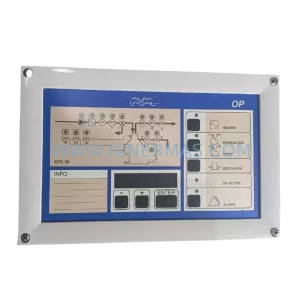
SKU: EPC500 3183062451
Alfa Laval EPC500 3183062451 Service-Ready Spare Part