Original Industrial Spare Part
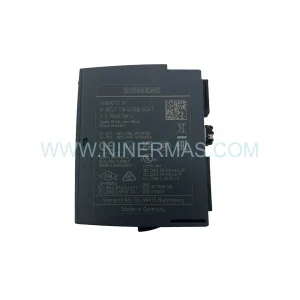
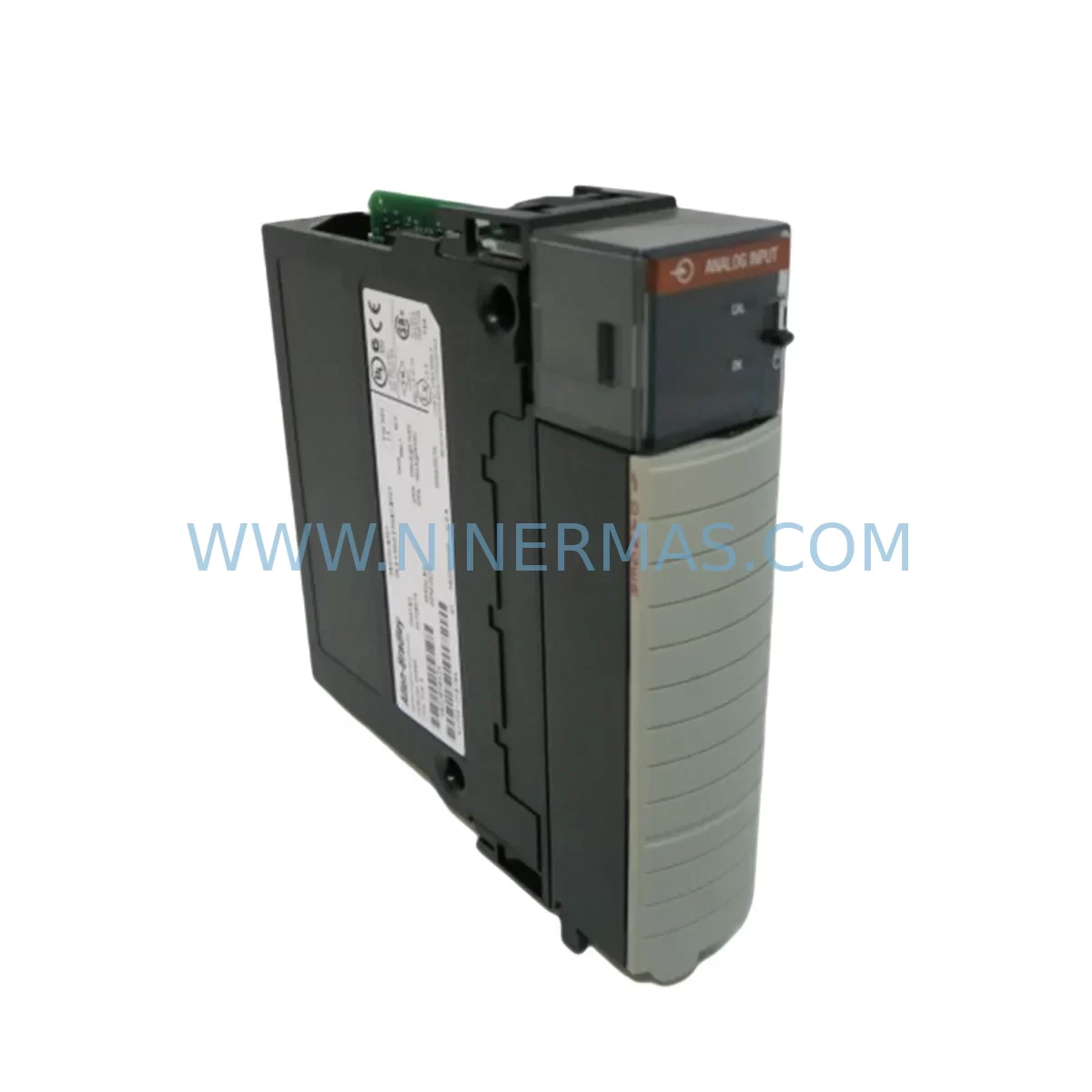
Allen-Bradley 1756SC-IF8U Service-Ready Spare Part
Verify the part, confirm the platform family, and move straight into quotation with the right commercial details.
RFQ Ready
- SKU1756SC-IF8U
- CategoryPLC & Industrial Automation Modules
- BrandAllen-Bradley
- SupportAvailability, lead time, condition, and shipping coordination
How Buyers Usually Use This Page
- Confirm the exact part number and platform family before sending the quote request.
- Use direct email when quantity, condition, and destination are already defined internally.
- Switch to the broader brand or category archive when you need alternates nearby.
Series Navigation
Move through the most common platform families behind this part.
Product RFQ
Send this part directly for quotation.
Include quantity, required condition, destination country, and target delivery timing. Current reference: Allen-Bradley 1756SC-IF8U Service-Ready Spare Part with SKU 1756SC-IF8U.
Allen-Bradley 1756SC-IF8U Service-Ready Spare Part: Minimizing Downtime Risk in ControlLogix Systems
The Allen-Bradley 1756SC-IF8U is an 8-channel universal analog input module designed for the ControlLogix platform, one of the most widely deployed programmable automation controller (PAC) architectures in process and discrete manufacturing environments. As a service-ready spare part, the 1756SC-IF8U is stocked and tested to support rapid field replacement, emergency shutdown recovery, and planned annual maintenance cycles. Whether you are managing a continuous process line, a batch control system, or a legacy ControlLogix rack that has been in service for over a decade, maintaining at least one verified spare of the 1756SC-IF8U in your critical spare inventory is a fundamental risk mitigation strategy.
Maintenance engineers and procurement engineers working with Allen-Bradley ControlLogix systems understand that analog input module failures are among the most disruptive events in a control cabinet. A failed 1756SC-IF8U can cause loss of process variable feedback across all eight channels simultaneously, triggering interlock trips, process shutdowns, or unsafe operating conditions. The ability to pull a pre-tested replacement module from the spare parts room and restore system operation within minutes — rather than waiting days or weeks for a new order — is the difference between a controlled maintenance event and an unplanned production loss.
Spare Maintenance Table
| Parameter | Specification / Value |
|---|---|
| SKU / Part Number | 1756SC-IF8U |
| Brand | Allen-Bradley (Rockwell Automation) |
| Series | ControlLogix 1756 |
| Module Type | 8-Channel Universal Analog Input |
| Input Signal Types | Voltage, Current (mA), RTD, Thermocouple (universal per channel) |
| Resolution | 16-bit |
| Backplane Compatibility | 1756 ControlLogix Backplane (all standard chassis sizes) |
| Communication | ControlLogix backplane via 1756 chassis slot |
| Operating Temperature | 0°C to 60°C (32°F to 140°F) |
| Relative Humidity | 5% to 95% non-condensing |
| Power Consumption | Supplied via 1756 backplane |
| Isolation | Channel-to-channel and channel-to-backplane isolation |
| Mounting | 1756 chassis slot (any slot) |
| Firmware Compatibility | Compatible with Studio 5000 / RSLogix 5000 programming environments |
| Product Condition | Original, service-ready, pre-shipment tested |
| Origin | United States |
| Warranty | 12 Months |
| Application Environment | Industrial automation, process control, discrete manufacturing, oil & gas, water treatment, power generation |
| Maintenance Recommendation | Inspect wiring terminations and channel calibration annually; replace if diagnostic LEDs indicate channel fault |
Maintenance Planning for Continuous Operation
When a 1756SC-IF8U analog input module is flagged for replacement during a routine control cabinet inspection or after a fault diagnostic, experienced maintenance engineers know that the module itself is rarely the only component that requires attention. A thorough site replacement procedure should include a systematic review of all associated components in the same electrical circuit and control cabinet.
Begin by inspecting the 1756-PA75 or 1756-PB75 power supply module that feeds the ControlLogix chassis. A degraded power supply can cause intermittent analog input errors that mimic module failure. Verify output voltage stability under load before condemning the 1756SC-IF8U. Similarly, check the 1756-A7 or 1756-A13 chassis backplane for physical damage, corrosion on the backplane connector, or signs of thermal stress — a damaged backplane slot can corrupt module communication even after a new module is installed.
Review the field wiring terminations at the 1492-IFM terminal block interface module or equivalent wiring arm connected to the 1756SC-IF8U. Loose, corroded, or mis-wired terminals are a leading cause of analog signal drift and channel faults. While the module is removed, this is the ideal time to inspect and re-torque all terminal connections.
For systems where the 1756SC-IF8U is used in conjunction with signal isolators or signal conditioners — common in environments with high electrical noise, long cable runs, or intrinsically safe area requirements — verify that the isolator output is within specification. A failed signal isolator will present as a channel fault on the analog input module and can lead to unnecessary module replacement.
Check the 1756-EN2T or 1756-EN3TR EtherNet/IP communication module in the same chassis. If the controller has lost communication with the analog input module prior to failure, the root cause may be a network fault rather than a module fault. Confirm that the communication module firmware is current and that the network switch port connected to the ControlLogix system is operating correctly.
Inspect any 1756-OB16E or 1756-OA16 digital output modules in the same chassis that may be driving field devices whose feedback signals are read by the 1756SC-IF8U. A failed output module driving a control valve or actuator can cause process variable anomalies that appear as analog input faults.
For facilities running PanelView Plus HMI terminals connected to the same ControlLogix system, verify that analog process variable displays are updating correctly after module replacement. HMI tag mapping errors introduced during module swap are a common post-maintenance issue that can delay production restart.
Finally, review the 1756-L7x or 1756-L8x ControlLogix controller firmware version and the Studio 5000 project file to confirm that the replacement 1756SC-IF8U module is correctly configured in the I/O tree with matching channel configuration, engineering unit scaling, and alarm setpoints. An incorrectly configured replacement module will generate nuisance alarms or fail to provide accurate process variable data even if the hardware is fully functional.
Procurement engineers should also consider stocking complementary spare parts alongside the 1756SC-IF8U, including spare 1756-IB16 digital input modules, 1756-OB16E digital output modules, and 1756-PA75 power supply modules, to ensure that a single control cabinet failure event does not result in extended downtime due to multiple component shortages.
Site Replacement Workflow
Replacing a 1756SC-IF8U in a live ControlLogix system requires a structured approach to minimize downtime and avoid configuration errors. Begin by placing the controller in Program mode via the RSLogix 5000 or Studio 5000 software, or using the keyswitch on the 1756-L7x controller front panel, to inhibit output execution before removing the module. Document the existing module configuration — including channel mode, input range, filter frequency, and engineering unit scaling — by exporting the I/O configuration from the project file.
Remove the field wiring from the existing module’s wiring arm or terminal block, labeling each wire if labels are not already present. Remove the faulty 1756SC-IF8U from the chassis slot by pressing the top and bottom locking tabs simultaneously and sliding the module out. Insert the replacement 1756SC-IF8U into the same chassis slot, ensuring the module is fully seated and the locking tabs engage. Reconnect the field wiring to the wiring arm, verifying each connection against the documented wiring schedule.
In Studio 5000, verify that the replacement module is recognized in the I/O tree and that the module properties match the original configuration. Download the project to the controller if required, or allow the controller to automatically configure the new module if the project is set to use the stored configuration. Return the controller to Run mode and verify that all eight analog input channels are reading correctly by comparing live process variable values against field instrumentation readings.
This workflow is equally applicable when upgrading from an older 1756-IF8 module to the 1756SC-IF8U, which offers enhanced universal input capability and improved channel isolation. The slot-compatible form factor ensures that no chassis modification is required, and the upgrade can be completed during a planned maintenance window without system redesign.
Spare Parts Support FAQ
Q1: What is the warranty coverage for the 1756SC-IF8U spare part?
All 1756SC-IF8U units supplied by NINERMAS are covered by a 12-month warranty from the date of shipment. Each unit undergoes pre-shipment functional testing to verify analog input channel operation, backplane communication, and diagnostic LED functionality. If a unit fails within the warranty period under normal operating conditions, NINERMAS will provide a replacement or full refund.
Q2: How do I verify compatibility between the 1756SC-IF8U and my existing ControlLogix system?
The 1756SC-IF8U is compatible with all standard 1756 ControlLogix chassis, including the 1756-A4, 1756-A7, 1756-A10, 1756-A13, and 1756-A17. It is supported by RSLogix 5000 version 16 and later, and Studio 5000 Logix Designer version 21 and later. Confirm your controller firmware version and project revision before installation. If you are replacing an older 1756-IF8 module, verify that the channel configuration parameters are re-entered correctly in the project file, as the universal input capability of the 1756SC-IF8U may require updated channel mode settings.
Q3: Can NINERMAS support long-term supply of the 1756SC-IF8U for multi-year maintenance contracts?
Yes. NINERMAS maintains ongoing inventory of the 1756SC-IF8U and can support blanket purchase orders, annual supply agreements, and emergency spot orders. For facilities managing large ControlLogix installations or operating in industries with strict spare parts lifecycle requirements — such as oil and gas, power generation, or water treatment — NINERMAS can provide a dedicated supply plan with guaranteed lead times and priority allocation.
Q4: What documentation is provided with each 1756SC-IF8U shipment?
Each shipment includes a test report confirming pre-shipment functional verification, a packing list, and a certificate of conformance. Upon request, NINERMAS can provide additional documentation including country of origin certificates and customs documentation to support import compliance requirements in your region.
| Product Series | ControlLogix |
|---|---|
| Country of Origin | US |
Catalog Continuation
More Allen-Bradley modules in the catalog.
Use the brand lane to compare nearby part numbers, platform-adjacent modules, and other inquiry-ready listings before sending your final RFQ.

Catalog Continuation
Alternative parts within PLC & Industrial Automation Modules.
Stay inside the same system family when you need substitutes, adjacent modules, or a broader shortlist for procurement review.