Original Industrial Spare Part
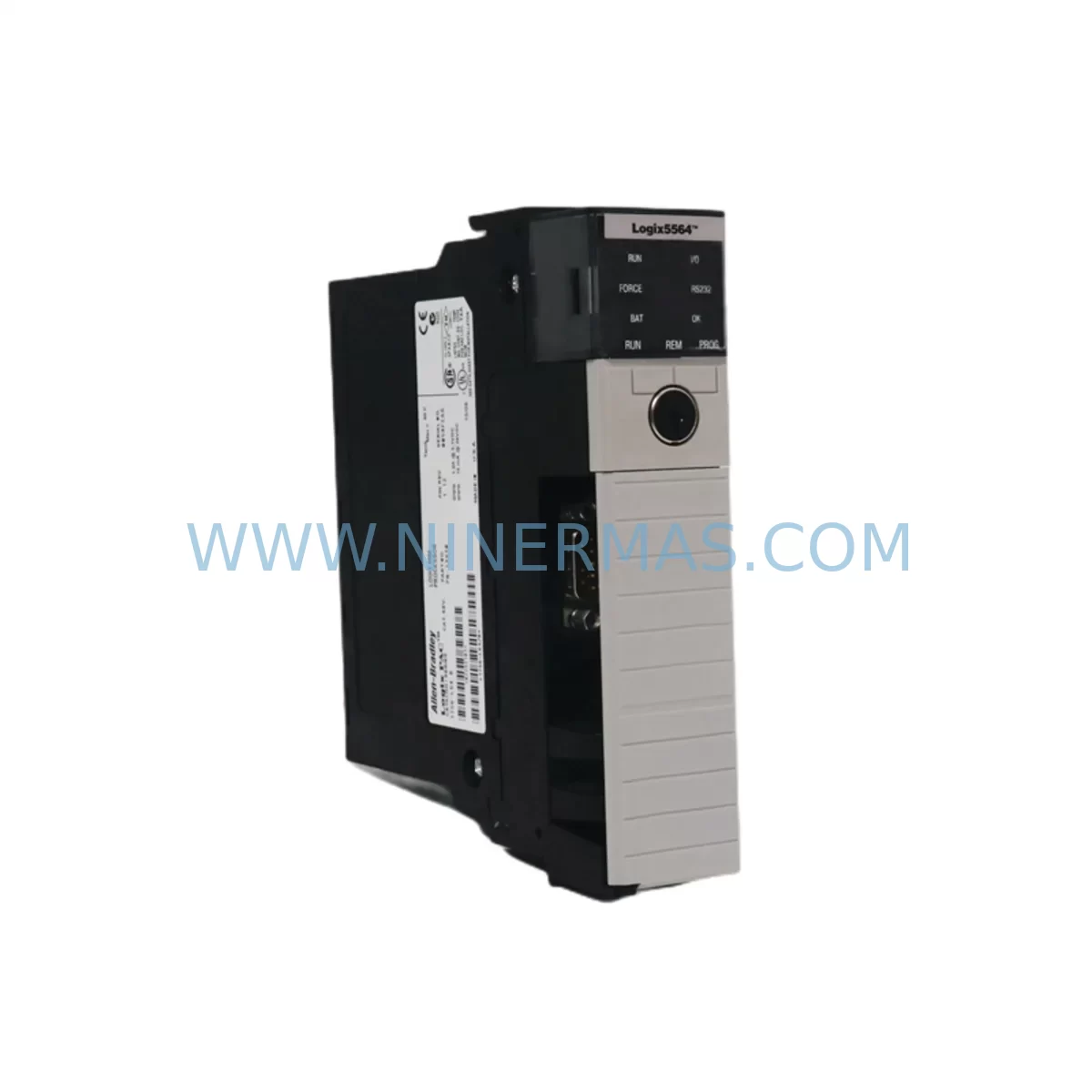
Allen-Bradley 1756-L64 Retrofit-Compatible Controller for Legacy Systems
Verify the part, confirm the platform family, and move straight into quotation with the right commercial details.
RFQ Ready
- SKU1756-L64
- CategoryPLC & Industrial Automation Modules
- BrandAllen-Bradley
- SupportAvailability, lead time, condition, and shipping coordination
How Buyers Usually Use This Page
- Confirm the exact part number and platform family before sending the quote request.
- Use direct email when quantity, condition, and destination are already defined internally.
- Switch to the broader brand or category archive when you need alternates nearby.
Series Navigation
Move through the most common platform families behind this part.
Product RFQ
Send this part directly for quotation.
Include quantity, required condition, destination country, and target delivery timing. Current reference: Allen-Bradley 1756-L64 Retrofit-Compatible Controller for Legacy Systems with SKU 1756-L64.
Allen-Bradley 1756-L64 Retrofit-Compatible Controller for Legacy Systems
The Allen-Bradley 1756-L64 is a ControlLogix series programmable logic controller (PLC) designed for high-performance industrial automation. As legacy systems age and original hardware reaches end-of-life, the 1756-L64 serves as a proven retrofit and replacement solution for facilities managing discontinued control platforms, aging control cabinets, and production lines that cannot afford extended downtime. Whether you are replacing a failed unit, upgrading from an older SLC 500 or PLC-5 platform, or expanding an existing ControlLogix rack, the 1756-L64 delivers the processing power, memory capacity, and communication flexibility required for seamless system continuity.
With 4MB of user memory and support for Rockwell Automation’s standard 1756 backplane architecture, this controller integrates directly into existing ControlLogix chassis without requiring structural modifications to the control cabinet. Engineers undertaking retrofit projects should verify power supply capacity — the 1756-PA75 or 1756-PB75 power supply modules are commonly paired with this controller and must be confirmed to support the total chassis load after the upgrade. Terminal wiring on I/O modules connected to the backplane remains unchanged in most retrofit scenarios, reducing rewiring time and minimizing the risk of field wiring errors during commissioning.
Upgrade Compatibility Table
| Parameter | 1756-L64 Specification | Retrofit Notes |
|---|---|---|
| User Memory | 4MB | Verify program size before migration from older L6x controllers |
| Backplane Interface | 1756 ControlLogix Backplane | Compatible with existing 1756-A4, 1756-A7, 1756-A10, 1756-A13, 1756-A17 chassis |
| Communication Protocols | EtherNet/IP, ControlNet, DeviceNet (via comm modules) | Retain existing 1756-ENBT, 1756-CNB, or 1756-DNB modules; verify firmware compatibility |
| Power Requirements | Supplied via 1756 backplane | Confirm 1756-PA75 / 1756-PB75 capacity covers full chassis load |
| Installation Space | Standard 1756 single-slot module | No additional space required; direct slot replacement |
| Programming Software | RSLogix 5000 / Studio 5000 | Existing .ACD project files are compatible; verify revision level |
| I/O Addressing | Tag-based | Module addresses and tag names preserved during controller swap |
| HMI Compatibility | FactoryTalk View, PanelView Plus | HMI screen logic and tag references remain valid post-swap |
| Warranty | 12 Months | Covered from date of shipment; includes pre-shipment functional test |
Retrofit Planning for Existing Automation Systems
Successful retrofit of a 1756-L64 into an existing automation system requires a structured pre-migration assessment. Begin by auditing the current chassis configuration. In a typical ControlLogix installation, the chassis may house a combination of digital and analog I/O modules such as the 1756-IB16 (16-point 24VDC input) and 1756-OB16E (16-point electronically fused output), alongside communication modules including the 1756-ENBT for EtherNet/IP connectivity or the 1756-CNB for ControlNet bridge functionality. All of these modules remain in place during a controller-only swap, which is one of the primary advantages of the 1756-L64 retrofit approach.
Before removing the existing controller, export and archive the current RSLogix 5000 or Studio 5000 project file (.ACD). Confirm the firmware revision of the replacement 1756-L64 matches or is compatible with the revision expected by your I/O modules and communication bridges. In cases where the existing controller is a significantly older revision, a firmware upgrade may be required — this should be planned and tested offline prior to the live cutover.
For facilities migrating from legacy PLC-5 or SLC 500 platforms to ControlLogix, the 1756-L64 is frequently used as the target controller in conjunction with migration tools provided by Rockwell Automation. In these scenarios, the 1756-DHRIO module may be required to maintain communication with legacy remote I/O racks during a phased migration, allowing the new controller to manage both the new ControlLogix I/O and the existing legacy field devices simultaneously. Signal isolators may also be required at the terminal block level when integrating legacy 4–20mA analog field devices with newer 1756-IF16 analog input modules.
Control cabinet space should be confirmed before ordering. The 1756-L64 occupies a single slot in any standard 1756 series chassis. If the existing chassis is fully populated, a chassis expansion using an additional 1756-A7 or 1756-A10 rack connected via the 1756-SB backplane bridge may be necessary. Programming cables such as the 1756-CP3 or a standard USB-to-serial adapter compatible with RSLinx Classic are required for initial controller configuration and firmware flashing prior to installation.
Downtime Control During System Migration
Minimizing production downtime is the primary concern for any facility undertaking a controller replacement or system retrofit. For the 1756-L64, the controller swap itself — when properly planned — can typically be completed within a scheduled maintenance window of two to four hours, depending on the complexity of the existing program and the number of I/O modules in the chassis.
The recommended approach is to perform all pre-migration steps offline: load the archived project file onto the replacement 1756-L64, verify the program compiles without errors in Studio 5000, and confirm all module configurations match the physical hardware in the chassis. Where possible, use a spare chassis and matching I/O modules to perform a bench test of the replacement controller before bringing it to the production floor.
During the live cutover, place the system in a safe state, remove the existing controller from the chassis slot, and insert the pre-configured 1756-L64. Upon power-up, the controller will automatically recognize the existing I/O modules via the backplane and begin executing the loaded program. Monitor the I/O status indicators and verify communication links — particularly the EtherNet/IP connection to the SCADA system or HMI — before releasing the system to production. FactoryTalk View SE or PanelView Plus HMI screens should display correctly without modification, as tag references are preserved in the project file.
For systems where continuous operation is critical, consider a phased migration strategy using the 1756-DHRIO or a temporary parallel control arrangement, allowing the new controller to shadow the existing system before full cutover. This approach is particularly effective in water treatment, chemical processing, and power generation facilities where even brief interruptions carry significant operational risk.
Retrofit Support FAQ
Q: Is the 1756-L64 a direct replacement for other 1756-Lxx ControlLogix controllers?
A: Yes. The 1756-L64 is physically and electrically compatible with all standard 1756 series chassis, including the 1756-A4, 1756-A7, 1756-A10, 1756-A13, and 1756-A17. It occupies a single backplane slot and connects to existing I/O and communication modules without rewiring. Program files from other L6x series controllers (such as the 1756-L61, 1756-L62, or 1756-L63) can be loaded directly, subject to memory size and firmware revision compatibility checks.
Q: What commissioning steps are required after installing the 1756-L64?
A: After physical installation, connect to the controller via RSLinx Classic or Studio 5000 using a programming cable or EtherNet/IP connection. Verify the firmware revision, download the project file, and perform an I/O module status check. Confirm all communication modules — including any 1756-ENBT or 1756-CNB bridges — are online and communicating correctly. Test all critical I/O points before returning the system to automatic mode.
Q: How is terminal wiring affected during a controller swap?
A: In a controller-only replacement within an existing ControlLogix chassis, terminal wiring on field I/O modules is not affected. All wiring remains connected to the existing 1756-series I/O modules. Only the controller module itself is replaced. If the retrofit involves adding new I/O modules or expanding to a second chassis, additional terminal block wiring will be required according to the new module specifications.
Q: What warranty and pre-shipment testing does NINERMAS provide for the 1756-L64?
A: Every 1756-L64 unit supplied by NINERMAS undergoes functional testing prior to shipment, including power-on verification and backplane communication checks. A 12-month warranty is provided from the date of shipment, covering manufacturing defects and functional failures under normal operating conditions. In-stock units are available for immediate dispatch. Contact our team for lead time confirmation and volume pricing.
| Product Series | ControlLogix |
|---|---|
| Country of Origin | US |
Catalog Continuation
More Allen-Bradley modules in the catalog.
Use the brand lane to compare nearby part numbers, platform-adjacent modules, and other inquiry-ready listings before sending your final RFQ.




Catalog Continuation
Alternative parts within PLC & Industrial Automation Modules.
Stay inside the same system family when you need substitutes, adjacent modules, or a broader shortlist for procurement review.



SKU: HDD02.2-W040N-HS12-01-FW FWA-DIAX04-ELS-05VRS-MS
Rexroth HDD02.2-W040N-HS12-01-FW Service-Ready Spare Part

SKU: I5DAE375F10010000S
Lenze I5DAE375F10010000S Service-Ready Spare Part for Industrial Maintenance