
Original Industrial Spare Part
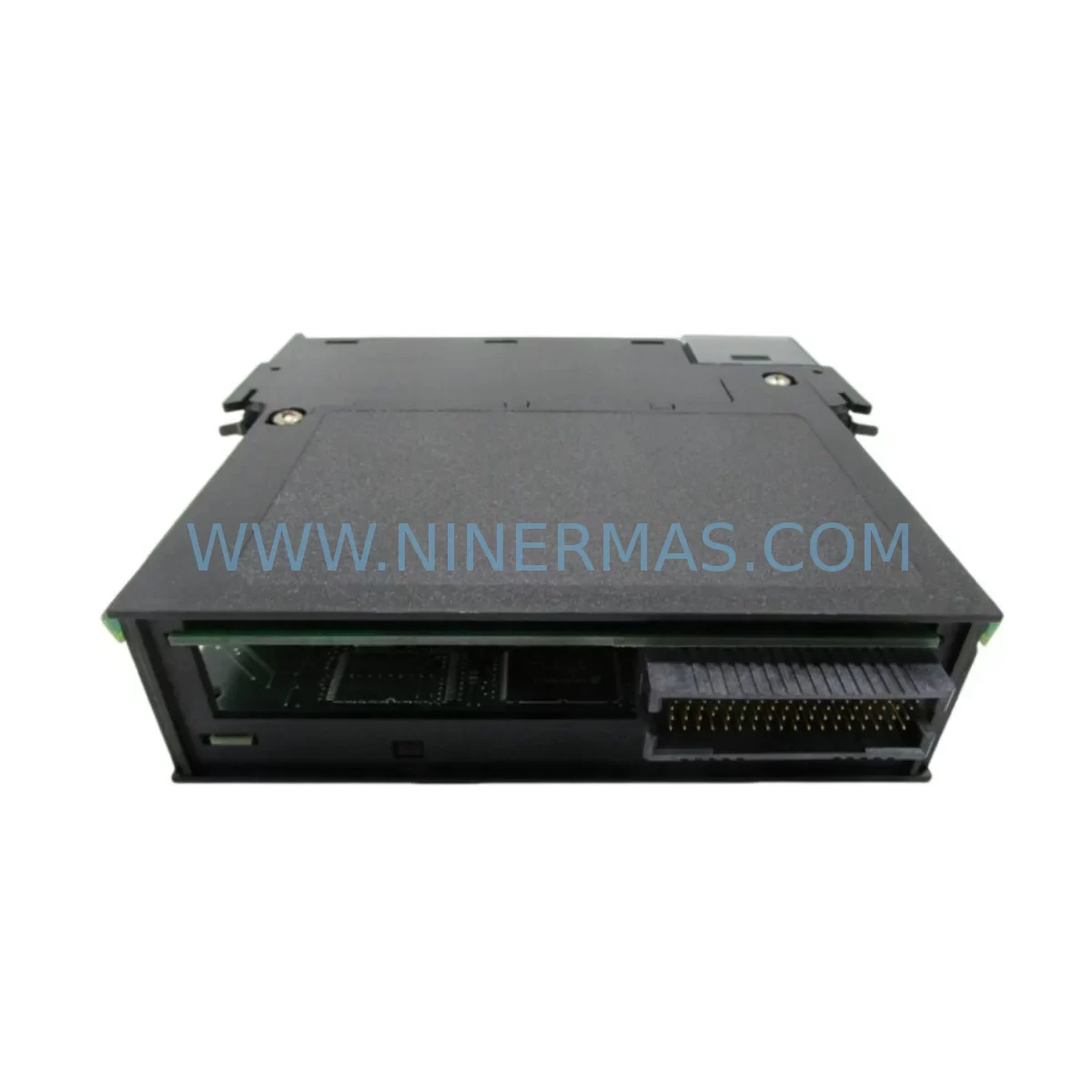
Allen-Bradley 1756-DMD30 Service-Ready Spare Part for Industrial Maintenance
Verify the part, confirm the platform family, and move straight into quotation with the right commercial details.
RFQ Ready
- SKU1756-DMD30
- CategoryPLC & Industrial Automation Modules
- BrandAllen-Bradley
- SupportAvailability, lead time, condition, and shipping coordination
How Buyers Usually Use This Page
- Confirm the exact part number and platform family before sending the quote request.
- Use direct email when quantity, condition, and destination are already defined internally.
- Switch to the broader brand or category archive when you need alternates nearby.
Series Navigation
Move through the most common platform families behind this part.
Product RFQ
Send this part directly for quotation.
Include quantity, required condition, destination country, and target delivery timing. Current reference: Allen-Bradley 1756-DMD30 Service-Ready Spare Part for Industrial Maintenance with SKU 1756-DMD30.
Allen-Bradley 1756-DMD30 Service-Ready Spare Part for Industrial Maintenance
The Allen-Bradley 1756-DMD30 is a ControlLogix-series diagnostic module engineered for demanding industrial automation environments. As a service-ready spare part, the 1756-DMD30 plays a critical role in minimizing unplanned downtime, supporting rapid fault isolation, and enabling efficient line recovery across manufacturing, oil & gas, water treatment, and process control facilities. Whether you are building a preventive maintenance inventory, responding to an emergency shutdown, or executing a scheduled annual overhaul, having a verified replacement 1756-DMD30 on hand is a fundamental element of any robust spare parts strategy.
At NINERMAS, every 1756-DMD30 unit is sourced, inspected, and tested before shipment. Each module is backed by a 12-month warranty, ensuring your maintenance team can deploy with confidence and your procurement team can justify the purchase with full lifecycle accountability.
Spare Maintenance Table
| Parameter | Specification / Detail |
|---|---|
| SKU / Part Number | 1756-DMD30 |
| Brand | Allen-Bradley (Rockwell Automation) |
| Series | ControlLogix 1756 |
| Module Type | Diagnostic Module |
| Backplane Compatibility | ControlLogix 1756 Chassis (all standard slot widths) |
| Communication Interface | ControlLogix backplane bus |
| Operating Voltage | Supplied via ControlLogix backplane (no external power required) |
| Operating Temperature | 0°C to 60°C (32°F to 140°F) |
| Relative Humidity | 5% to 95% non-condensing |
| Mounting | ControlLogix 1756 chassis slot installation |
| Certifications | UL, CE, cUL (per original Rockwell Automation specifications) |
| Condition | New / Refurbished-Tested (specify at order) |
| Warranty | 12 Months from date of shipment |
| Lead Time | In-stock: ships within 1–3 business days |
| Origin | United States (Rockwell Automation OEM) |
| Application Environment | Industrial automation, process control, discrete manufacturing, utilities |
| Maintenance Recommendation | Inspect annually; replace immediately upon diagnostic fault or LED error indication |
Maintenance Planning for Continuous Operation
Replacing the 1756-DMD30 in a live ControlLogix system is rarely an isolated task. Experienced maintenance engineers understand that a diagnostic module fault is often a symptom of broader electrical or communication stress within the control cabinet. When scheduling a 1756-DMD30 replacement, your site team should conduct a concurrent inspection of the following components to prevent repeat failures and ensure full system restoration.
Begin with the 1756-PA75 or 1756-PB75 power supply module, which feeds the ControlLogix chassis. A degraded power supply can cause intermittent diagnostic faults and false module errors — verifying output voltage stability before installing a new 1756-DMD30 is essential. Similarly, inspect the 1756-A7 or 1756-A13 chassis backplane for physical damage, corrosion on the bus connectors, or signs of thermal stress, as backplane integrity directly affects module communication reliability.
For systems with active I/O, review the 1756-IB16 digital input modules and 1756-OB16E digital output modules in adjacent slots. Wiring faults or field-side short circuits on these modules can propagate diagnostic signals that appear as 1756-DMD30 errors. Checking terminal block torque values and insulation resistance on field wiring is a recommended step during any ControlLogix cabinet inspection.
Communication integrity should also be verified. If the system uses 1756-EN2T or 1756-EN3TR EtherNet/IP communication modules, confirm that network latency and packet loss are within acceptable limits. Excessive network errors can trigger diagnostic module responses that are misdiagnosed as hardware faults. For legacy installations using 1756-DNB DeviceNet bridge modules or 1756-RIO Remote I/O modules, inspect the network cabling, termination resistors, and node addressing before concluding that the 1756-DMD30 is the root cause of the fault.
Procurement engineers building a ControlLogix spare parts kit should also consider stocking the 1756-L73 or 1756-L74 ControlLogix controller as a critical long-lead item, along with spare 1492-CABLE series wiring harnesses and 1756-TBCH or 1756-TBS6H terminal blocks for rapid field reconnection. Fuse holders and replacement fuses rated for the cabinet’s control voltage should be included in every maintenance kit alongside the 1756-DMD30.
For facilities operating aging ControlLogix systems beyond their standard product lifecycle, the 1756-DMD30 spare part supports system life extension strategies without requiring a full platform migration. Pairing this module with a verified 1756-ENBT EtherNet/IP bridge or a 1756-DHRIO Data Highway Plus/Remote I/O module allows legacy communication architectures to remain operational while modern diagnostics are maintained.
Site Replacement Workflow
Step 1 — Pre-Replacement Verification: Before removing the existing 1756-DMD30, document the current slot position, chassis number, and any active fault codes displayed in RSLogix 5000 or Studio 5000 Logix Designer. Export the current controller program as a backup. Confirm that the replacement module’s firmware revision is compatible with the installed controller firmware.
Step 2 — Safe Removal: Follow Rockwell Automation lockout/tagout (LOTO) procedures. The ControlLogix chassis supports hot-swap for most modules, but verify with your site safety officer whether the 1756-DMD30 can be replaced under power in your specific installation. Remove the module by pressing the top and bottom locking tabs simultaneously and sliding it straight out of the chassis slot.
Step 3 — Module Installation: Insert the replacement 1756-DMD30 into the same chassis slot. Ensure the module is fully seated until both locking tabs click into place. Power on the chassis and observe the module status LEDs. A solid green OK LED confirms successful initialization. If the module enters a fault state, verify slot addressing in the controller configuration matches the physical slot number.
Step 4 — System Validation: After installation, perform a full I/O scan and review the controller’s fault log in Studio 5000. Confirm that all previously faulted tags have cleared and that diagnostic data is being reported correctly. Run a functional test of the production line segment controlled by this chassis before returning the system to full production.
Step 5 — Documentation Update: Record the replacement date, module serial number, and technician name in your CMMS (Computerized Maintenance Management System). Update your spare parts inventory to reflect the consumed unit and initiate a reorder if stock falls below your minimum holding level.
Spare Parts Support FAQ
Q1: Is the 1756-DMD30 still available as a new original part, or is it discontinued?
The 1756-DMD30 has reached end-of-life status in Rockwell Automation’s standard product catalog. However, NINERMAS maintains stock of new-surplus and fully tested refurbished units to support ongoing maintenance requirements. Each unit is inspected, functionally tested, and shipped with a 12-month warranty, providing a reliable supply path for facilities that cannot immediately migrate to a newer platform.
Q2: How do I verify compatibility between the 1756-DMD30 and my existing ControlLogix chassis and controller?
Compatibility is determined by the ControlLogix chassis series (1756-Axx), the controller firmware revision, and the Studio 5000 / RSLogix 5000 project configuration. The 1756-DMD30 is compatible with all standard 1756-series chassis. Before ordering, provide your controller catalog number and firmware version to our technical team at sale@ninermas.com, and we will confirm compatibility and advise on any firmware update requirements.
Q3: What testing is performed on each 1756-DMD30 before shipment?
Every 1756-DMD30 unit shipped by NINERMAS undergoes a multi-point inspection covering physical condition, backplane connector integrity, LED functionality, and live operational testing in a ControlLogix test chassis. A test report is available upon request. Units are packaged in anti-static ESD bags with protective foam inserts to prevent transit damage.
Q4: Can NINERMAS support long-term supply agreements for the 1756-DMD30 and related ControlLogix spare parts?
Yes. NINERMAS offers long-term supply agreements for maintenance teams and procurement departments that require guaranteed stock availability for critical spare parts. We support blanket purchase orders, scheduled delivery programs, and consignment stock arrangements. Contact our team at sale@ninermas.com or +0086 187 5021 5667 to discuss a customized supply agreement for the 1756-DMD30 and associated ControlLogix components.
| Product Series | ControlLogix |
|---|---|
| Country of Origin | US |
Catalog Continuation
More Allen-Bradley modules in the catalog.
Use the brand lane to compare nearby part numbers, platform-adjacent modules, and other inquiry-ready listings before sending your final RFQ.




Catalog Continuation
Alternative parts within PLC & Industrial Automation Modules.
Stay inside the same system family when you need substitutes, adjacent modules, or a broader shortlist for procurement review.



SKU: HDD02.2-W040N-HS12-01-FW FWA-DIAX04-ELS-05VRS-MS
Rexroth HDD02.2-W040N-HS12-01-FW Service-Ready Spare Part

SKU: I5DAE375F10010000S
Lenze I5DAE375F10010000S Service-Ready Spare Part for Industrial Maintenance



