Original Industrial Spare Part
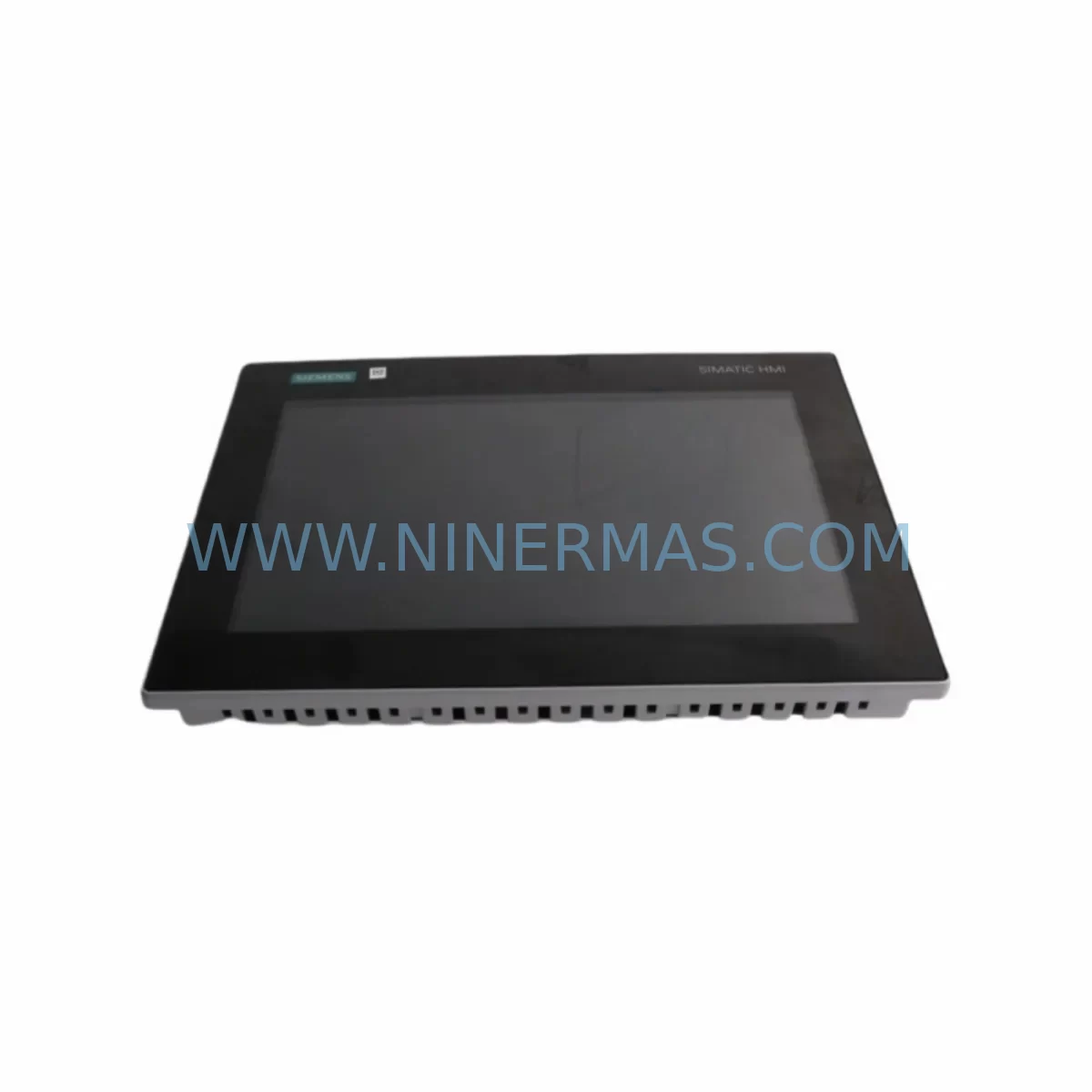
Siemens 6AV2128-3QB06-0AX1 Retrofit-Compatible HMI Panel
Verify the part, confirm the platform family, and move straight into quotation with the right commercial details.
RFQ Ready
- SKU6AV2128-3QB06-0AX1
- CategoryPLC & Industrial Automation Modules
- BrandSiemens
- SupportAvailability, lead time, condition, and shipping coordination
How Buyers Usually Use This Page
- Confirm the exact part number and platform family before sending the quote request.
- Use direct email when quantity, condition, and destination are already defined internally.
- Switch to the broader brand or category archive when you need alternates nearby.
Series Navigation
Move through the most common platform families behind this part.
Product RFQ
Send this part directly for quotation.
Include quantity, required condition, destination country, and target delivery timing. Current reference: Siemens 6AV2128-3QB06-0AX1 Retrofit-Compatible HMI Panel with SKU 6AV2128-3QB06-0AX1.
Siemens 6AV2128-3QB06-0AX1 Retrofit-Compatible HMI Panel for Legacy System Modernization
The Siemens 6AV2128-3QB06-0AX1 is a 15-inch MTP1500 Unified Comfort Panel designed to serve as a direct retrofit replacement for aging HMI infrastructure across a wide range of industrial automation environments. Whether you are upgrading a legacy SIMATIC WinCC Flexible system, migrating from an older TP1500 Comfort Panel, or modernizing a control cabinet that has been running on discontinued hardware, this unit provides a smooth, validated upgrade path with minimal disruption to existing control logic and field wiring.
At NINERMAS, we specialize in sourcing, testing, and supplying retrofit-grade industrial automation components. The 6AV2128-3QB06-0AX1 is one of the most requested Siemens HMI replacements in our inventory, particularly for customers managing aging production lines in automotive, food and beverage, chemical processing, and discrete manufacturing sectors.
Upgrade Compatibility Table
| Parameter | Legacy Unit (e.g. TP1500 Comfort / 6AV2124-0QC02-0AX1) | 6AV2128-3QB06-0AX1 (MTP1500 Unified) |
|---|---|---|
| Display Size | 15.4″ Widescreen TFT | 15.6″ Widescreen TFT |
| Resolution | 1280 × 800 | 1366 × 768 |
| Mounting Cutout | 398 × 298 mm | 398 × 298 mm (compatible) |
| Communication Interfaces | PROFINET, MPI/PROFIBUS, USB | PROFINET (2×), USB-A, USB-C, SD Card |
| Protocol Compatibility | S7-300/400, WinCC Flexible | S7-1200/1500, S7-300/400 (via legacy driver), TIA Portal V16+ |
| Power Supply | 24 V DC, ~25 W | 24 V DC, ~30 W (verify PSU capacity) |
| Operating System | Windows CE / Embedded | Siemens RT Advanced (Linux-based) |
| Project Migration | WinCC Flexible project | Requires TIA Portal migration wizard |
| Retrofit Recommendation | Direct panel swap with cutout adapter if needed; program migration via TIA Portal V17+ | |
| Commissioning Focus | IP address reassignment, tag remapping, alarm reconfiguration, HMI screen layout verification | |
| Warranty | — | 12-Month Warranty (NINERMAS) |
Retrofit Planning for Existing Automation Systems
Successful integration of the 6AV2128-3QB06-0AX1 into an existing control system begins well before the panel arrives on site. Engineers should start by auditing the current control cabinet layout to confirm that the mounting cutout dimensions are compatible and that sufficient depth clearance exists behind the panel door for the new unit’s connector profile and cable routing. The MTP1500 Unified Comfort Panel is slightly deeper than some earlier TP1500 Comfort variants, so verifying installation space is a critical first step.
Power supply verification is equally important. The 6AV2128-3QB06-0AX1 draws up to 30 W at 24 V DC under full load. If the existing SITOP PSU8200 or SITOP modular power supply in the cabinet was sized tightly for the legacy panel, you may need to recalculate total load including any additional I/O modules, communication modules, or signal isolators sharing the same rail. Upgrading to a higher-capacity SITOP unit before the HMI swap prevents nuisance shutdowns during commissioning.
On the communication side, the 6AV2128-3QB06-0AX1 connects natively to S7-1200 and S7-1500 PLCs via PROFINET using TIA Portal-configured connections. For sites still running S7-300 or S7-400 controllers — including older CPU 315-2 PN/DP or CPU 414-3 PN/DP units — the panel supports legacy S7 communication drivers, but the project must be migrated from WinCC Flexible to TIA Portal WinCC (Unified) using the migration wizard. During this process, all tag connections, alarm classes, recipe structures, and trend configurations must be reviewed and remapped. It is common to find that certain WinCC Flexible function blocks or scripts do not have direct equivalents in the Unified environment and require rewriting.
Terminal wiring at the panel connector is straightforward: the 24 V DC supply connects to the standard 2-pin power terminal, and PROFINET cables connect to either of the two integrated RJ45 ports. If the legacy system used MPI or PROFIBUS DP for HMI communication, a protocol migration to PROFINET is required, which may involve adding a CP 343-1 or CP 443-1 communication processor to the existing S7-300/400 rack, or replacing the CPU with a PROFINET-capable variant. In some retrofit projects, a PROFIBUS-to-PROFINET gateway module is used as an interim solution to avoid full PLC replacement during the first phase of modernization.
For systems that include distributed I/O — such as ET 200SP or ET 200M remote I/O stations connected via PROFINET or PROFIBUS — the HMI panel replacement does not directly affect field I/O wiring, but the TIA Portal project must correctly reflect the updated hardware configuration, including any changes to module addresses or slot assignments. If the retrofit also involves adding new I/O capacity, this is an ideal time to introduce additional ET 200SP BaseUnits or expand an existing IM 155-6 PN interface module rack.
Where the existing control system includes a SINAMICS G120 or S120 drive connected to the HMI for parameter monitoring or fault display, the drive communication objects must be re-established in the new TIA Portal project. Similarly, if the legacy HMI was connected to a SCALANCE network switch or industrial Ethernet backbone, the new panel’s IP address must be assigned within the existing subnet and the switch port configuration verified to ensure PROFINET cycle time requirements are met.
Before the cutover, it is strongly recommended to export and archive the complete WinCC Flexible project, back up the PLC program from the CPU using SIMATIC Manager or TIA Portal, and document all current tag values, setpoints, and recipe data. This ensures that if any issue arises during commissioning, the system can be restored to its previous state without data loss.
Downtime Control During System Migration
Minimizing production downtime during an HMI panel replacement requires a structured cutover plan. The most effective approach is to complete all software preparation — TIA Portal project migration, tag verification, alarm configuration, and screen layout review — before the physical panel swap begins. This means the new 6AV2128-3QB06-0AX1 should arrive pre-loaded with the migrated project, tested offline against a simulator or spare PLC, and confirmed functional before it enters the production environment.
On the day of cutover, the sequence typically follows: isolate the control cabinet, remove the legacy panel, install the new MTP1500 Unified Comfort Panel into the existing cutout, reconnect the 24 V DC power terminals and PROFINET cables, power up the panel, establish communication with the PLC, and perform a live verification of all critical HMI screens, operator inputs, alarm displays, and process value readbacks. For systems where the HMI is the primary operator interface for safety-relevant functions — such as emergency stop acknowledgment, interlock bypass, or batch control — a second engineer should be present during the live verification phase.
If the PLC program requires any modification to accommodate the new HMI project — for example, updated DB structures, renamed tags, or new communication function blocks — these changes should be downloaded to the CPU during a planned maintenance window, not during the HMI cutover itself. Separating the PLC program update from the HMI hardware swap reduces the number of variables in play and makes fault diagnosis faster if any issue arises.
For multi-panel installations where several HMI units share the same PROFINET network and PLC project, a phased replacement approach — replacing one panel at a time while keeping the others operational — maintains partial operator visibility throughout the migration and significantly reduces the risk of a complete loss of HMI control during the transition period.
All units supplied by NINERMAS undergo pre-shipment functional testing, including power-on verification, display calibration check, communication port validation, and firmware version confirmation. This reduces the risk of receiving a non-functional unit and helps ensure that the on-site cutover window is used for integration and commissioning rather than basic hardware troubleshooting. Every 6AV2128-3QB06-0AX1 shipped by NINERMAS is covered by a 12-month warranty from the date of delivery.
Retrofit Support FAQ
Q1: Can the 6AV2128-3QB06-0AX1 directly replace a 6AV2124-0QC02-0AX1 (TP1500 Comfort Panel) without modifying the cabinet cutout?
In most cases, yes. The mounting cutout dimensions are compatible, and the panel can be installed using the existing cutout with the supplied mounting clamps. However, you should verify the cabinet door depth clearance, as the MTP1500 Unified is slightly deeper than the TP1500 Comfort. A cutout adapter frame is available if minor dimensional adjustment is needed. The HMI project must be migrated from WinCC Flexible to TIA Portal WinCC Unified before commissioning.
Q2: What is required to migrate the existing WinCC Flexible project to the new panel?
You will need TIA Portal V17 or later with the WinCC Unified option package. The TIA Portal migration wizard can import most WinCC Flexible screens, tags, and alarms automatically, but manual review is required for custom scripts, complex faceplates, and any function blocks that do not have direct Unified equivalents. Plan for a minimum of one to three days of engineering time for a typical mid-complexity project migration, plus additional time for testing and validation.
Q3: Does NINERMAS provide pre-shipment testing, and what does the 12-month warranty cover?
Yes. Every unit undergoes pre-shipment functional testing including power-on verification, display and touch calibration, communication port check, and firmware confirmation. The 12-month warranty covers hardware defects and functional failures under normal operating conditions. It does not cover damage resulting from incorrect installation, overvoltage, or unauthorized modification. Warranty claims are processed directly through NINERMAS with a target response time of two business days.
Q4: Is stock available for immediate shipment, and what are the lead times?
NINERMAS maintains inventory of the 6AV2128-3QB06-0AX1 for prompt dispatch. Standard lead time for in-stock units is 3–7 business days depending on destination. For urgent retrofit projects with tight maintenance windows, please contact our sales team directly to confirm current stock levels and arrange expedited shipping. We can also assist with sourcing related components such as power supplies, communication modules, and mounting accessories to support your complete retrofit bill of materials.
| Product Series | SIMATIC |
|---|---|
| Country of Origin | DE |
Catalog Continuation
More Siemens modules in the catalog.
Use the brand lane to compare nearby part numbers, platform-adjacent modules, and other inquiry-ready listings before sending your final RFQ.
SKU: 6ES7134-6HD00-0BA1
Siemens 6ES7134-6HD00-0BA1 Safety-Reliable Analog Input
SKU: A5E00110975 G150G130S120
SIEMENS A5E00110975 Safety Drive Module for Critical Sites
SKU: 1FK7042-5AF71-1EH0
Siemens 1FK7042-5AF71-1EH0 SIMOTICS S Retrofit Servo Motor
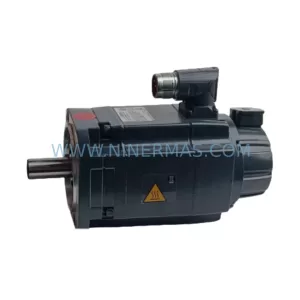
SKU: 1FK7042-2AF71-1RG0
Siemens 1FK7042-2AF71-1RG0 Retrofit-Compatible Servo Motor
Catalog Continuation
Alternative parts within PLC & Industrial Automation Modules.
Stay inside the same system family when you need substitutes, adjacent modules, or a broader shortlist for procurement review.