Original Industrial Spare Part
AB 2711P-T10C22D9P Service-Ready Spare Part for Industrial Maintenance
Verify the part, confirm the platform family, and move straight into quotation with the right commercial details.
RFQ Ready
- SKU2711P-T10C22D9P
- CategoryPLC & Industrial Automation Modules
- BrandAllen-Bradley
- SupportAvailability, lead time, condition, and shipping coordination
How Buyers Usually Use This Page
- Confirm the exact part number and platform family before sending the quote request.
- Use direct email when quantity, condition, and destination are already defined internally.
- Switch to the broader brand or category archive when you need alternates nearby.
Series Navigation
Move through the most common platform families behind this part.
Product RFQ
Send this part directly for quotation.
Include quantity, required condition, destination country, and target delivery timing. Current reference: AB 2711P-T10C22D9P Service-Ready Spare Part for Industrial Maintenance with SKU 2711P-T10C22D9P.
AB 2711P-T10C22D9P Service-Ready Spare Part for Industrial Maintenance
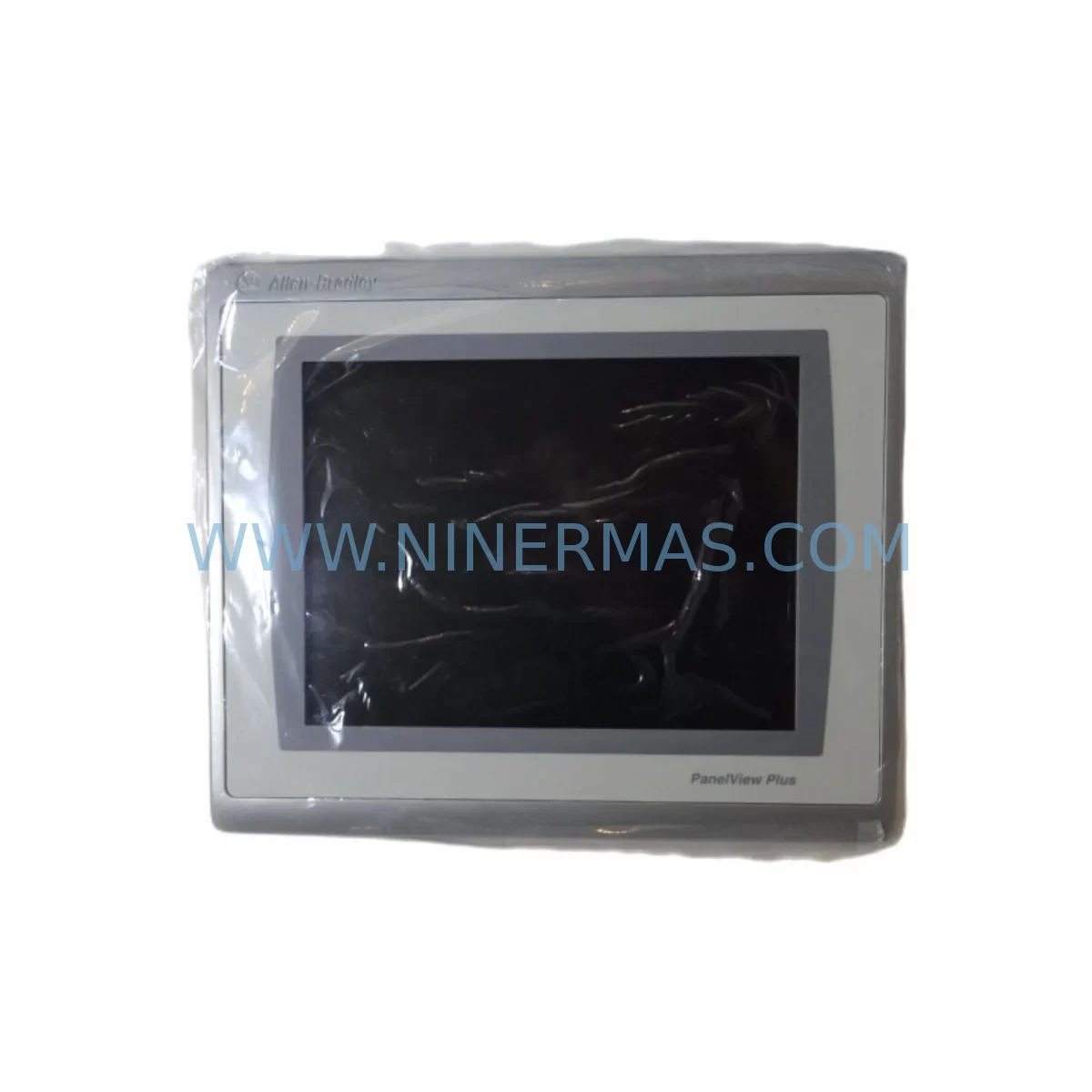
The Allen-Bradley 2711P-T10C22D9P is a ruggedized 10.4″ color touch-screen HMI display module from the PanelView Plus 1000 series, engineered for demanding industrial environments including automotive assembly lines, oil & gas processing facilities, water treatment plants, and heavy manufacturing cells. As a direct original spare part, this unit is fully compatible with existing PanelView Plus 1000 installations and supports seamless drop-in replacement without firmware reconfiguration in most standard deployments. Sourced, tested, and dispatched by NINERMAS, every unit ships with a 12-month warranty and pre-shipment functional verification to minimize your downtime risk.
For maintenance engineers managing aging control systems, the 2711P-T10C22D9P represents a critical line-of-defense component. HMI failures are among the most disruptive events in a production environment — operators lose visibility, alarms go unacknowledged, and manual overrides become necessary. Keeping a verified spare on the shelf eliminates the lead-time gap that turns a two-hour repair into a two-week production loss.
Spare Maintenance Table
| Parameter | Specification |
|---|---|
| Part Number | 2711P-T10C22D9P |
| Brand | Allen-Bradley (Rockwell Automation) |
| Series | PanelView Plus 1000 |
| Display Size | 10.4″ Color TFT LCD |
| Touch Technology | Analog Resistive Touch Screen |
| Operating Voltage | 24V DC (Nominal) |
| Communication Ports | Ethernet (RJ-45), RS-232, USB |
| Operating Temperature | 0°C to 55°C (32°F to 131°F) |
| Protection Rating | NEMA 4/4X, 12, 13 (front panel); IP65 |
| Enclosure Type | Ruggedized — suitable for harsh environments |
| Compatibility | PanelView Plus 1000 series; FactoryTalk View ME software |
| Origin | USA |
| Condition | Original / New Surplus / Tested Refurbished (as labeled) |
| Warranty | 12 Months — NINERMAS Quality Guarantee |
| Pre-Shipment Test | Power-on, display, touch calibration, communication port check |
| Application | Industrial HMI replacement, control panel upgrade, system restoration |
Maintenance Planning for Continuous Operation
When a 2711P-T10C22D9P fails or is scheduled for replacement during a planned shutdown, experienced maintenance engineers know that the HMI is rarely the only component that needs attention. A thorough inspection of the surrounding control cabinet is essential to prevent repeat failures and ensure the restored system operates reliably through the next maintenance cycle.
Begin with the 24V DC power supply feeding the HMI — units such as the 1606-XLP95E or equivalent Allen-Bradley Bulletin 1606 power supplies should be load-tested and inspected for capacitor aging, especially in installations over five years old. A degraded power supply is a common root cause of intermittent HMI resets and display corruption that is often misdiagnosed as an HMI hardware fault.
Next, inspect the Ethernet communication cable and managed switch port connecting the HMI to the PLC or DCS network. In harsh environments, RJ-45 connectors corrode and cable shielding degrades, causing packet loss that manifests as slow screen refresh or communication fault alarms. If the installation uses a 1783-US8T or similar Stratix unmanaged switch, verify port link status and replace patch cables as a precaution.
The CompactLogix or ControlLogix PLC communicating with this HMI — such as a 1769-L33ER or 1756-L71 — should have its firmware version confirmed against the FactoryTalk View ME application file to avoid version mismatch errors after the HMI swap. Check the 1756-EN2T EtherNet/IP communication module for fault indicators and verify that the PLC backplane is seated correctly.
For installations with analog or digital I/O connected to the same control loop, inspect 1769-IF4 analog input modules and 1769-OB16 digital output modules for loose terminal connections and verify signal integrity with a calibrated meter. Loose wiring on I/O terminals is a leading cause of nuisance alarms that operators often attribute to HMI software issues.
If the control cabinet includes safety relay modules such as the 440R-N23132 or similar Guardmaster units, verify their reset and monitoring circuits are intact — HMI replacement work often requires safety circuit bypass procedures that must be properly restored and tested before returning the machine to production.
Finally, review the terminal block wiring (e.g., Allen-Bradley 1492-J series) on the HMI’s power and communication terminals. Retighten all connections to manufacturer torque specifications and apply anti-corrosion treatment in humid or chemically aggressive environments. Document the replacement in your CMMS with the new unit’s serial number, installation date, and next scheduled inspection interval.
Site Replacement Workflow
Step 1 — Preparation: Before removing the existing HMI, back up the FactoryTalk View ME application file from the unit using a USB drive or network path. Confirm the replacement 2711P-T10C22D9P is the correct catalog number and that the firmware version is compatible with your application. If the existing unit is completely non-functional, retrieve the application backup from your engineering workstation or SCADA server archive.
Step 2 — Safe Isolation: Follow your site’s lockout/tagout (LOTO) procedure. Isolate the 24V DC supply to the HMI. Do not de-energize the entire control panel unless required — many installations allow HMI replacement with the PLC remaining in run mode, which eliminates the need for a full system restart and significantly reduces downtime.
Step 3 — Physical Replacement: Disconnect the power connector, Ethernet cable, and any USB peripherals. Remove the four panel-mount screws and extract the unit from the front of the enclosure. Install the replacement 2711P-T10C22D9P, reconnect all cables, and restore power. The unit will boot to the FactoryTalk View ME runtime environment.
Step 4 — Application Restore & Commissioning: Load the application file via USB or network transfer. Perform touch-screen calibration. Verify all communication tags are updating correctly and that alarm displays are functioning. Conduct a brief operator acceptance test before returning the machine to production.
Step 5 — Documentation: Update your spare parts inventory, record the replaced unit’s serial number, and schedule the next HMI inspection. If the failed unit is repairable, tag it for depot evaluation — many Allen-Bradley HMI modules can be refurbished and returned to the spare parts pool, reducing long-term procurement costs.
Spare Parts Support FAQ
Q1: Is the 2711P-T10C22D9P compatible with my existing PanelView Plus 1000 installation?
Yes. The 2711P-T10C22D9P is a direct catalog replacement for PanelView Plus 1000 series installations using FactoryTalk View ME software. In most cases, the existing application file can be loaded onto the replacement unit without modification. Always verify firmware compatibility with your specific application version before installation.
Q2: What pre-shipment testing does NINERMAS perform on this unit?
Every 2711P-T10C22D9P dispatched by NINERMAS undergoes a power-on functional test, display quality check, touch-screen calibration verification, and communication port inspection. Units are packaged in anti-static, shock-protected packaging to prevent transit damage. A test report is available upon request.
Q3: What is the warranty coverage and how do I make a claim?
All units carry a 12-month warranty from the date of shipment. Warranty covers manufacturing defects and functional failures under normal operating conditions. To initiate a claim, contact NINERMAS at sale@ninermas.com with your order number, unit serial number, and a description of the fault. Replacement or repair will be arranged promptly.
Q4: Can NINERMAS support long-term or recurring procurement for this part?
Yes. NINERMAS maintains stock of Allen-Bradley PanelView Plus series components and can support blanket purchase orders, scheduled deliveries, and emergency same-day dispatch for critical spares. Contact our team to discuss a long-term supply agreement tailored to your maintenance schedule and inventory strategy.
| Product Series | 2711 |
|---|---|
| Country of Origin | US |
Catalog Continuation
More Allen-Bradley modules in the catalog.
Use the brand lane to compare nearby part numbers, platform-adjacent modules, and other inquiry-ready listings before sending your final RFQ.




Catalog Continuation
Alternative parts within PLC & Industrial Automation Modules.
Stay inside the same system family when you need substitutes, adjacent modules, or a broader shortlist for procurement review.



SKU: HDD02.2-W040N-HS12-01-FW FWA-DIAX04-ELS-05VRS-MS
Rexroth HDD02.2-W040N-HS12-01-FW Service-Ready Spare Part

SKU: I5DAE375F10010000S
Lenze I5DAE375F10010000S Service-Ready Spare Part for Industrial Maintenance