
Original Industrial Spare Part
ABB PM511V16 Service-Ready Spare Part for Industrial Maintenance
Verify the part, confirm the platform family, and move straight into quotation with the right commercial details.
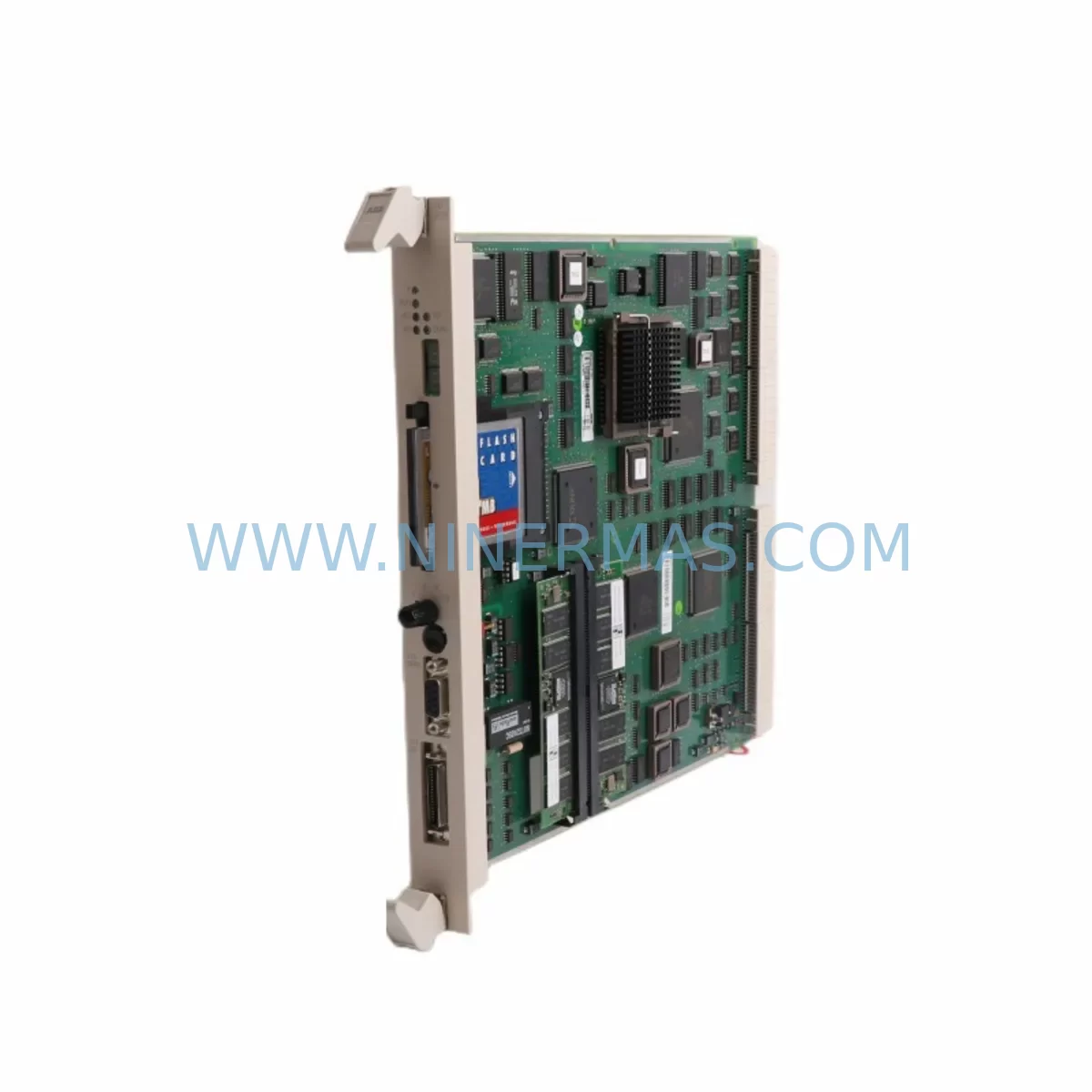
RFQ Ready
- SKUPM511V16
- CategoryPLC & Industrial Automation Modules
- BrandABB
- SupportAvailability, lead time, condition, and shipping coordination
How Buyers Usually Use This Page
- Confirm the exact part number and platform family before sending the quote request.
- Use direct email when quantity, condition, and destination are already defined internally.
- Switch to the broader brand or category archive when you need alternates nearby.
Series Navigation
Move through the most common platform families behind this part.
Product RFQ
Send this part directly for quotation.
Include quantity, required condition, destination country, and target delivery timing. Current reference: ABB PM511V16 Service-Ready Spare Part for Industrial Maintenance with SKU PM511V16.
ABB PM511V16 Service-Ready Spare Part for Industrial Maintenance
The ABB PM511V16 is a central processing unit (CPU) module designed for the ABB AC500 series programmable logic controller (PLC) platform — one of the most widely deployed industrial automation architectures in manufacturing, energy, water treatment, and process industries worldwide. As production lines age and original equipment reaches end-of-life, maintaining a reliable inventory of service-ready spare parts like the PM511V16 becomes a critical pillar of any plant’s maintenance strategy.
Whether you are responding to an unplanned shutdown, executing a scheduled annual overhaul, or building a proactive spare parts buffer for your control cabinet, the PM511V16 delivers the processing performance and I/O coordination your AC500 system depends on. This listing offers a service-ready, tested unit with full functional verification prior to shipment and backed by a 12-month warranty.
Spare Maintenance Table
| Parameter | Specification / Detail |
|---|---|
| SKU / Part Number | PM511V16 |
| Brand | ABB |
| Series | AC500 |
| Module Type | PLC CPU Module |
| Program Memory | 512 KB (expandable via SD card) |
| Communication Ports | 1× RS-232, 1× RS-485, 1× Ethernet (CS31 bus support) |
| Supported I/O Expansion | Compatible with AC500 S500 I/O modules |
| Operating Voltage | 24 VDC (via TB521 or TB541 terminal base) |
| Operating Temperature | 0°C to +60°C |
| Mounting | DIN rail via AC500 terminal base (TB521 / TB541) |
| Protection Rating | IP20 |
| Origin | Germany (ABB Automation Products) |
| Compatibility | ABB AC500 V2 platform; S500 I/O family |
| Replacement Scope | Direct drop-in for PM511V16 in existing AC500 installations |
| Pre-shipment Testing | Full functional test performed before dispatch |
| Warranty | 12 Months |
| Maintenance Recommendation | Inspect terminal base contacts, SD card slot, and communication wiring on replacement |
Maintenance Planning for Continuous Operation
When a PM511V16 CPU module fails or is flagged during a routine control cabinet inspection, the replacement process should never be treated in isolation. Experienced maintenance engineers understand that a CPU fault is often a symptom of broader system stress — and that a thorough replacement workflow must account for the entire electrical and communication environment surrounding the module.
Begin by verifying the TB521 or TB541 terminal base that the PM511V16 mounts onto. Corroded or loose terminal contacts are a leading cause of intermittent CPU faults and should be cleaned or replaced as part of the same maintenance event. Next, inspect the 24 VDC power supply rail feeding the AC500 rack — voltage sags or ripple from an aging CP-E 24/5.0 or CP-E 24/10.0 power supply module can cause CPU resets that mimic hardware failure.
Check all S500 digital input and output modules (such as DI524, DO524) connected to the CPU via the internal bus. A shorted field device on an output channel can generate fault codes that appear CPU-originated. Similarly, inspect AI523 or AO523 analog I/O modules for signal drift or wiring degradation, particularly in high-vibration or high-humidity environments.
Communication integrity is equally important. Verify the RS-485 and Ethernet wiring connected to the PM511V16’s onboard ports. Damaged shielding or improper grounding on the CS31 fieldbus segment can cause communication timeouts that trigger watchdog resets. If the system uses a CM572-DP PROFIBUS master module or a CM589-PNIO PROFINET I/O module, confirm that these communication modules are functioning correctly and that their firmware versions are compatible with the replacement CPU.
For systems with operator interfaces, check the CP600 or CP620 HMI panel connection to ensure the communication link re-establishes correctly after CPU swap. If the installation includes signal isolators or loop-powered transmitters on analog channels, verify 4–20 mA loop integrity before returning the system to service. Finally, inspect fuse holders and circuit breakers on the 24 VDC distribution rail — a blown fuse on a field circuit is easily overlooked but can prevent I/O modules from reporting correctly after the CPU is restored.
Building a proactive spare parts inventory around the PM511V16 means also stocking key companion components: terminal bases, communication modules, and at least one set of critical I/O modules for each rack configuration in your facility. This approach minimizes mean time to repair (MTTR) and protects production continuity.
Site Replacement Workflow
Step 1 — Backup Program and Configuration: Before removing the existing PM511V16, use ABB Automation Builder or PS501 Control Builder Plus to perform a full project backup, including PLC program, hardware configuration, and communication settings. Save the backup to an external device — not solely to the SD card installed in the module being replaced.
Step 2 — Power Down and Isolate: Follow your site’s lockout/tagout (LOTO) procedure. Disconnect the 24 VDC supply to the AC500 rack. Label all communication cables (RS-232, RS-485, Ethernet) before disconnecting to avoid reassembly errors.
Step 3 — Remove and Inspect: Unlatch the PM511V16 from the terminal base. Inspect the terminal base connector pins for oxidation or mechanical damage. Clean with appropriate contact cleaner if required. Transfer the SD card from the old module to the replacement unit if the card contains the active program.
Step 4 — Install Replacement Unit: Seat the new PM511V16 firmly onto the terminal base until the latch clicks. Reconnect all communication cables in the correct order. Restore 24 VDC power.
Step 5 — Program Restore and Verification: If the SD card method is not used, download the backed-up project via Automation Builder. Verify all I/O module statuses in the hardware configuration view. Confirm communication with all fieldbus devices and HMI panels. Run a controlled test cycle before returning the line to full production.
Step 6 — Document and Update Maintenance Records: Record the replacement date, unit serial number, and any observations about the failed module. Update your spare parts inventory and reorder a replacement buffer unit to maintain stock levels.
Spare Parts Support FAQ
Q1: Is this PM511V16 a new, refurbished, or surplus unit — and how is it tested before shipment?
Every PM511V16 unit we supply undergoes a full functional test prior to dispatch, including power-on verification, communication port check, and I/O bus integrity confirmation. Units are clearly described as new, factory-surplus, or professionally refurbished in the product listing. All units are covered by a 12-month warranty regardless of condition grade.
Q2: Will this PM511V16 work directly as a drop-in replacement in my existing AC500 installation without reprogramming?
Yes — if you transfer the SD card containing your existing program from the old module to the replacement PM511V16, the system will boot with the existing configuration. If no SD card is used, you will need to download the program via Automation Builder. Hardware compatibility is maintained across AC500 V2 platform installations using the same terminal base (TB521 or TB541).
Q3: What is your lead time, and can you support long-term or repeat supply for multi-site maintenance programs?
In-stock units typically ship within 1–3 business days. For customers managing multi-site facilities or annual maintenance contracts, we offer long-term supply agreements and reserved inventory arrangements. Contact our team at sale@ninermas.com to discuss volume pricing and scheduled delivery programs.
Q4: How do I verify compatibility if my AC500 system uses an older firmware version or a legacy hardware revision?
Provide us with your existing module’s hardware revision label (found on the side of the unit) and your current Automation Builder / Control Builder project version. Our technical team will confirm compatibility before shipment. We recommend always aligning firmware versions between the CPU and communication modules (such as CM572-DP or CM589-PNIO) to avoid bus initialization errors after replacement.
| Product Series | AC500 |
|---|---|
| Country of Origin | SE |
Catalog Continuation
Nearby part numbers around PM511V16.
Use this lane when the buyer is comparing adjacent model numbers, revision-near items, or closely related spare variants within the same brand family.
SKU: PM511V16 BSE011181R1
ABB PM511V16 3BSE011181R1 Retrofit-Compatible Processor Module
Catalog Continuation
More ABB modules in the catalog.
Use the brand lane to compare nearby part numbers, platform-adjacent modules, and other inquiry-ready listings before sending your final RFQ.
SKU: 3HAC033388-001
ABB 3HAC033388-001 Safety-Reliable Robot Harness Module
SKU: DSTA001B 3BSE018316R1
ABB DSTA001B 3BSE018316R1 Retrofit-Compatible Interface for Legacy Systems
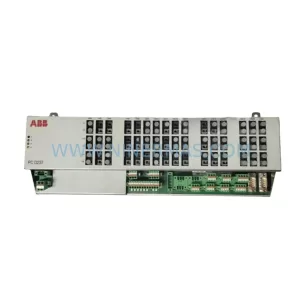
SKU: 3BHE028915R0101 PCD237 A101
ABB 3BHE028915R0101 PCD237 A101 Retrofit Safety Controller
Catalog Continuation
Alternative parts within PLC & Industrial Automation Modules.
Stay inside the same system family when you need substitutes, adjacent modules, or a broader shortlist for procurement review.



SKU: HDD02.2-W040N-HS12-01-FW FWA-DIAX04-ELS-05VRS-MS
Rexroth HDD02.2-W040N-HS12-01-FW Service-Ready Spare Part

SKU: I5DAE375F10010000S
Lenze I5DAE375F10010000S Service-Ready Spare Part for Industrial Maintenance



