Original Industrial Spare Part
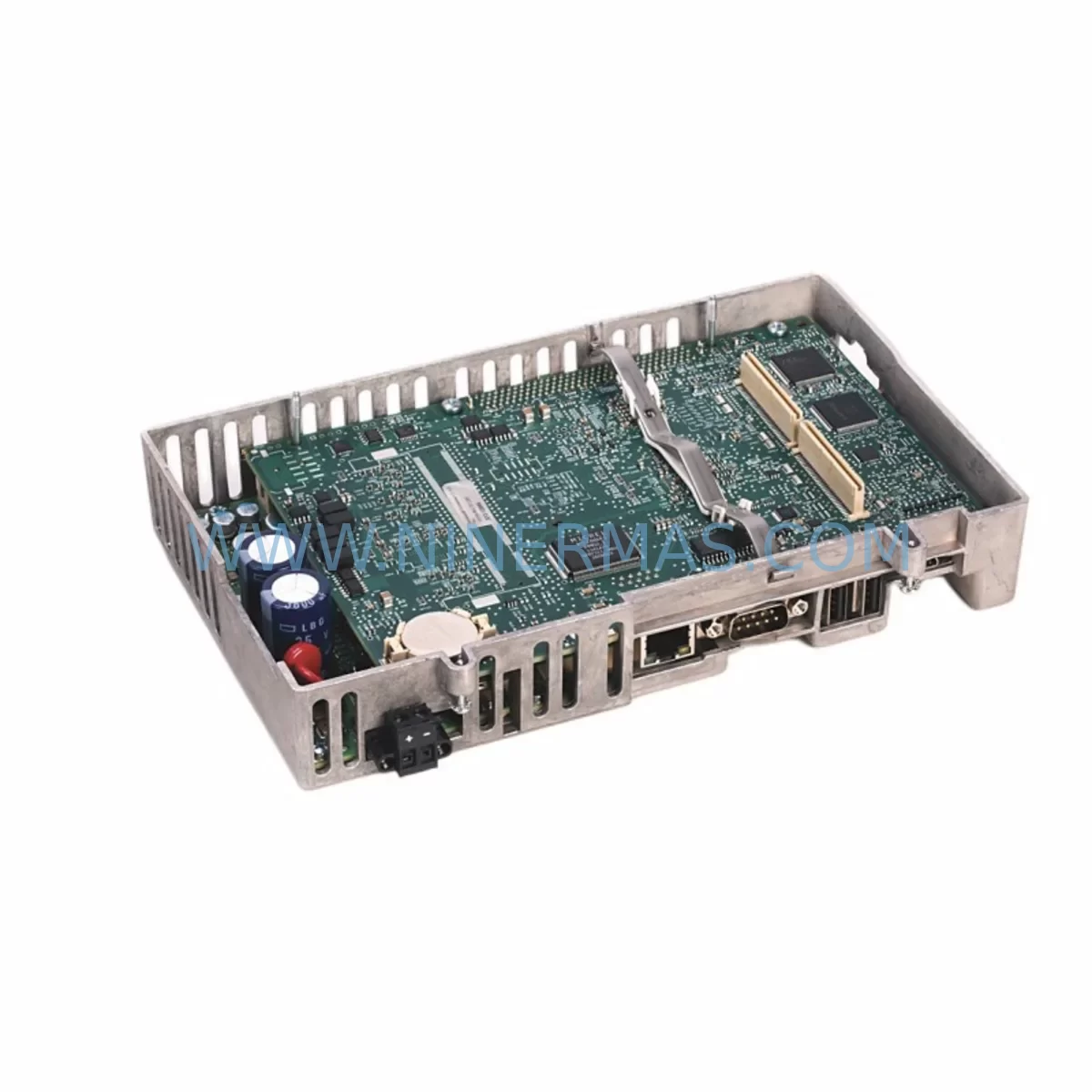
Allen-Bradley 2711P-RP9DK Retrofit-Compatible Rear Panel for Legacy Systems
Verify the part, confirm the platform family, and move straight into quotation with the right commercial details.
RFQ Ready
- SKU2711P-RP9DK
- CategoryPLC & Industrial Automation Modules
- BrandAllen-Bradley
- SupportAvailability, lead time, condition, and shipping coordination
How Buyers Usually Use This Page
- Confirm the exact part number and platform family before sending the quote request.
- Use direct email when quantity, condition, and destination are already defined internally.
- Switch to the broader brand or category archive when you need alternates nearby.
Series Navigation
Move through the most common platform families behind this part.
Product RFQ
Send this part directly for quotation.
Include quantity, required condition, destination country, and target delivery timing. Current reference: Allen-Bradley 2711P-RP9DK Retrofit-Compatible Rear Panel for Legacy Systems with SKU 2711P-RP9DK.
Allen-Bradley 2711P-RP9DK Retrofit-Compatible Rear Panel for Legacy Systems
The Allen-Bradley 2711P-RP9DK is a rear panel assembly designed for the PanelView Plus 6 series of Human Machine Interface (HMI) terminals. As aging automation infrastructure reaches end-of-life and original spare parts become increasingly scarce, the 2711P-RP9DK has become a critical component in retrofit projects, legacy panel upgrades, and discontinued model replacements across manufacturing, utilities, oil & gas, and process control industries.
NINERMAS maintains verified inventory of the 2711P-RP9DK to support engineers and maintenance teams managing brownfield automation systems. Whether you are replacing a failed rear panel on an existing PanelView Plus 6 terminal, upgrading a control cabinet that still relies on legacy Rockwell Automation HMI hardware, or sourcing backup stock to extend the service life of a production line, the 2711P-RP9DK provides a direct, compatible solution without requiring a full HMI platform migration.
Before installing the 2711P-RP9DK as a replacement in an existing system, engineers should verify several key parameters to ensure a smooth retrofit. Power supply compatibility is the first checkpoint: confirm that the existing 24VDC supply rail in the control cabinet can meet the terminal’s rated current draw, particularly if the cabinet also powers other devices such as a 1769-PA2 CompactLogix power supply module or a 1606-XLP series power supply. Undersized power infrastructure is a common cause of intermittent HMI faults during and after panel replacement.
Terminal wiring and connector pinout must be reviewed against the original installation drawings. The rear panel interfaces with the main board assembly of the PanelView Plus 6 terminal, and any deviation in connector seating or grounding continuity can result in communication errors or display anomalies. If the original installation used a 2711P-CBL-EX04 or similar extension cable for remote mounting, verify that the cable routing and strain relief remain intact after the rear panel swap.
Communication link integrity is another critical factor. PanelView Plus 6 terminals in legacy systems are frequently configured for EtherNet/IP communication with a ControlLogix or CompactLogix controller platform. After replacing the 2711P-RP9DK, confirm that the Ethernet port on the new rear panel is correctly mapped to the existing network configuration, including IP address, subnet mask, and gateway settings stored in the terminal’s FactoryTalk View ME application. If the system also uses a 1756-ENBT or 1756-EN2T EtherNet/IP bridge module in the controller backplane, verify that the HMI’s node address has not shifted following the hardware replacement.
For installations where the PanelView Plus 6 terminal communicates via DH-485 or RS-232 serial links to legacy SLC 500 or MicroLogix controllers, the rear panel’s serial port configuration must be re-validated post-installation. Serial communication parameters including baud rate, parity, and station address should be confirmed in FactoryTalk View ME before returning the system to production. In mixed-protocol environments, a 1761-NET-AIC Advanced Interface Converter may be present in the communication chain and should be inspected for proper operation after the panel swap.
Upgrade Compatibility Table
| Parameter | Details |
|---|---|
| Compatible Platform | PanelView Plus 6 Series (2711P) |
| Replacement For | Discontinued / damaged 2711P-RP9DK rear panel assemblies |
| Communication Compatibility | EtherNet/IP, DH-485, RS-232 (per terminal configuration) |
| Power Input | 24VDC (verify existing cabinet power supply capacity) |
| Installation Requirement | Panel cutout per 2711P series specifications; verify mounting depth |
| Interface | Internal board connector; verify seating and grounding continuity |
| Retrofit Recommendation | Direct drop-in replacement; re-validate IP/serial settings post-install |
| Commissioning Focus | Communication link test, HMI screen navigation, I/O tag verification |
| Warranty | 12 Months — NINERMAS Quality Assurance |
Retrofit Planning for Existing Automation Systems
Successful integration of the 2711P-RP9DK into an existing automation system requires a structured retrofit plan that accounts for the full scope of the control architecture. In most legacy installations, the PanelView Plus 6 terminal operates as the primary operator interface for a Rockwell Automation controller platform, and the rear panel replacement must be treated as a live system intervention rather than a simple hardware swap.
Begin by documenting the current system topology. Identify the controller model — whether a 1756-L71 ControlLogix processor, a 1769-L33ER CompactLogix controller, or an older SLC 5/05 — and confirm the communication path between the controller and the HMI terminal. Export a backup of the FactoryTalk View ME application from the existing terminal before any hardware is disturbed. This backup is essential for restoring the HMI application to the replacement rear panel assembly and should be stored on a secure engineering workstation.
If the control cabinet also houses I/O modules such as a 1769-IQ16 digital input module or a 1769-OF4 analog output module on a CompactLogix local I/O bus, confirm that the I/O module addresses and slot assignments are documented. A rear panel replacement on the HMI terminal should not affect controller I/O scanning, but any unplanned power interruption during the swap could trigger controller fault conditions that require manual reset and program restart.
For cabinets that include a 1756-L85E ControlLogix controller with a 1756-EN2TR dual-port EtherNet/IP module, the HMI communication path is typically routed through a managed Ethernet switch. Verify switch port configuration and VLAN assignments before and after the rear panel replacement to ensure the HMI terminal re-establishes its EtherNet/IP connection without requiring switch-level reconfiguration.
In retrofit scenarios involving older PanelView Plus terminals being upgraded to PanelView Plus 6 hardware, the 2711P-RP9DK may be part of a broader platform migration. In these cases, the FactoryTalk View ME application may require conversion and re-testing, and the engineering team should allocate time for HMI screen validation, alarm tag mapping, and operator acceptance testing before the upgraded panel is returned to production service.
Physical installation space must also be confirmed. The 2711P series rear panel has specific depth and mounting requirements that may conflict with cable management trays, terminal blocks, or adjacent equipment in densely populated control cabinets. Measure available depth behind the panel cutout and confirm that existing conduit entries and cable looms can be repositioned if necessary to accommodate the replacement assembly.
Downtime Control During System Migration
Minimizing unplanned downtime is the primary operational concern when replacing the 2711P-RP9DK in a production environment. A structured pre-maintenance checklist and a clearly defined rollback procedure are essential components of any rear panel replacement plan.
Schedule the replacement during a planned maintenance window and notify all relevant production and safety personnel in advance. Before powering down the control cabinet, confirm that the process or machine controlled by the HMI terminal is in a safe, stable state. For continuous process applications, coordinate with the process control team to place the system in manual mode or transfer control to a backup station if available.
Protect the original program logic by ensuring that the ControlLogix or CompactLogix controller program is saved to both the controller’s onboard memory and an offline backup on the engineering workstation. If the system uses a 1784-SD1 SD card in the controller for program storage, verify that the card contains the current program version before proceeding.
During the physical swap, follow ESD precautions and handle the 2711P-RP9DK assembly carefully to avoid damage to the internal board connectors. Reconnect all cables in the correct sequence, verify grounding continuity, and restore power to the cabinet in a controlled manner. After power-up, allow the HMI terminal to complete its boot sequence before attempting to load the FactoryTalk View ME application.
Conduct a systematic commissioning check: verify that the HMI terminal establishes communication with the controller, that all HMI screens display correctly, that I/O status indicators on the HMI match the physical field device states, and that alarm functions operate as expected. Document the commissioning results and obtain sign-off from the responsible engineer before returning the system to automatic production mode.
NINERMAS ships the 2711P-RP9DK with outgoing quality inspection documentation and a 12-month warranty, supporting your team’s confidence in the replacement component and reducing the risk of repeat failures during the warranty period.
Retrofit Support FAQ
Q1: Is the 2711P-RP9DK a direct replacement for the original rear panel in my PanelView Plus 6 terminal?
A: Yes. The 2711P-RP9DK is designed as a direct replacement rear panel assembly for compatible PanelView Plus 6 terminals. Before installation, verify the terminal model number and confirm that the rear panel part number matches your existing hardware configuration. NINERMAS can assist with cross-referencing if you provide your terminal’s full model string.
Q2: Will I need to reprogram the HMI after replacing the rear panel?
A: In most cases, the FactoryTalk View ME application stored on the terminal will need to be reloaded after the rear panel replacement. Export a full application backup before the swap and restore it to the new assembly after installation. Communication settings including IP address and serial port parameters will also need to be re-entered or restored from backup.
Q3: How do I verify wiring and connector compatibility before installation?
A: Refer to the Allen-Bradley 2711P-RP9DK installation documentation and compare the connector layout with your existing terminal’s internal wiring. If the original installation drawings are unavailable, NINERMAS technical support can provide guidance on connector identification and pinout verification based on your terminal model and serial number.
Q4: What warranty and quality assurance does NINERMAS provide for the 2711P-RP9DK?
A: All 2711P-RP9DK units supplied by NINERMAS are covered by a 12-month warranty from the date of shipment. Each unit undergoes outgoing quality inspection prior to dispatch. In the event of a warranty claim, NINERMAS will provide replacement or repair support in accordance with our standard warranty terms. Contact sale@ninermas.com for warranty registration and support inquiries.
| Product Series | 2711 |
|---|---|
| Country of Origin | US |
Catalog Continuation
More Allen-Bradley modules in the catalog.
Use the brand lane to compare nearby part numbers, platform-adjacent modules, and other inquiry-ready listings before sending your final RFQ.




Catalog Continuation
Alternative parts within PLC & Industrial Automation Modules.
Stay inside the same system family when you need substitutes, adjacent modules, or a broader shortlist for procurement review.



SKU: HDD02.2-W040N-HS12-01-FW FWA-DIAX04-ELS-05VRS-MS
Rexroth HDD02.2-W040N-HS12-01-FW Service-Ready Spare Part

SKU: I5DAE375F10010000S
Lenze I5DAE375F10010000S Service-Ready Spare Part for Industrial Maintenance