
Original Industrial Spare Part
Siemens 6SE7016-1TA51-Z Service-Ready Spare Part for Industrial Maintenance
Verify the part, confirm the platform family, and move straight into quotation with the right commercial details.
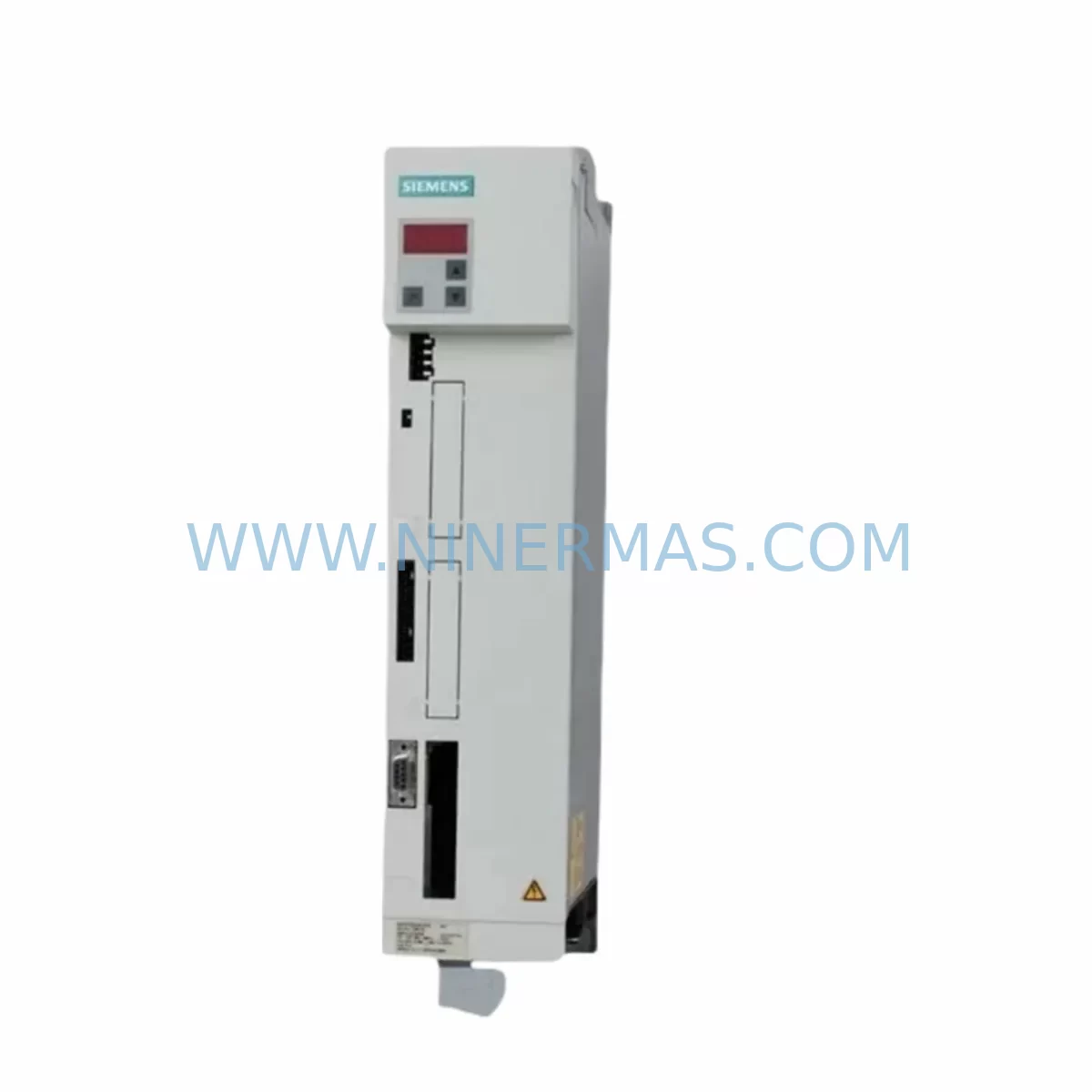
RFQ Ready
- SKU6SE7016-1TA51-Z
- CategoryPLC & Industrial Automation Modules
- BrandSiemens
- SupportAvailability, lead time, condition, and shipping coordination
How Buyers Usually Use This Page
- Confirm the exact part number and platform family before sending the quote request.
- Use direct email when quantity, condition, and destination are already defined internally.
- Switch to the broader brand or category archive when you need alternates nearby.
Series Navigation
Move through the most common platform families behind this part.
Product RFQ
Send this part directly for quotation.
Include quantity, required condition, destination country, and target delivery timing. Current reference: Siemens 6SE7016-1TA51-Z Service-Ready Spare Part for Industrial Maintenance with SKU 6SE7016-1TA51-Z.
Siemens 6SE7016-1TA51-Z Service-Ready Spare Part for Industrial Maintenance
The Siemens 6SE7016-1TA51-Z is a compact, ruggedized AC drive unit from the SIMOVERT MASTERDRIVES series — one of Siemens’ most widely deployed variable-frequency drive platforms in industrial automation. Designed for demanding environments, this unit delivers reliable vector-control performance for motor speed regulation, torque control, and process automation across manufacturing, utilities, and heavy industry sectors.
For maintenance engineers managing aging control systems, the 6SE7016-1TA51-Z represents a critical spare part. As original SIMOVERT MASTERDRIVES units approach end-of-life or become increasingly difficult to source through standard distribution channels, having a verified, service-ready replacement on hand is essential to minimizing unplanned downtime. A single drive failure on a production line can halt operations for hours or days — the cost of downtime far exceeds the cost of maintaining a strategic spare inventory.
At NINERMAS, every 6SE7016-1TA51-Z unit is sourced from verified supply channels, inspected prior to dispatch, and covered by a 12-month warranty. We support procurement engineers and maintenance teams with long-term supply continuity for discontinued and hard-to-find Siemens SIMOVERT components.
Spare Maintenance Table
| Part Number | 6SE7016-1TA51-Z |
| Brand | Siemens |
| Series | SIMOVERT MASTERDRIVES (Compact Plus) |
| Product Type | AC Drive / Variable Frequency Inverter |
| Control Mode | Vector Control (VC) |
| Output Power | 1.5 kW (approx., 3AC 380–480 V input range) |
| Input Voltage | 3-phase AC, 380–480 V, 50/60 Hz |
| Enclosure / Form Factor | Compact Plus, ruggedized for harsh environments |
| Compatibility | SIMOVERT MASTERDRIVES 6SE70xx series; compatible with standard Siemens CUVC/CUMC control boards |
| Communication | PROFIBUS DP via optional CBP2 module; USS protocol via RS485 |
| Installation | DIN rail or panel mount; standard Siemens MASTERDRIVES wiring topology |
| Application Environment | Industrial automation, process control, pump/fan/conveyor drives, harsh-duty applications |
| Origin | Germany |
| Condition | Original spare part, pre-shipment tested |
| Warranty | 12 Months |
| Maintenance Recommendation | Inspect DC bus capacitors, cooling fan, and IGBT gate driver board annually; replace drive proactively at first sign of thermal fault or output imbalance |
Maintenance Planning for Continuous Operation
When replacing the 6SE7016-1TA51-Z in a SIMOVERT MASTERDRIVES installation, a thorough site inspection of the surrounding electrical system is essential to ensure the root cause of failure is addressed and the replacement unit is protected from premature damage.
Begin with the input power supply: verify that the incoming 3-phase voltage is within the rated 380–480 V tolerance and that line reactors or EMC filters (such as the Siemens 6SE7016-series line filter) are intact and correctly rated. A degraded line reactor is a common upstream cause of drive failure that is frequently overlooked during emergency replacements.
Inspect the DC bus connections and braking resistor circuit. If the application involves frequent deceleration or regenerative loads, confirm that the braking chopper module and associated resistor are functional. Overvoltage trips on the DC bus are a leading cause of IGBT failure in MASTERDRIVES compact units.
Check all control wiring and I/O terminal connections. The SIMOVERT MASTERDRIVES platform uses a modular control board architecture — the CUVC (6SE7090-0XX84-0AB0) or CUMC control unit interfaces with the power section via a defined backplane connector. Inspect the control board seating, ribbon cable integrity, and all analog/digital I/O signal wiring at the terminal strip. Loose or corroded terminals on speed reference inputs (AIN1/AIN2) or enable signals (BICO-linked digital inputs) can cause erratic drive behavior that mimics a faulty power section.
For installations using PROFIBUS DP communication, verify the CBP2 communication board and its bus termination resistors. A failed CBP2 or incorrect bus address setting will prevent the drive from receiving speed setpoints from the PLC, causing the system to fault on communication timeout. Similarly, if the site uses USS protocol over RS485, inspect the serial communication cable shielding and grounding.
Review the motor feedback circuit: encoder cables, pulse encoder modules (such as the SBP or SBM encoder board), and motor thermistor (PTC/KTY84) wiring should all be verified before commissioning the replacement drive. A shorted thermistor input will immediately trigger a motor overtemperature fault on the new unit.
Inspect relay output wiring for fault signal and ready signal circuits — these are commonly wired to safety relays or PLC digital input cards and must be confirmed functional. Also check the 24 VDC auxiliary power supply feeding the control electronics; an unstable auxiliary supply is a known cause of random resets and parameter loss in MASTERDRIVES units.
For cabinet-level maintenance, inspect terminal blocks, fuse holders, and miniature circuit breakers on the drive input circuit. Blown fuses or tripped MCBs upstream of the drive are sometimes the actual fault — not the drive itself. Replacing the drive without restoring the upstream protection will result in immediate re-failure.
Finally, if the site uses a Siemens OP1S operator panel or an external HMI (e.g., Siemens TP177 or OP177) for parameter access, confirm that the panel communication cable and parameter set are backed up before swapping the drive. MASTERDRIVES parameter sets can be uploaded/downloaded via the OP1S or via STARTER/DriveMonitor software — always restore the parameter set to the replacement unit before running the motor.
Site Replacement Workflow
Step 1 — Isolation & Safety: Isolate the drive from mains supply via the upstream isolator or MCB. Verify zero voltage on DC bus terminals using a calibrated multimeter — MASTERDRIVES DC bus capacitors retain charge for several minutes after power-off. Do not proceed until DC bus voltage is below 50 V.
Step 2 — Parameter Backup: If the existing drive is still partially functional, connect the OP1S operator panel or a laptop running DriveMonitor/STARTER and upload the full parameter set (P0 to P999 range). Save to file. This eliminates re-commissioning time on the replacement unit.
Step 3 — Mechanical Removal: Disconnect all power cables (U1/V1/W1 input; U2/V2/W2 output), control wiring, encoder cables, and communication connectors. Label all wiring before removal. Remove the drive from the mounting rail or panel cutout.
Step 4 — Inspection of Replacement Unit: Confirm the 6SE7016-1TA51-Z replacement unit matches the original in firmware version and hardware revision where possible. Inspect for transit damage. Verify the CUVC or CUMC control board is correctly seated.
Step 5 — Installation & Parameter Restore: Mount the replacement drive, reconnect all wiring per the original labeling. Power up the control supply first (24 VDC auxiliary). Download the saved parameter set via OP1S or DriveMonitor. Verify motor data parameters (P095–P109) match the nameplate of the connected motor.
Step 6 — Commissioning Test: Run the drive in local/manual mode at low speed (5–10 Hz) before returning to automatic/PLC control. Monitor output current, DC bus voltage, and heatsink temperature during the initial run. Confirm no fault codes are active. Return to automatic operation and verify process performance.
This structured replacement workflow minimizes total downtime to under 2 hours for a prepared maintenance team, compared to 8–24 hours for an unprepared emergency response.
Spare Parts Support FAQ
Q1: Is the 6SE7016-1TA51-Z still available as a new original spare part?
The SIMOVERT MASTERDRIVES series has reached end-of-active-production, but original spare units remain available through specialist industrial spare parts suppliers. NINERMAS maintains stock of verified original 6SE7016-1TA51-Z units sourced from authorized channels. Each unit is inspected and tested prior to shipment.
Q2: What is the recommended spare parts inventory strategy for MASTERDRIVES installations?
For critical production lines, we recommend holding at least one spare drive unit per installed drive type, plus a spare CUVC control board and a spare CBP2 communication module. For multi-drive installations, a ratio of one spare per five installed units is a common industry benchmark. Long lead times for end-of-life Siemens components make proactive stocking essential.
Q3: How is compatibility verified before shipment?
Each 6SE7016-1TA51-Z unit is verified against the original Siemens part number, hardware revision, and firmware version where applicable. NINERMAS performs a pre-shipment functional check and documents the test results. Customers are encouraged to provide their existing drive’s nameplate data and parameter list to facilitate compatibility confirmation before purchase.
Q4: What warranty and long-term supply support does NINERMAS provide?
All units are covered by a 12-month warranty from the date of shipment, covering defects in materials and workmanship under normal operating conditions. NINERMAS is committed to long-term supply of SIMOVERT MASTERDRIVES spare parts and maintains ongoing sourcing relationships to support customers through extended system lifecycles. For volume procurement or annual maintenance contracts, contact our technical sales team directly.
| Product Series | SIMOVERT |
|---|---|
| Country of Origin | DE |
Catalog Continuation
More Siemens modules in the catalog.
Use the brand lane to compare nearby part numbers, platform-adjacent modules, and other inquiry-ready listings before sending your final RFQ.
SKU: 6SL3210-5BE31-8CV0
Siemens 6SL3210-5BE31-8CV0 Safety-Reliable VFD Drive
SKU: 6SE7027-2ED84-1HF3
Siemens 6SE7027-2ED84-1HF3 Retrofit-Compatible Drive for Legacy Systems
Catalog Continuation
Alternative parts within PLC & Industrial Automation Modules.
Stay inside the same system family when you need substitutes, adjacent modules, or a broader shortlist for procurement review.
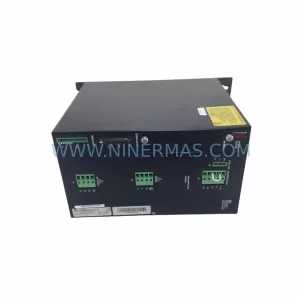
SKU: SCE906A2-002-01 SCE906A200201
Pacific Scientific SCE906A2-002-01 Retrofit Servo Amplifier
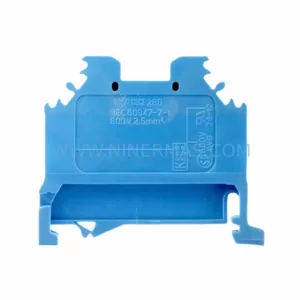
SKU: EPC500 3183062451
Alfa Laval EPC500 3183062451 Service-Ready Spare Part



